


Ships from China.

Meet Your Seller

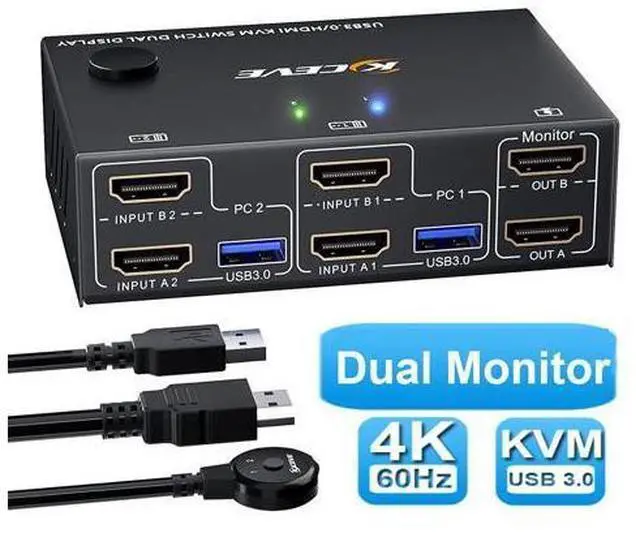


2 Port 4K @60Hz Dual Monitor HDMI KVM Switch with USB 3.0 Port Simulation EDID, USB HDMI Extended Display Switcher for 2 Computers Share 2 Monitors and 4 USB 3.0 Devices, with Wired Controller&Cables
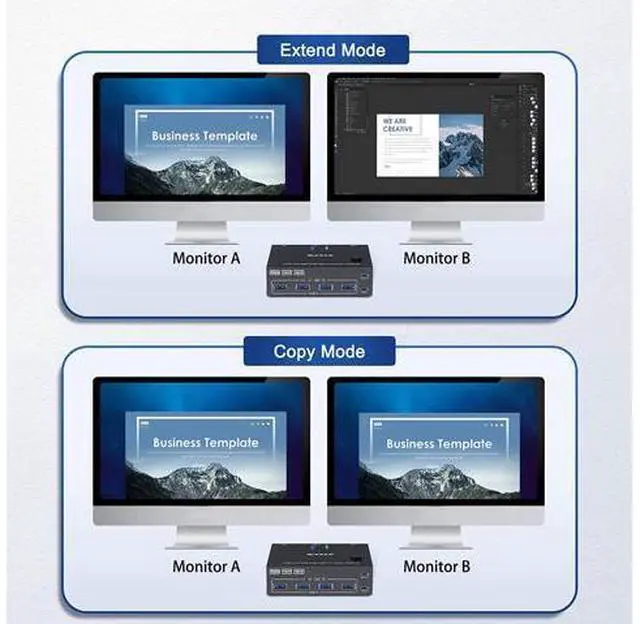
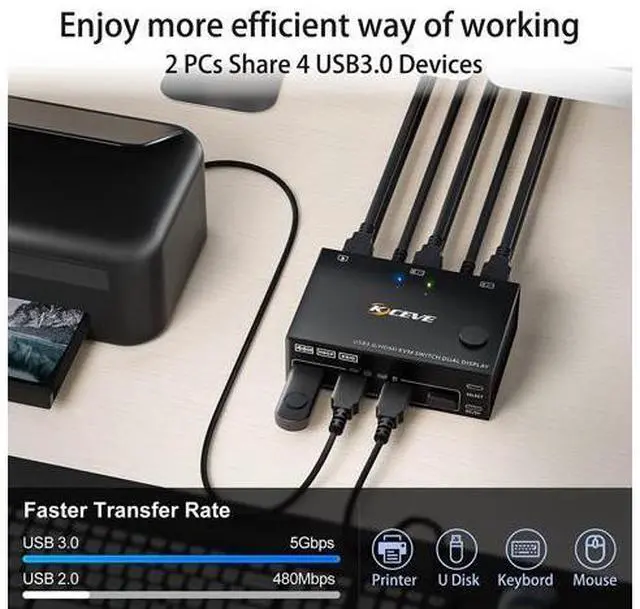
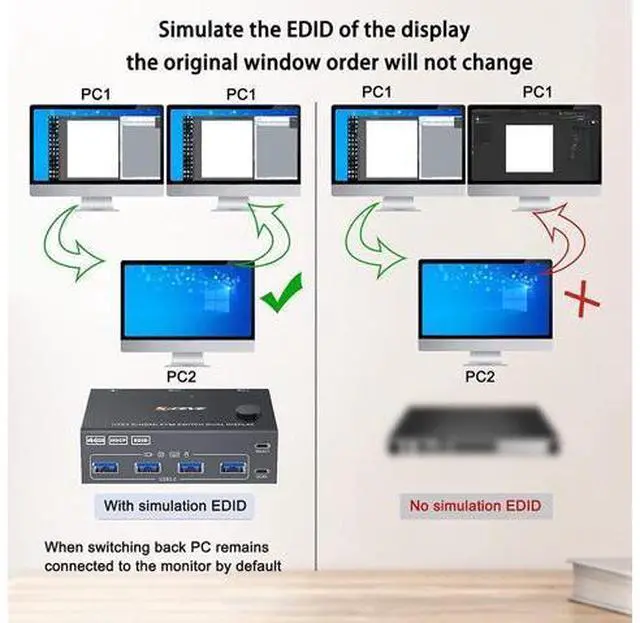
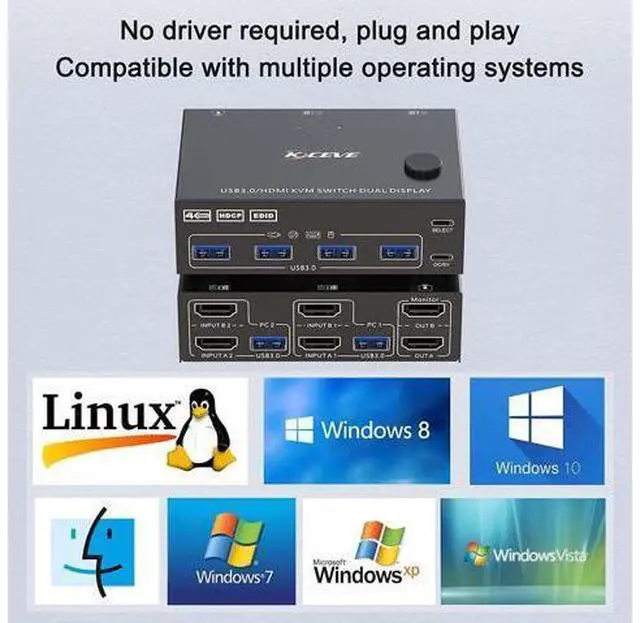
- [Dual Monitor KVM Switch HDMI 2 In 2 Out] This Dual Monitor KVM Switcher allows to control 2 computers by 1 set of keyboard & mouse and 2 monitors(Extend display mode or Copy display mode).; [Support up to 4K@60Hz] USB3.0 dual monitor KVM switch supports resolution up to 4K@60Hz,2K@120Hz.; [4 USB 3.0 Ports] with 4 USB 3.0 ports which can recognize wired/wireless keyboard mouse, printer or other USB devices.USB3.0 has a faster data transfer speed of up to 5Gbps, backward compatible with USB 2.0/1.1 devices.; [With Simulation EDID] Can simulate the EDID of the display, store the resolution and refresh rate of the display, it comes with EDID emulators in each input port, keep PCs always having correct display information.; [2 Switching Mode&LED Indicator] with 2 swtich methdos that are pressing the button on the panel and the wired controller.; [Great Compatibility & Easy to Use it] Driver-free,plug and play.Compatible Windows 10/8/8.1/7/Vista/XP and Mac OS,Linux.
+
+
Overview
Specs
Reviews
Dual Monitor KVM Switch 2 port USB 3.0 dual-monitor HDMI KVM Switch (HDMI + HDMI). Each input source device must be connected to two dual-monitor.
Advantages: 2 computers share a wired/wireless keyboard, mouse and two monitors. Dual monitor output supports extended and mirrored display.
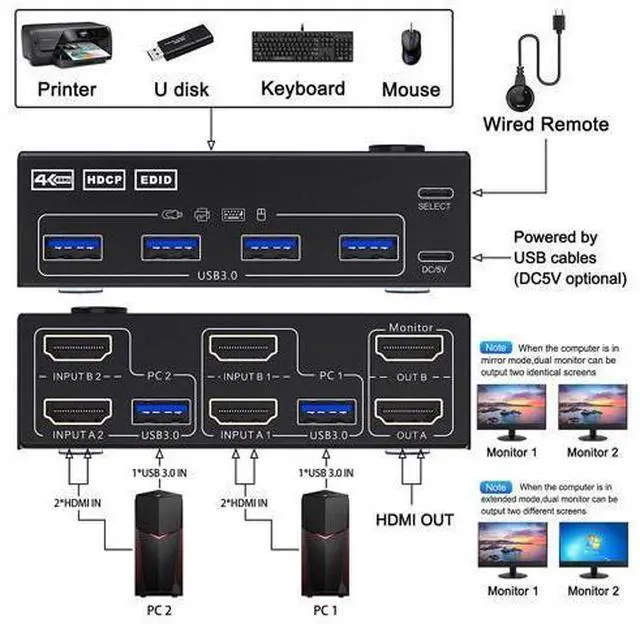
Switching mode: push-button switch and wired remote control. Supports wired or wireless keyboard and mouse. Supports USB 3.0 devices. Cross support for most major operating systems, including Windows, Linux, and Mac Four USB 3.0 ports. Support the highest resolution 4K@60Hz, 1440P@60Hz, downward compatible. Supports HDMI 2.0 and is compatible with HDMI 1.4. If multiple connections are required, the USB hub can be expanded to a USB 3.0 port. KVM Switch 2 Monitors 2 Computers Dual Monitor KVM Installation Guide Precautions (Incorrect connection may cause faults): Each computer must be connected with 2 HDMI cables and 1 USB A/A cable to keep the keyboard, mouse, and monitor working properly.
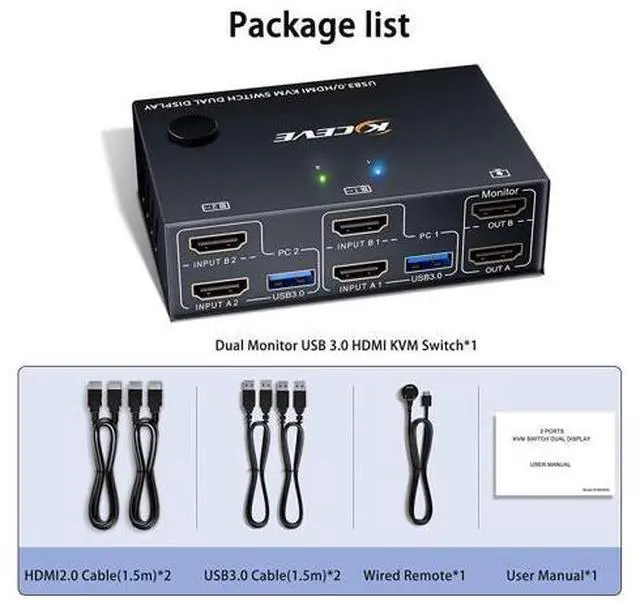
Connection steps: Step 1. Connect 2 x HDMI cable +1 x USB-A cable to PC 1 and KVM (USB 3.0, INPUT A1, INPUT B1). Step 2. Connect 2 x HDMI cable +1 x USB-B cable to PC 2 and KVM (USB 3.0, INPUT A2, INPUT B2). Step 3. Connect A 2 x HDMI cable between the KVM (OUT A, OUT B) and the monitor. Step 4. Connect the keyboard and mouse to the K/M USB port on the KVM. Step 5. Insert the USB 3.0 device into the USB port on the KVM. Step 6. Plug the desktop controller into the SELECT port and remotely switch between PC1 and PC
Advantages: 2 computers share a wired/wireless keyboard, mouse and two monitors. Dual monitor output supports extended and mirrored display.
Switching mode: push-button switch and wired remote control. Supports wired or wireless keyboard and mouse. Supports USB 3.0 devices. Cross support for most major operating systems, including Windows, Linux, and Mac Four USB 3.0 ports. Support the highest resolution 4K@60Hz, 1440P@60Hz, downward compatible. Supports HDMI 2.0 and is compatible with HDMI 1.4. If multiple connections are required, the USB hub can be expanded to a USB 3.0 port. KVM Switch 2 Monitors 2 Computers Dual Monitor KVM Installation Guide Precautions (Incorrect connection may cause faults): Each computer must be connected with 2 HDMI cables and 1 USB A/A cable to keep the keyboard, mouse, and monitor working properly.
Connection steps: Step 1. Connect 2 x HDMI cable +1 x USB-A cable to PC 1 and KVM (USB 3.0, INPUT A1, INPUT B1). Step 2. Connect 2 x HDMI cable +1 x USB-B cable to PC 2 and KVM (USB 3.0, INPUT A2, INPUT B2). Step 3. Connect A 2 x HDMI cable between the KVM (OUT A, OUT B) and the monitor. Step 4. Connect the keyboard and mouse to the K/M USB port on the KVM. Step 5. Insert the USB 3.0 device into the USB port on the KVM. Step 6. Plug the desktop controller into the SELECT port and remotely switch between PC1 and PC
Warranty & Returns
Warranty, Returns, And Additional Information
Warranty
- Please contact the Seller directly for warranty information. Warranty information may also be found on the Manufacturer's website.
- CONTACT
Return Policies
- Return for refund within: 30 days
- Return for replacement within: 90 days
- This item is covered by Truespan Living Return Policy
Manufacturer Contact Info
- For a directory of all our manufacturers, please click below.
- Manufacturers Directory
LOADING...