


Ships from China.

Meet Your Seller

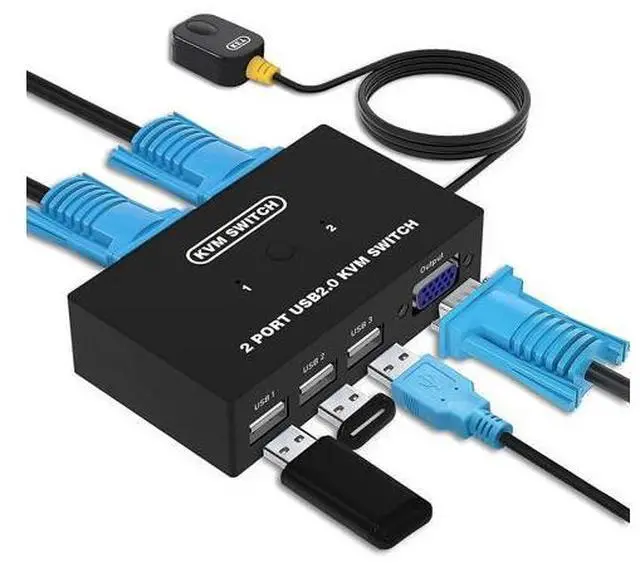
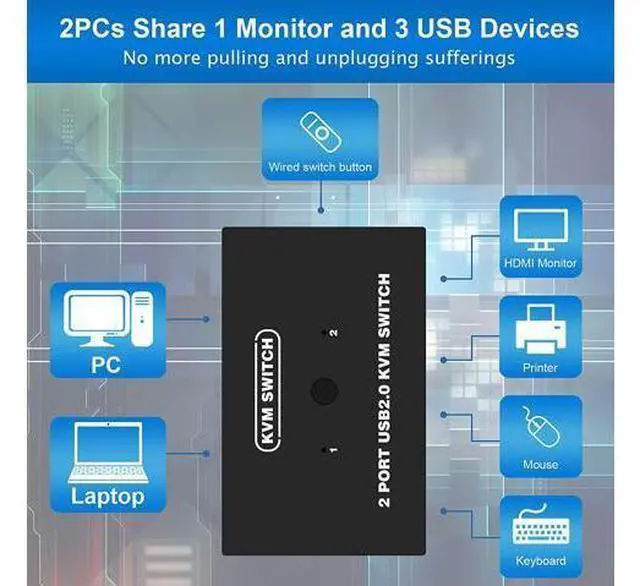


USB VGA KVM Switch for 2 PC Sharing 1 Video Monitor and 3 USB Devices, Keyboard Mouse Scanner Printer, VGA KVM Switcher for Laptop PC Windows Mac OS System
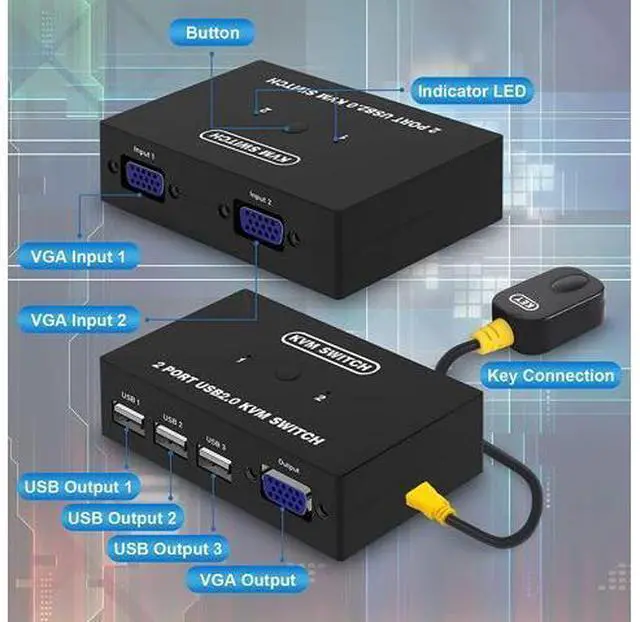
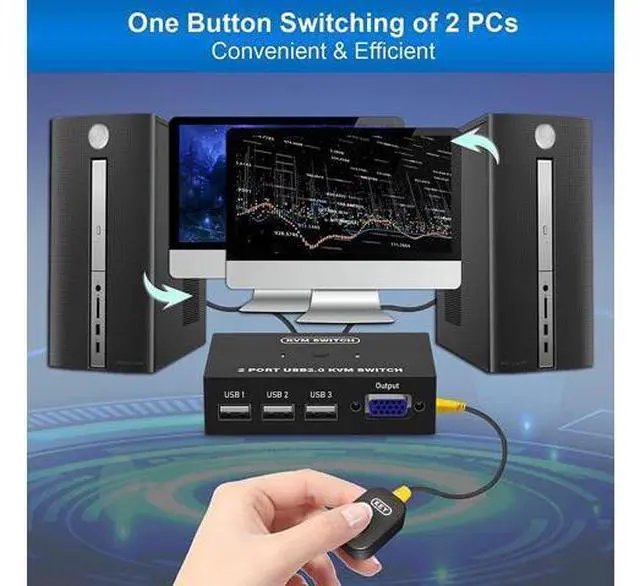
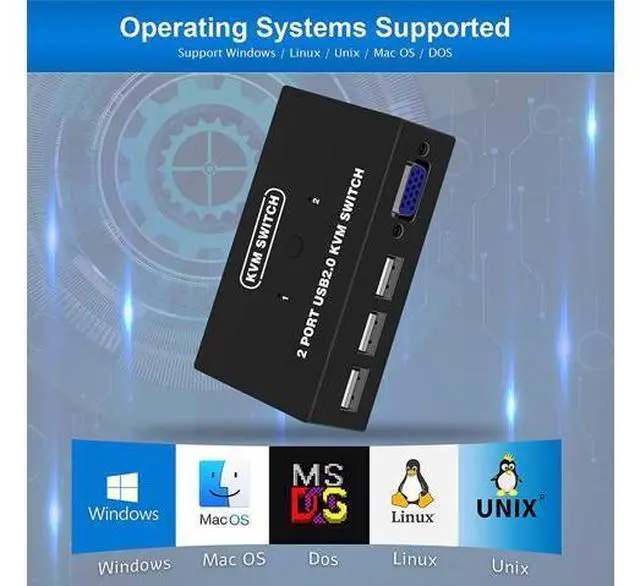
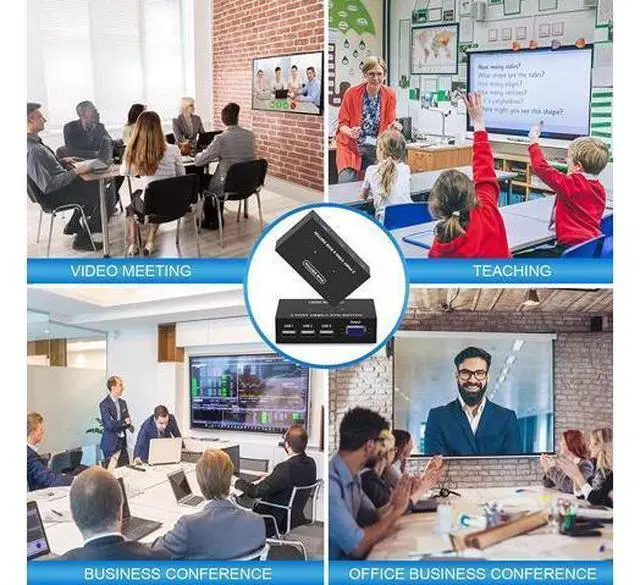
- Ideal Sharing Devices: USB VGA KVM Switch Box allows you to control 2 PCs via 1 Video Monitor and 3 USB2.0 Devices such as a printer, scanner, mouse, keyboard. It includes 2 KVM cables, VGA cables, and USB cables are 2 in 1 to keep your workspace tidy and efficient.; Easy to install: plug and play with no driver required. With the switch button that you can easily switch 2 PCs without constantly swapping cables or setting up complicated software.; High resolution: This KVM switch's resolution up to 1920 * 1440 and supports a super widescreen display. Support for DDC and high-quality auto-identification.; Fast switching: you can easily and conveniently switch between 2 computers by pressing the buttons on the wired desktop controller.; High compatibility: The KVM switch works with great compatibility, suit for DOS, Windows, Netware, Unix, Linux, Vista, Mac OS. For a business, office, multimedia classroom, meeting room, game room, home theater, research test, etc.
+
+
Overview
Specs
Reviews
Take notes
1. Connect the KVM cables to the computer ports of KVM switch.
KVM Cable: Plug the HOST Port (VGA & USB connector) of KVM cable into the computer.
2. Plug the KVM Port (VGA connector only) of KVM cable into the KVM Switch. The HOST Port and KVM port can not be connected in reverse. 2 switching methods Panel Button Simply presses the button on the panel to switch another PC. External Controller Switch to another host by pressing the button on the external controller.
Specification: Interface protocols ------
USB 2.0 Input: 2 PC MAX (VGA + USB 2 in 1)
Output: VGA * 1 + USB * 3
Switch mode: panel button, external controller
Resolution: 1920*1440 Support hot- plugging
Support System: Windows / Mac OS / Linux / Unix / Dos Package contents KVM switch * 1 KVM cable * 2 Wired switch button * 1 User Manual * 1
Warm Tips:
1. Connect the KVM cables to the computer ports of KVM switch.
KVM Cable: Plug the HOST Port (VGA & USB connector)of KVM cable into the computer.
2. Plug the KVM Port (VGA connector only) of KVM cable into the KVM Switch. The HOST Port and KVM port can not be connected in reverse.
Specification: Interface protocols ------
USB 2.0 Input: 2 PC MAX (VGA + USB 2 in 1)
Output: VGA * 1 + USB * 3
Switch mode: panel button, external controller
Resolution: 1920*1440 Support hot- plugging
Support System: Windows / Mac OS / Linux / Unix / Dos Package contents KVM switch * 1 KVM cable * 2 Wired switch button * 1 User Manual * 1
1. Connect the KVM cables to the computer ports of KVM switch.
KVM Cable: Plug the HOST Port (VGA & USB connector) of KVM cable into the computer.
2. Plug the KVM Port (VGA connector only) of KVM cable into the KVM Switch. The HOST Port and KVM port can not be connected in reverse. 2 switching methods Panel Button Simply presses the button on the panel to switch another PC. External Controller Switch to another host by pressing the button on the external controller.
Specification: Interface protocols ------
USB 2.0 Input: 2 PC MAX (VGA + USB 2 in 1)
Output: VGA * 1 + USB * 3
Switch mode: panel button, external controller
Resolution: 1920*1440 Support hot- plugging
Support System: Windows / Mac OS / Linux / Unix / Dos Package contents KVM switch * 1 KVM cable * 2 Wired switch button * 1 User Manual * 1
Warm Tips:
1. Connect the KVM cables to the computer ports of KVM switch.
KVM Cable: Plug the HOST Port (VGA & USB connector)of KVM cable into the computer.
2. Plug the KVM Port (VGA connector only) of KVM cable into the KVM Switch. The HOST Port and KVM port can not be connected in reverse.
Specification: Interface protocols ------
USB 2.0 Input: 2 PC MAX (VGA + USB 2 in 1)
Output: VGA * 1 + USB * 3
Switch mode: panel button, external controller
Resolution: 1920*1440 Support hot- plugging
Support System: Windows / Mac OS / Linux / Unix / Dos Package contents KVM switch * 1 KVM cable * 2 Wired switch button * 1 User Manual * 1
Warranty & Returns
Warranty, Returns, And Additional Information
Warranty
- Please contact the Seller directly for warranty information. Warranty information may also be found on the Manufacturer's website.
- CONTACT
Return Policies
- Return for refund within: 30 days
- Return for replacement within: 90 days
- This item is covered by Truespan Living Return Policy
Manufacturer Contact Info
- For a directory of all our manufacturers, please click below.
- Manufacturers Directory
LOADING...