
Your Browsing History
Ships from China.

Meet Your Seller

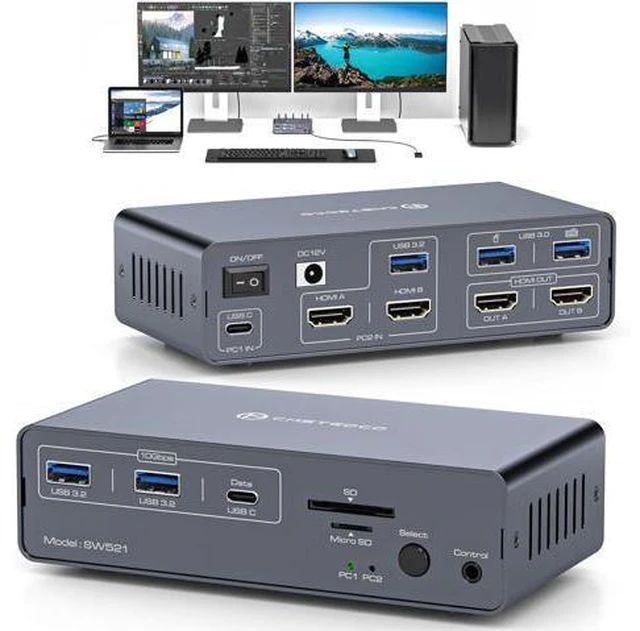


AUTYUE USB C HDMI KVM Switch Docking Station Dual Monitor KVM for Laptop and Computer, (13-in-1) Type C Dock with 2 HDMI 2.0, 10Gbps USBC + USBA 3.2 Date, 5Gbps USB 3.0 Date and SD/microSD Card Slots
Limited time offer, ends 09/15 By Truespan Living
- Dual Monitor KVM for Laptop and Desktop: The KVM Switch allows a USB C laptop and a desktop PC to share a 13-in-1 multi-port docking station. Note: Make sure the laptop's USB C port supports image output; the PC needs to connect a USB cable and 2 HD-MI ca
+
+
Overview
Specs
Reviews
13-in-1 Docking Station Switch for 1 Laptop and 1 Desktop Plug and
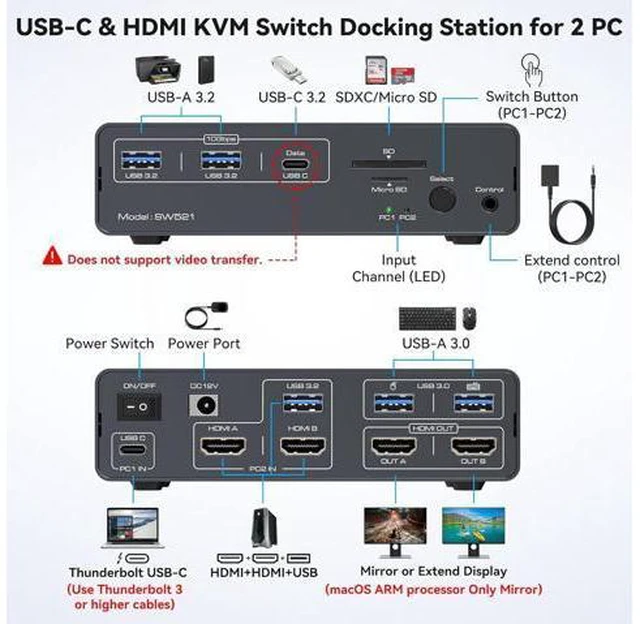
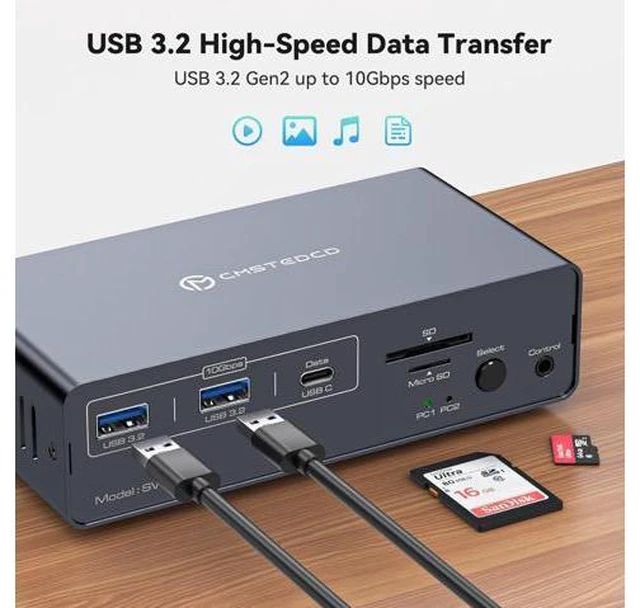
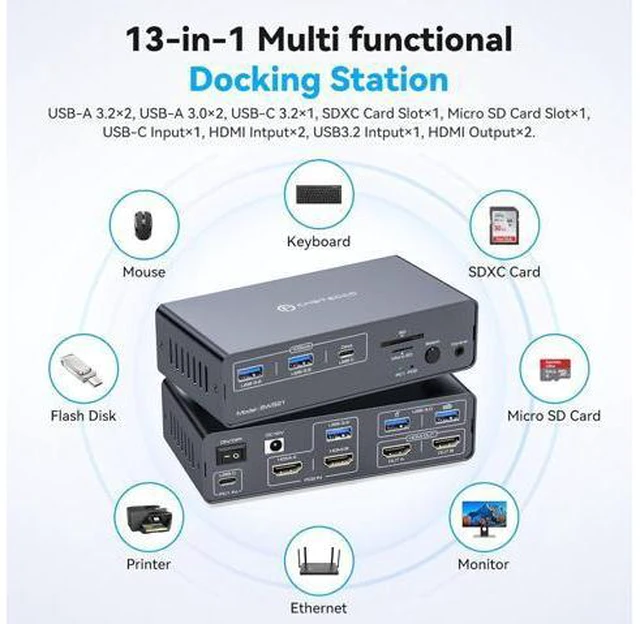
Play: Easily connect and switch between two laptops, giving you access to full functionality without the hassle of plugging and unplugging. Laptops connect to the docking station via a USB-C(Thunderbolt 3/4) port with DP Alt Mode support (supports video transfer), and desktops connect via two HDMI ports. Powerful 13-in-1 docking station from us offers unparalleled versatility, effortlessly connecting multiple peripherals to your PCs for a streamlined home workstation setup. Includes 2x USB 3.0 ports for keyboard and mouse 2x USB 3.2 Gen2, one USB-C 10 Gbps data port, connect more USB devices 1x USB 3.0 SD card slot and 1x Micro SD card slot, for DV camcorders, easier transfer 2x HDMI 2.0 outputs, to ensure 2 display stable transfer
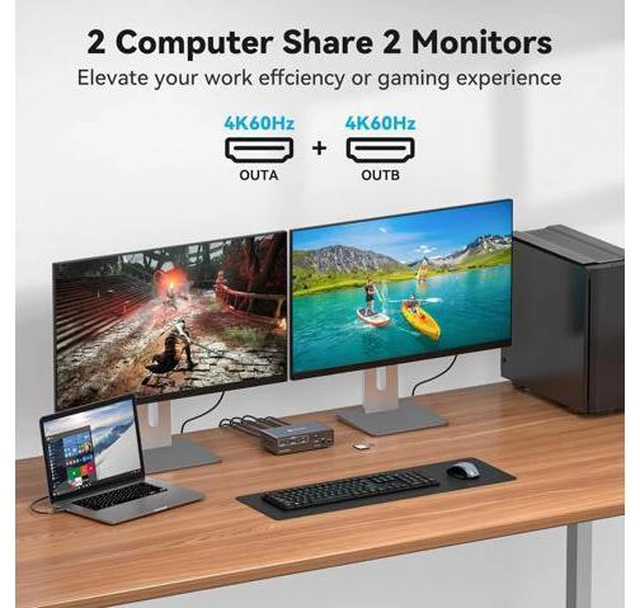
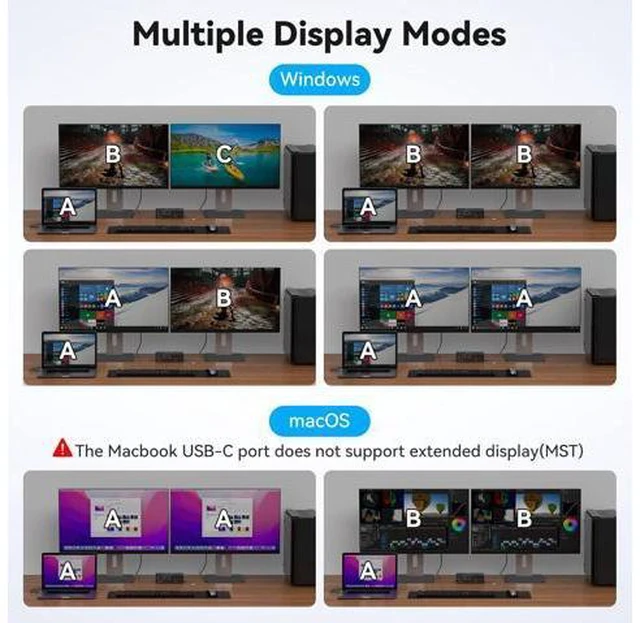
Notes: 1. In Windows system, HDMI docking station supports MST and SST modes. If you are using macOS on your computer, the 2 HDMI ports can only display two identical images. 2. The USB-C devices must support Power Delivery, Display Port Alt Mode functionality. It's normal for the screen to go black when switching between two host devices. 3. For stable screen mirroring, the 10Gbps USB-C port only transfers data and does not support PD charging or video transfer. EDID Emulators This docking station supports dual monitor resolution up to 4K@60HZ with EDID emulators in each input port, EDID emulation prevents resolution and icon rearrangement, your computers always get the correct dis
Play: Easily connect and switch between two laptops, giving you access to full functionality without the hassle of plugging and unplugging. Laptops connect to the docking station via a USB-C(Thunderbolt 3/4) port with DP Alt Mode support (supports video transfer), and desktops connect via two HDMI ports. Powerful 13-in-1 docking station from us offers unparalleled versatility, effortlessly connecting multiple peripherals to your PCs for a streamlined home workstation setup. Includes 2x USB 3.0 ports for keyboard and mouse 2x USB 3.2 Gen2, one USB-C 10 Gbps data port, connect more USB devices 1x USB 3.0 SD card slot and 1x Micro SD card slot, for DV camcorders, easier transfer 2x HDMI 2.0 outputs, to ensure 2 display stable transfer
Notes: 1. In Windows system, HDMI docking station supports MST and SST modes. If you are using macOS on your computer, the 2 HDMI ports can only display two identical images. 2. The USB-C devices must support Power Delivery, Display Port Alt Mode functionality. It's normal for the screen to go black when switching between two host devices. 3. For stable screen mirroring, the 10Gbps USB-C port only transfers data and does not support PD charging or video transfer. EDID Emulators This docking station supports dual monitor resolution up to 4K@60HZ with EDID emulators in each input port, EDID emulation prevents resolution and icon rearrangement, your computers always get the correct dis
Warranty & Returns
Warranty, Returns, And Additional Information
Warranty
- Please contact the Seller directly for warranty information. Warranty information may also be found on the Manufacturer's website.
- CONTACT
Return Policies
- Return for refund within: 30 days
- Return for replacement within: 90 days
- This item is covered by Truespan Living Return Policy
Manufacturer Contact Info
- For a directory of all our manufacturers, please click below.
- Manufacturers Directory
LOADING...