
Your Browsing History


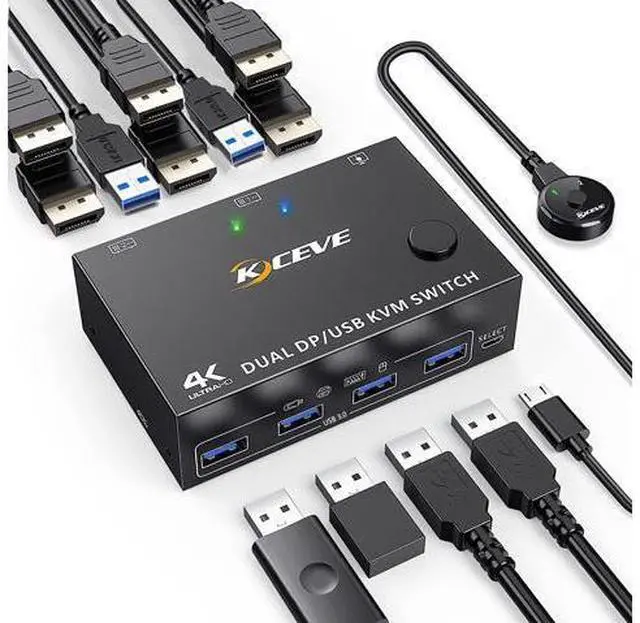


Dual Monitor Displayport KVM Switch 2 Computers 2 Monitors, USB 3.0 DP KVM Switch 2 in 2 Out, Supports 4K @60Hz for 2 PCs sharing keyboard, mouse and monitor, with DP+USB Cables and Wired Controller
Limited time offer, ends 08/31 By Truespan Living
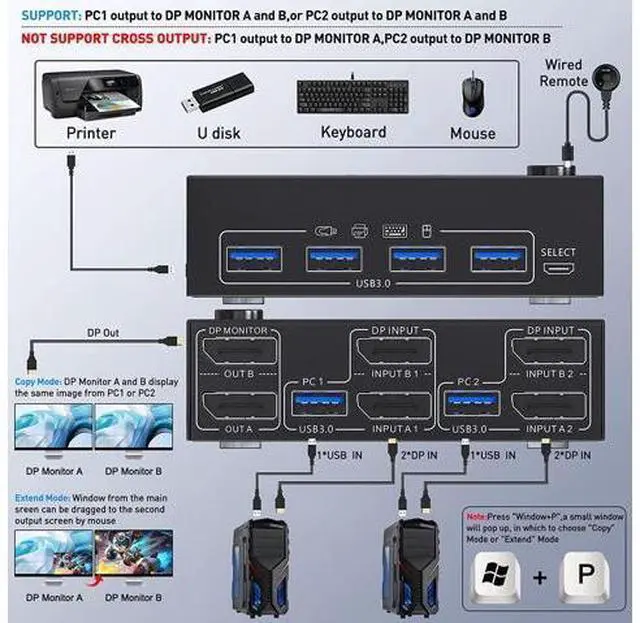
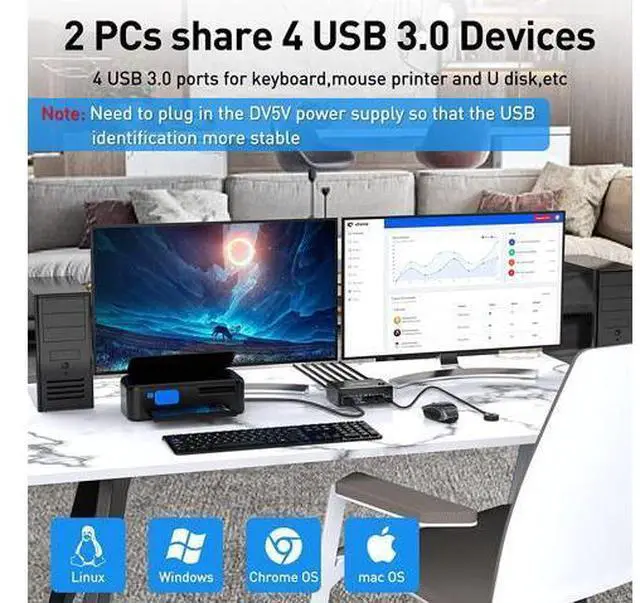
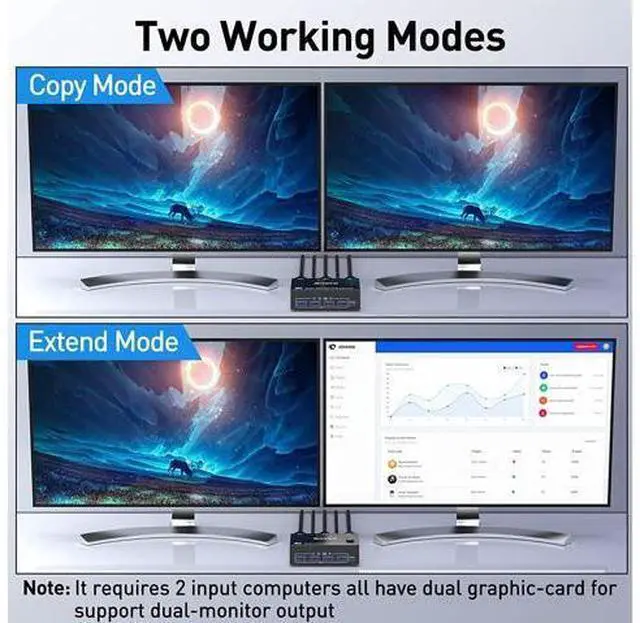
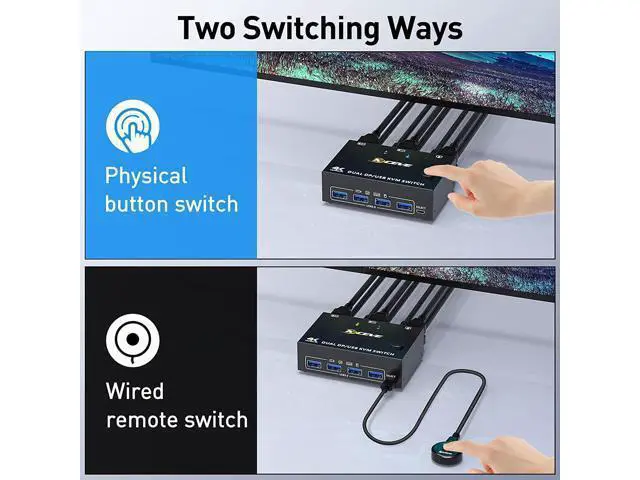
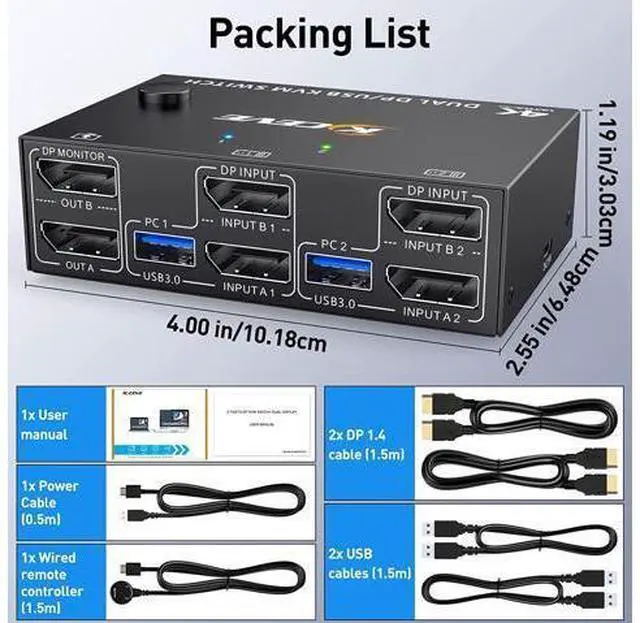
- [KVM Switch with DP Interface] This is a perfect KVM switch for DP interface devices for keyboard and mouse and monitor sharing. In copy mode, the main screen can be copied to the second output screen. In expansion mode, the window can be dragged from the main screen to the second output screen.; [With 4 USB 3.0 USB ports] This 2-in-2-out KVM USB 3.0 switch with 4 USB 3.0 ports for sharing mouse, keyboard, USB printers, scanners, etc. The USB 3.0 transfer is more stable and faster.; [Supports 2 Switching Mode] Supports physical buttons and wired control. Only if your computer supports dual display or multi-display, you can use this DP KVM switch to achieve that two computers share two monitors.; [Visual Pleasure in Ultra HD 4k] Supports high resolution of 4K@60Hz, please use DP 1.2 cable to achieve 4K@60Hz resolution. 2 USB cables, 2 DP 1.2 cables included, please prepare the rest of the cable by yourself.; [Plug and Play] Widely used on many occasions, such as office, conference etc..
+
+
Overview
Specs
Reviews
DisplayPort USB 3.0 KVM Switch for 2 DP Port Computers Share 2 DP Port Monitors
Product Name: DP USB 3.0 KVM switch for 2 computers sharing 2 monitors
Material: Metal housing
Control path: physical button and wired control
Keyboard Hotkey Switching: Not supported
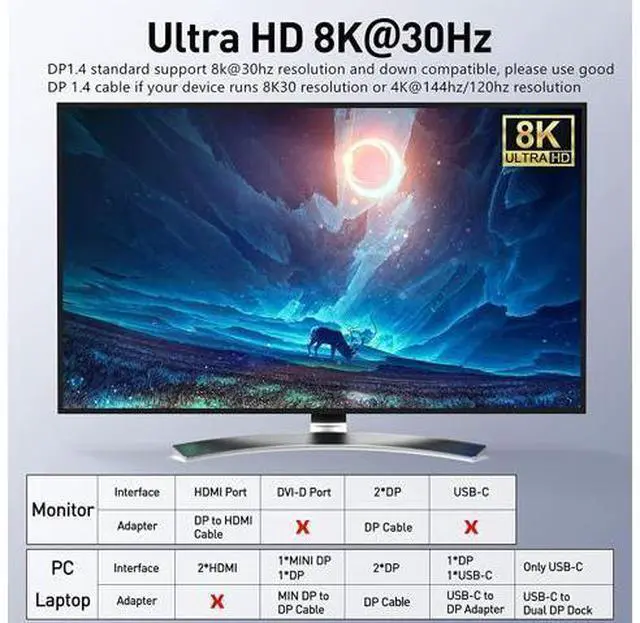
Resolution range: Up to 8K @30Hz 4K @60Hz Supports wired or wireless keyboard and mouse Easy setup for DisplayPort devices Each computer requires 2 DP ports, please make sure your computer has 2 DP ports before purchasing. This dual monitor KVM DP switch is for 2 computers sharing 2 monitors, keyboard, mouse and USB devices. Please connect all cables to make 2 displays work properly. Two DP inputs for DP devices such as computer, laptop, TV box, DVD, etc. Supports 2 display modes In "COPY" mode, 2 output monitors output the same image from PC1 or PC2. In "EXTEND" mode, the working window can be dragged from the main screen to the second output monitor. You can move the mouse between 2 monitors. 2 computers share 4 USB 3.0 devices Regular USB devices do not require power, but if the connection is unstable, we recommend connecting an external power adapter to provide enough power. (Power supply is not included) Bluetooth mouse and keyboard will exist with a few seconds delay, we do not recommend using Bluetooth mouse and keyboard. DC5V connection for power supply Normal USB devices do not require an external power supply.
DC5V power cable and power adapter not included. Please use your own Android USB cable to provide
Product Name: DP USB 3.0 KVM switch for 2 computers sharing 2 monitors
Material: Metal housing
Control path: physical button and wired control
Keyboard Hotkey Switching: Not supported
Resolution range: Up to 8K @30Hz 4K @60Hz Supports wired or wireless keyboard and mouse Easy setup for DisplayPort devices Each computer requires 2 DP ports, please make sure your computer has 2 DP ports before purchasing. This dual monitor KVM DP switch is for 2 computers sharing 2 monitors, keyboard, mouse and USB devices. Please connect all cables to make 2 displays work properly. Two DP inputs for DP devices such as computer, laptop, TV box, DVD, etc. Supports 2 display modes In "COPY" mode, 2 output monitors output the same image from PC1 or PC2. In "EXTEND" mode, the working window can be dragged from the main screen to the second output monitor. You can move the mouse between 2 monitors. 2 computers share 4 USB 3.0 devices Regular USB devices do not require power, but if the connection is unstable, we recommend connecting an external power adapter to provide enough power. (Power supply is not included) Bluetooth mouse and keyboard will exist with a few seconds delay, we do not recommend using Bluetooth mouse and keyboard. DC5V connection for power supply Normal USB devices do not require an external power supply.
DC5V power cable and power adapter not included. Please use your own Android USB cable to provide
Warranty & Returns
Warranty, Returns, And Additional Information
Warranty
- Please contact the Seller directly for warranty information. Warranty information may also be found on the Manufacturer's website.
- CONTACT
Return Policies
- Return for refund within: 30 days
- Return for replacement within: 90 days
- This item is covered by Truespan Living Return Policy
Manufacturer Contact Info
- For a directory of all our manufacturers, please click below.
- Manufacturers Directory
LOADING...