



Meet Your Seller






Visit EmpressTech Store
FOLLOW
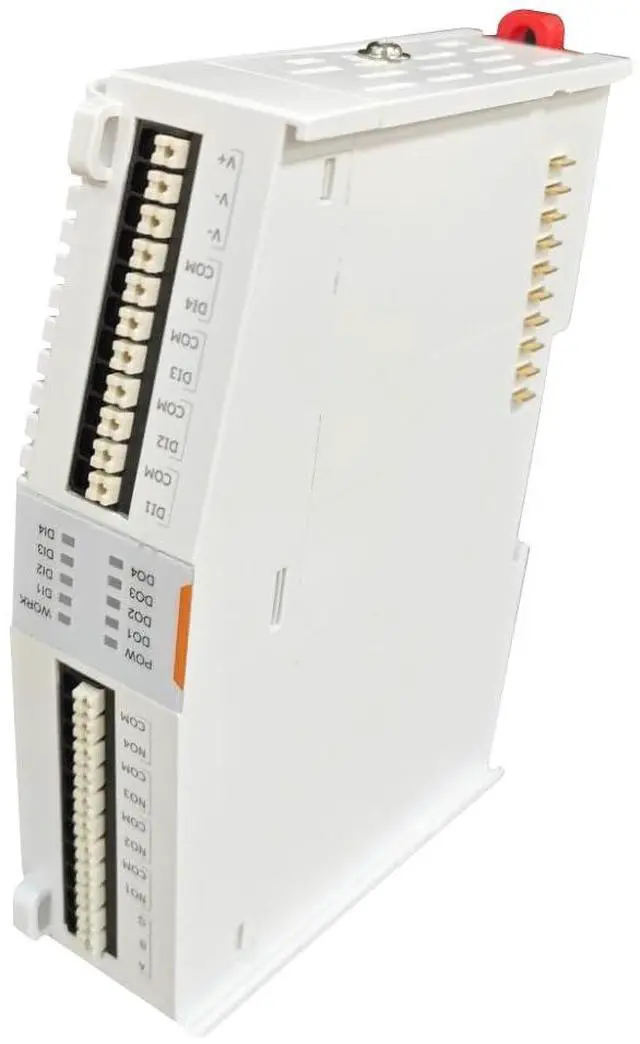
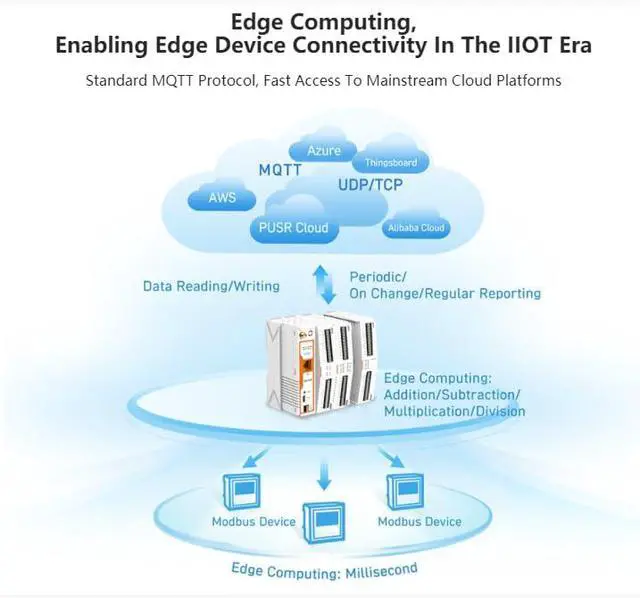
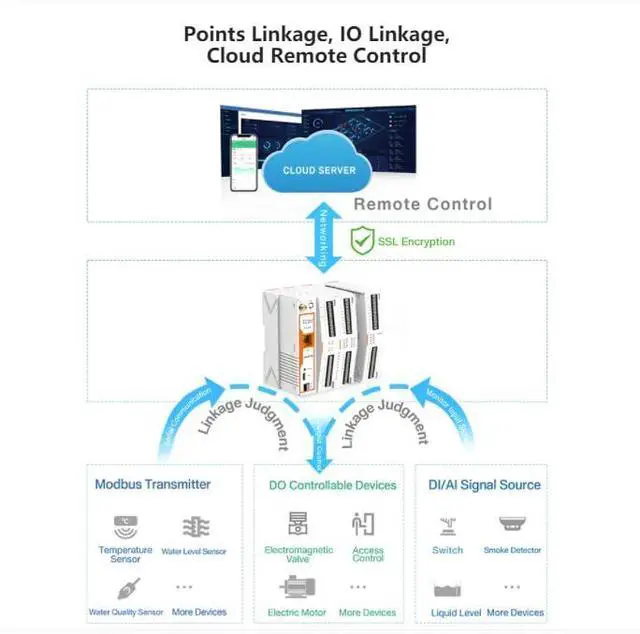
USR-M100-EAU 4G Server/Expansion Module Remote IO Expendable Edge Computing Gateway MQTT/SSL RS485/232/Ethernet Modbus RTU to TCP Json Modbus Polling
Limited time offer, ends 10/29 By EmpressTech
+
+
Overview
Specs
Reviews
USR-M100-EAU 4G Server / Expansion Module Remote IO Expendable Edge Computing Gateway MQTT/SSL RS485/232/Ethernet Modbus RTU to
TCP Json Modbus Polling Features: Serial port The USR-M100 supports 2 serial ports, 1 RS232/485 and 1 RS485, and adopts Spring-type terminal. When connecting up Modbus devices via an RS485 network they should be daisy chained together, and a dual twisted pair cable are recommended. The connections should be kept the same throughout the network: positive to positive, and negative to negative. These may sometimes be labeled up as A and B. The maximum length of the serial network cannot exceed 1200m regardless of boosters and repeaters. Ethernet RJ45 interface The 10Base-T/100Base-TX adaptive Ethernet RJ45 interface supports automatic MDI/MDIX connection.
Link LED: green color. Lights (steady on) when the module is connected to a network.
Activity LED: orange color. Blinks when network data is transmitted through the port. Quick test USR-M100 has a built-in Web server, which provides a convenient way to access and configure the remote IO module. Users can use Edge, Firefox or Google browser to access it. It is strongly recommended for the users to set the Network Parameters through configuration tool first. Other device-specific configurations can later be carried out via user-friendly Web-Interface. Hardware connection For fast networking of USR-M100 smart RTU, you need to prepare a PC, a router, a network cable, a serial cable, and a DC12V/1A power supply. To establish a TCP / IP network all devices must be connected to the same network either locally or via gateway connections.
TCP Json Modbus Polling Features: Serial port The USR-M100 supports 2 serial ports, 1 RS232/485 and 1 RS485, and adopts Spring-type terminal. When connecting up Modbus devices via an RS485 network they should be daisy chained together, and a dual twisted pair cable are recommended. The connections should be kept the same throughout the network: positive to positive, and negative to negative. These may sometimes be labeled up as A and B. The maximum length of the serial network cannot exceed 1200m regardless of boosters and repeaters. Ethernet RJ45 interface The 10Base-T/100Base-TX adaptive Ethernet RJ45 interface supports automatic MDI/MDIX connection.
Link LED: green color. Lights (steady on) when the module is connected to a network.
Activity LED: orange color. Blinks when network data is transmitted through the port. Quick test USR-M100 has a built-in Web server, which provides a convenient way to access and configure the remote IO module. Users can use Edge, Firefox or Google browser to access it. It is strongly recommended for the users to set the Network Parameters through configuration tool first. Other device-specific configurations can later be carried out via user-friendly Web-Interface. Hardware connection For fast networking of USR-M100 smart RTU, you need to prepare a PC, a router, a network cable, a serial cable, and a DC12V/1A power supply. To establish a TCP / IP network all devices must be connected to the same network either locally or via gateway connections.
Warranty & Returns
Warranty, Returns, And Additional Information
Warranty
- Please contact the Seller directly for warranty information. Warranty information may also be found on the Manufacturer's website.
- CONTACT
Return Policies
- Return for refund within: 30 days
- Return for replacement within: 90 days
- This item is covered by EmpressTech Return Policy
Manufacturer Contact Info
- For a directory of all our manufacturers, please click below.
- Manufacturers Directory
LOADING...