VT210 Dual Display USB-C Docking Station with Power Passthrough 901525
In the Box
VT210 Docking Station | USB-C to USB-C Cable (4in) | User Manual
Key Features
Supports up to 2 Extended Displays (HDMI, DP or VGA) via DP Alt Mode
Supports up to 3 x 720P displays when host system disabled
USB-C connection to host system
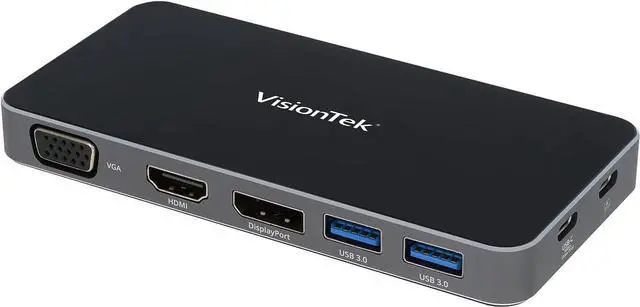
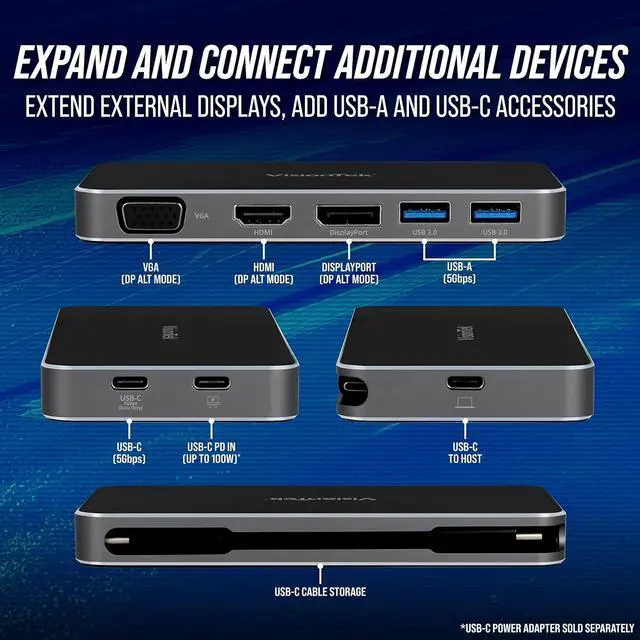
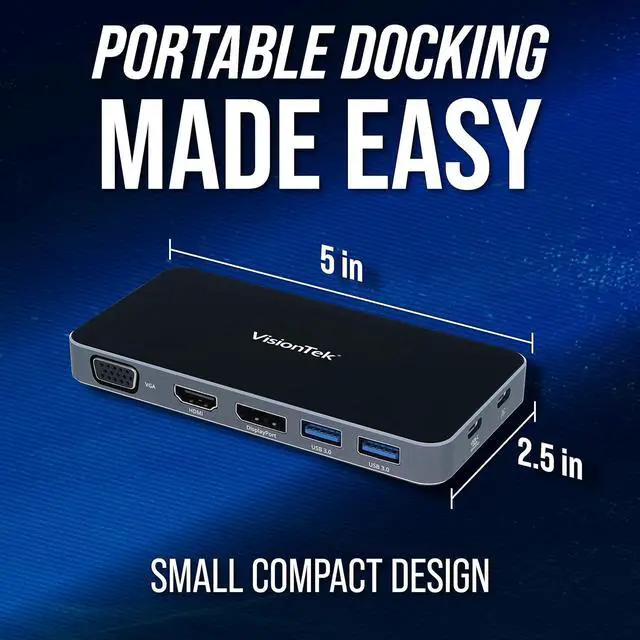
1x DP, 1x HDMI, 1x VGA, 2x USB-A 5Gbps Ports, 1x USB-C 5Gbps Data Port
100W of Power Passthrough SupportedNote: USB-C Power Supply Not Included
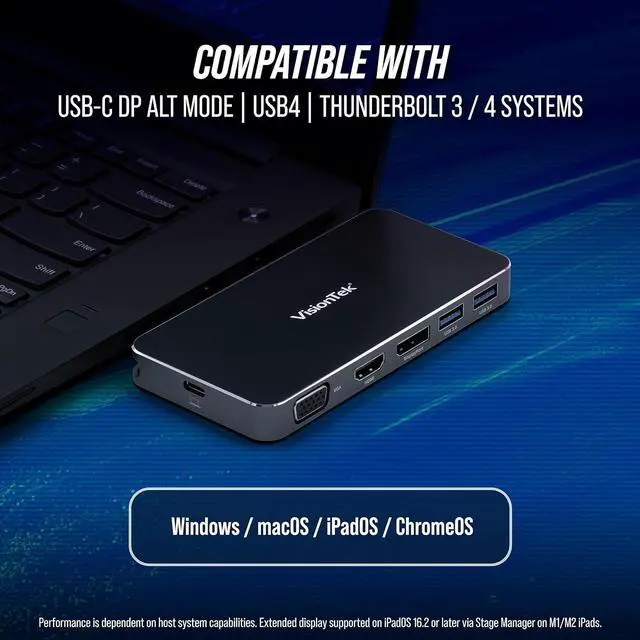
Universal Compatibility with Windows, macOS, ChromeOS, iPad Pro
The VT210 Dual Display portable dock is a powerful USB-C hub in a compact package. Connect up to 3 displays @ 720P, 2 Displays @ 1080P or 1 Display @ 4K via USB-C DP Alt Mode. Connect USB-A or USB-C devices and transfer data at speeds up to 5Gbps. Passthrough the power from your computer's USB-C power supply or add a USB-C power supply up to 100W to charge your laptop.
Output video utilizing the power of your system and USB-C DP Alt Mode. Connect up to 2 x 1080P FHD extended displays via HDMI, DisplayPort or VGA. Connect up to 3 x 720P displays with laptop screen disabled.
Works in PC and Mac environments
Windows 11, 10, 8.1, 7
macOS 10.x and later
ChromeOS
iPadOS
Compatible with USB-C host systems with DP Alt Mode. Extend up to 3 monitors, transfer files, and power your laptop all from a single port.
Mobile Workspace Transformed
VisionTek VT210 Portable Docking Station - seamlessly combining power and functionality in a sleek, compact design. Effortlessly connect multiple displays, peripherals, and power your host system through a single USB-C connection. Transform your workspace with the VT210 and elevate your mobile setup.
USB-C DP Alt Mode
DP Alt Mode is an optional capability of USB-C that enable it to transfer video signals over dedicated lanes. Previously, connecting to external monitors required the use of HDMI or DisplayPort adapters. Utilizing the video capabilities of your host device DP Alt mode allows for extension of additional displays using the USB-C connection to the docking station without any adapters.
Operating System:Windows 11, 10, 8.1, 7|macOS 10.x and later|iPadOS 16.2 and later|ChromeOS
Hardware Requirements:USB-C Port with DP Alt Mode|USB-C Power Delivery Support|Up to 100W USB-C Power Supply for charging (Optional)
Supported Resolutions
Compatibility with Windows or macOS
Single Display Support:
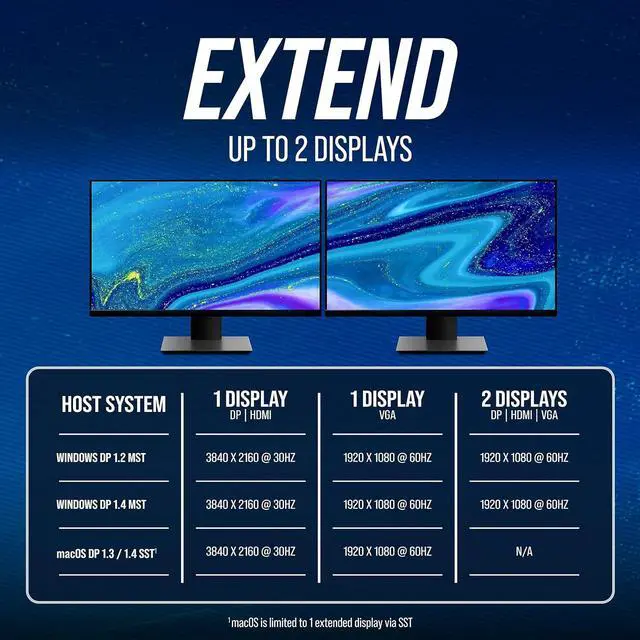
DisplayPort: Resolutions up to 3840 x 2160 @ 30Hz (4K)
HDMI: Resolutions up to 3840 x 2160 @ 30Hz (4K)
VGA: Resolutions up to 1920 x 1080 @ 60Hz (FHD)
Dual Display Support:
DisplayPort: Resolutions up to 2048 x 1152 @ 60Hz
HDMI: Resolutions up to 2048 x 1152 @ 60Hz
VGA: Resolutions up to 1920 x 1080 @ 60Hz (FHD)
Triple Display Support
DisplayPort / HDMI / VGA Resolutions up to 1280 x 720 @ 60Hz (720p), Host Display Disabled.
Note: Performance and maximum resolutions are dependent on host systems onboard video capabilities, macOS supports one external display extended up to 3840 x 2160 @ 30Hz (DP, HDMI), 1920 x 1080 @ 60Hz (VGA), M1/M2 iPads with iPadOS 16.2 and later supports 1 extended display via Stage Manager.
Desktop Expansion Universal Compatibility Single Cable Connection System Requirements