


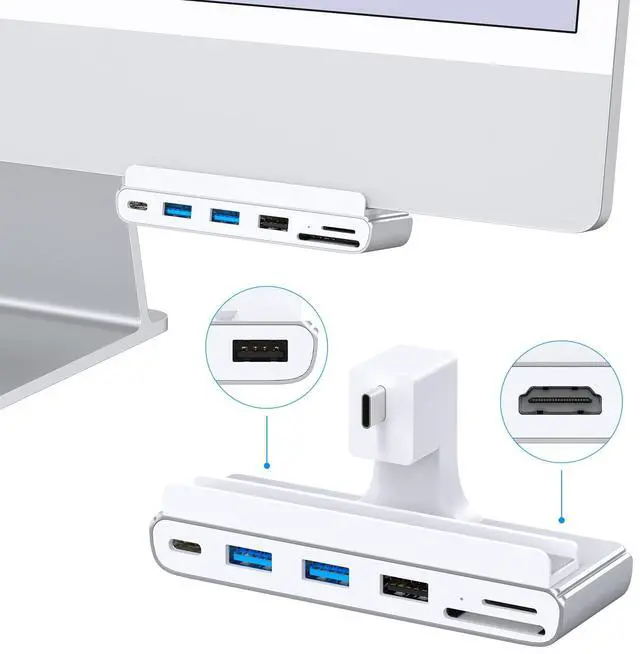
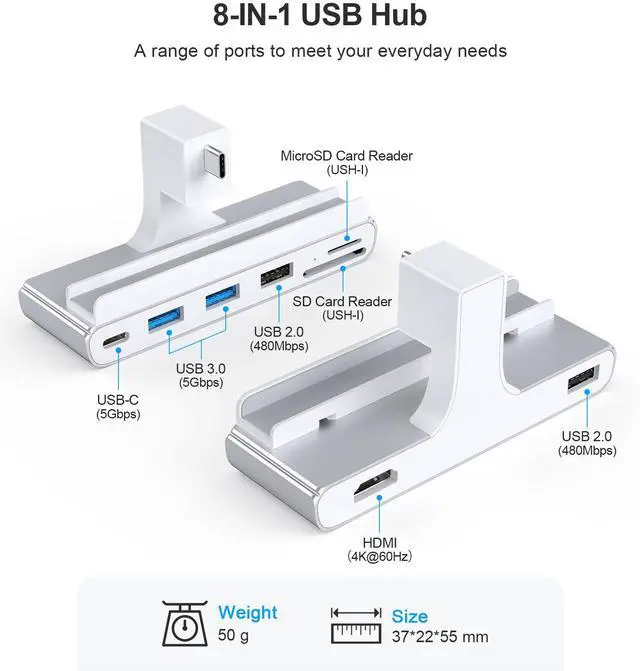
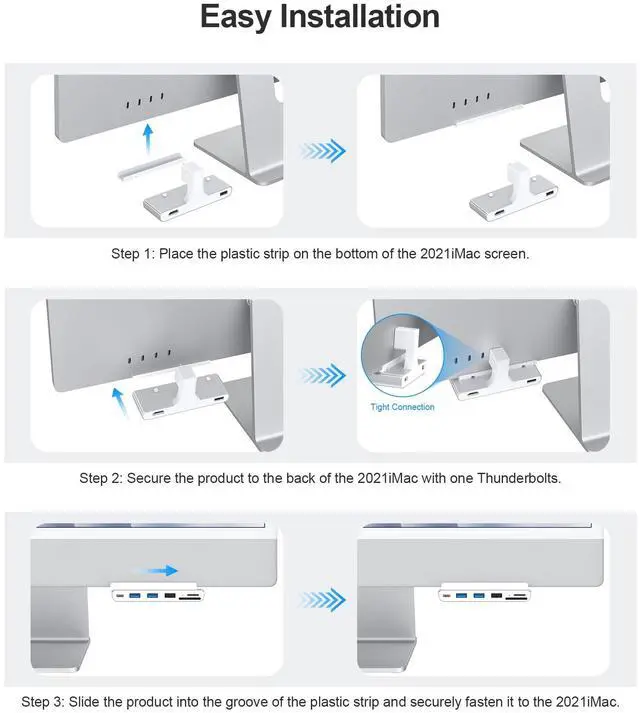
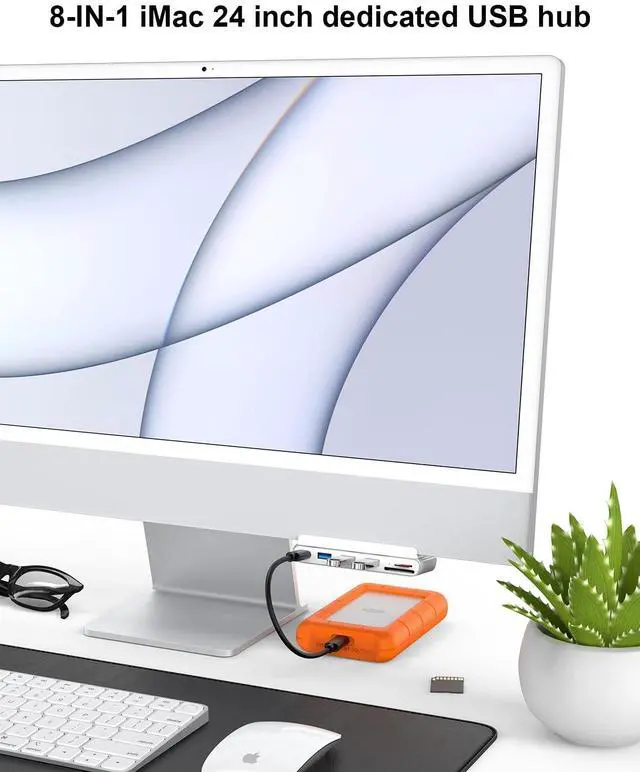


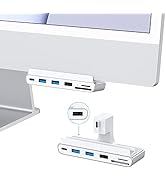
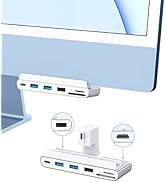
The simple look of the Gewokliy USB C hub won't detract from the clean look of your iMac. Instead of searching for ports on the back of your monitor every time, simply mount the hub to the corner of your iMac and connect it to any peripheral you need.
- Expand multiple port designs to meet your daily needs.
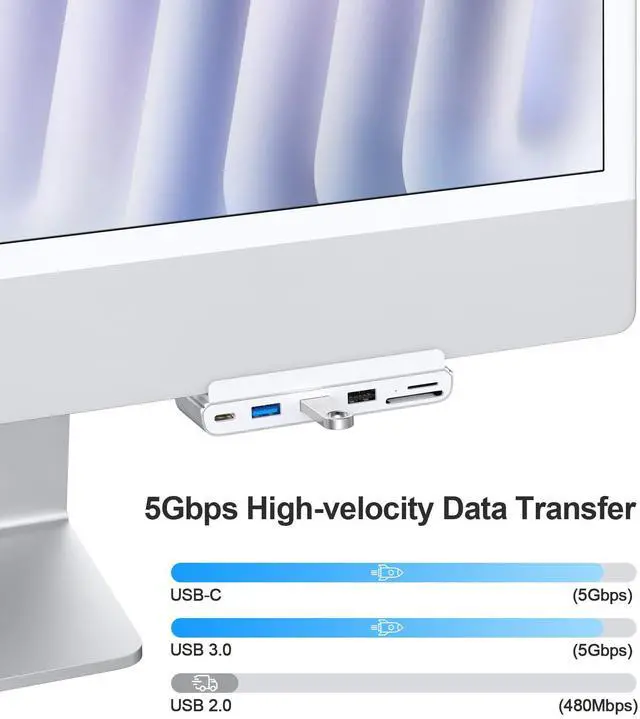
- USB 3.0 transmission speed is up to 5Gbps, so you don't have to wait for a long time for transmission.
- SD/micro SD card reader can read at the same time, you don't need to insert and unplug the SD card multiple times
Note:
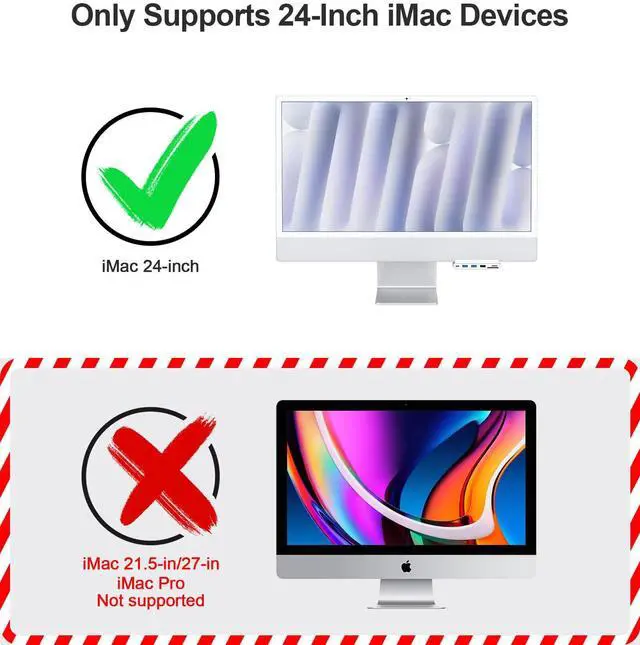
- It ONLY supports 2021 iMac (24-inch, Apple M1).
- The equipment used cannot exceed the load of 5V900mAh, otherwise it cannot be used normally.
- The port supports 2.5-inch HDD (up to 2TB), if too many hard disks are connected, it will cause failure.

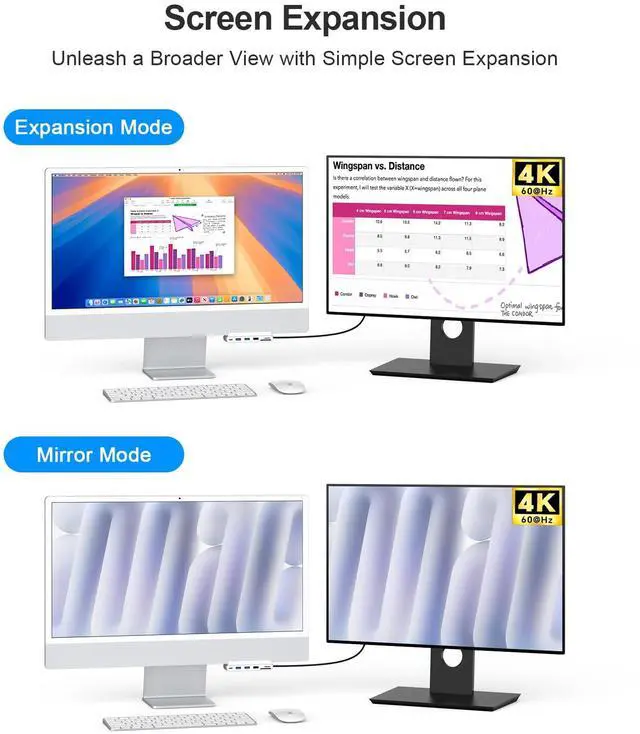
Mac OS Set Video Output Mode
- Choose Apple menu> System Settings, then click Displays in the sidebar. (You may need to scroll down.)
- Click the + pop-up menu on the right (below the name of your Mac), then choose your display.

High-speed Card Readers
Compatible with multiple SD cards/micro SD cards, Support up to 1TB, Data transfer speed up to 5Gbps, SD card and micro SD card can read simultaneously

Fast Data Transfer
iMac hub transfer speeds up to 5Gbps, can support large file transfer, fast transfer without long wait.

Universal Compatibility
USB 3.0 port can connect devices such as keyboard, mouse, USB flash drive, printer, webcam, etc.

Note: It ONLY supports 2021 iMac (24-inch, Apple M1).
 USB C Hub with HDMI for iMac 24-inch |  USB C Hub for iMac 24-inch | |
|---|---|---|
| Customer Reviews | — | — |
| Price | — | — |
| Connection Type | USB-C | USB-C |
| USB-C Data Port | ? | ? |
| USB-A 3.0 Data Ports | ? | ? |
| USB-A 2.0 Data Ports | ? | ? |
| SD Card Readers | ? | ? |
| Video Output Port | HDMI 4K@60Hz | × |
| Compatibility | 2021 iMac 24-inch ( Apple M1) | 2021 iMac 24-inch ( Apple M1) |


- Gewokliy is an consumer electronics brand offering innovative tech products and accessories.
- There is a strong R&D team behind it, focusing on the research and development of computer accessories and equipment, solving various problems in using computers in life, and can customize different computer accessories according to customer needs.
How do we start?
At Gewokliy we provide products and solutions to make everyday life more convenient for the fast-paced world we live in.
We believe that technology should be limitless, timeless, and forever evolving to fit your modern lifestyle.
Not sure how to use Gewokliy products?
Please contact our friendly support team for a quick solution and they will respond to your question within 24 hours.
USB hub Store selection
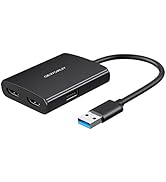
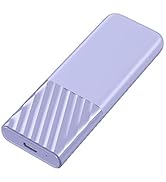
USB hub Store selection
The simple look of the Gewokliy USB C hub won't detract from the clean look of your iMac. Instead of searching for ports on the back of your monitor every time, simply mount the hub to the corner of your iMac and connect it to any peripheral you need.
- Expand multiple port designs to meet your daily needs.
- USB 3.0 transmission speed is up to 5Gbps, so you don't have to wait for a long time for transmission.
- SD/micro SD card reader can read at the same time, you don't need to insert and unplug the SD card multiple times
Note:
- It ONLY supports 2021 iMac (24-inch, Apple M1).
- The equipment used cannot exceed the load of 5V900mAh, otherwise it cannot be used normally.
- The port supports 2.5-inch HDD (up to 2TB), if too many hard disks are connected, it will cause failure.
Mac OS Set Video Output Mode
- Choose Apple menu> System Settings, then click Displays in the sidebar. (You may need to scroll down.)
- Click the + pop-up menu on the right (below the name of your Mac), then choose your display.
High-speed Card Readers
Compatible with multiple SD cards/micro SD cards, Support up to 1TB, Data transfer speed up to 5Gbps, SD card and micro SD card can read simultaneously
Fast Data Transfer
iMac hub transfer speeds up to 5Gbps, can support large file transfer, fast transfer without long wait.
Universal Compatibility
USB 3.0 port can connect devices such as keyboard, mouse, USB flash drive, printer, webcam, etc.
Note: It ONLY supports 2021 iMac (24-inch, Apple M1).
USB C Hub with HDMI for iMac 24-inch | USB C Hub for iMac 24-inch | |
|---|---|---|
| Customer Reviews | — | — |
| Price | — | — |
| Connection Type | USB-C | USB-C |
| USB-C Data Port | ? | ? |
| USB-A 3.0 Data Ports | ? | ? |
| USB-A 2.0 Data Ports | ? | ? |
| SD Card Readers | ? | ? |
| Video Output Port | HDMI 4K@60Hz | × |
| Compatibility | 2021 iMac 24-inch ( Apple M1) | 2021 iMac 24-inch ( Apple M1) |
- Gewokliy is an consumer electronics brand offering innovative tech products and accessories.
- There is a strong R&D team behind it, focusing on the research and development of computer accessories and equipment, solving various problems in using computers in life, and can customize different computer accessories according to customer needs.
How do we start?
At Gewokliy we provide products and solutions to make everyday life more convenient for the fast-paced world we live in.
We believe that technology should be limitless, timeless, and forever evolving to fit your modern lifestyle.
Not sure how to use Gewokliy products?
Please contact our friendly support team for a quick solution and they will respond to your question within 24 hours.
USB hub Store selection
USB hub Store selection