




OPxjzws High-Speed SD Card Adapter
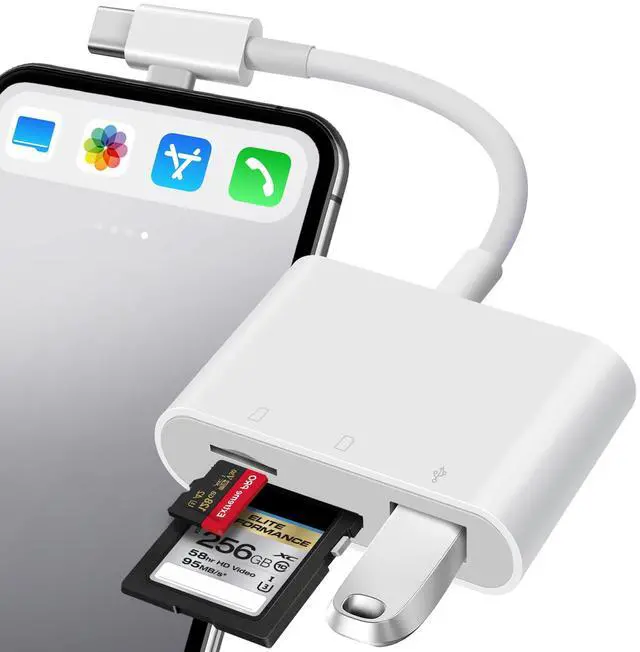
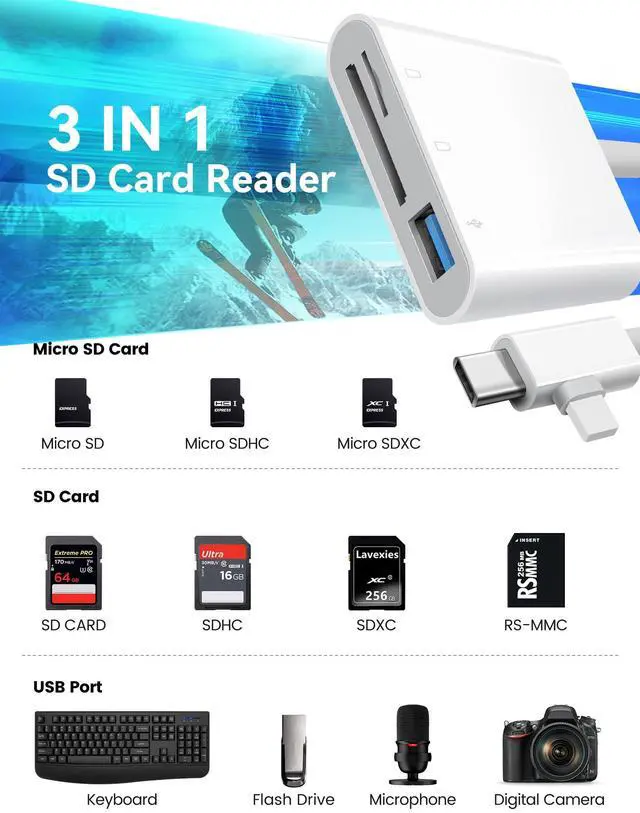
Seamlessly connect to both USB-C and Lightening devices with our dual-interface design. Perfect for iPhones, iPads, MacBooks, and Android devices. Supports microSD, SD cards, and USB flash drives.
The OPxjzws SD card reader is a photography accessory for KODAK Canon Nikon DSLR digital hunting trail cameras.
No app required for instant file transfers.

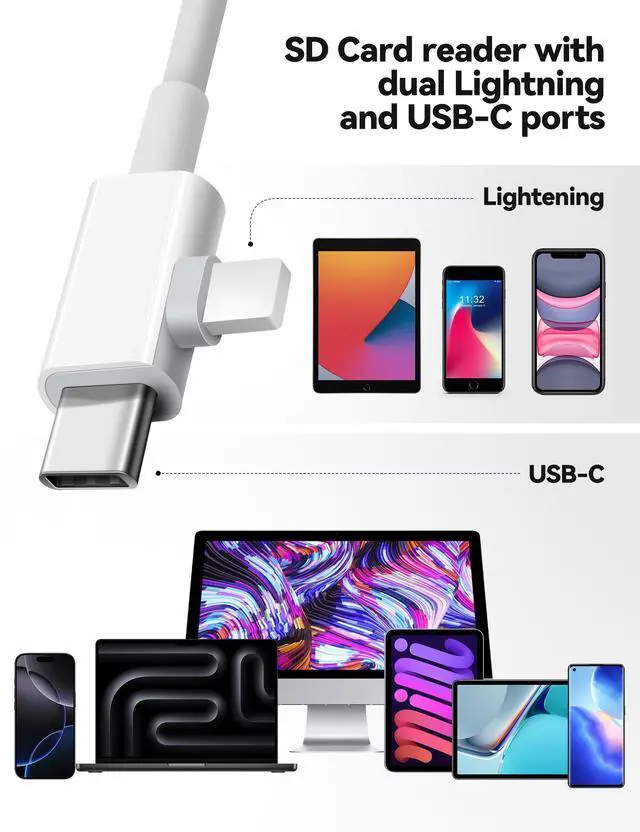
Having a Type C and Lightening plug
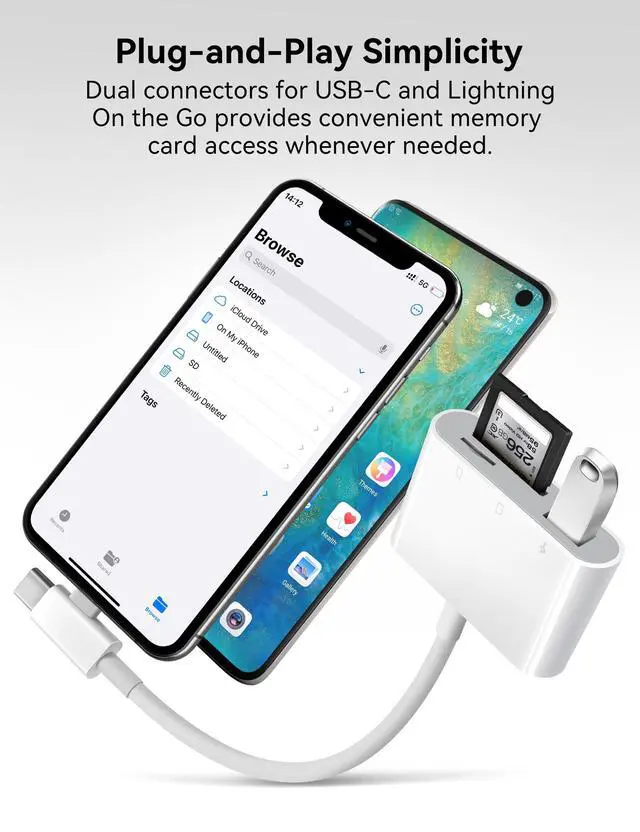
The OPxjzws SD card reader has both Lightening and USB-C connectors, so it works with most modern devices. This allows everyone in the family to use it no matter which phone they have.
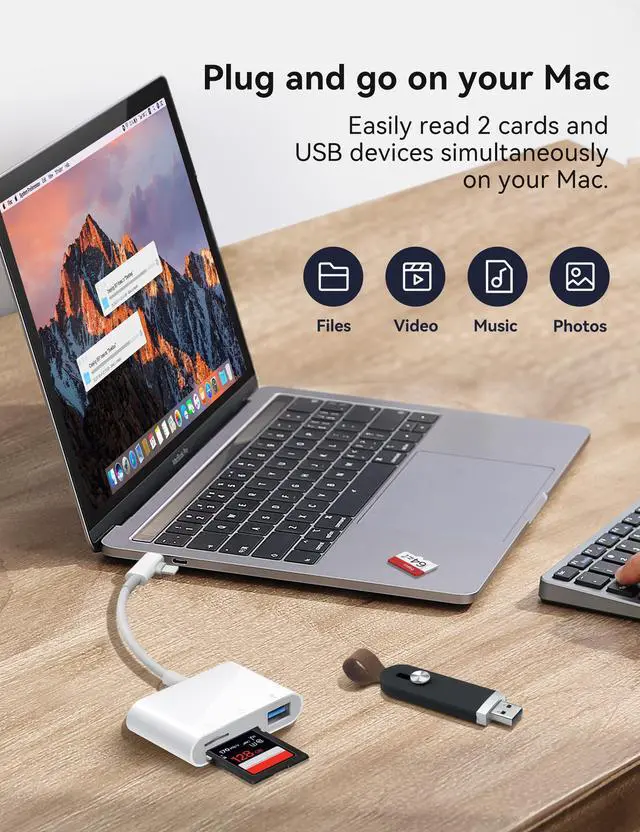
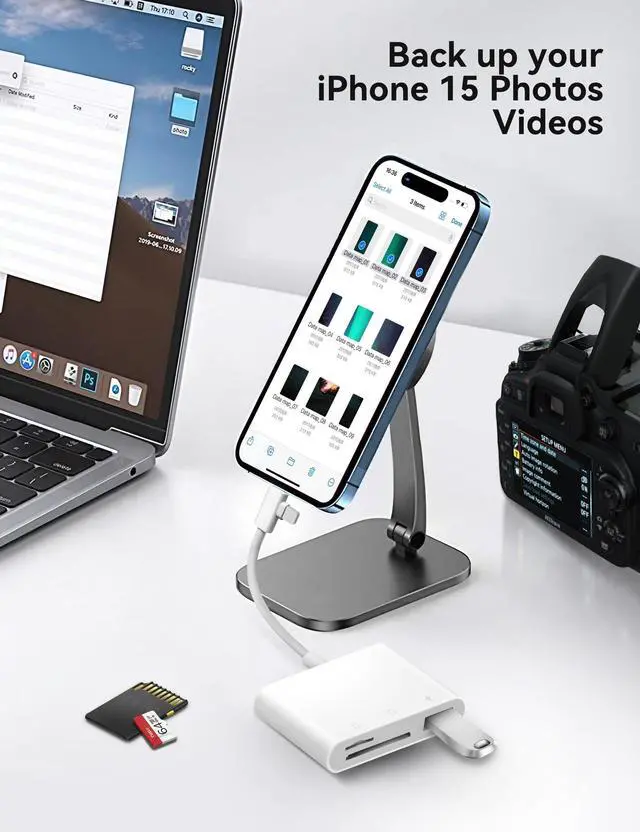
The multi-slot design accommodates microSD, SD cards and USB-A devices, eliminating the need for multiple adapters. It allows for efficient transfer photos and videos from camera and trail cam.
It's truly Plug & Play, making transfers of camera photos and videos incredibly easy.


How to Access Memory Cards on iPhone/iPad/Mac?
For iOS users:
"Files" App is the key tool for iOS to read the external memory card. It is a built-in app in the iOS system.
You can use this Files app to view photos and transfer data between memory cards, USB flash drives, and your iPhone.
Step 1: Prepare the Card Reader:
Insert your memory card (SD/microSD) into the card reader. Plug the card reader directly into your iPhone port.
Step 2: Open the Files App:
Manually launch the Files app (pre-installed on iOS/iPadOS). Under "Browse" tab, check the "Locations" section.
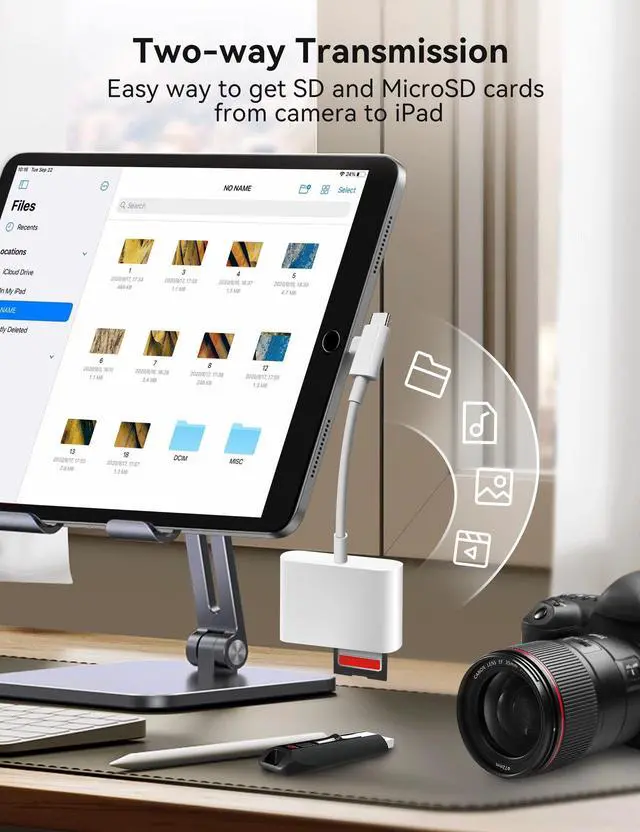
The memory card will appear as a new section(e.g., "Untiled", "NO NAME", which is the name of your memory card).
(Note: Unlike Android, iOS does not display automatic prompts. You need to manually open the Files app.)
Step 3: Access photos or videos:
Supports two-way transfer, you can now operate as you would on a computer, deleting the file or copying photos from the memory card to your iPhone. Alternatively, you can copy the file from your iPhone to the memory card.
For Mac, laptops, tablets or android users: No driver is required - simply plug and play.
Warm tips for android users:
Please ensure that the memory card format is FAT32/EXFAT, as most Android phones or tablets do not support NTFS.
Please enabled your OTG function on your Android devices before plugging in.
FAQ:
Q1: Why is the SIM card not working properly?
A1: This OPxjzws SD card reader is designed with dual card slots and supports common SD and microSD cards. It does not support SIM, XD, MS, or CF cards.
Q2: No response on your iPhone?
A2: Since iOS 13, you need to manually open the Files app to access the contents of the memory card.
Q3: Is it necessary to download a third-party app to use the OPxjzws card reader?
A3: No, iOS users can access photos and videos on the memory card using the iOS's built-in “Files” or “Photos” app (for DSLR cameras). Mac or laptop users do not need to install any drivers; it is plug-and-play.
OPxjzws High-Speed SD Card Adapter
Seamlessly connect to both USB-C and Lightening devices with our dual-interface design. Perfect for iPhones, iPads, MacBooks, and Android devices. Supports microSD, SD cards, and USB flash drives.
The OPxjzws SD card reader is a photography accessory for KODAK Canon Nikon DSLR digital hunting trail cameras.
No app required for instant file transfers.
Having a Type C and Lightening plug
The OPxjzws SD card reader has both Lightening and USB-C connectors, so it works with most modern devices. This allows everyone in the family to use it no matter which phone they have.
The multi-slot design accommodates microSD, SD cards and USB-A devices, eliminating the need for multiple adapters. It allows for efficient transfer photos and videos from camera and trail cam.
It's truly Plug & Play, making transfers of camera photos and videos incredibly easy.
How to Access Memory Cards on iPhone/iPad/Mac?
For iOS users:
"Files" App is the key tool for iOS to read the external memory card. It is a built-in app in the iOS system.
You can use this Files app to view photos and transfer data between memory cards, USB flash drives, and your iPhone.
Step 1: Prepare the Card Reader:
Insert your memory card (SD/microSD) into the card reader. Plug the card reader directly into your iPhone port.
Step 2: Open the Files App:
Manually launch the Files app (pre-installed on iOS/iPadOS). Under "Browse" tab, check the "Locations" section.
The memory card will appear as a new section(e.g., "Untiled", "NO NAME", which is the name of your memory card).
(Note: Unlike Android, iOS does not display automatic prompts. You need to manually open the Files app.)
Step 3: Access photos or videos:
Supports two-way transfer, you can now operate as you would on a computer, deleting the file or copying photos from the memory card to your iPhone. Alternatively, you can copy the file from your iPhone to the memory card.
For Mac, laptops, tablets or android users: No driver is required - simply plug and play.
Warm tips for android users:
Please ensure that the memory card format is FAT32/EXFAT, as most Android phones or tablets do not support NTFS.
Please enabled your OTG function on your Android devices before plugging in.
FAQ:
Q1: Why is the SIM card not working properly?
A1: This OPxjzws SD card reader is designed with dual card slots and supports common SD and microSD cards. It does not support SIM, XD, MS, or CF cards.
Q2: No response on your iPhone?
A2: Since iOS 13, you need to manually open the Files app to access the contents of the memory card.
Q3: Is it necessary to download a third-party app to use the OPxjzws card reader?
A3: No, iOS users can access photos and videos on the memory card using the iOS's built-in “Files” or “Photos” app (for DSLR cameras). Mac or laptop users do not need to install any drivers; it is plug-and-play.