




Makes Transferring Photos SO Easy!
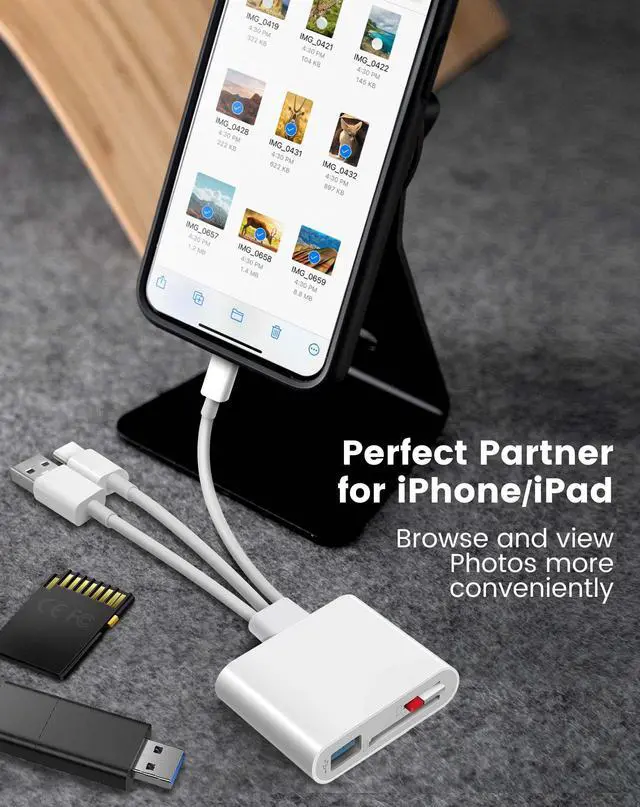
Connect the SD card reader directly, download photos/videos to your iPhone/iPad and share them with your family and friends in real time. Ideal for photography enthusiasts.
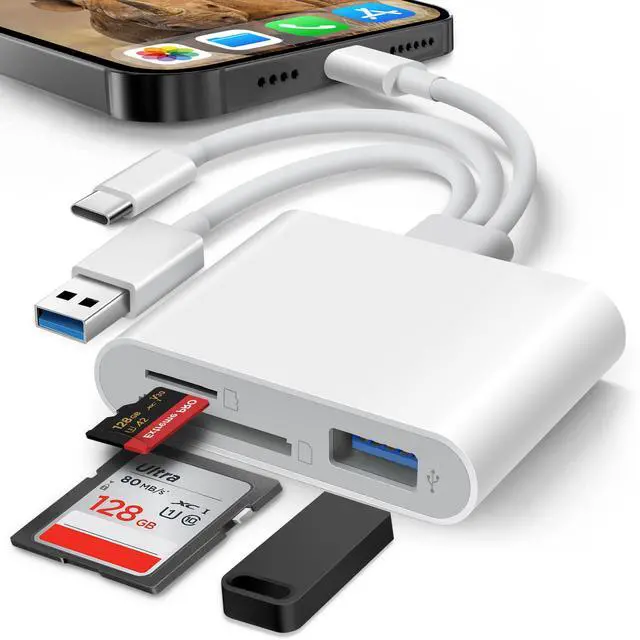
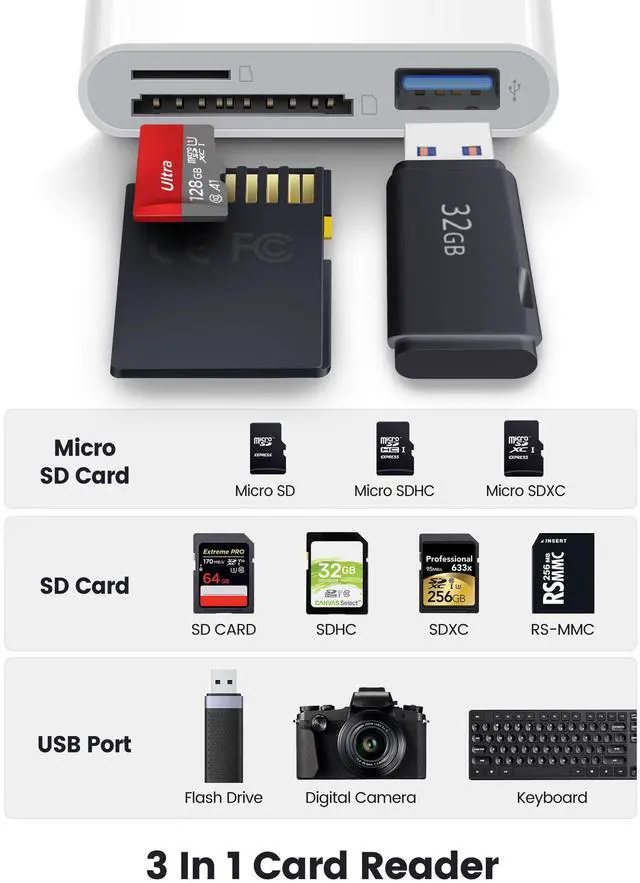
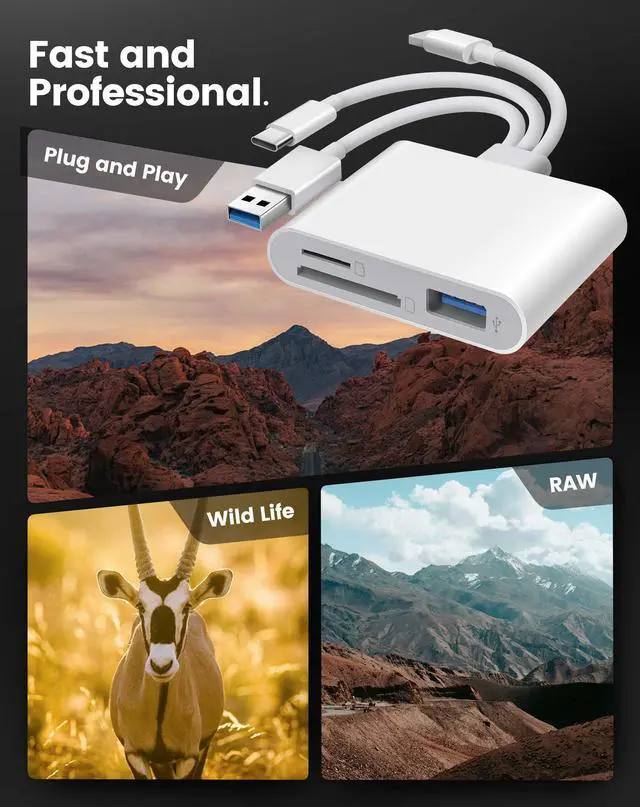
- Dual Slots, supports SD, SDXC, SDHC, Micro SD, MicroSDXC, MicroSDHC.
- 3 IN 1 Connectors, supoorts L?ghtn?ng & USB-C & USB-A devices.
- High-Speed, SD card reader for iPhone data transmission speed up to 60 Mbps.
- Plug and Play.
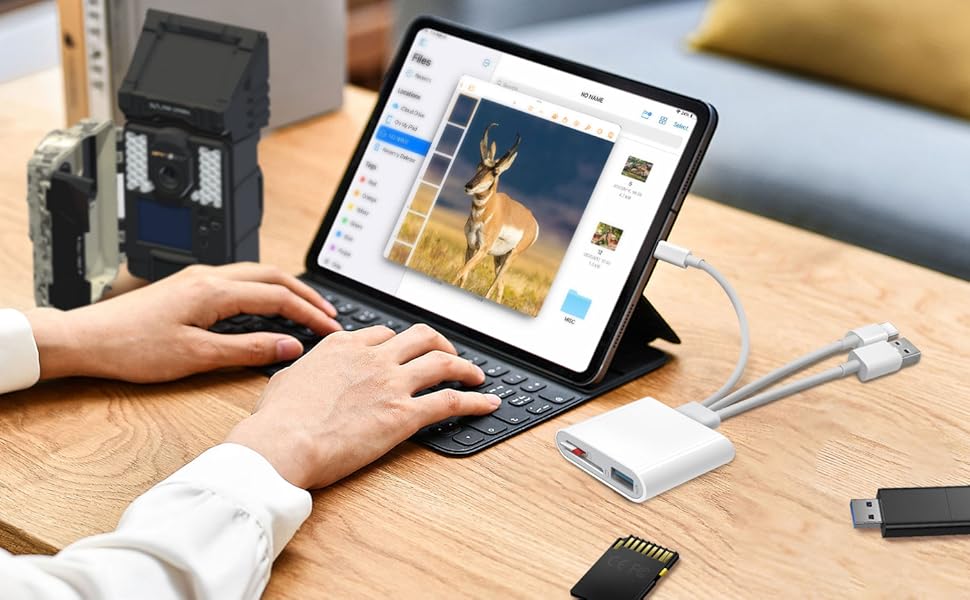
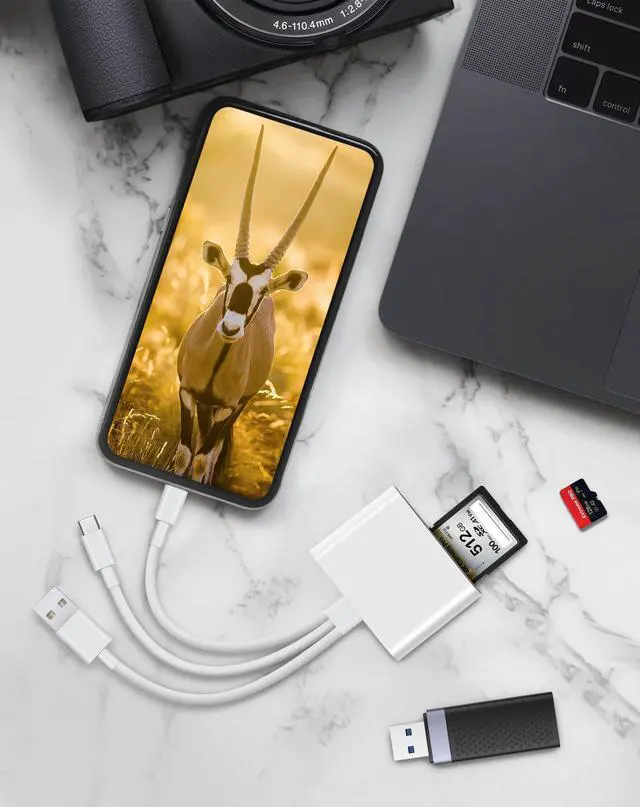
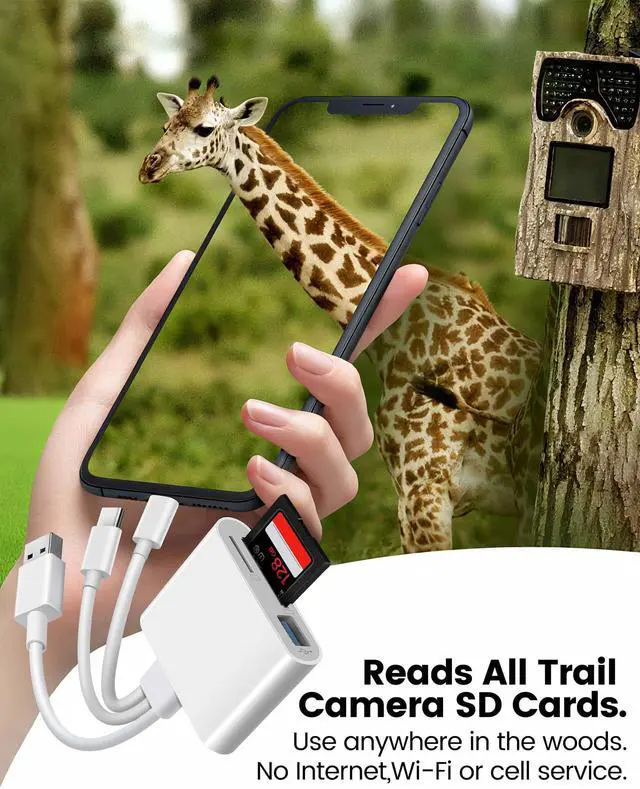
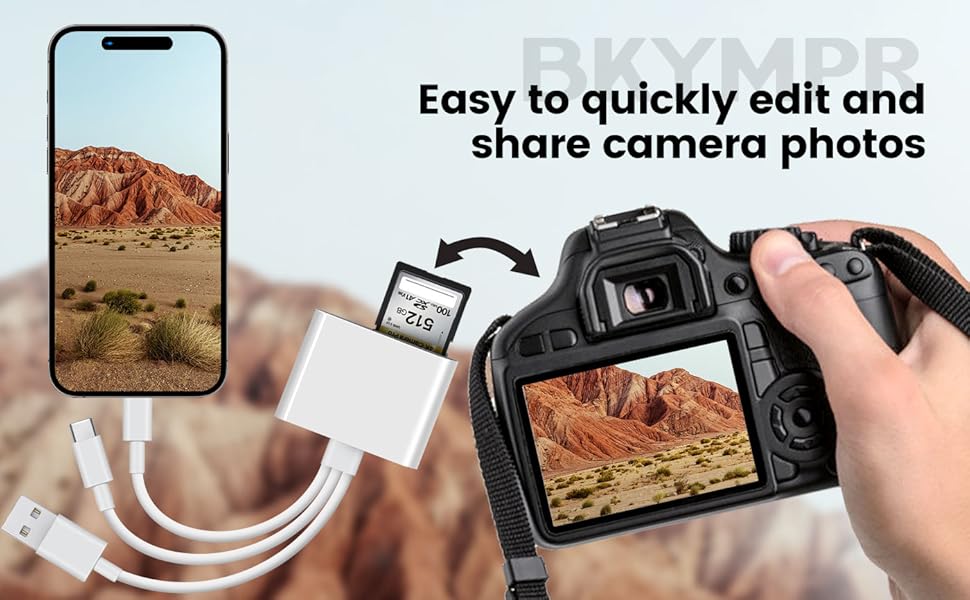
Importing photos from a digital camera to iPhone or iPad.
This card reader features Lightening, USB-C, and USB-A ports, ensuring compatibility with virtually any device—whether it's an iPhone, USB-C iPad, MacBook, or computer with a USB-A port.
For iOS User:
- Power on your iPhone and plug the card reader into the device's port.
- Open the built-in Files app to view, edit, or copy any files stored on the memory card.
For Windows PC Users:
No drivers required—plug and play.
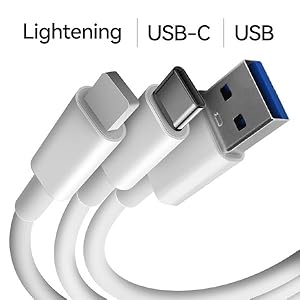
Triple-Plug SD Card Reader
This SD card reader features three built-in connectors, compatible with Lightening iPhone 5 to iPhone 14 models, USB-C iPhone 15, iPhone 16, iPhone 17, iPad, or Mac devices, as well as USB-A desktop, laptops, and PCs.
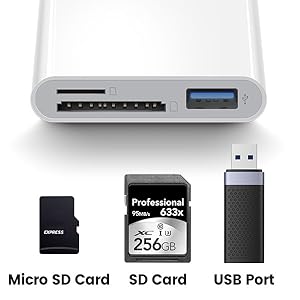
Three-Slots SD Card Reader
Dual card slots for micro and SD card access, up to 60 Mbps.
USB-A slot for accessing flash drives, keyboards, mice, MIDI, digital cameras and many other devices.
Plug and play design for simple installation—no drivers required.
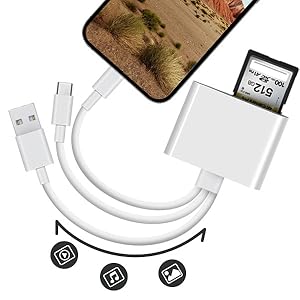
Two-Way Transfer
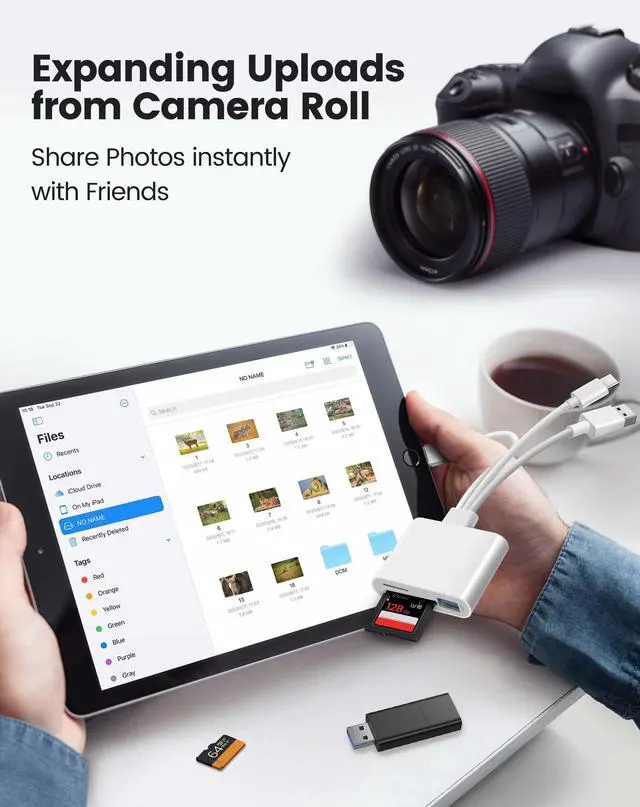
Supports two-way transfer, using the iOS built-in 'Files' APP , you can both import photos and videos taken by your SLR to your iPhone, and download photos and videos from your iPhone to your external memory cards.
Specification and Compatibility
Usage instructions:
One-way transfer for iOS user with iOS9.2 to iOS12.5.7
iOS built-in Photos App ( from iOS 9.2 to iOS12.5.7)
This iOS built-in "Photos" app can only recognize digital camera photos and videos, not other files and can only transfer digital camera photos and videos from memory card to iPhone or iPad.
1. The Photos app automatically pops up when the BKYMPR SD card reader is inserted.
2. Long press on a thumbnail in the Photos app to view the full resolution directly.
3. Select photos and videos. Import with one click and share to social media quickly and easily.
Two-way transfer for users with iOS 13 or later
iOS built-in Files App ( from iOS 13 or later)
This iOS built-in "Files" app is a key tool for iOS to access external memory cards. On your iPhone or iPad, you can access ,organize and edit your files of external memory card in the iOS built-in Files app.
1. Plugged it into your iPhone, inserted the SD card from the camera into it.
2. There's no automatic pop-up window, you need to manually pulled up the “Files” app and go to the NONAME (or “Untiled”, which is the name of the memory card) drive to be able to upload any picture to your iPhone.
3. You can copy move edit or even delete any files on the memory card just like operating on computer, and of course you can copy photos from memory card to iphone, or download photos videos from iPhone to memory card.
Supports USB C Phone and Tables
For Android devices, plug and play No driver required.
1.please ensure that the memory card format is FAT32/EXFAT, as most phones or tablets do not support NTFS.
2.Please enabled your OTG function on your USB-C Android devices before plugging in.
Supports USB-A Laptops, no driver is required - simply plug and play
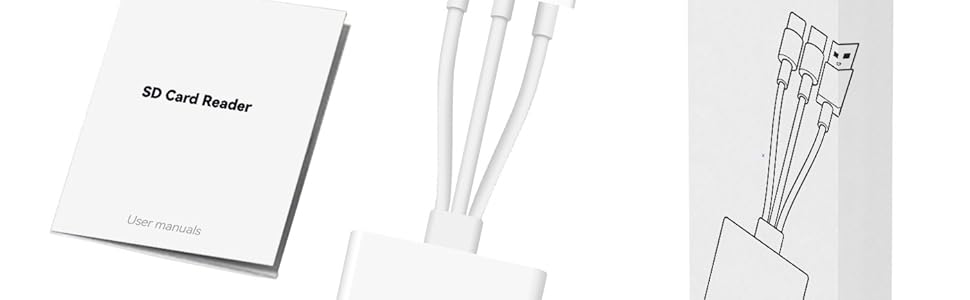
What’s in the Box?
- BKYMPR 3 In 1 SD Card Reader
- User's Guide
Makes Transferring Photos SO Easy!
Connect the SD card reader directly, download photos/videos to your iPhone/iPad and share them with your family and friends in real time. Ideal for photography enthusiasts.
- Dual Slots, supports SD, SDXC, SDHC, Micro SD, MicroSDXC, MicroSDHC.
- 3 IN 1 Connectors, supoorts L?ghtn?ng & USB-C & USB-A devices.
- High-Speed, SD card reader for iPhone data transmission speed up to 60 Mbps.
- Plug and Play.
Importing photos from a digital camera to iPhone or iPad.
This card reader features Lightening, USB-C, and USB-A ports, ensuring compatibility with virtually any device—whether it's an iPhone, USB-C iPad, MacBook, or computer with a USB-A port.
For iOS User:
- Power on your iPhone and plug the card reader into the device's port.
- Open the built-in Files app to view, edit, or copy any files stored on the memory card.
For Windows PC Users:
No drivers required—plug and play.
Triple-Plug SD Card Reader
This SD card reader features three built-in connectors, compatible with Lightening iPhone 5 to iPhone 14 models, USB-C iPhone 15, iPhone 16, iPhone 17, iPad, or Mac devices, as well as USB-A desktop, laptops, and PCs.
Three-Slots SD Card Reader
Dual card slots for micro and SD card access, up to 60 Mbps.
USB-A slot for accessing flash drives, keyboards, mice, MIDI, digital cameras and many other devices.
Plug and play design for simple installation—no drivers required.
Two-Way Transfer
Supports two-way transfer, using the iOS built-in 'Files' APP , you can both import photos and videos taken by your SLR to your iPhone, and download photos and videos from your iPhone to your external memory cards.
Specification and Compatibility
| Dual-Slot | Supports Standard SD, SDHC, SDXC, Micro SD(TF card), Micro SDHC, Micro SDXC. |
| 3 IN 1-Connector | Built-in Lightening, USB-C and USB-A plugs, compatible with both iPhone, iPad, Macbook, laptop, Pcs and Android USB-C devices. |
| Plug and Play | No third-party apps required. Imported via iOS built-in "Photos" app recognition. |
| Two-way transfer | Two-way transfer via iOS's built-in "Files"app for iOS user with iOS 13.0 or later. |
| For iPhone | Compatible with iPhone 16 / 16 Pro / 16 Pro Max / 15 / 15 Pro / 15 Pro Max / 14/14 Pro Max/13/13 Pro/13 Pro Max/12/12 Pro/12 Pro Max/11/11 Pro/11 Pro Max/XS/XR/X/SE/8/8 Plus/7/7 Plus/6/5 |
| For iPad | Compatible with iPad Pro 11inch ( 1st/2nd/3rd generation ) / iPad Pro 12.9'' (3rd/4th/5th generation ) / iPad Air ( 4th generation ) / iPad ( 5th/6th/7th/8th/9th generation) |
| For Mac | Compatible with iMac / iMac Pro / Mac Mini / MacBook Air / Macbook Pro |
| For Android | Compatible with Samsung Galaxy S21 / S21 Ultra / S21+ / S20 / S19 and so on. Note: Please enabled your OTG function on your USB-C Android devices before plugging in. |
Usage instructions:
One-way transfer for iOS user with iOS9.2 to iOS12.5.7
iOS built-in Photos App ( from iOS 9.2 to iOS12.5.7)
This iOS built-in "Photos" app can only recognize digital camera photos and videos, not other files and can only transfer digital camera photos and videos from memory card to iPhone or iPad.
1. The Photos app automatically pops up when the BKYMPR SD card reader is inserted.
2. Long press on a thumbnail in the Photos app to view the full resolution directly.
3. Select photos and videos. Import with one click and share to social media quickly and easily.
Two-way transfer for users with iOS 13 or later
iOS built-in Files App ( from iOS 13 or later)
This iOS built-in "Files" app is a key tool for iOS to access external memory cards. On your iPhone or iPad, you can access ,organize and edit your files of external memory card in the iOS built-in Files app.
1. Plugged it into your iPhone, inserted the SD card from the camera into it.
2. There's no automatic pop-up window, you need to manually pulled up the “Files” app and go to the NONAME (or “Untiled”, which is the name of the memory card) drive to be able to upload any picture to your iPhone.
3. You can copy move edit or even delete any files on the memory card just like operating on computer, and of course you can copy photos from memory card to iphone, or download photos videos from iPhone to memory card.
Supports USB C Phone and Tables
For Android devices, plug and play No driver required.
1.please ensure that the memory card format is FAT32/EXFAT, as most phones or tablets do not support NTFS.
2.Please enabled your OTG function on your USB-C Android devices before plugging in.
Supports USB-A Laptops, no driver is required - simply plug and play
What’s in the Box?
- BKYMPR 3 In 1 SD Card Reader
- User's Guide