


- Free 30-day Returns
$57.44
Ships from China.
Sold by PeakCircuit Technology
Shipped by PeakCircuit Technology

Meet Your Seller

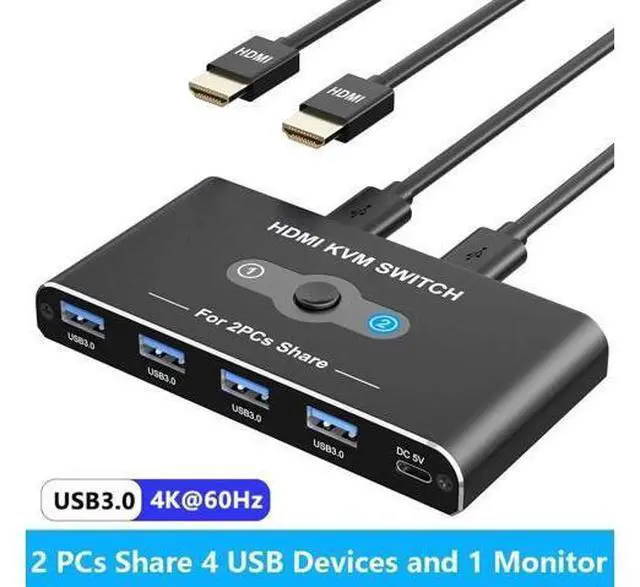
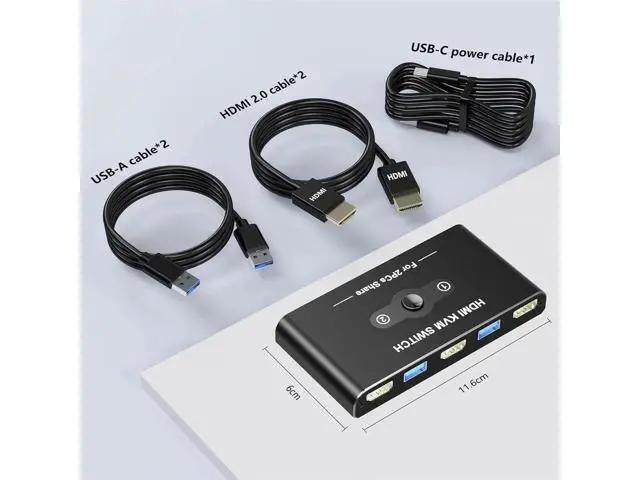
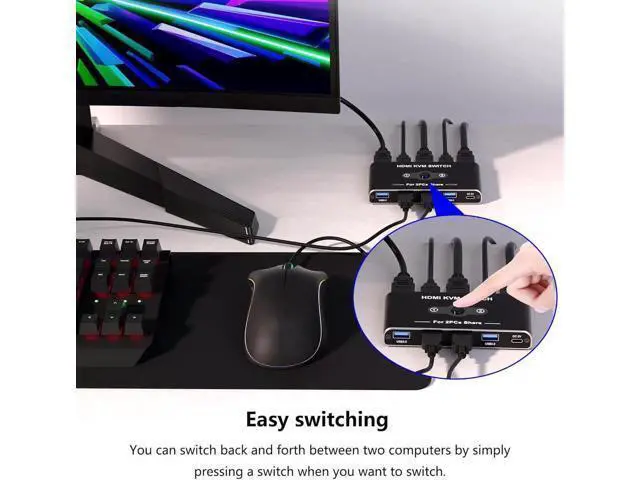
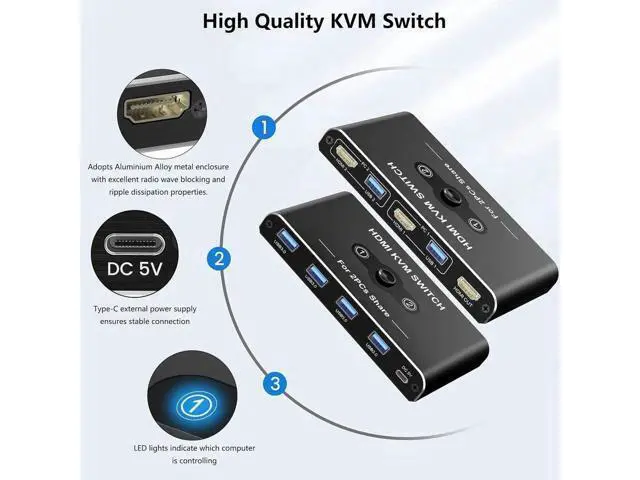
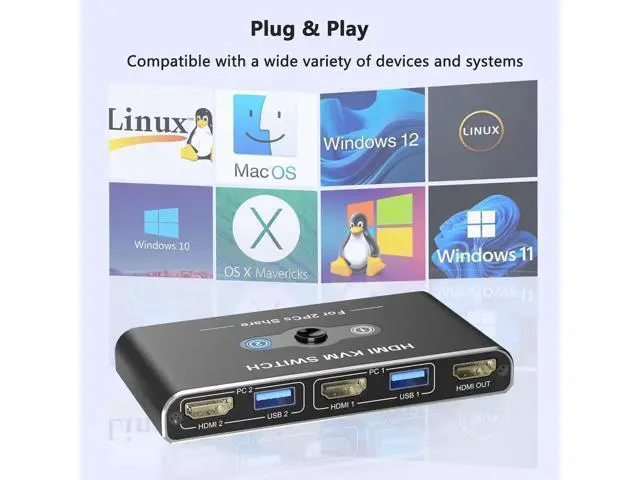


USB HDMI KVM Switch with 4K@60Hz, 2 Port HDMI KVM Switches With 4 USB 3.0 Data Ports, KVM Switch 2 PC 1 Monitor Share Mouse, Keyboard, Printer, Include 2 HDMI cables,2 USB cable, 1 USB-C Cable
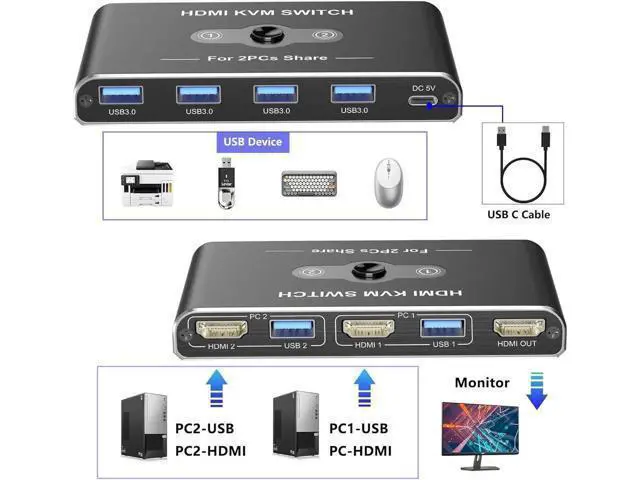
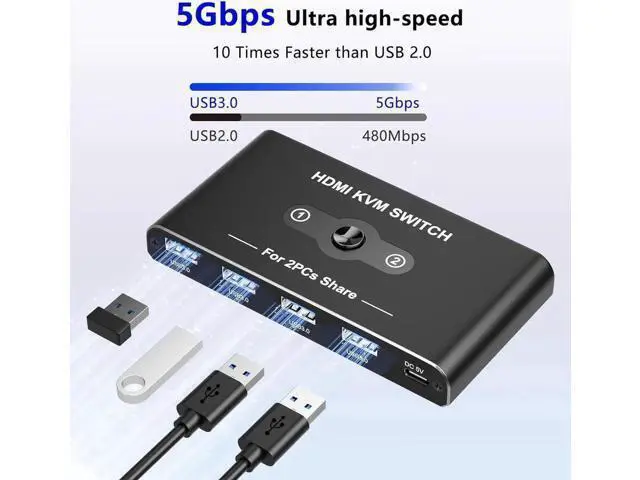
- USB HDMI KVM Switch: HDMI KVM Switch allows 2 computer devices to share 4 USB devices and 1 HDMI device. For example, keyboard, mouse, U disk, USB hard disk, printer, monitor/TV and other equipment.; 4K HD Resolution: Supports resolutions up to 4K@60Hz, allowing images to be displayed more beautifully and realistically, and colours will be more vivid and dynamic.; 5Gbps Data Transfer: The KVM Switch comes with 4 USB 3.0 ports with transfer rates up to 5Gbps for connecting peripherals such as mice, keyboards, printers, and USB sticks,10x faster than USB 2.0.Backward compatible with USB 2.0/1.1. Note: It doesn't support USB devices with more than 10W power; Easy Handling: Two push-button switching options make it easy to switch sources. The desktop cable controller hides the KVM switch for a cleaner, more efficient desktop. LED indicator shows which port is active when the KVM switch is connected to which source. Note: Keyboard shortcuts (hotkeys) are not supported for switching.
+
+
Overview
Specs
Reviews
USB HDMI KVM Switch: HDMI KVM Switch allows 2 computer devices to share 4 USB devices and 1 HDMI device. For example, keyboard, mouse, U disk, USB hard disk, printer, monitor/TV and other equipment.;
4K HD Resolution: Supports resolutions up to 4K@60Hz, allowing images to be displayed more beautifully and realistically, and colours will be more vivid and dynamic.;
5Gbps Data Transfer: The KVM Switch comes with 4 USB 3.0 ports with transfer rates up to 5Gbps for connecting peripherals such as mice, keyboards, printers, and USB sticks, 10x faster than USB 2.0. Backward compatible with USB 2.0 / 1.1.
Note: It doesn't support USB devices with more than 10W power;
Easy Handling: Two push-button switching options make it easy to switch sources. The desktop cable controller hides the KVM switch for a cleaner, more efficient desktop. LED indicator shows which port is active when the KVM switch is connected to which source.
Note: Keyboard shortcuts (hotkeys) are not supported for switching.
4K HD Resolution: Supports resolutions up to 4K@60Hz, allowing images to be displayed more beautifully and realistically, and colours will be more vivid and dynamic.;
5Gbps Data Transfer: The KVM Switch comes with 4 USB 3.0 ports with transfer rates up to 5Gbps for connecting peripherals such as mice, keyboards, printers, and USB sticks, 10x faster than USB 2.0. Backward compatible with USB 2.0 / 1.1.
Note: It doesn't support USB devices with more than 10W power;
Easy Handling: Two push-button switching options make it easy to switch sources. The desktop cable controller hides the KVM switch for a cleaner, more efficient desktop. LED indicator shows which port is active when the KVM switch is connected to which source.
Note: Keyboard shortcuts (hotkeys) are not supported for switching.
Warranty & Returns
Warranty, Returns, And Additional Information
Warranty
- Please contact the Seller directly for warranty information. Warranty information may also be found on the Manufacturer's website.
- CONTACT
Return Policies
- Return for refund within: 30 days
- Return for replacement within: 90 days
- This item is covered by PeakCircuit Technology Return Policy
Manufacturer Contact Info
- For a directory of all our manufacturers, please click below.
- Manufacturers Directory
LOADING...