
Your Browsing History

Meet Your Seller

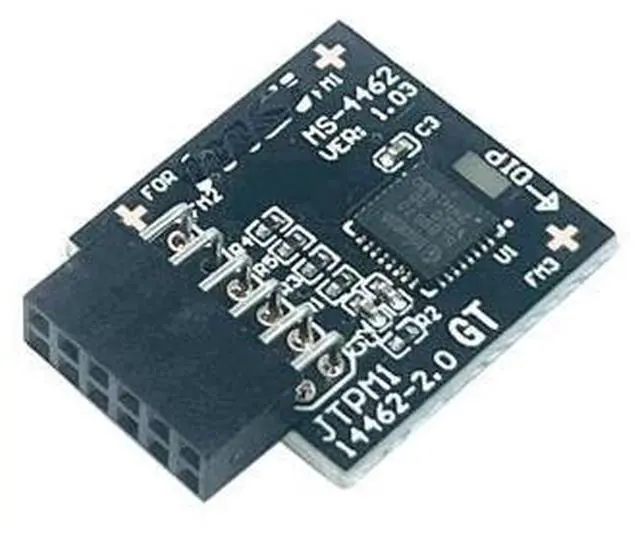
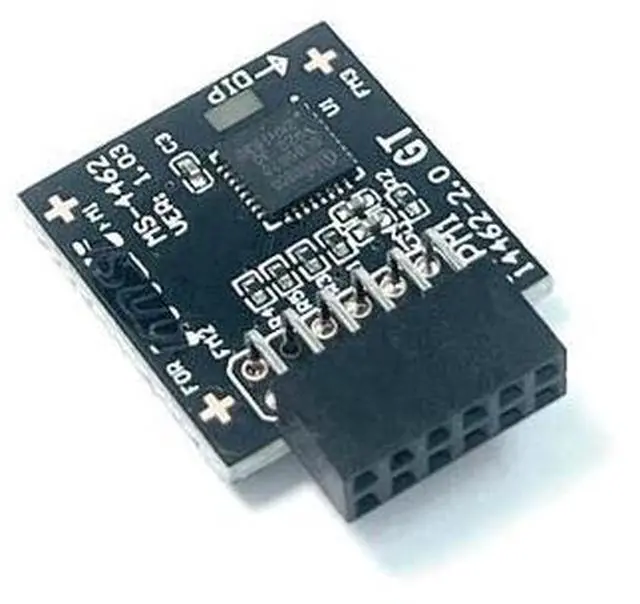
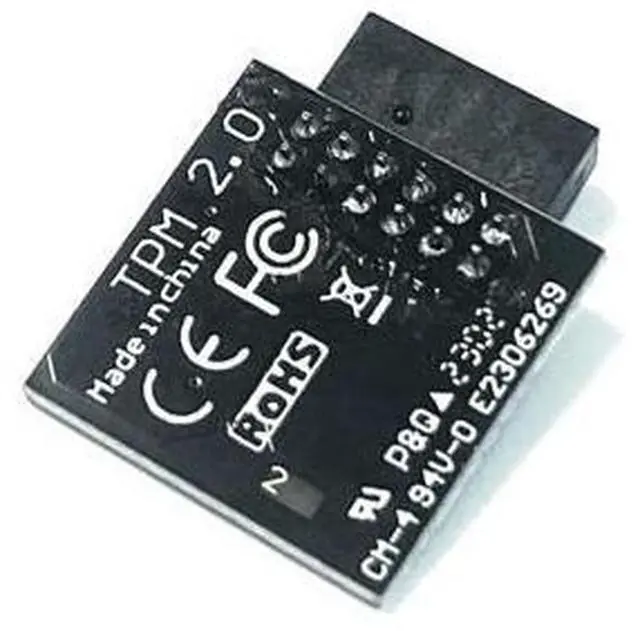
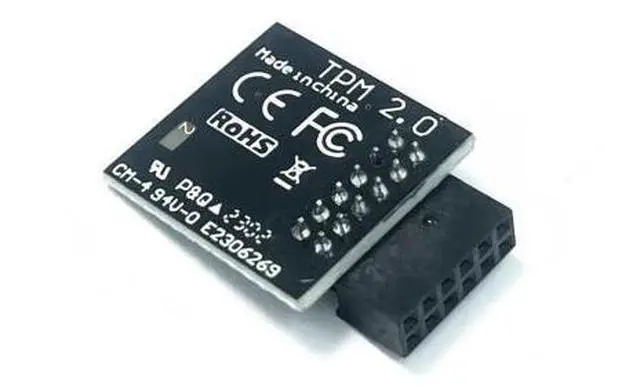
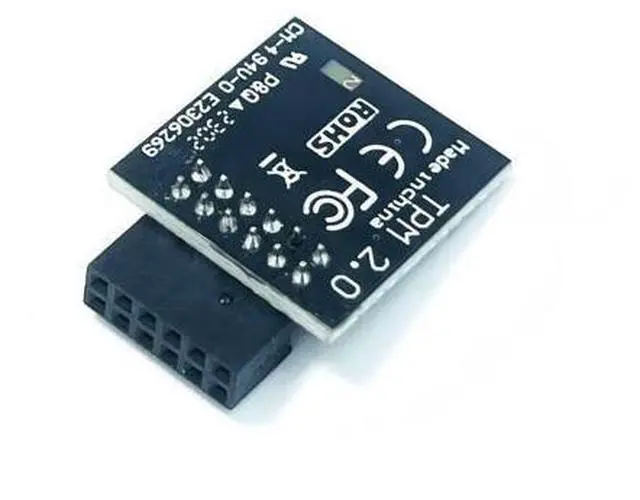


TPM2.0 Module TPM SPI 12Pin Module with SLB9670 for MSI PRO B550M-VC WiFi,B550-VC,B650-VC WIF,B650-S,B650-P WiFi,B650M-A,B650M-A,B650M-P,B650-A,B650M-X for MS-4462
- TPM 2.0 PIN DEFINE:12-1Pin ,Compute Securely Bus Header Key Compatible with MSI MS-4462 PRO B550M-VC WIFI PRO B550-VC PRO B650-A WIFI PRO B650M-A PRO B650M-A WIFI PRO B650M-P PRO B650M-X PRO B650-P WIFI PRO B650-S WIFI PRO B650-VC WIFI; Chipset:SLB9670, SupportsTPM Chip for MSI Intel 800 700 600 500 400 W790 series Motherboardsfor MSI AMD 800 X670 X570S WRX80 B650 B550 A520 series Motherboards; Important: The minimum hardware requirements for upgrading to Windows 11 via TPM 2.0 are as follows: 1 GHz or faster 64-bit processor (dual-core/multi-core), 4 GB of memory, 64 GB of storage space, firmware that supports UEFI Secure Boot and TPM 2.0, DirectX 12-compatible graphics card, and a display with a resolution of 720p or higher.; Purpose a: Resolve the TPM 2.0 verification issue when upgrading to Windows 11, enabling it to function as an independent encryption chip, providing secure storage for sensitive data, and enhancing security;; Use case b: Hardware encryption a
+
+
Overview
Specs
Reviews
Package Includes1PCS TPM-SPI Trusted Platform Module (As shown in the figure) for MSI Motherboard TPM 2.0 Trusted PlatformPRO B550M-VC WIFIPRO B550-VCPRO B650-A WIFIPRO B650M-APRO B650M-A WIFIPRO B650M-PPRO B650M-XPRO B650-P WIFIPRO B650-S WIFIPRO B650-VC WIFI Supportsfor MSI Intel 800 700 600 500 400 W790 series Motherboardsfor MSI AMD 800 X670 X570S WRX80 B650 B550 A520 series MotherboardsCompatible with TPM 2.0 (MS-4462) 12pin-1
Chipset: SLB9670PIN
DEFINE:
12pinInterface: SPI
Important Notes:
1. This product is only compatible with older motherboards such as Intel and AMD. It is not compatible with newer motherboard models featuring firmware TPM, all-in-one PCs, or laptops.
2. The minimum hardware requirements for upgrading to Windows 11 via
TPM 2.0 are as follows: a 1 GHz or faster 64-bit processor (dual-core/multi-core), 4 GB of memory, 64 GB of storage space, firmware supporting UEFI Secure Boot and TPM 2.0, a DirectX 12-compatible graphics card, and a display with a resolution of 720p or higher.
3. This product has a 12pin-1 connector. Please carefully check the pin positions in the image to ensure compatibility with your motherboard before purchasing. How to select and install a security module:
1. Confirm whether the host has TPM 2.0 or if TPM 2.0 is enabled.
2.
Click Run,
enter: tpm. msc (Win+R keys), and check if the TPM version is ready.
3. If version 2.0 is displayed but not ready, you need to configure settings in the BIOS; consult the motherboard manufacturer's customer service.
4. Open the host and inspect the TPM pins on the motherboard.
5. When installing the module, ensure the chip-side faces inward, align with the pins, and insert fully to prevent loosening. (See image for direction)
Core Applications:
1: Seamless upgrade to
Windows 11: Resolve TPM 2.0 verification issues and easily upgrade to the latest operating system.
2: Enhanced
hardware-level security: Provides an independent secure encryption chip specifically designed for securely storing sensitive data (such as encryption keys, digital certificates, and login credentials), thereby enhancing overall system security.
3: Hardware
encryption acceleration: Reduces CPU load by accelerating encryption operations via dedicated hardware, indirectly improving system response speed and enhancing the smooth operation of certain encryption-dependent applications (such as games and security software).
Chipset: SLB9670PIN
DEFINE:
12pinInterface: SPI
Important Notes:
1. This product is only compatible with older motherboards such as Intel and AMD. It is not compatible with newer motherboard models featuring firmware TPM, all-in-one PCs, or laptops.
2. The minimum hardware requirements for upgrading to Windows 11 via
TPM 2.0 are as follows: a 1 GHz or faster 64-bit processor (dual-core/multi-core), 4 GB of memory, 64 GB of storage space, firmware supporting UEFI Secure Boot and TPM 2.0, a DirectX 12-compatible graphics card, and a display with a resolution of 720p or higher.
3. This product has a 12pin-1 connector. Please carefully check the pin positions in the image to ensure compatibility with your motherboard before purchasing. How to select and install a security module:
1. Confirm whether the host has TPM 2.0 or if TPM 2.0 is enabled.
2.
Click Run,
enter: tpm. msc (Win+R keys), and check if the TPM version is ready.
3. If version 2.0 is displayed but not ready, you need to configure settings in the BIOS; consult the motherboard manufacturer's customer service.
4. Open the host and inspect the TPM pins on the motherboard.
5. When installing the module, ensure the chip-side faces inward, align with the pins, and insert fully to prevent loosening. (See image for direction)
Core Applications:
1: Seamless upgrade to
Windows 11: Resolve TPM 2.0 verification issues and easily upgrade to the latest operating system.
2: Enhanced
hardware-level security: Provides an independent secure encryption chip specifically designed for securely storing sensitive data (such as encryption keys, digital certificates, and login credentials), thereby enhancing overall system security.
3: Hardware
encryption acceleration: Reduces CPU load by accelerating encryption operations via dedicated hardware, indirectly improving system response speed and enhancing the smooth operation of certain encryption-dependent applications (such as games and security software).
Warranty & Returns
Warranty, Returns, And Additional Information
Warranty
- Please contact the Seller directly for warranty information. Warranty information may also be found on the Manufacturer's website.
- CONTACT
Return Policies
- Return for refund within: 30 days
- Return for replacement within: 90 days
- This item is covered by AxisLink Return Policy
Manufacturer Contact Info
- For a directory of all our manufacturers, please click below.
- Manufacturers Directory
LOADING...