
Your Browsing History

Meet Your Seller

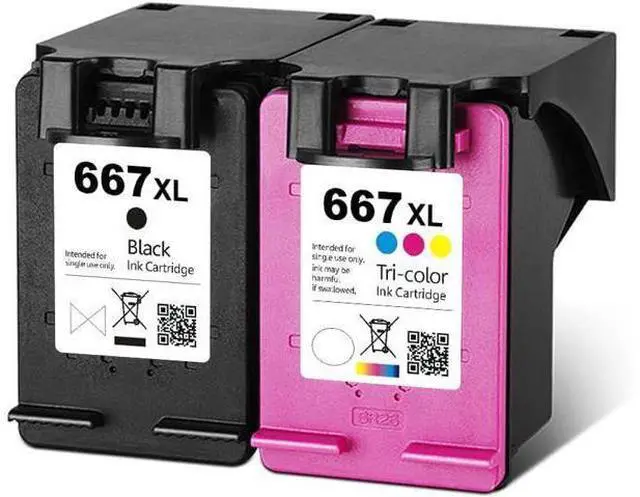





Saiyeeka 667 667XL Ink Cartridges Replacement 667 Ink Cartridges Deskjet Ink Advantage 2775 2776 Plus 6475 6476 Printer 1 Black 1 Tri-Color
- 1 Black &
- 1 tri-color remanufactured ink cartridges replacement for HP 667XL ink cartridges combo pack
- For HP 667XL Ink Cartridge Compatible Printers : for HP Deskjet Ink Advantage 1275 2374 2375 2376 2775 2776 printer
- for HP Deskjet Ink Advantage Plus 6475 6476 printer
- Quality Warranty : The latest update chip, which can be recognized by printer very well. So the quality is higher than recycled print heads
- Excellent Craftsmanship : Vivid color provides superior results and brilliant prints which last for centuries
- dry instantly so your photos are ready to be enjoyed once they come out of the printer
- Before purchasing please check what type of ink cartridges the printer used before. The applicable printers models only as a reference. If you have any doubt, please contact customer service
+
+
Overview
Specs
Reviews
For HP 667XL Ink Cartridges Print Clear and Beautiful Photos without Fading Applicable Printer Models Compatible for HP Deskjet Ink Advantage 1275 2374 2375 2376 2775 2776 Printer Compatible for HP Deskjet Ink Advantage Plus 6475 6476 Printer High color saturation and high fidelity Good Leakproofness Good Compatibility High Performance Convenient and cost-effective for daily use such as office, school, work and home printing Shows Ink levels These remanufactured ink cartridges are conveniently equipped with a smart chip that allows you to monitor and track your ink levels
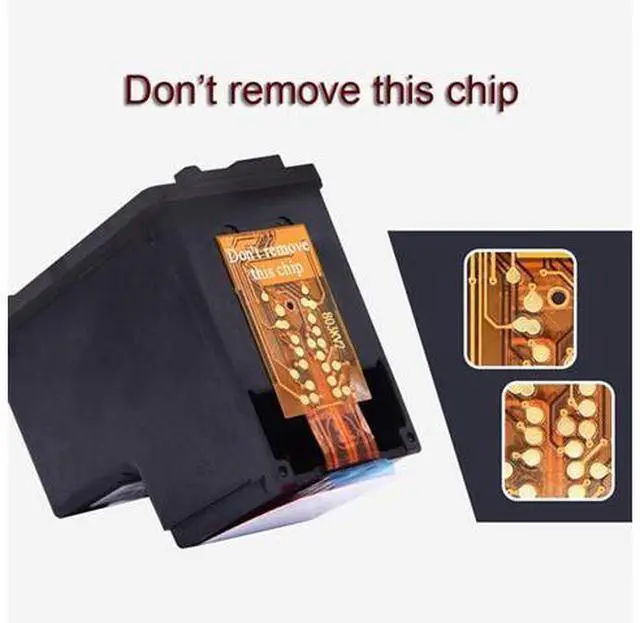
Upgraded Chip Bright clean chip: With polishing technology, the compatibility is much higher
Quality control: Printing test for each cartridge
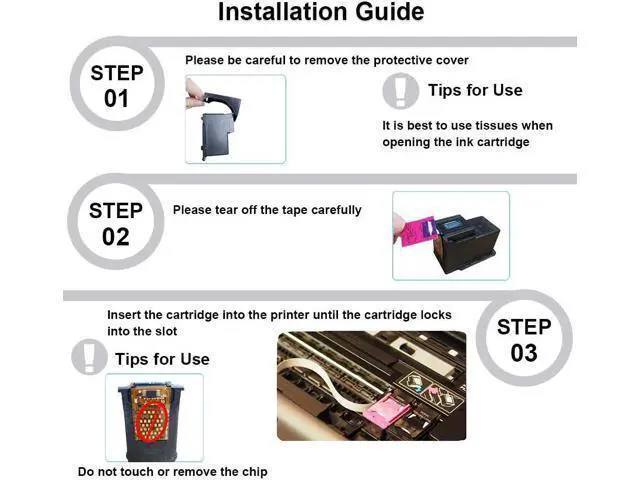
Instruction Steps Step 1: Remove the black cap before installing
Step 2: Tear off the plastic tape
Step 3: Put the cartridge into printer in the correct slot
Note: Do not touch the chip and the nozzle
Warm tips: Not
recognized issue: Remove the cartridges from the printer and reinstall 3 times
Print quality issue: Perform a print head cleaning
Upgraded Chip Bright clean chip: With polishing technology, the compatibility is much higher
Quality control: Printing test for each cartridge
Instruction Steps Step 1: Remove the black cap before installing
Step 2: Tear off the plastic tape
Step 3: Put the cartridge into printer in the correct slot
Note: Do not touch the chip and the nozzle
Warm tips: Not
recognized issue: Remove the cartridges from the printer and reinstall 3 times
Print quality issue: Perform a print head cleaning
Warranty & Returns
Warranty, Returns, And Additional Information
Warranty
- Please contact the Seller directly for warranty information. Warranty information may also be found on the Manufacturer's website.
- CONTACT
Return Policies
- Return for refund within: 30 days
- Return for replacement within: 90 days
- This item is covered by PixelCore Return Policy
Manufacturer Contact Info
- For a directory of all our manufacturers, please click below.
- Manufacturers Directory
LOADING...