• $220.99
  • Ships from Hong Kong.
    Price alert
    Shop it at NeweggBusiness.

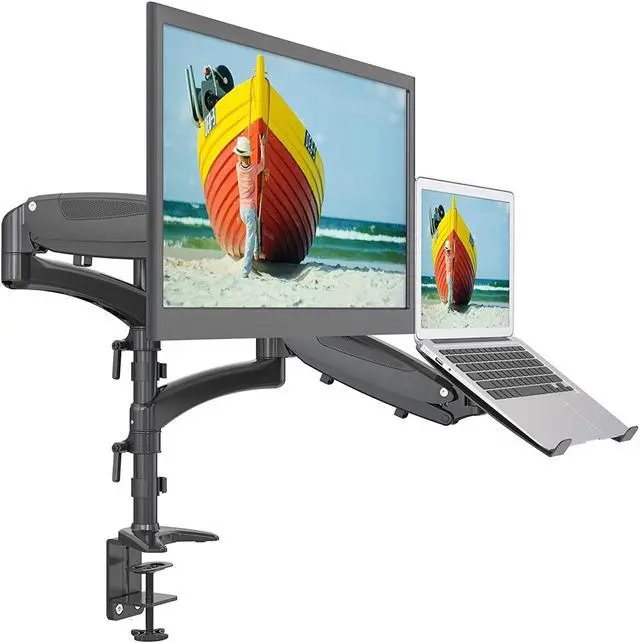
    SHOPPINGALL Dual Gas Spring 2 in1 Monitor & Laptop OR Double Monitors Mount Stand with 2 Swing Arms for 15"-32" Monitors, Both Desk Clamp and Grommet Mounting Options in The Box - SA-LH08-Black

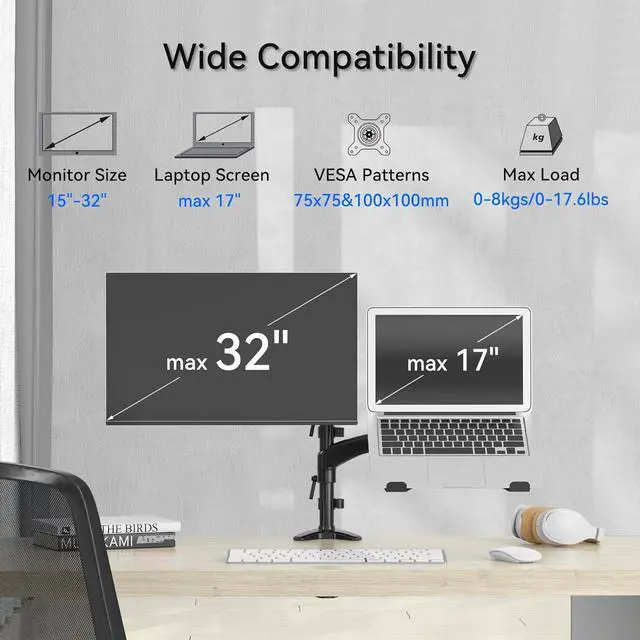
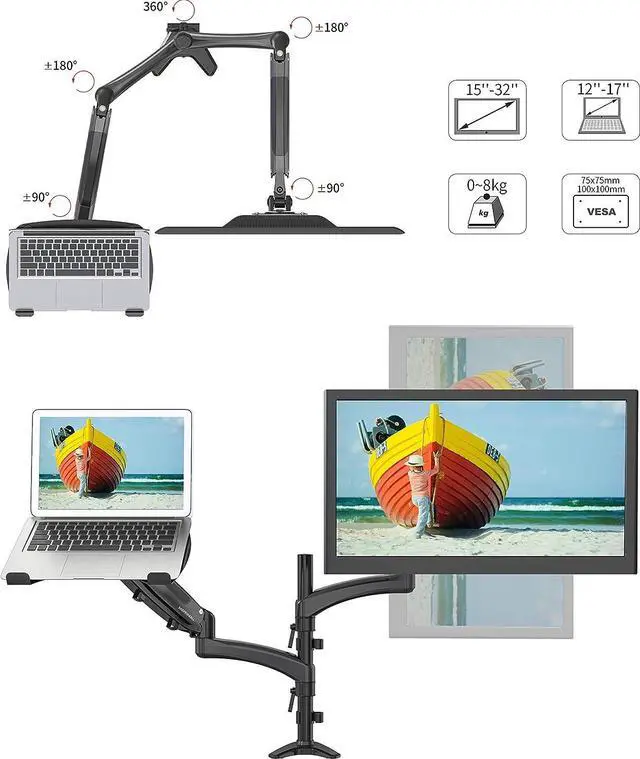
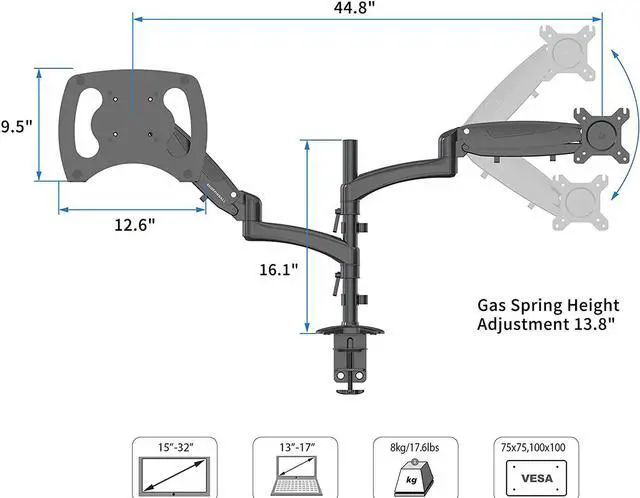
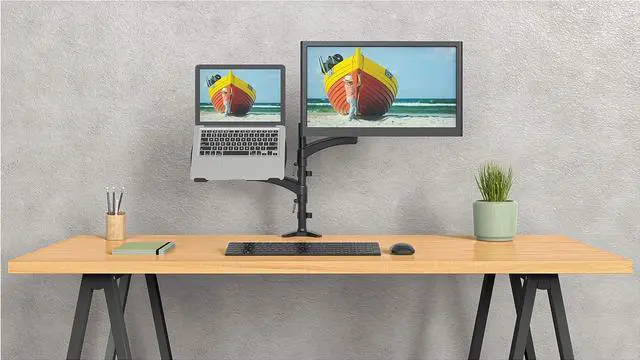
    • [WIDE COMPATIBILITY] Hold one 15"-32" monitor and one 12"-17" laptop OR can be used for two 15"-32" monitors. Each arm can hold up to 17.6lb/8kg laptop or monitor with 75mm x75mm or 100mm x 100mm VESA mounting holes.
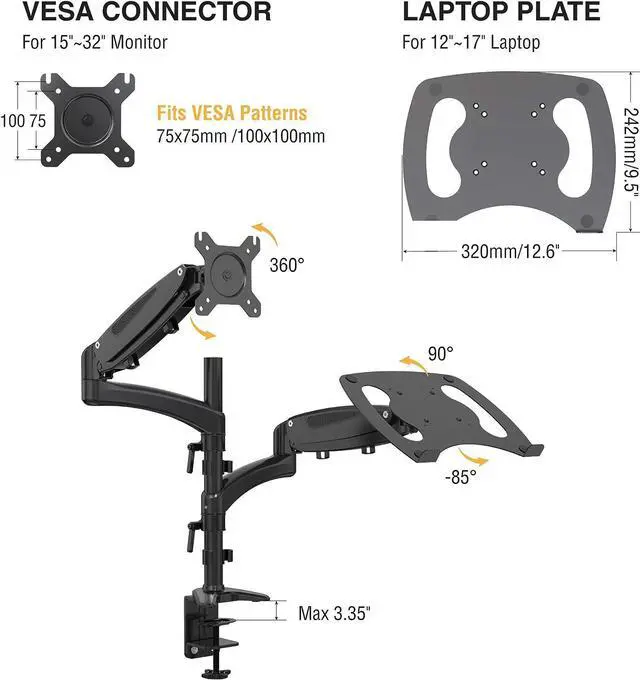
    • [OPTIMAL FLEXIBILITY] The cutting-edge pneumatic gas spring system combined with a tall 16.1" pole enables a wide motion range: 25.6" vertical and 22.4" horizontal. Arms adjustable to tilt from +90° to -85°, swivel ±90°, and 360° rotation. Easily switch your monitor between landscape and portrait modes without adjusting any bolts. Elevate your devices, declutter your workspace, and maximize productivity.
    • [INTEGRATED CABLE MANAGEMENT] Maintain a tidy workspace with our built-in cable management clips that also store tension adjustment wrenches. The base features an anti-scratch pad protecting your desk while ensuring a firm grip.
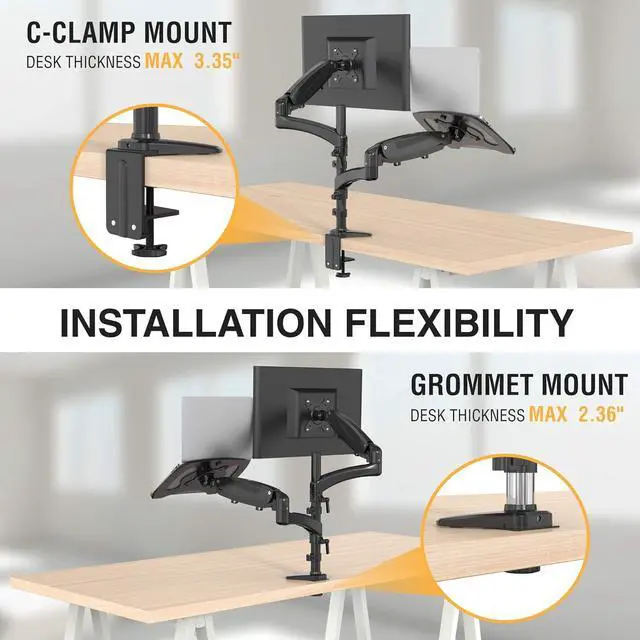
    • [TWO WAYS TO MOUNT] The laptop and monitor mount SA-LH08 can be installed by C-clamp (max desk thickness 3.35"/85mm) on the edge of the desk O
    +
    +
    Overview
    Specs
    Reviews
    Specifications:
    Product Weight: 12.1lbs/5.5kg
    Compatibility: Fits most 15"-32" monitors with Universal Standard VESA Plate 75x75 or 100x100, and most laptops between 12"-17"
    Maximum Bearing Weight: Each arm holds up to 17.6lbs/8kg load
    Installation: Grommet Mounting (max thickness 2.36"/60mm) or/and C-Clamp Mounting (max thickness 3.35"/85mm*)

    *The C-Clamp comes with 2.36"/60mm desk thickness support in the box but can be installed upside down to support up to 3.35"/85mm desk thickness. (Please refer to the User Manual for installation)
    This mount utilizes a gas spring system. The gas spring arm works with weights. Install your laptop/monitor BEFORE making a tension adjustment. To make a tension adjustment, press down the arm to a horizontal position and using a 5mm hex key, turn clockwise to reduce tension for lighter monitors(if monitor goes up), and counter-clockwise to increase tension for heavier monitors(if monitor goes down) until your monitor stays in the desired position.
    Gas Spring Arm Tension Adjustment Base Clamp and Grommet Size information:

    Warranty & Returns

    Warranty, Returns, And Additional Information

    Warranty

    • Please contact the Seller directly for warranty information. Warranty information may also be found on the Manufacturer's website.
    • CONTACT

    Return Policies

    Manufacturer Contact Info

    LOADING...