
Your Browsing History

Meet Your Seller

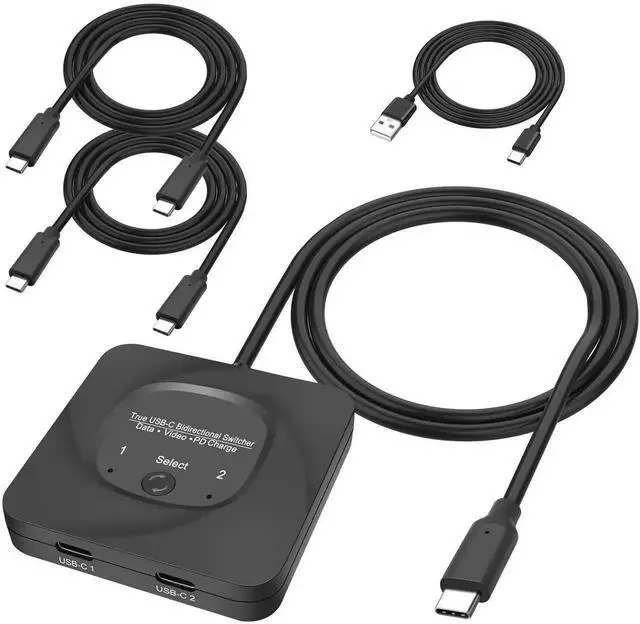


USB C Type-C Switcher 1 in 2 Out/2 in 1 Out 8K@60Hz 4K@120Hz Type-C Bi-Directional Switch Selector Support 48Gbps Data Transmission with Type-C Cables for PC Monitor HDTV-1 PCS
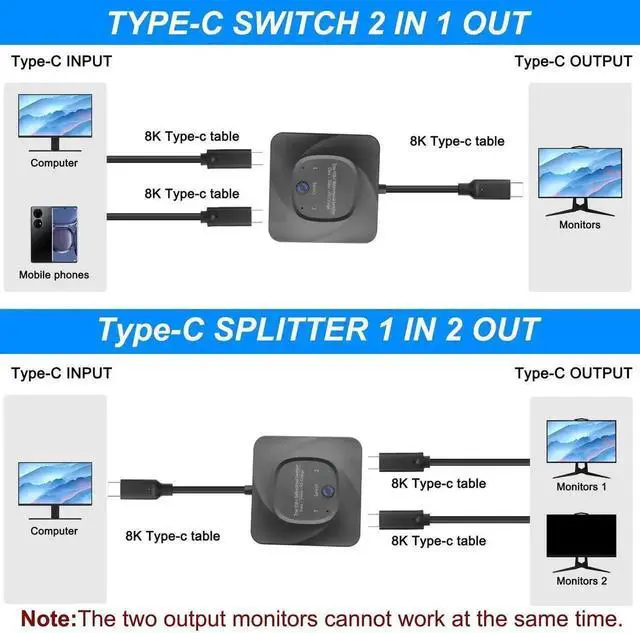
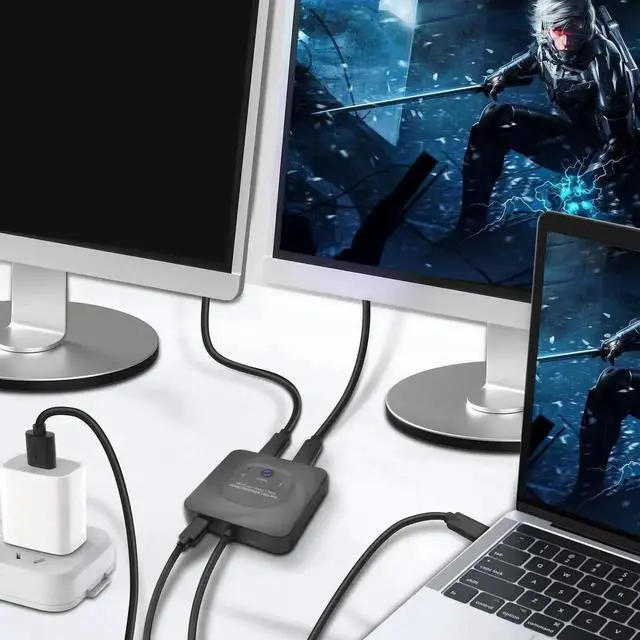
- This 8K USB-C Bi-Direction switch can be used as a 2 in 1 out switcher for connecting two sources with USB-C interface to one interface monitor, or as a 1 in 2 out splitter for connecting one source with USB-C interface to switch between two monitors. (Please note that the two monitors can't work at the same time).
- Supporting 8K@60Hz,4K@120Hz,1080P@240Hz resolution and providing you with a transmission rate of up to 48Gbps, this Type-C switcher ensures a clear and vibrant display with no graininess in close proximity, and truly zooms in and out without distortion for a perfect presentation.
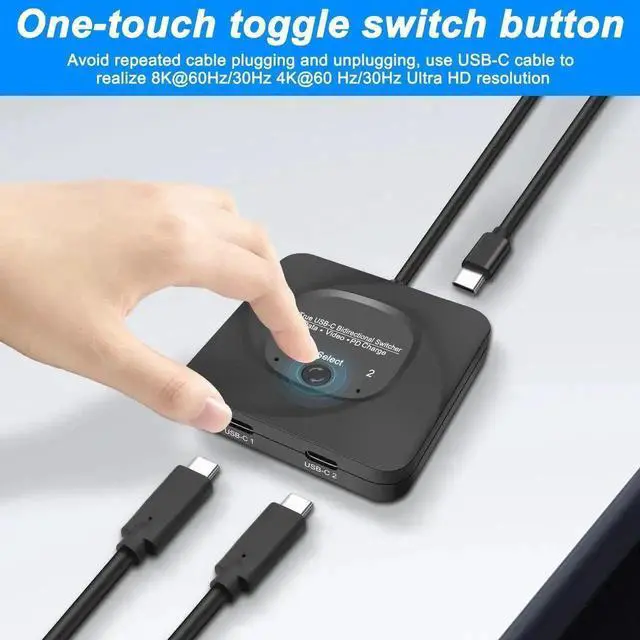
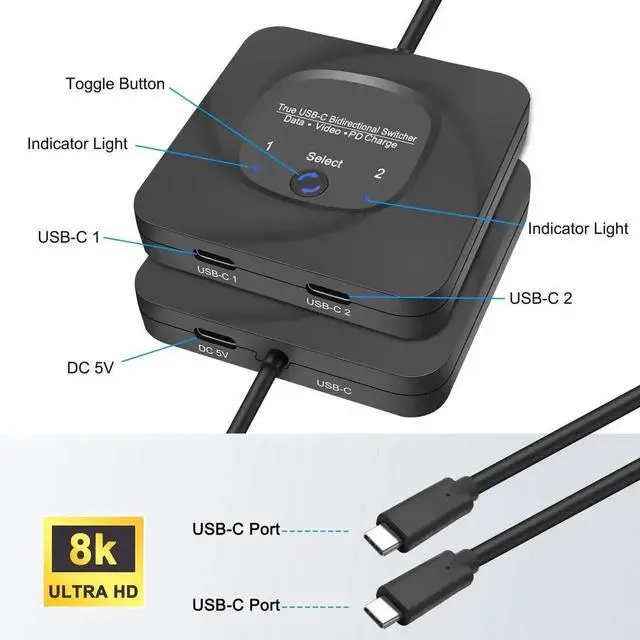
- The USB C switcher selector uses a one-touch switching button "select" to quickly switch the signal source to another device, eliminating the need to unplug frequently and effectively protecting the computer interface. There is an indicator light next to the USB-C port, which lights up red so you know which device is working.
+
+
Overview
Specs
Reviews
1. Product introduction:
-The Type-c Bidirectional switch allows you to connect two Type-c signal sources to one Type-c display(as switcher), or connect one Type-c signal source to toggle between two Type-c displays(as splitter).
-Support 8K@60Hz,4K@120Hz,1080P@240Hz resolution,provide you with transfer rates up to 48Gbps and backward compatible with all previous Type-c standards.
2. Two working mode:
-Mode one: Type-c switch 2 in 1 out
Connect two Type-c cables (Type-c1 and Type-c2) to your source devices, such as Laptops, Desktop,PCs, and then connect an Type-c cable to your. Type-c display.
Press "SELECT" button to switch between two signal sources devices.
-Mode two: Type-c splitter 1 in 2 out
Connect one Type-c cable to your source device, such as Laptops, Desktop PCs, telephone, Switch and then connect two Type-c cables (Type-c 1 and Type-c 2) to your Type-c displays. In this mode, the two displays can not display simultaneously, you must press "SELECT" button to switch between two Type-c displays.
3. Important Notice:
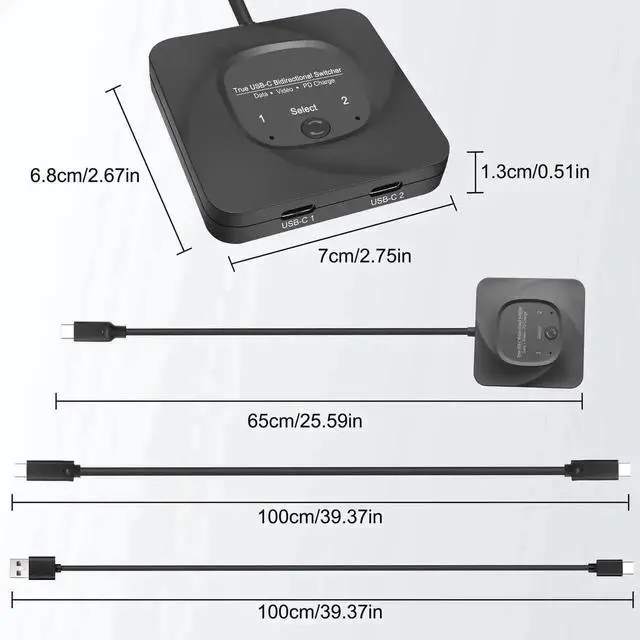
(1)The length of the Type- cables connected to both ends of the product should not exceed 1.5 meters.
(2)If you need to output 8K@60Hz,4K@120Hz and 1080P@240Hz via our product in your displays, please make sure your Type-c source devices, Type-c cable and Type-c display all support the resolution and refresh rate you need to output.
(3)Not support automatic switch, you can only switch via the "SELECT button.
(4)For some devices, when their Type-c port can not provide sufficient power for this product to work, please connect USB-C cable to your USB devices for power.
(5)Must use 8K Type-c cable.
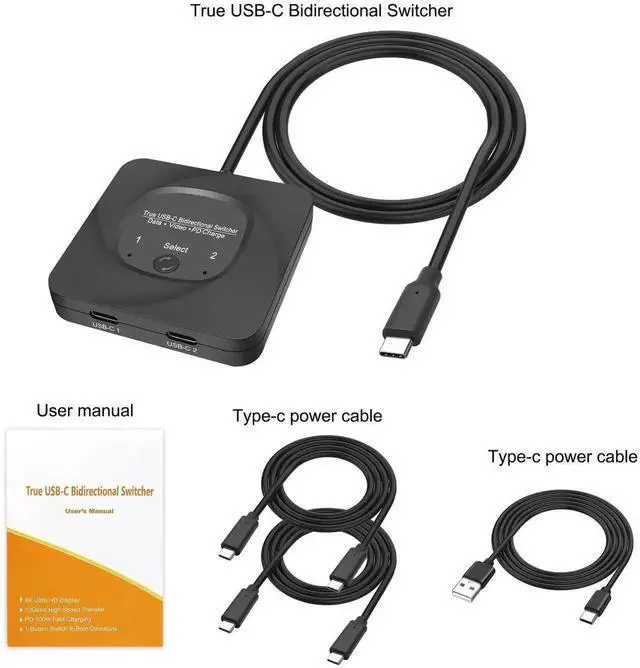
4. Package Contents:
8K Type-c Bi-Direction switch x1
Type-c power cable x1
User manual x1
Warranty & Returns
Warranty, Returns, And Additional Information
Warranty
- Please contact the Seller directly for warranty information. Warranty information may also be found on the Manufacturer's website.
- CONTACT
Return Policies
- Return for refund within: 30 days
- Return for replacement within: 30 days
- This item is covered by GGnix Return Policy
Manufacturer Contact Info
- For a directory of all our manufacturers, please click below.
- Manufacturers Directory
LOADING...