

  • $34.99
  • $41.98
  • Save: $6.99 (16%)
  • Free 15-day Returns
Ships from China.
Price alert
Shop it at NeweggBusiness.

Meet Your Seller

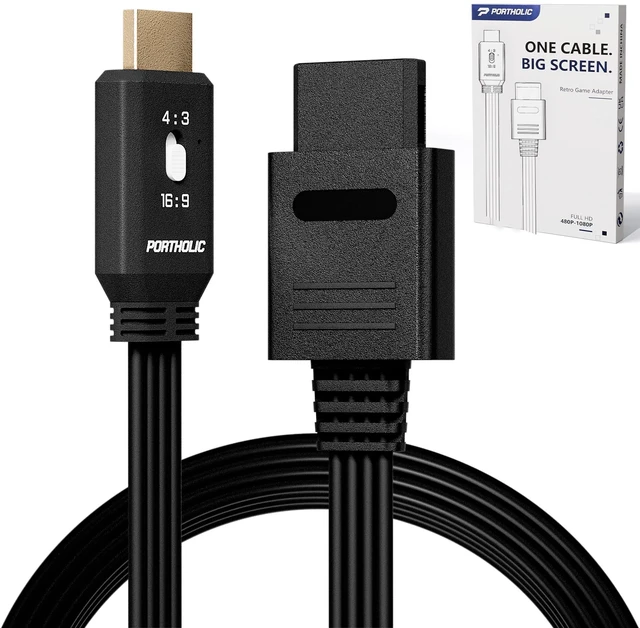
PORTHOLIC N64 to HDMI Converter, 4-in-1 HDMI Cable for GameCube SNES SFC, 4:3/16:9 Switchable, 1.5m/4.92FT, No External Power Needed

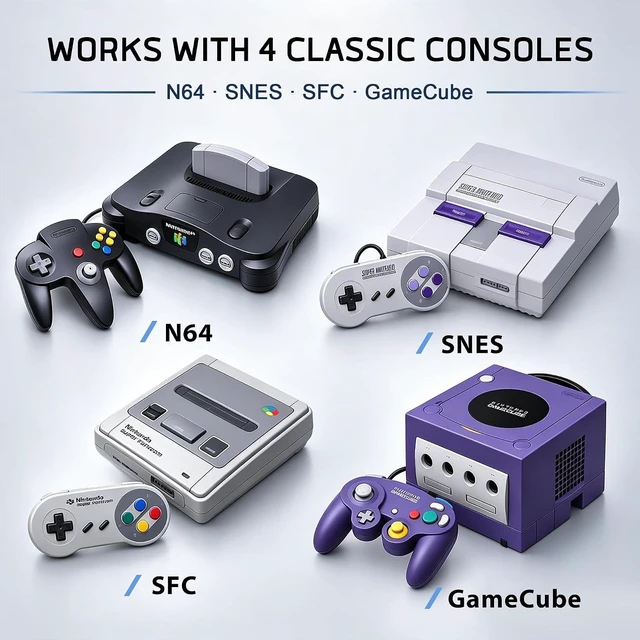
  • FOR 4 CLASSIC CONSOLES;
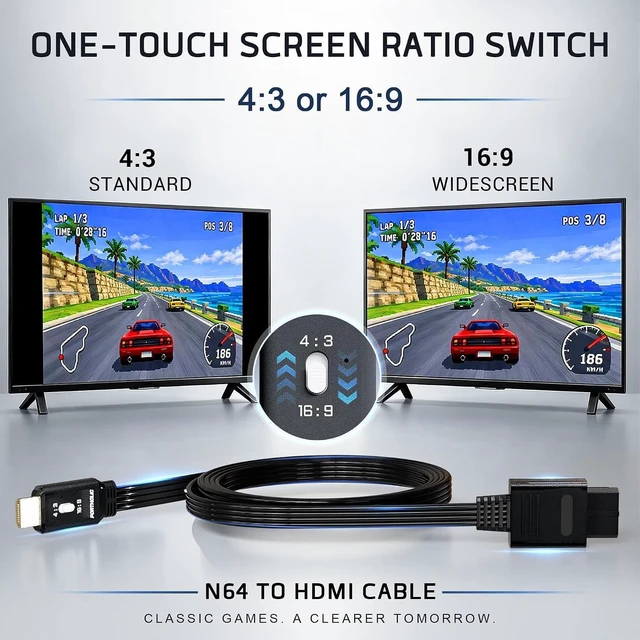
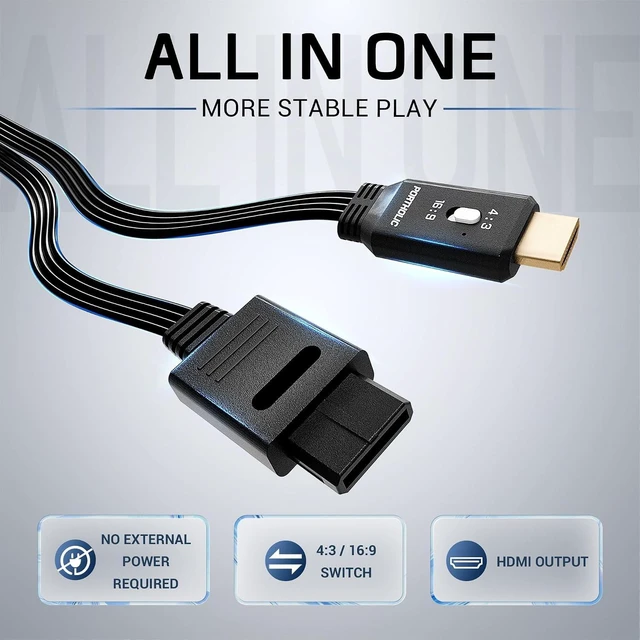
  • 4:3 / 16:9 SWITCHABLE;
  • CLEAR & SMOOTH PICTURE;
  • EASY TROUBLESHOOTING & SUPPORT;
  • It transfers N64 images to modern HDTV. You can enjoy a clear graphics and bright color on a bigger screen;
  • Please Note : The N64 to hdmi converter only converts the signal, and can't improve the quality of graphics.
+
+
Overview
Specs
Reviews
1

[FOR 4 CLASSIC CONSOLES] Compatible with N64, GameCube, SNES and SFC. This HDMI adapter connects classic consoles to modern TVs, monitors and projectors.
[4:3 / 16:9 SWITCHABLE] This N64 to HDMI cable lets you switch between 4:3 and 16:9 display modes to choose the view you prefer.
[CLEAR & SMOOTH PICTURE] Enjoy clear, smooth HDMI output on newer TVs for a better classic gaming experience.
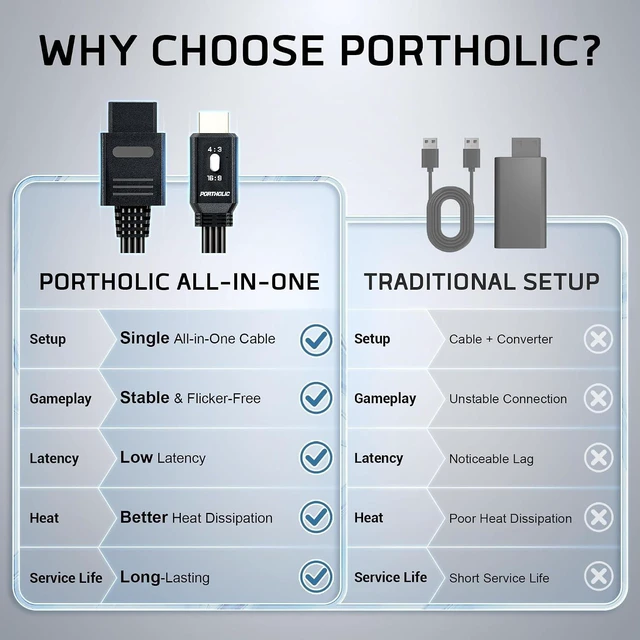
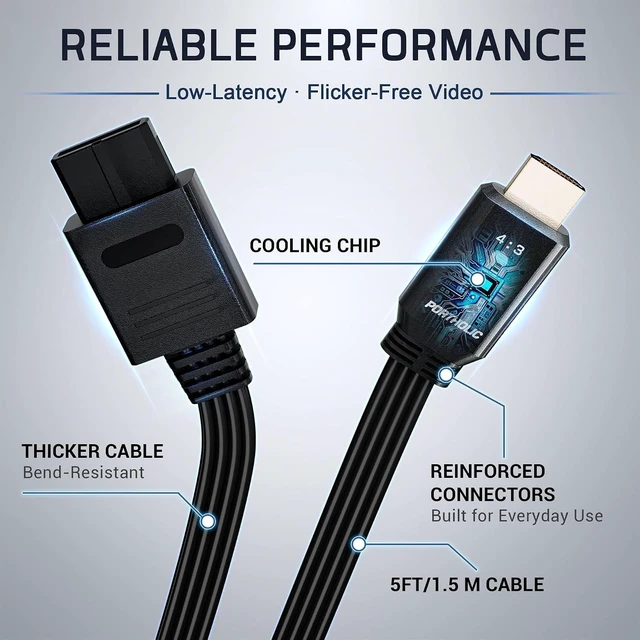
[1.5M ALL-IN-ONE CABLE] 1.5m cable with built-in console and HDMI connectors. No extra HDMI cable or external power supply required.
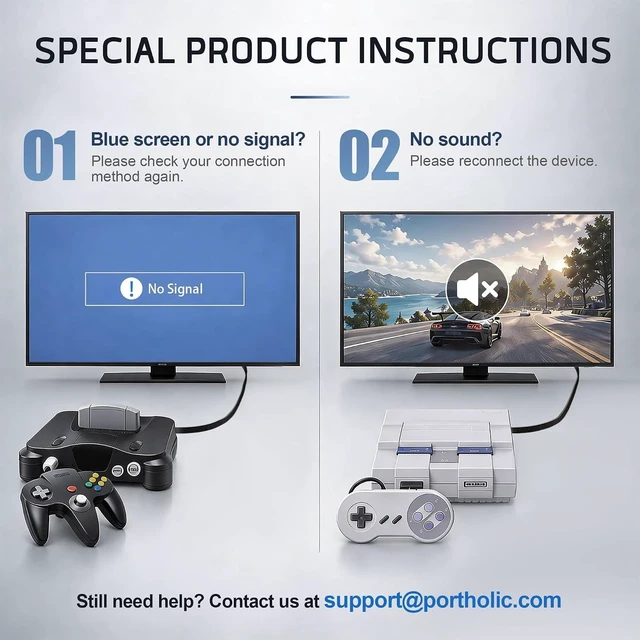
[EASY TROUBLESHOOTING & SUPPORT] If you see a blue screen or have no sound, reconnect the cable and check the connections. If the problem continues, please contact our customer support for help.

It transfers N64 images to modern HDTV. You can enjoy a clear graphics and bright color on a bigger screen.

Please Note : The N64 to hdmi converter only converts the signal, and can't improve the quality of graphics.
Supports N64/Gamecube/SNES & SFCto HDMI
Lossless transmission: clear graphics and bright colours.
Support 16.9 and 4:3 convert on TV
Plug and Play: No setting, No additional power supply or driver needed.

Operation steps:
1:Plug the HDMI cable into TVHDMl port
2:Connect the other end of HDMl cablewith the converter
3:Plug the converter into yourgame console

Please note:
lf there is a blue screen and no signal, please try the following methods:
1.Please check if the connection between the adapter and the TV and game console is working properly.
2.Please try to clean the console and game cartridge.Sometimes there may be dust in the console.
3. If none of the above works, please contact seller's customer service.

FOR 4 CLASSIC CONSOLESCompatible with N64, GameCube, SNES and SFC. This HDMI adapter connects classic consoles to modern TVs, monitors and projectors.

4:3 / 16:9 SWITCHABLEThis N64 to HDMI cable lets you switch between 4:3 and 16:9 display modes to choose the view you prefer.

CLEAR & SMOOTH PICTUREEnjoy clear, smooth HDMI output on newer TVs for a better classic gaming experience.

1.5M ALL-IN-ONE CABLE1.5m cable with built-in console and HDMI connectors. No extra HDMI cable or external power supply required.

EASY TROUBLESHOOTING & SUPPORTIf you see a blue screen or have no sound, reconnect the cable and check the connections. If the problem continues, please contact our customer support for help.

It transfers N64 images to modern HDTV. You can enjoy a clear graphics and bright color on a bigger screen.

Please Note : The N64 to hdmi converter only converts the signal, and can't improve the quality of graphics.

Supports N64/Gamecube/SNES & SFCto HDMI

Lossless transmission: clear graphics and bright colours.

Support 16.9 and 4:3 convert on TV

Plug and Play: No setting, No additional power supply or driver needed.


Operation steps:

1:Plug the HDMI cable into TVHDMl port

2:Connect the other end of HDMl cablewith the converter

3:Plug the converter into yourgame console

Please note:

lf there is a blue screen and no signal, please try the following methods:

1.Please check if the connection between the adapter and the TV and game console is working properly.

2.Please try to clean the console and game cartridge.Sometimes there may be dust in the console.

3. If none of the above works, please contact seller's customer service.

Warranty & Returns

Warranty, Returns, And Additional Information

Warranty

  • Please contact the Seller directly for warranty information. Warranty information may also be found on the Manufacturer's website.
  • CONTACT

Return Policies

Manufacturer Contact Info

LOADING...