Displaylink Docking Station, PULWTOP Triple Display for MacBook M3 Windows, Displaylink Dock 100W Charging 4K 60Hz Laptop Docking Station 2 HDMI, 2 DisplayPort,PD, USB C Data, 4 USBA, Ethernet, Audio
Multiple Ports DisplayLink Docking Station
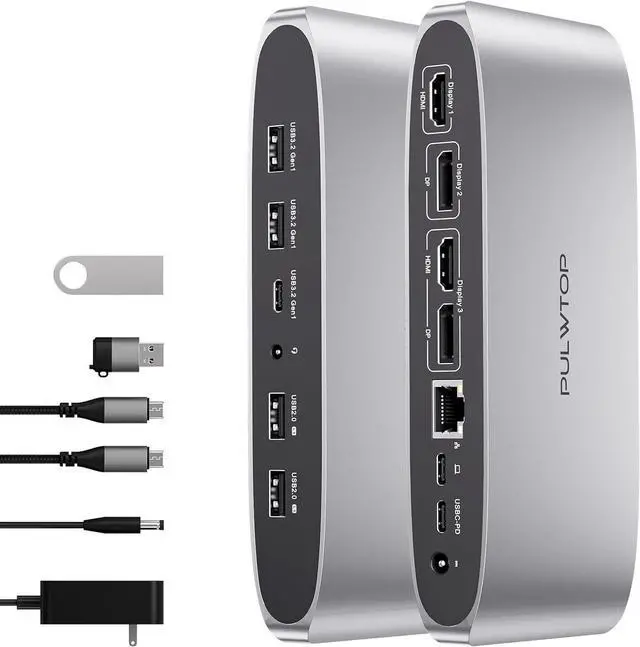
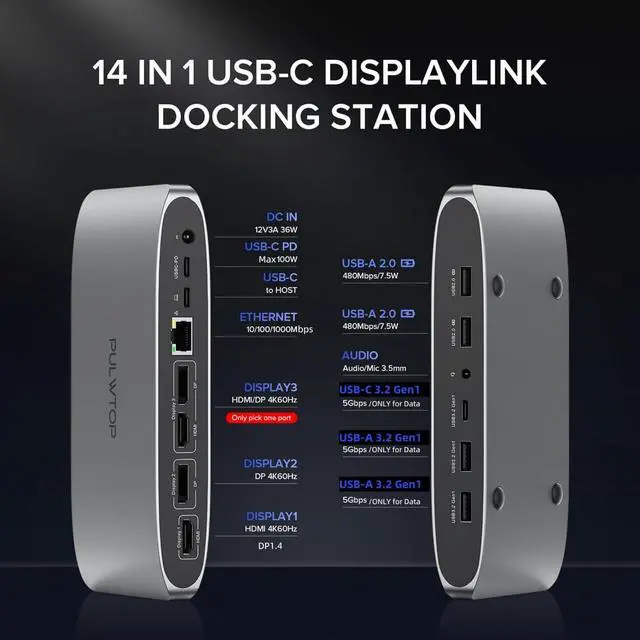
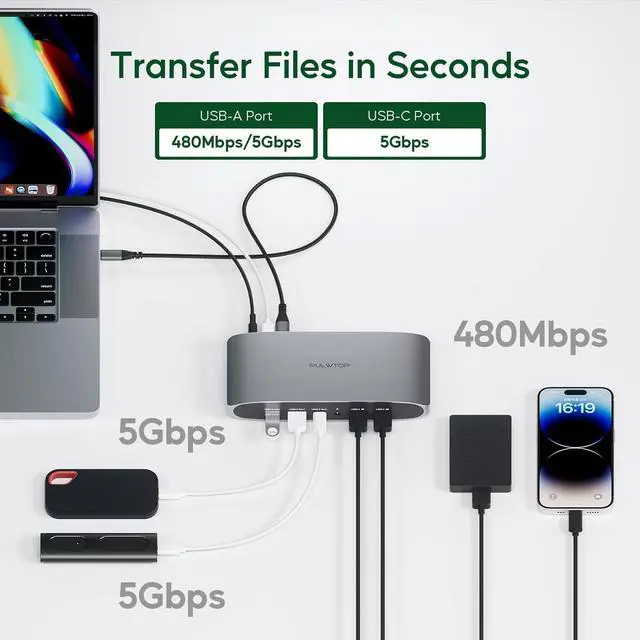
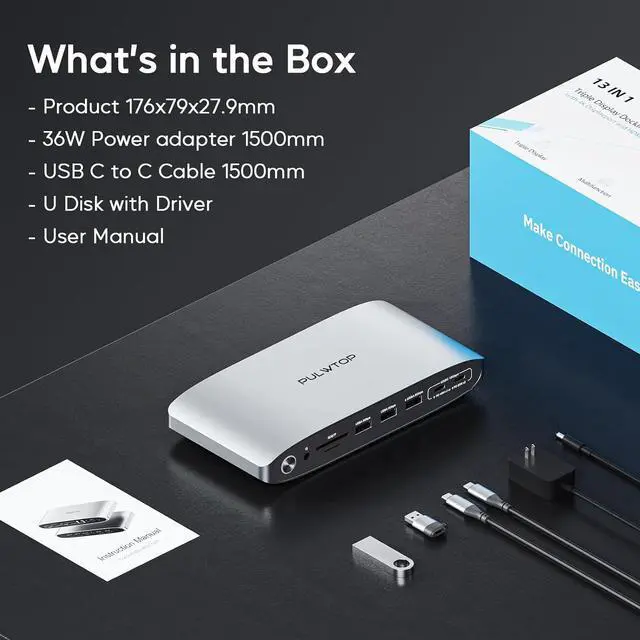
The displayLink docking station for laptops provides 12 ports totaly, including 2*HDMI, 2*displayport, 2*5Gbps USBA 3.2 (only for data), 2*USBA 2.0 ports(support data & charge), 1*5Gbps USB C 3.2 Gen1 port(only data), 1*100W USB-C PD(Max), 1*Gigabit Ethernet, 1*3.5 mm audio/mic jack.
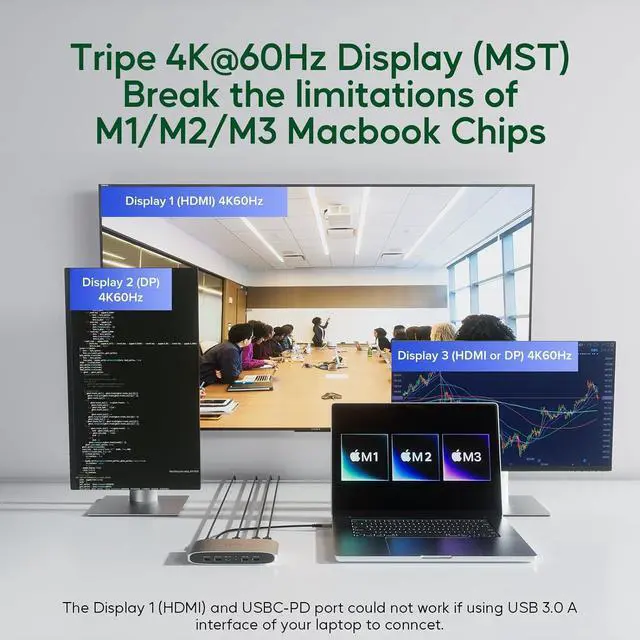
4K Triple Display Extension for Laptops and M1/M2/M3 MacBook
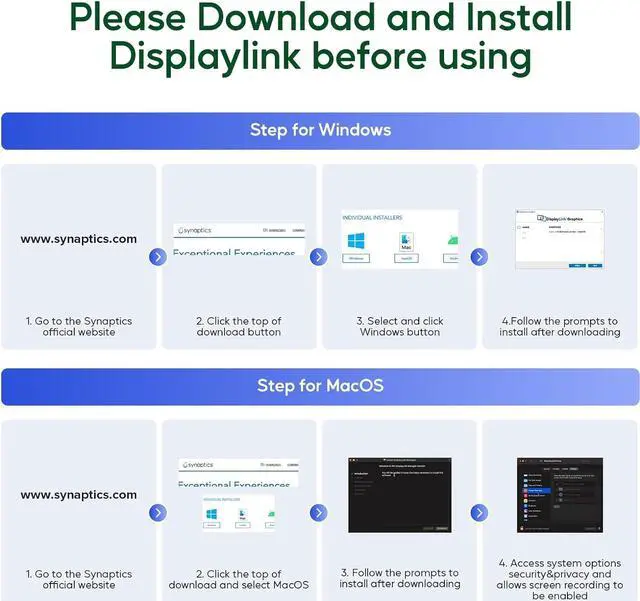
Our displaylink dock is not imited by Mac M1/M2/M3 chip, supports expanding 3 different monitors by installing the DisplayLink driver. Our docking station for 3 monitors is compatible with Macbook, Windows, Chrome OS, Ubuntu and Android.
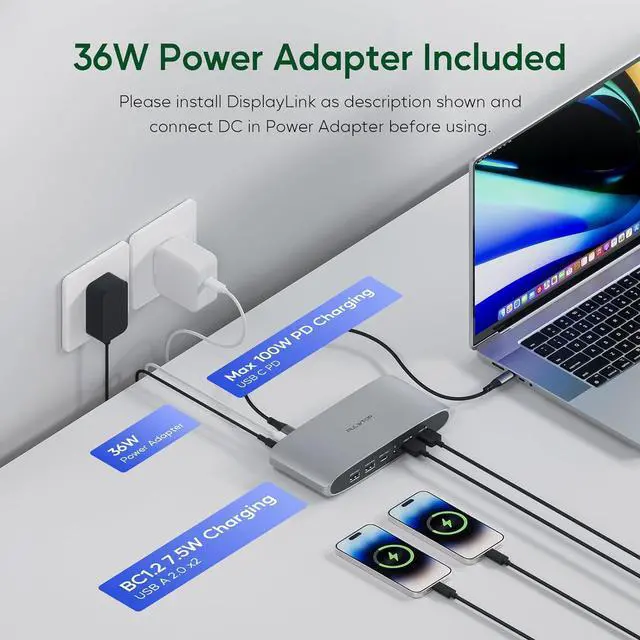
Fast Charging
The USB-C PD power supply port of laptop display link dock can charge your laptop up to 100W. The 2 USB-A 2.0 ports of the laptop docking station support to connect keyboard and mouse, also provide 7.5W power to charge your mobile phone or other USB devices.
Ultra-Speed Data Transfer
The USB dock for macbook features 2*5 Gbps USB A 3.2 Gen1 ports and a 5Gbps USB-C 3.2 Gen1 port (USBA/C ports only support data transfer), which supports transferring 1 GB files in seconds.
When Use with USB A 3.0 Port
When the host port of the USB C docking station is connected to the USB A 3.0 (or later version) laptop, dual displays could be achieved: DP(Display2), DP or HDMI(Display3) that will reach 4K@60HZ. NOTE: HDMI (Display 1) and USB-C PD do not work when the dual monitor dock's USB-C host port is connected to the USB A 3.0 port of your laptop.
NOTE:
1. HDMI and DP ports of the "display 3" port only support 1 of the 2 to use at the same time.
2. The USB C docking station should be connected with 12V 3A DC in power adapter, or it will not work.