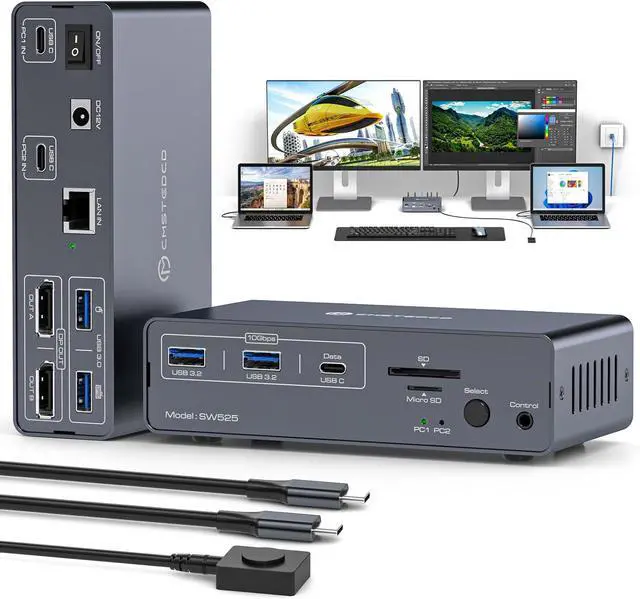
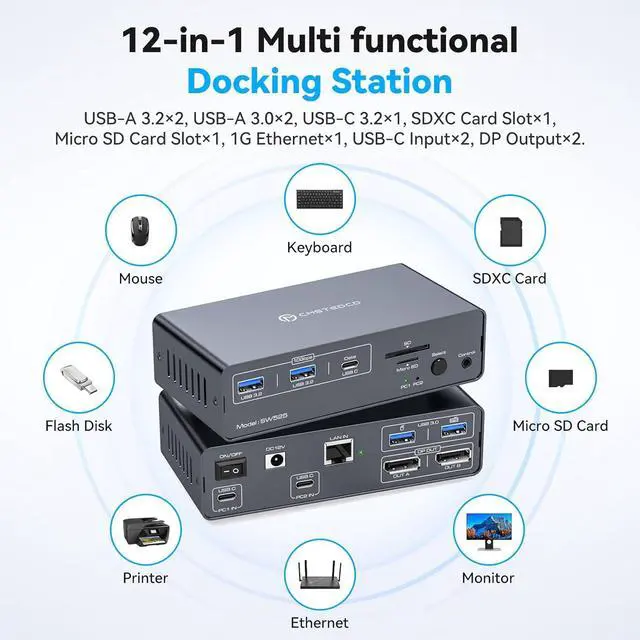
USBC Docking Station for 2 Laptops: JCYMELE docking station allows two laptops, Macbooks or other USBC signal sources to share a 12-in-1 docking station with just one click. Allowing you to condense peripherals all down to one cable for each item, eliminating clutter and reducing the need for multiple ports. It easily accommodates your peripherals, like keyboard, mouse, printer SD cards and others. Simplifies desktop layout and creates a productive workspace. Note: The USB C port needs to support video transmission.USB C input without PD charging function
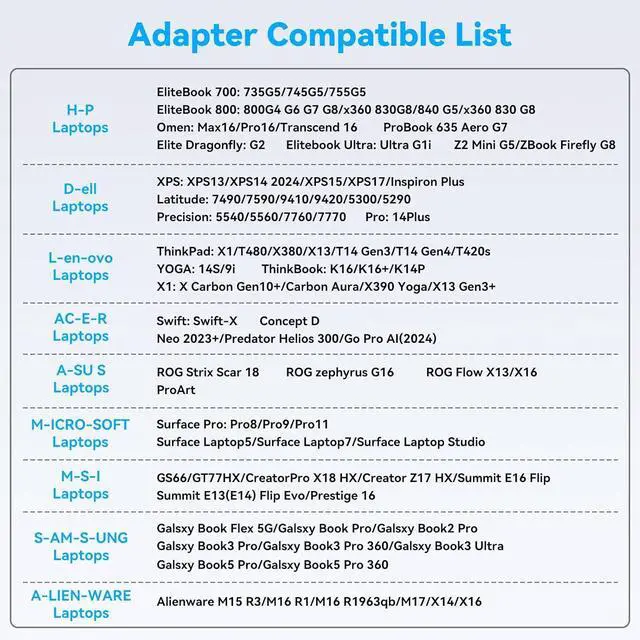
Please Check Compatibility: This KVM Docking Stations requires that your laptop's USB C port supports the DP Alt Mode feature, or a laptop with Thunderbolt 3/4/5 ports. For example, the following laptop series: H-P Laptops-EliteBook 700/800, Omen, Elite Dragonfly, Elitebook Ultra series; D-e-ll Laptops-XPS, Latitude, Precision, Pro series; Le-no-vo Laptops-ThinkPad, YOGA, ThinkBook, X1 series; A-c-er Laptops-Swift, Concept D, Neo 2023+ series; A-su-s Laptops-ROG, ProArt series. For laptop specific models or compatible models of other brands, please check the second main picture and the second picture of Product Description to confirm
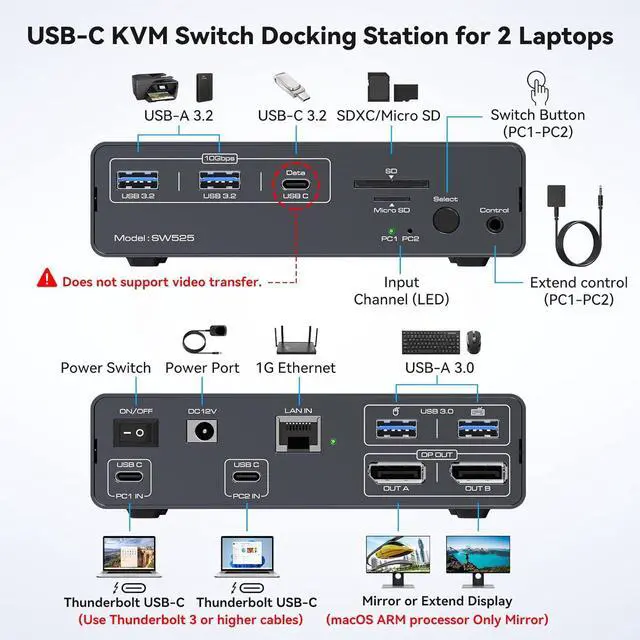
12-in-1 Laptop Docking Station: Thunderbolt dock provides multiple shared peripheral ports, including 2x USB 3.0 (for keyboard and mouse), 2x 10 Gbps USB 3.2 and USB-C Port, 1x 1G Ethernet, 1x SD/microSD and 2x 4K@120Hz DP 1.4 outputs. This type c docking station helps to keep your desk organized. Note: 10Gbps USB-C date port does not support video transfer; to better protect your laptop, the docking station does not require power from the laptop and cannot provide power to the laptop
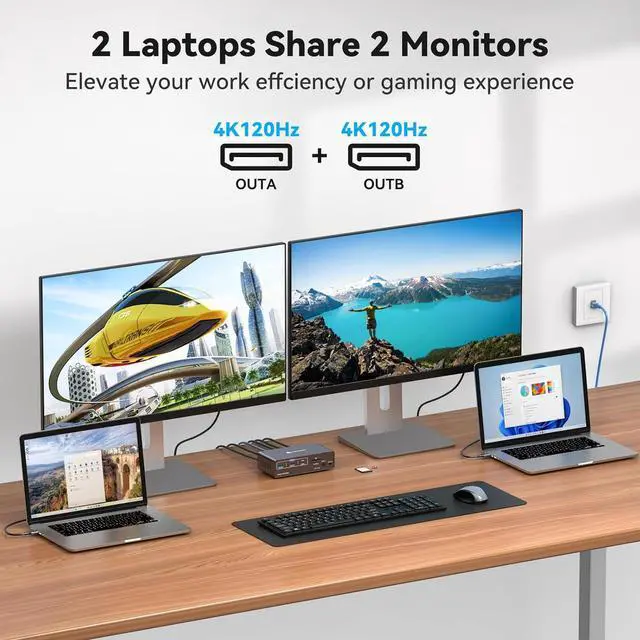
4K@120Hz Dual Monitor Docking Station: 2 displayport 1.4 ports can output up to two 4K@120Hz video images simultaneously, giving you a more realistic and smooth visual experience; backward compatible with 4K@60Hz and 1440P, 1080P, etc. USB3.0 is suitable for mouse and keyboard, 10Gbps USB 3.2/USB C ports and SD/microSD Card Slots allow two computers to connect more peripherals at the same time, bringing more convenience to your data transmission. Note: You need the computer, monitor, and cable to support 4K120Hz to transmit 4K120Hz
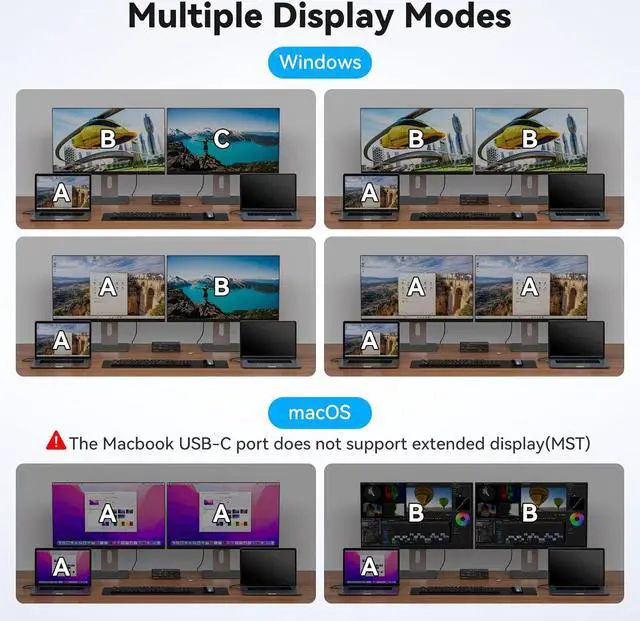
Extended Media Display: 2 Displayport monitors docking station support MST and SST Modes; If your signal source is Windows, the USB C docking station supports MST and SST modes, and the 2 DP ports can display two different images at the same time; if it is iOS, the 2 DP ports can only display two identical images. This is a limitation of the iOS system, not the docking station. Note: MST is not supported on Macs with Windows installed
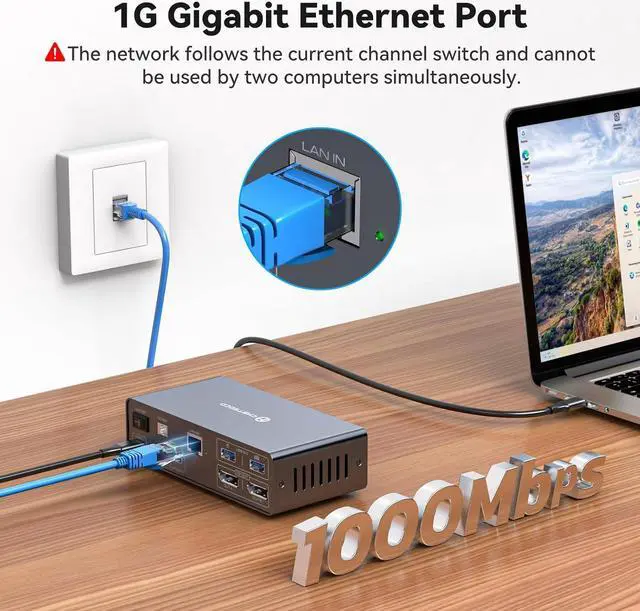
Seamless Switching: JCYMELE docking station has two switching modes, 1. Use the desktop extension button to hide the extension under the desk or out of the workspace, saving space and keeping the desktop tidy. 2. Press the button on the device to switch; LED indicator lights will show the "activity" of the laptop, making it incredibly easy for work and home equipment. Note: The network follows the current channel switch and cannot be used by two computers at the same time