How can I troubleshoot if my dual monitors cannot achieve 4K@60Hz simultaneously?
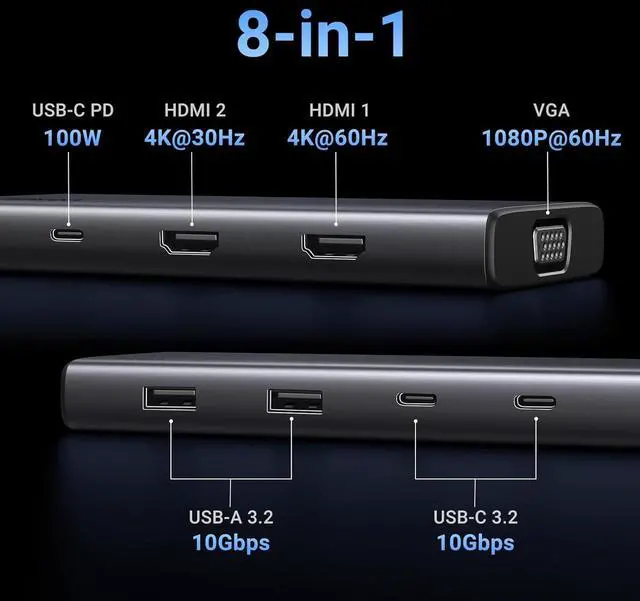
This might be due to the bandwidth limitation of the laptop. You can take the following steps:
1). Ensure that your laptops supports DP 1.4 first.
2). Lower your monitor's resolution or refresh rate.
3). Replace another high standard HDMI cable.
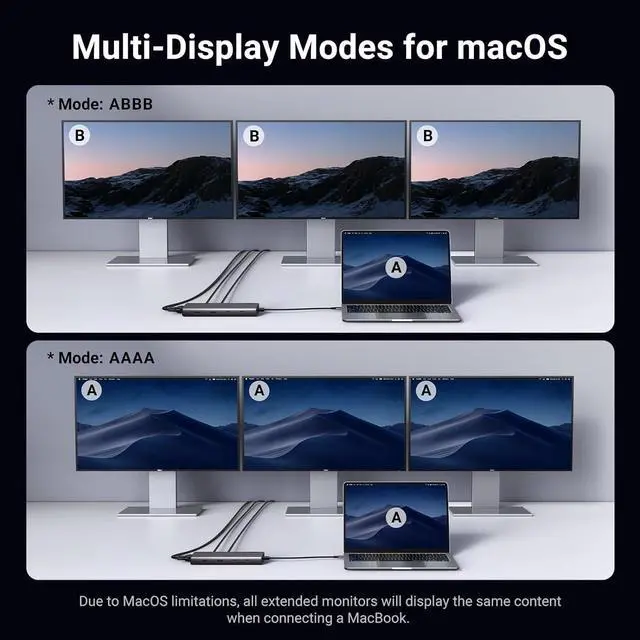
When I connect to more than 2 monitors with Mac, why do both monitors show the same image?
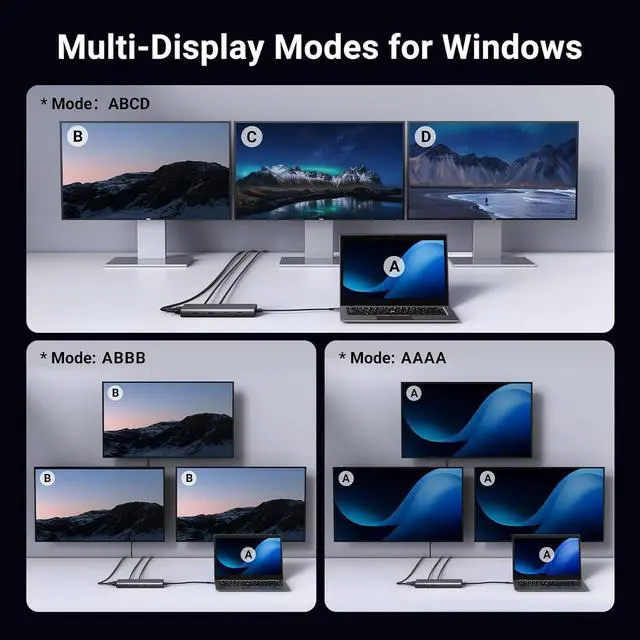
When 2 or 3 monitors connected to Mac, the docking station can only support extending one monitor, and the other monitor can only copy the monitor you extended, which means it only supports AAAA or ABBB. Do NOT support differential display (ABCD)
Which systems is this device compatible with?
The device is compatible with Windows, macOS, and Linux, but please note that when using the HDMI interface, Macbook only supports SST mode. Windows supports MST mode.
Why is this USB C port not compatible with my laptop?
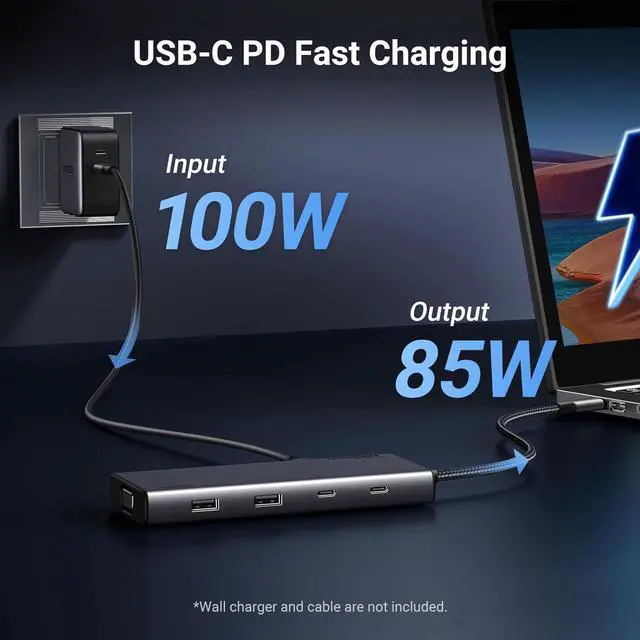
Your laptops built-in USB C port must be a fully functional port that supports data transmission, video display, and PD charging in order to use all the features of our docking station
Why cant my screen display images properly?
How can I troubleshoot if my dual monitors cannot achieve 4K@60Hz simultaneously?
When I connect to more than 2 monitors with Mac, why do both monitors show the same image?
Which systems is this device compatible with?
Why is this USB C port not compatible with my laptop?