• $179.99
  • Free 15-day Returns
  • Ships from United States.
    Price alert
    Shop it at NeweggBusiness.

    Apevia ITX-PFC500W Mini ITX/Flex ATX / 1U 500W Fully Modular Power Supply, Full Range Active PFC 90-264V, AC for POS AIO System Desktop Gaming Server Small Form Factor (Flex ITX) Computer PSU

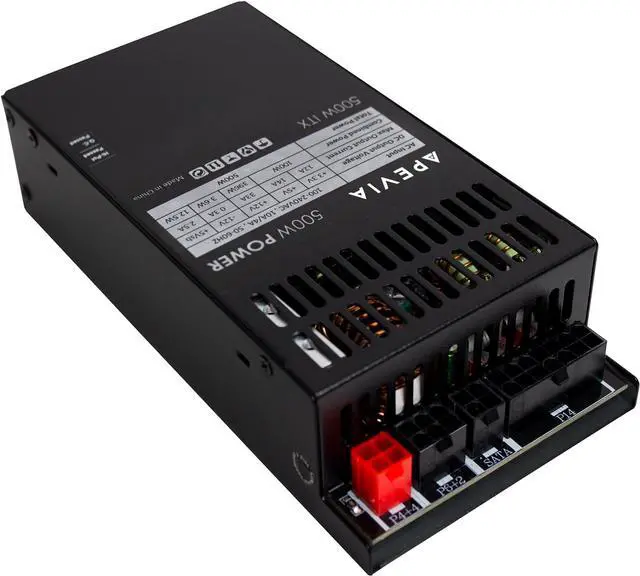
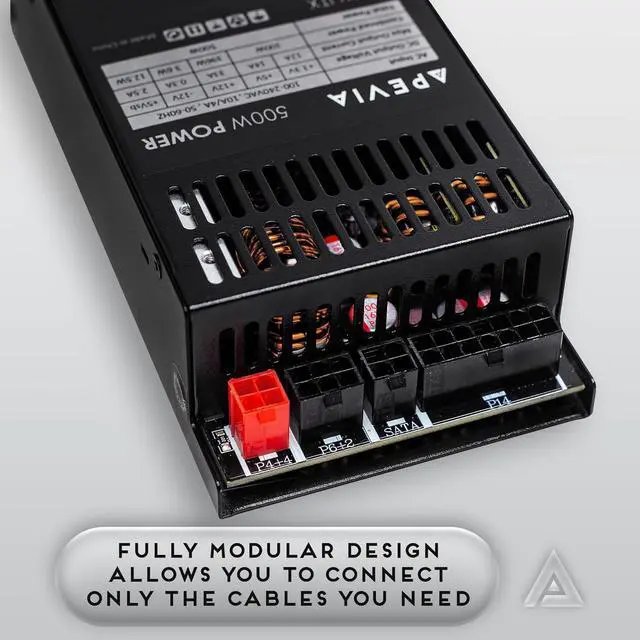
    • Fully Modular Power Supply: Standard Mini-ITX / FLEX ATX type. Full Range Active PFC 90-264V. Maximum Power: 500W.
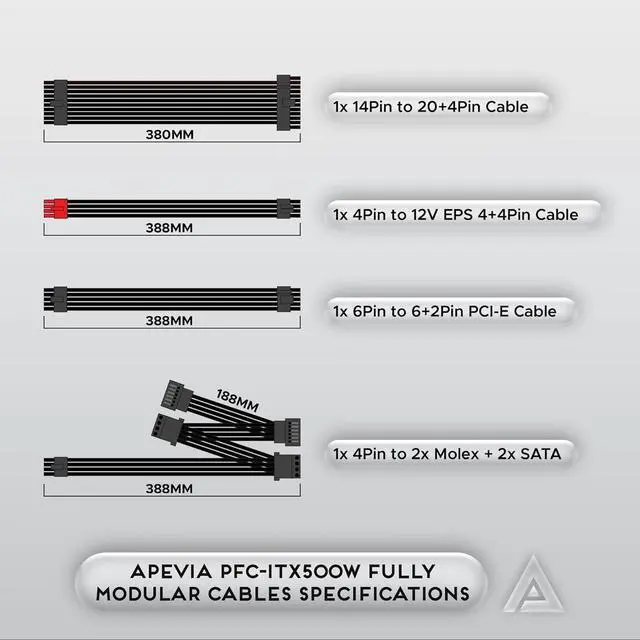
    • Connectors: 1 x 20+4pin Main Power, 1 x 8pin 12V(P4+4), 2x 6+2 PCIE, 2 x SATA, 2 x 4pin Molex
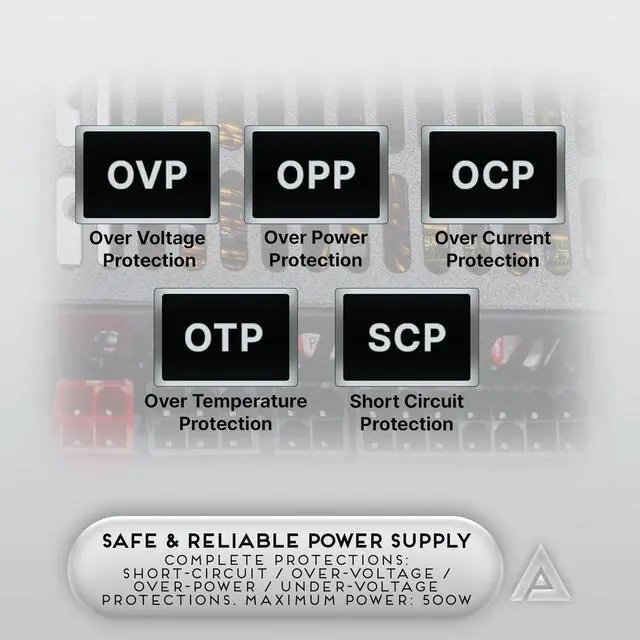
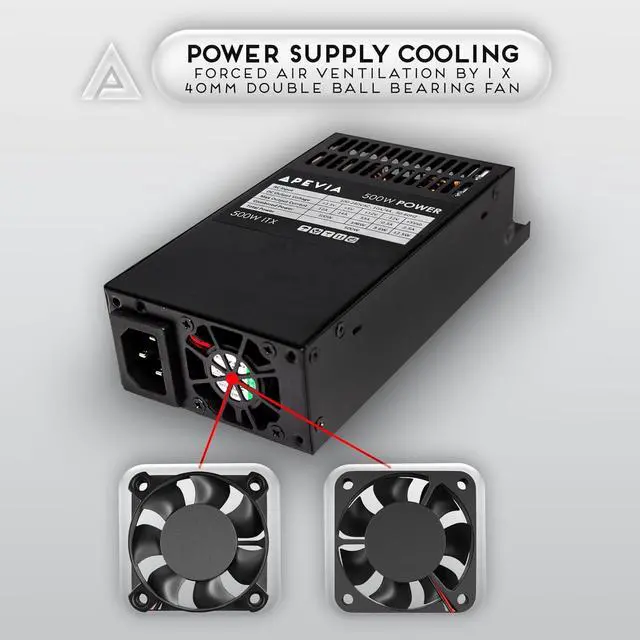
    • Cooling: Forced Air Ventilation by 1 x 40mm Double Ball Bearing Fan. Various protections including: Overvoltage Protection (OVP), Overload Protection (OLP), Overcurrent Protection (OCP), Heating Protection (OTP), and Short Circuit Protection (SCP)
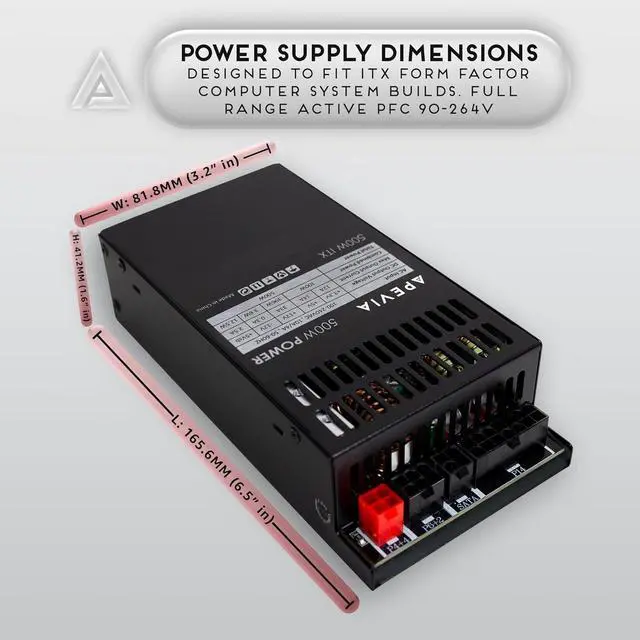
    • Dimension: 160mm x 73.66mm x 35.5mm (6.3" x 2.9" x 1.4") - L x W x H
    • Output: +3.3V@12A, +5V@14A, +12V@33A, -12V@0.3A, +5Vsb@2.5A
    • IMPORTANT: The power supply will not power on simply by connecting the power cord to both the power supply and wall outlet. Ensure that all the power supply cables are properly connected to the PC for it to power on.
    • IMPORTANT: The 8pin CPU connector can be split apart to become a 4+4 connector by pushing one end of the 4pin down and the other end of the 4pin up for motherboards that require a 4pin power
    +
    +
    Overview
    Specs
    Reviews
    Fully Modular Power Supply: Standard Mini-ITX / FLEX ATX type. Full Range Active PFC 90-264V. Maximum Power: 500W.
    Connectors: 1 x 20+4pin Main Power, 1 x 8pin 12V(P4+4), 2x 6+2 PCIE, 2 x SATA, 2 x 4pin Molex
    Cooling: Forced Air Ventilation by 1 x 40mm Double Ball Bearing Fan. Various protections including: Overvoltage Protection (OVP), Overload Protection (OLP), Overcurrent Protection (OCP), Heating Protection (OTP), and Short Circuit Protection (SCP)
    Dimension: 160mm x 73.66mm x 35.5mm (6.3" x 2.9" x 1.4") - L x W x H
    Output: +3.3V@12A, +5V@14A, +12V@33A, -12V@0.3A, +5Vsb@2.5A
    IMPORTANT: The power supply will not power on simply by connecting the power cord to both the power supply and wall outlet. Ensure that all the power supply cables are properly connected to the PC for it to power on.
    IMPORTANT: The 8pin CPU connector can be split apart to become a 4+4 connector by pushing one end of the 4pin down and the other end of the 4pin up for motherboards that require a 4pin power connector.
    IMPORTANT: The 24pin motherboard connector can be split apart to become a 20+4 connector by pushing one end of the 20pin down and the other end of the 4pin up for motherboards that require a 20pin power connector

    Warranty & Returns

    Warranty, Returns, And Additional Information

    Warranty

    • Please contact the Seller directly for warranty information. Warranty information may also be found on the Manufacturer's website.
    • CONTACT

    Return Policies

    Manufacturer Contact Info

    LOADING...