



Meet Your Seller

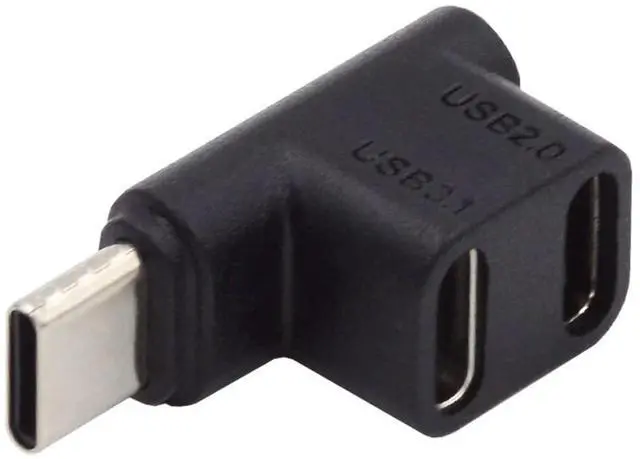
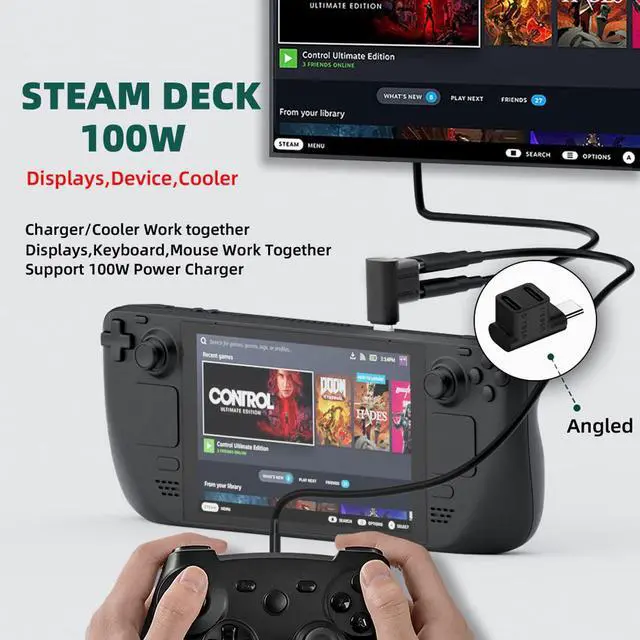
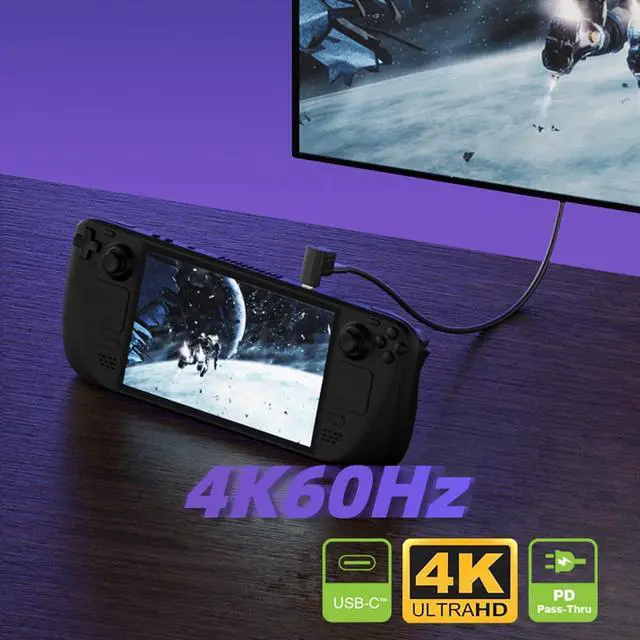
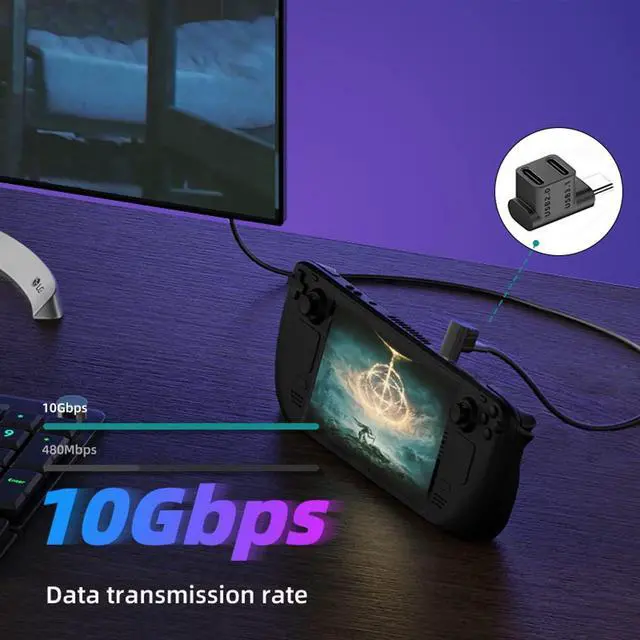
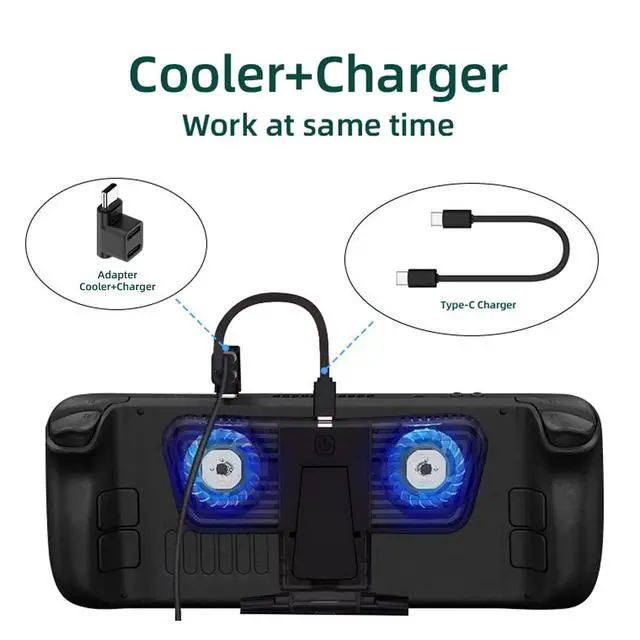


USB C Splitter,USB C 1 Male to 2 Female 10Gbps PD100W 4K60Hz Extensions Adapter for HDTV/Disk/Keyboard/Mouse Support Steam Deck Cooling and Charging at The Same time
Limited time offer, ends 10/25 By TechDen
- 1) NOTE: Please refer to our connection guide, this adapter cannot be used for both power input and HDTV output at the same time, only for dual port input or dual port output.
- 2) The two USB C ports are divided into one USB3.1 port and one USB 2.0 port. The two USB C female ports are used in parallel, and the input and output voltages are equal. When one USB C female port is used as the main function, the other one is used as the power output port
- 3) Please use it according to the following connection method. It cannot be used for power input and data output at the same time, otherwise it will burn out the device.
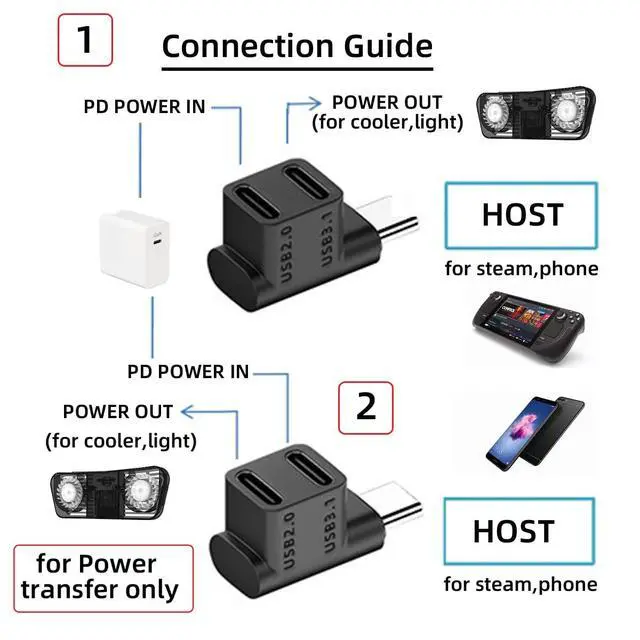
- 4) Connection Guide 1: After connecting the device,When the USB 2.0 port is plugged into a power source, the USB 3.1 port outputs power for coolers and lighting. Or USB 3.1 port is plugged into a power source, the USB 2.0 port outputs power for coolers and lighting. (For power transmission only)
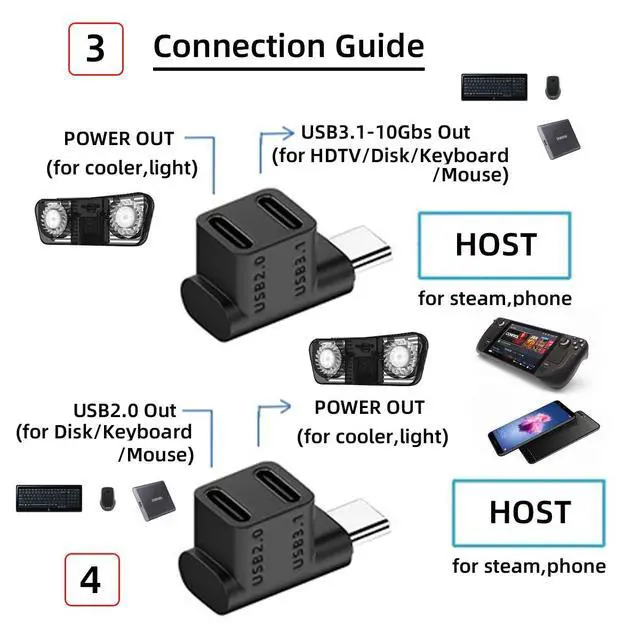
- 5) Connection Guide 2: After connecting the device,USB 2.0 port outputs power for coolers and lighting. USB 3.1 port transmits data and can connect to HDTV/disk/keyboard/mouse. Or USB 3.1 port outputs power for coolers and lighting. USB 2.0 port transmits data and can connect to disk/keyboard/mouse.
+
+
Overview
Specs
Reviews
1)
NOTE: Please refer to our connection guide, this adapter cannot be used for both power input and HDTV output at the same time, only for dual port input or dual port output.
2) The two USB C ports are divided into one USB 3.1 port and one USB 2.0 port. The two USB C female ports are used in parallel, and the input and output voltages are equal. When one USB C female port is used as the main function, the other one is used as the power output port
3) Please use it according to the following connection method. It cannot be used for power input and data output at the same time, otherwise it will burn out the device.
4) Connection Guide 1: After connecting the device, When the USB 2.0 port is plugged into a power source, the USB 3.1 port outputs power for coolers and lighting. Or USB 3.1 port is plugged into a power source, the USB 2.0 port outputs power for coolers and lighting. (For power transmission only)
5) Connection Guide 2: After connecting the device, USB 2.0 port outputs power for coolers and lighting. USB 3.1 port transmits data and can connect to HDTV/disk/keyboard/mouse. Or USB 3.1 port outputs power for coolers and lighting. USB 2.0 port transmits data and can connect to disk/keyboard/mouse.
NOTE: Please refer to our connection guide, this adapter cannot be used for both power input and HDTV output at the same time, only for dual port input or dual port output.
2) The two USB C ports are divided into one USB 3.1 port and one USB 2.0 port. The two USB C female ports are used in parallel, and the input and output voltages are equal. When one USB C female port is used as the main function, the other one is used as the power output port
3) Please use it according to the following connection method. It cannot be used for power input and data output at the same time, otherwise it will burn out the device.
4) Connection Guide 1: After connecting the device, When the USB 2.0 port is plugged into a power source, the USB 3.1 port outputs power for coolers and lighting. Or USB 3.1 port is plugged into a power source, the USB 2.0 port outputs power for coolers and lighting. (For power transmission only)
5) Connection Guide 2: After connecting the device, USB 2.0 port outputs power for coolers and lighting. USB 3.1 port transmits data and can connect to HDTV/disk/keyboard/mouse. Or USB 3.1 port outputs power for coolers and lighting. USB 2.0 port transmits data and can connect to disk/keyboard/mouse.
Warranty & Returns
Warranty, Returns, And Additional Information
Warranty
- Please contact the Seller directly for warranty information. Warranty information may also be found on the Manufacturer's website.
- CONTACT
Return Policies
- Return for refund within: 30 days
- Return for replacement within: 90 days
- This item is covered by TechDen Return Policy
Manufacturer Contact Info
- For a directory of all our manufacturers, please click below.
- Manufacturers Directory
LOADING...