



Meet Your Seller



WISDUM NVMe M.2 Duplicator Dual-Bay Offline Clone 10Gbps USB C USB A to NVME Docking Station for M.2 SSD M Key Hard Drives Enclosure with NVME 2230 2242 2260 2280 Up to 8TB (Dual-Bay)
Limited time offer, ends 10/18 By GGnix
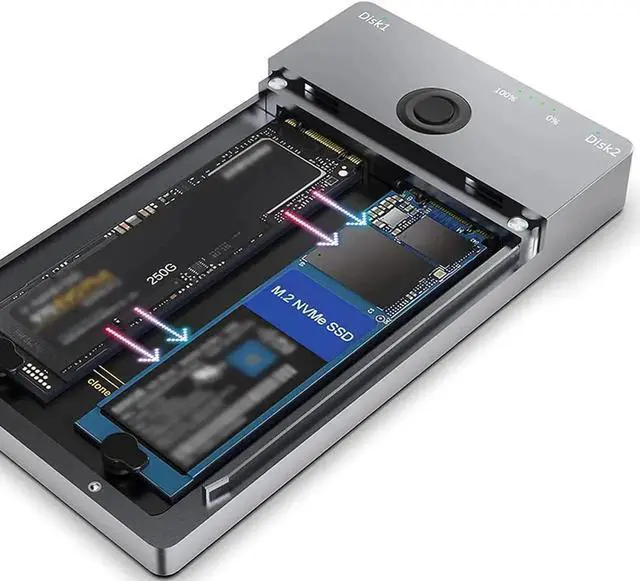
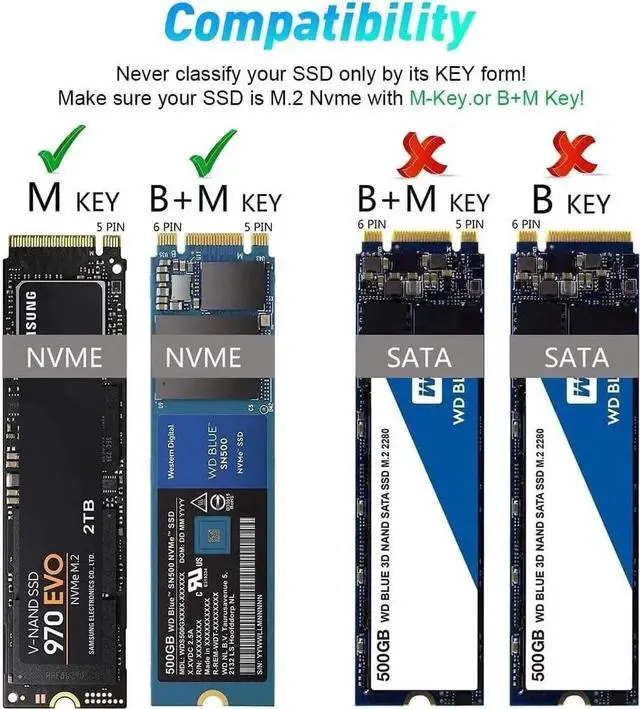
- NVMe M.2 Duplicator It functions greatly as an Offline NVMe M.2 Duplicator to clone important data between 2 SSDs quickly without a computer, and can be used as a Dual-Bay NVMe Docking Station to help expand storage capacity with One SSD or Two. NOT support SATA ssds.
+
+
Overview
Specs
Reviews
NVMe M. 2 Duplicator It functions greatly as an Offline NVMe M. 2 Duplicator to clone important data between 2 SSDs quickly without a computer, and can be used as a Dual-Bay NVMe Docking Station to help expand storage capacity with One SSD or Two. NOT support SATA ssds.
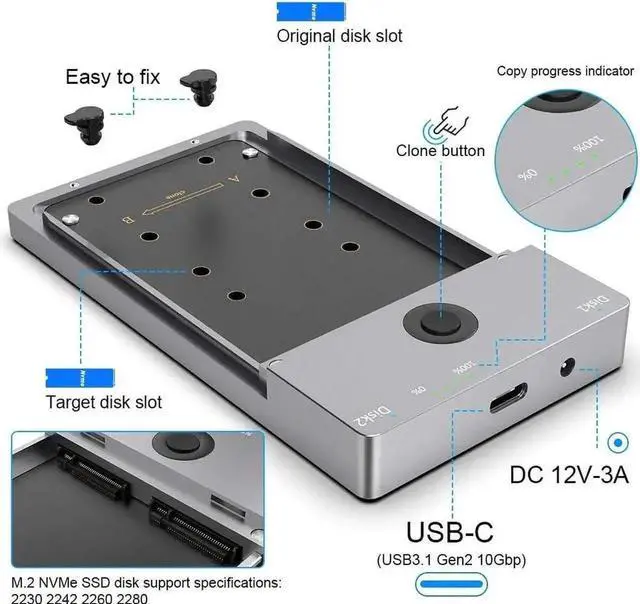
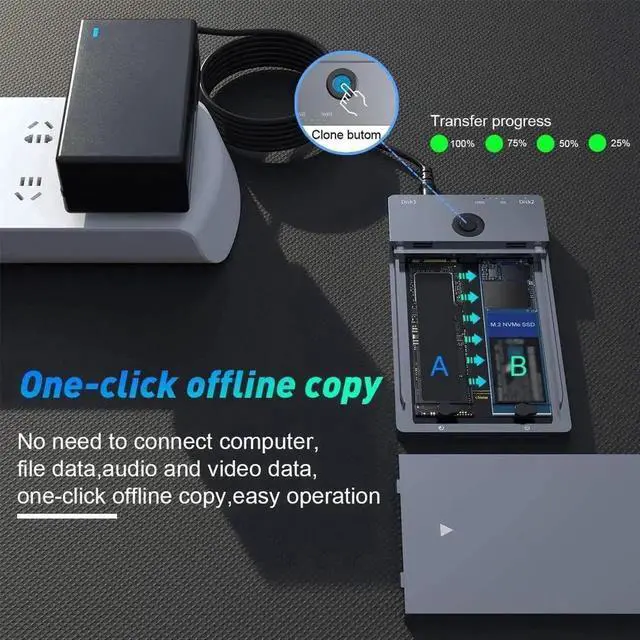
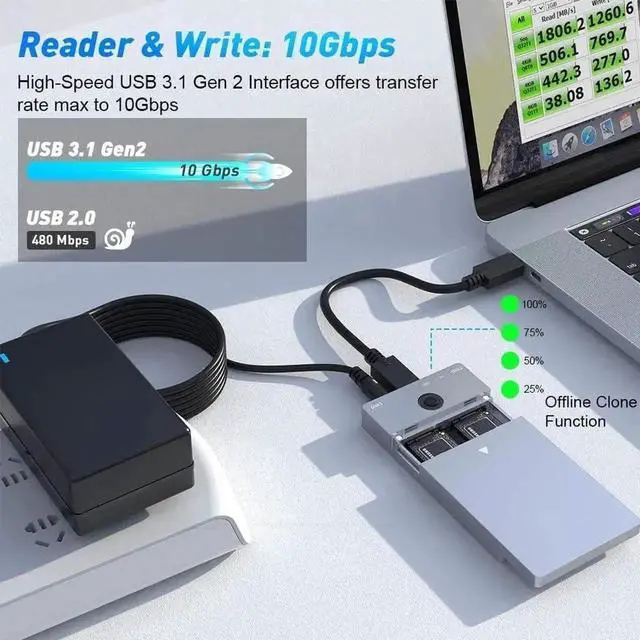
One-Key Offline Cloner An easy clone, No need to use the comupter. Just plug the two M2. NVME SSDs in and hooked up the power, click the Clone button for 3-5 seconds to quickly clone all files from A SSD to B SSD, there are LED status indicators and the process completed quickly.
NOTES: make sure the capacity of target M. 2 NVME ssd larger than original M. 2 NVME ssd.
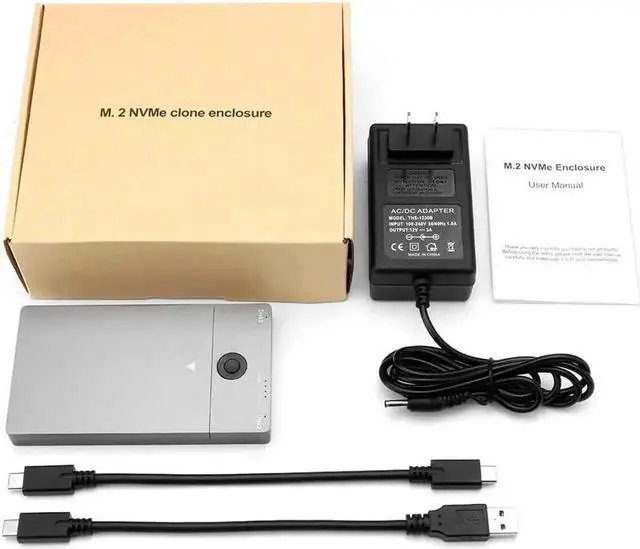
10Gbps High Speed USB 3.1 Gen2 hard disk docking station is equipped with C to C cable and C to A cable, giving you more choices. The fastest transmission speed can reach about 1000MB/S with C to C cable and about 500MB/S with C to A cable. At the same time, it supports UASP acceleration protocol which can make your NVME SSDs run more quickly and stably. Support an SSD with capacity up to 8TB.
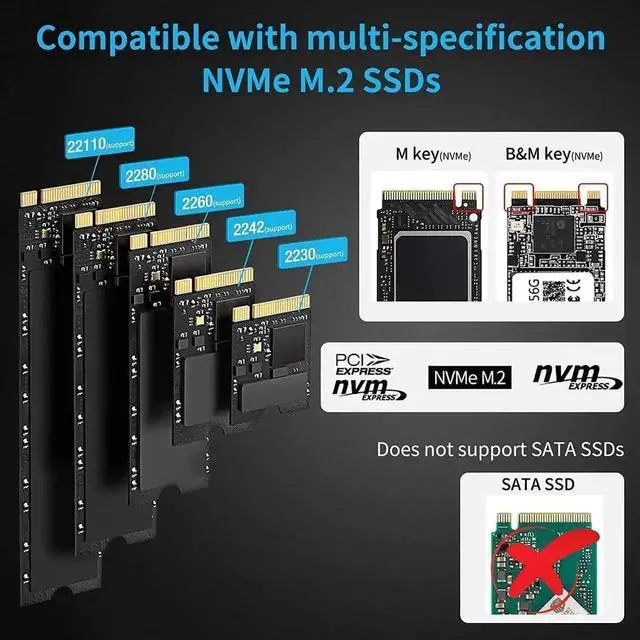
Before PurchaseThis NVMe duplicator support two M. 2 nvme ssds with M and B&M Keys(2230, 2242, 2260, 2280). NOT support SATA ssds. 2. When using the Offline Clone Duplicator, please make sure the capacity of target M. 2 NVME ssd larger than original M. 2 NVME ssd. 3. When using or duplicating a drive, especially a large one, it's best to use with a cooling fan for better heat dissipation.
Warranty & Returns
Warranty, Returns, And Additional Information
Warranty
- Please contact the Seller directly for warranty information. Warranty information may also be found on the Manufacturer's website.
- CONTACT
Return Policies
- Return for refund within: 30 days
- Return for replacement within: 30 days
- This item is covered by GGnix Return Policy
Manufacturer Contact Info
- For a directory of all our manufacturers, please click below.
- Manufacturers Directory
LOADING...