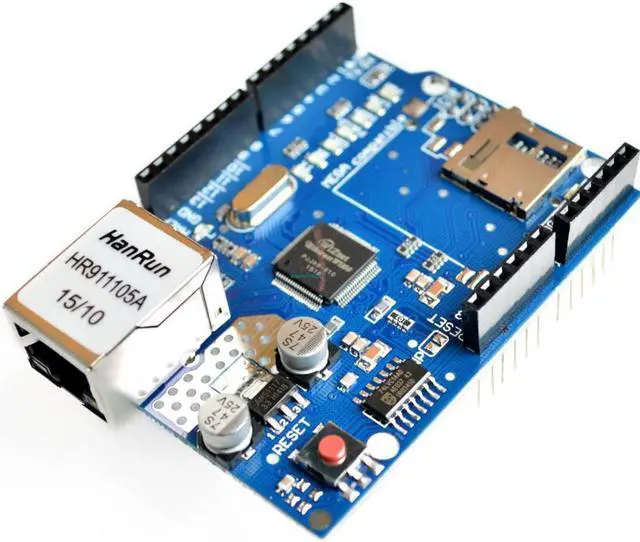
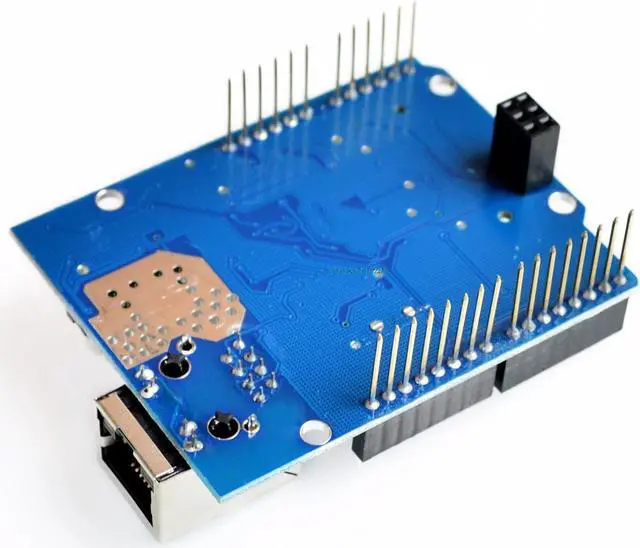
Because the W5100 and SD card share the SPI bus, only one can be active at a time.
If you are using both peripherals in your program, this should be taken care of by the corresponding libraries.
If you're not using one of the peripherals in your program, however, you'll need to explicitly deselect it. To do this with the SD card, set pin 4 as an output and write a high to it. For the W5100, set digital pin 10 as a high output.
Overview:
This Ethernet Shield allows your Arduino board to connect to the internet. It is based on the Wiznet W5100 ethernet chip, providing a network (IP) stack capable of both TCP and UDP.
The Ethernet Shield supports up to four simultaneous socket connections. Use the Ethernet library to write sketches which connect to the internet using the shield.
The latest revision of the shield adds a micro-SD card slot, which can be used to store files for serving over the network. It is compatible with the Arduino UNO and Mega (using the Ethernet library coming in Arduino0019). An SD card library is not yet included in the standard Arduino distribution.
Arduino communicates with both the W5100 and SD card using the SPI bus (through the ICSP header).
Features:
Controller: W5100.
Can be used as server or client.
Directly plug puzzle board, no soldering required.
It is directly supported by Arduino official Ethernet Library.
It adds a micro-SD card slot, which can be used to store files for serving over the network.
The Wiznet W5100 provides a network (IP) stack capable of both TCP and UDP.
It supports up to four simultaneous socket connections.
Use the Ethernet library to write sketches which connect to the internet using the shield.
Fits all version of arduino main board, 2009, UNO, mega 1280, mega 2560.
Size: 7cm x 5.4 cm x 2.4 cm.
What's in the Package:
1pcs Ethernet Shield W5100 Module
Learn more about the Detailed Specifications
Additional Information
First Listed on Newegg
April 02, 2020
There are no reviews yet.
Do you own this product?
Warranty & Returns
Warranty, Returns, And Additional Information
Warranty
Please contact the Seller directly for warranty information. Warranty information may also be found on the Manufacturer's website.