
Your Browsing History

Meet Your Seller

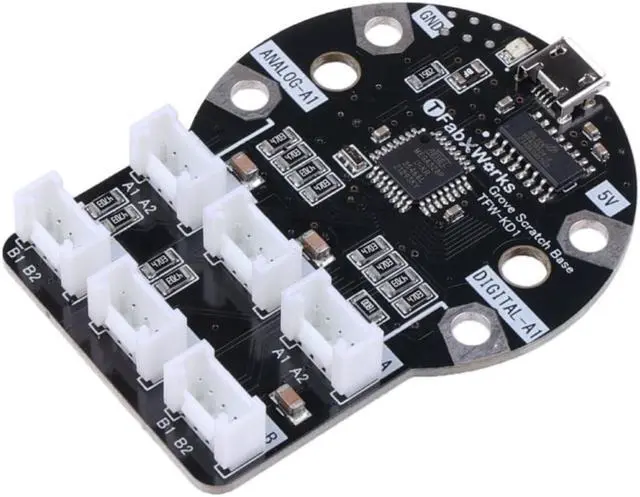
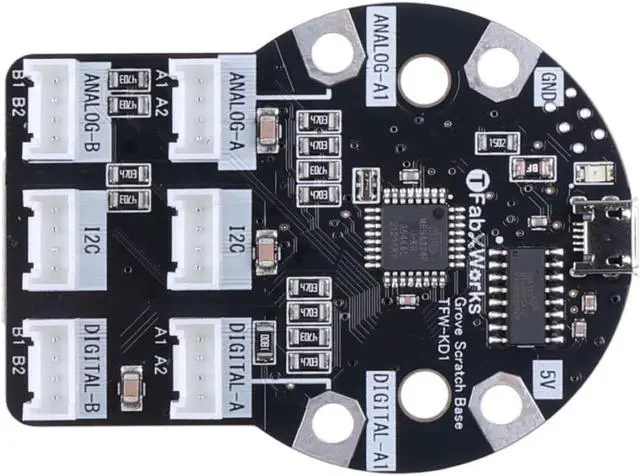


NGW-1pc Grove for Scratch
- No need to install the app: No need to install the Scratch Link app, AkaDako is built in the WebSerial function, so it can be used with existing browsers out of the box
- Easy to use: AkaDako does not require an external battery and can be powered by connecting it to a computer via USB.
- No pairing required: No Bluetooth pairing is necessary with AkaDako because it is a USB connection, unlike Scratch Link. Simply plug it in and you're ready to go.
- Diversification: Grove for Scratch offers a wide variety of Groves' ports, allowing users to simultaneously use a variety of Grove products to generate virtually endless possibilities.
+
+
Overview
Specs
Reviews
Grove for Scratch is an expansion board that allows you to use Grove's various sensors and actuators through the visual programming language Scratch. For Scratch-compatible environments Scratch and Stretch3. Compared with other Grove expansion boards, Grove for Scratch does not need to download other software such as Arduino, because Grove for Scratch is built in the WebSerial function, which means that you only need to use your existing browsers to open and start programming.
Some products use Bluetooth or WIFI for pairing, which can result in an unstable network or Bluetooth transmission, whereas Grove for Scratch connects to the computer via USB, which avoids the aforementioned issues.
If you still don't know how to connect Grove for Scratch to your computer, you can refer to this link
Grove for Scratch has a built-in WebSerial feature, so you can edit the Grove you want to play right in your current browsers. Don't worry about the possibility that you lack programming or coding skills. Scratch's web programming is very simple to learn; simply connect the programmed blocks and you're ready to go.
Scratch's web programming is a great choice for students or those who want to learn about IoT or easy programming/coding.
There are many project examples on AkaDako's page, but currently only the Japanese version like detecting the change in brightness, Monitoring item tilt, etc
You can check here to see more of AkaDako's project examples.
Note
Grove for Scratch does not come with USB cable and Grove cable
Specification
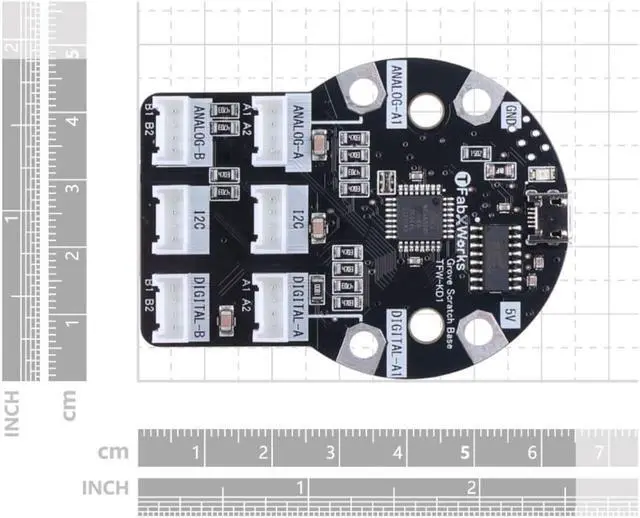
Dimensions
L65*W48*H12
System requirement
Windows10/ Windows11
Chromebook
Mac
Linux
Terminals
Analog input x1 (shared with Grove terminal)
Digital input/output x1 (shared with Grove terminal)
5V
Grove Port
Grove Analog Port x2
Grove Digital Port x2
Grove I2C Port x2
Application
AI
Smart Home
Education
IoT
Parts List
Grove For Scratch
X1
Some products use Bluetooth or WIFI for pairing, which can result in an unstable network or Bluetooth transmission, whereas Grove for Scratch connects to the computer via USB, which avoids the aforementioned issues.
If you still don't know how to connect Grove for Scratch to your computer, you can refer to this link
Grove for Scratch has a built-in WebSerial feature, so you can edit the Grove you want to play right in your current browsers. Don't worry about the possibility that you lack programming or coding skills. Scratch's web programming is very simple to learn; simply connect the programmed blocks and you're ready to go.
Scratch's web programming is a great choice for students or those who want to learn about IoT or easy programming/coding.
There are many project examples on AkaDako's page, but currently only the Japanese version like detecting the change in brightness, Monitoring item tilt, etc
You can check here to see more of AkaDako's project examples.
Note
Grove for Scratch does not come with USB cable and Grove cable
Specification
Dimensions
L65*W48*H12
System requirement
Windows10/ Windows11
Chromebook
Mac
Linux
Terminals
Analog input x1 (shared with Grove terminal)
Digital input/output x1 (shared with Grove terminal)
5V
Grove Port
Grove Analog Port x2
Grove Digital Port x2
Grove I2C Port x2
Application
AI
Smart Home
Education
IoT
Parts List
Grove For Scratch
X1
Warranty & Returns
Warranty, Returns, And Additional Information
Warranty
- Please contact the Seller directly for warranty information. Warranty information may also be found on the Manufacturer's website.
- CONTACT
Return Policies
- Return for refund within: 30 days
- Return for replacement within: 60 days
- This item is covered by NGW Electronic Return Policy
Manufacturer Contact Info
- For a directory of all our manufacturers, please click below.
- Manufacturers Directory
LOADING...