


  • $1,699.99
  • $2,699.99
  • Save: $1,000.00 (37%)
  • Free 15-day Returns
  • Sold by Newegg

    Shipped by Newegg

    Price alert
    Shop it at NeweggBusiness.

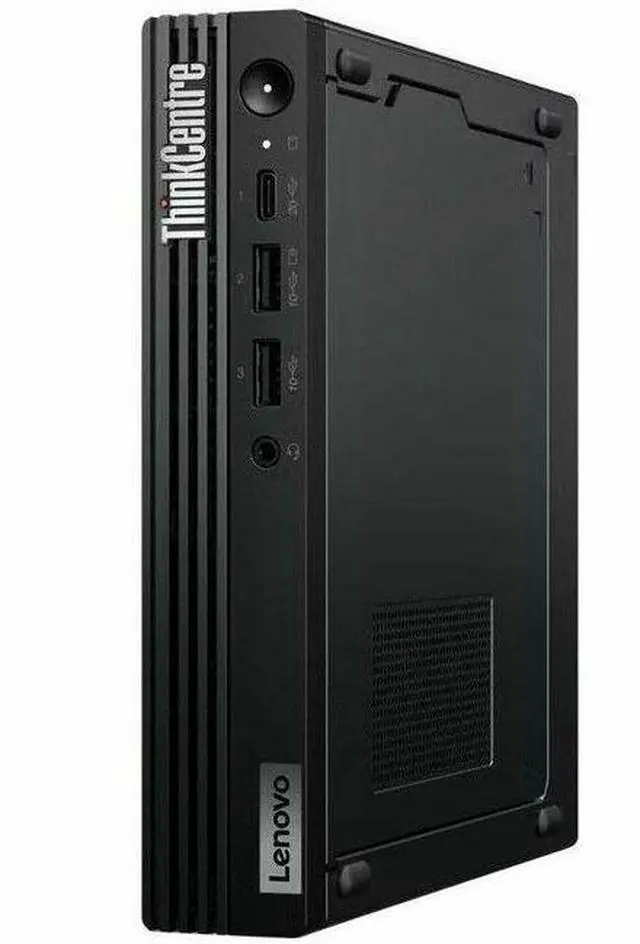
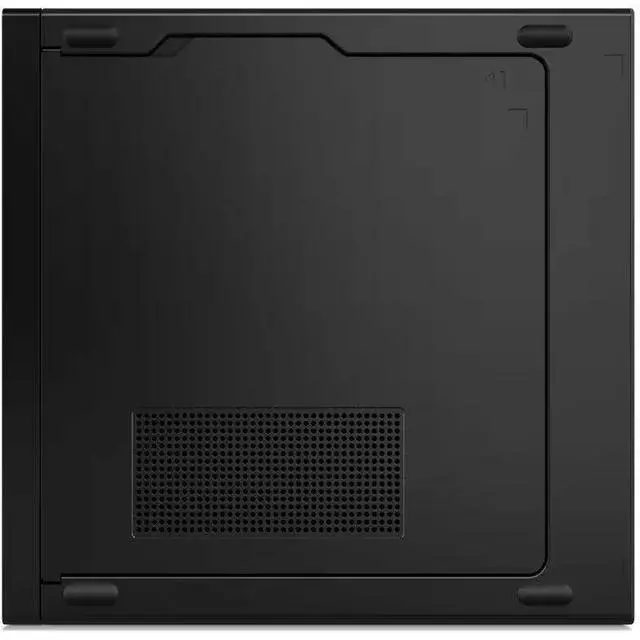
    Lenovo ThinkCentre M90q Gen 5 12TH000XUS Desktop Computer ,Intel Core i5 14th Gen i5-14500 ,vPro Technology - DDR5 Memory ,32 GB ,512 GB SSD ,Tiny ,Windows 11 Pro

    #1 Best Seller
    Best Seller
    in Desktop Computer
    • Intel Core i5-14500, 14C (6P + 8E) / 20T, P-core 2.6 / 5.0GHz, E-core 1.9 / 3.7GHz, 24MB Intel Smart Cache
    • 1x 32GB SODIMM DDR5-4800
    • 512GB SSD M.2 2280 PCIe 4.0x4 NVMe Opal 2.0
    • Integrated Intel UHD Graphics 770
    • Windows 11 Pro, English
    • Case color - Black
    • 3-year, Onsite
    +
    +
    Overview
    Specs
    Reviews
    Lenovo ThinkCentre M90q Gen 5 12TH000XUS Desktop Computer
    Lenovo ThinkCentre M90q Gen 5 12TH000XUS Desktop Computer
    Tiny Desktop With Heavyweight Power
    ThinkCentre M90q Gen 5 Tiny (Intel) PC

    This compact desktop delivers enterprise-grade power in a tiny form factor, making it ideal for business professionals who need reliable performance in space-constrained offices. Its highly configurable design allows you to expand capabilities easily, while advanced security features protect sensitive data across healthcare, retail, and finance environments. The tool-free chassis simplifies maintenance, ensuring the system stays up-to-date with minimal effort. Despite its specialized business focus, this versatile machine remains a solid choice for anyone seeking a durable, secure, and efficient home or office computer.

    • Multilevel security & manageability with up to Intel vPro® Enterprise
    • Optional removable dust shield to assist with upkeep & extend the lifecycle of the system
    • Highly configurable compact PC with customizable expansion slots
    • Ideal for healthcare, retail, & finance with support for up to 4 monitors
    Lenovo ThinkCentre M90q Gen 5 12TH000XUS Desktop Computer Lenovo ThinkCentre M90q Gen 5 12TH000XUS Desktop Computer
    Performance-Driven, Productivity Perfected

    Fueled by Intel® Core™ processor with up to Intel vPro® Enterprise, the ThinkCentre M90q Gen 5 Tiny PC delivers enterprise-grade performance, security, manageability, and reliability — managing businesses of all sizes while boosting productivity, creative output, and digital collaborations with vast memory, storage, and up to WiFi 7.

    Monitor, wireless keyboard, and mouse shown in the picture are sold separately.

    Lenovo ThinkCentre M90q Gen 5 12TH000XUS Desktop Computer
    Lenovo ThinkCentre M90q Gen 5 12TH000XUS Desktop Computer
    Workspace Efficiency Redefined

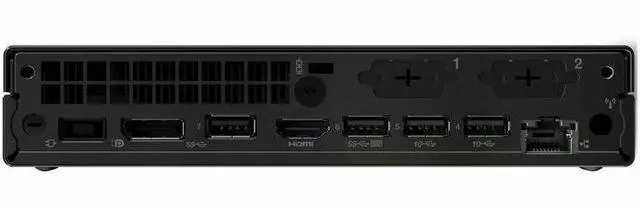
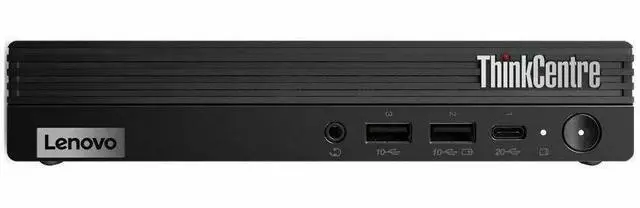
    Connect to multiple peripherals via a hub of ports, and enable customization with optional expansion slots such as VGA / DisplayPort / HDMI® / Ethernet (RJ45) / USB-C®, etc. Charge your smartphone readily using the PowerShare USB, even with the PC powered off. Plus, multitask easily with support for up to four independent displays — the sky’s the limit.

    Monitor, wireless keyboard, and mouse shown in the picture are sold separately.

    Lenovo ThinkCentre M90q Gen 5 12TH000XUS Desktop Computer
    Device Convenience Reimagined

    With a keyboard shortcut to turn on the desktop, and a quick boot-up process via the Thunder Boot feature, this ThinkCentre PC reflects ease of convenience, making it the perfect choice for modern workspaces. Plus, with Modern Standby, your system remains up-to-date even during sleep mode, and it wakes and connects instantly.

    Monitor shown in the picture is sold separately.

    Ultimate PC Security Enabled

    Our ThinkShield security encrypts data via the discrete Trusted Platform Module (dTPM), while the self-healing BIOS restores earlier system settings. Secure your PC physically with the Kensington Security Slot™, and choose the Intel vPro® Enterprise platform for multilayer security like Intel® Hardware Shield to block cyberattacks and ransomware.

    Monitors, headset, wireless keyboard, wireless mouse, and wireless number pad shown in the picture is sold separately.

    Lenovo ThinkCentre M90q Gen 5 12TH000XUS Desktop Computer
    Effortless Upgrades, Easy Maintenance

    Along with a sleek design, the ThinkCentre M90q Gen 5 Tiny desktop is also ready for toolless upgrades, saving IT valuable time. The optional removable easy-to-clean dust shield assists with upkeep to extend the lifecycle. Plus, an AI-driven fan prevents overheating issues — keeping the system cool and efficient for all-day-long operations.

    Monitors, wireless keyboard, and mouse shown in the picture are sold separately.

    Lenovo ThinkCentre M90q Gen 5 12TH000XUS Desktop Computer
    Future Forward, Future Ready

    The M90q Gen 5 uses 85% recycled post-consumer content acrylonitrile butadiene styrene (ABS) plastics in the chassis. The packaging has 60% post-industry content (PIC), 30% ocean-bound plastic in the thermal shell and bag, and is certified by Forest Stewardship Council® (FSC). Plus, ENERGY STAR® 8.0 and TCO 9.0 ratings minimize energy costs.

    TIO Monitor and wireless mouse shown in the picture are sold separately.

    Lenovo ThinkCentre M90q Gen 5 12TH000XUS Desktop Computer
    Note:

    * Specifications may vary depending upon region / model.

    Lenovo ThinkCentre M90q Gen 5 12TH000XUS Desktop Computer - Intel Core i5 14th Gen i5-14500 - vPro Technology - 32 GB - 512 GB SSD - Tiny - Black - Intel Q670 Chip - Windows 11 Pro - Intel UHD Graphics 770 DDR5 SDRAM - English Keyboard - IEEE 802.11 ax - 135 W

    Warranty & Returns

    Warranty, Returns, And Additional Information

    Warranty

    • Limited Warranty period (parts): 1 year
    • Limited Warranty period (labor): 1 year
    • Read full details

    Return Policies

    LOADING...
    LOADING...

    The Lenovo ThinkCentre M90q Gen 5 is a compact Windows 11 Pro desktop with a 14th Gen Intel Core i5-14500, 32GB DDR5 memory, and a 512GB NVMe SSD, suited to professionals and home-office users who need responsive everyday productivity in a small workspace.

    Recommended For

    • Office and professional users who want a compact, fixed-location Windows 11 Pro PC for multitasking across business apps, browser tabs, and video calls.
    • Small-office IT teams that need business-class Tiny PCs with Windows 11 Pro and vPro support for centrally managed desktop fleets.
    • Home-lab learners who want a small desktop to run a few development tools, test environments, or lightweight self-hosted services rather than a rack server.
    • Workspaces with limited desk or mounting space that need a traditional desktop connected to an external monitor, keyboard, and mouse.

    Real-World Use Scenarios

    • For home-office or everyday business work—running email, browser tabs, video calls, and Office apps together—the M90q Gen 5 should handle routine multitasking smoothly while taking up little desk space.
    • In a small office or managed workplace, it can serve as a compact Windows 11 Pro workstation; vPro support can help IT staff remotely manage supported systems, reducing the need to access each desk for routine administration.
    • For software development or data work, users can keep an IDE, browser documentation, and several everyday tools open together; it is suited to coding and local testing, but not a substitute for a graphics workstation or a machine for demanding GPU workloads.
    • For a home lab, it can host a modest set of virtual machines or self-hosted services for learning and experimentation; community discussions describe M90q Tiny systems being considered for workloads such as Proxmox, media services, and home automation.
    • When desk space is limited, the Tiny PC can sit unobtrusively on a desk or be mounted behind a compatible monitor, leaving more room for other equipment; the display and mounting hardware are not included with this listing.

    Spec Summary

    AttributeValue
    Best ForStudent and home-office desktop use
    Processor And Core CountIntel Core i5-14500, 14 cores, with a 2.6 GHz listed processor speed and 24 MB cache
    GraphicsIntegrated Intel UHD Graphics 770 with shared graphics memory
    Memory Configuration32 GB DDR5 memory at 4800 MHz, expandable to 64 GB
    Storage And Expansion512 GB M.2 SSD using NVMe
    Ports And ConnectivityWi-Fi and Bluetooth, Ethernet, one HDMI port, and seven USB ports, including USB 3.2 Gen 1, Gen 2, and Gen 2x2; HDMI video output supports up to 4096 × 2160
    Operating SystemWindows 11 Pro
    DisplayNo built-in screen; monitor not included
    Included Input DevicesKeyboard and mouse; standard wired QWERTY keyboard
    Model IdentifiersLenovo ThinkCentre M90q Gen 5, model 12TH000XUS
    Physical Dimensions7 × 7 × 1 inches

    Reference Q&A

    Q: Should I get this M90q Gen 5 or the i5-14500T version?

    A: Choose this listing if CPU performance is the priority: its Core i5-14500 has a 65 W processor base power and higher listed base and maximum frequencies than the 35 W i5-14500T. Choose the T version if the lower processor power rating better fits your power or thermal requirements. Both processors have 14 cores and 20 threads; sustained performance depends on the system’s power and cooling limits.

    Q: Is the M90q Gen 5 i5-14500 enough, or should I choose an i7-14700T configuration?

    A: The listed i5-14500 has 14 cores and 20 threads, while the M90q Gen 5 i7-14700T has 20 cores and 28 threads. This i5 configuration is a sensible fit for general office and multitasking workloads; consider the i7 when your work can use more CPU cores, such as sustained parallel processing. Both use integrated Intel UHD Graphics 770, so the i7 option is not a discrete-graphics upgrade.

    Q: M90q Gen 5 i5-14500 vs. M90q Gen 4 i5-13500: is the newer model worth choosing?

    A: Both processors have 14 cores and 20 threads, and both M90q generations list Intel UHD Graphics 770. The Gen 5 i5-14500 has higher listed maximum frequencies than the Gen 4 i5-13500, but the specifications alone do not establish the size of the real-world performance difference. Choose the Gen 5 for the newer processor generation; consider the Gen 4 if its price or configuration is more attractive for your workload.

    Q: Is this desktop suitable for office work, video meetings, and multitasking?

    A: Yes. Its 14-core Intel Core i5-14500, 32 GB of memory, 512 GB SSD, and Windows 11 Pro suit typical office work, video meetings, and multitasking. It is a desktop, and a monitor is not included.

    Q: Can it run demanding games or graphics-heavy applications?

    A: It has integrated Intel UHD Graphics 770 and no discrete graphics card is listed. It is a better fit for everyday computing and basic graphics tasks than for demanding gaming or graphics-heavy work; check the specific software’s requirements before buying.

    Q: Can it connect to multiple monitors?

    A: The supplied product information does not list this unit’s video ports or maximum supported display count, so confirm the exact port configuration for this model before planning a multi-monitor setup.

    Q: Is it a good choice if I need a computer I can take on trips?

    A: It is a compact desktop, not a laptop. It can be easier to move than a full-size desktop, but it still needs a separate monitor, power, and peripherals to use; the monitor is not included.

    Q: Is the ThinkCentre M90q Gen 5 suitable for a homelab or home server?

    A: It can suit homelab tasks: Reddit users describe using M90q Gen 5 systems with Proxmox and as network equipment. This configuration has a 14-core i5, 32GB RAM, and a 512GB SSD; whether it fits depends on the number and demands of the services or virtual machines you plan to run.

    Q: Can I add a PCIe card or graphics card to it later?

    A: Do not assume a PCIe card will work just because it fits. Reddit discussions report that M90q Gen 5 expansion depends on the correct riser and system configuration. This model has integrated UHD Graphics 770, not a listed discrete GPU; check the exact machine type and compatible parts before planning an upgrade.

    Q: Could adding a network card increase its power use as a home server?

    A: It may. One Reddit user measured 6–8 W idle without a riser card and 18–20 W with a particular 25GbE network card in a different M90q Gen 5 configuration. Treat those figures as one setup’s report, not a prediction for this model; card choice and configuration matter.