
Your Browsing History
- Free 30-day Returns
$229.99
Ships from China.


Meet Your Seller


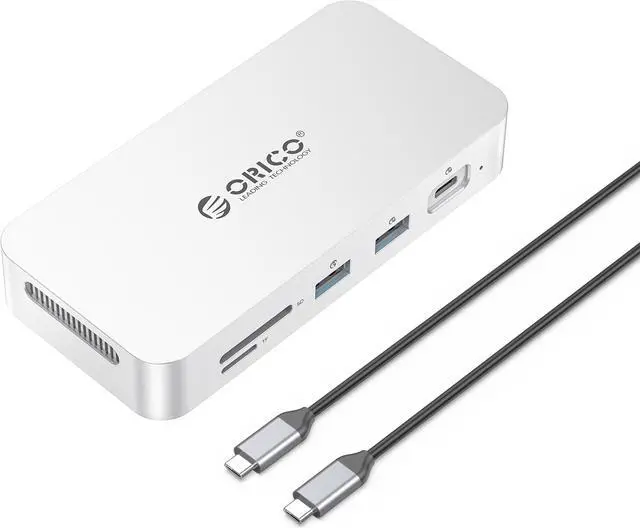
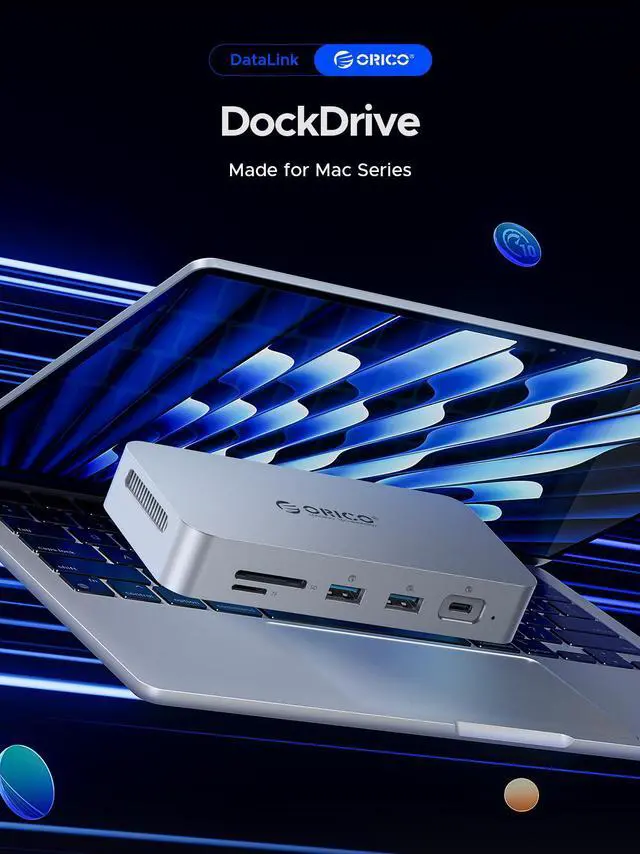



ORICO Data Link 10-in-1 PSSD Docking Station with 512GB M.2 SSD Built in Cooling Fan 10Gbps PD100W 4K@30Hz Display USB C HUB with for MacBook iMac (SJ10)
+
+
Overview
Specs
Reviews
ORICO PSSD Docking Station: Expand Your MacBook's Interface and Storage
Key Selling Points:
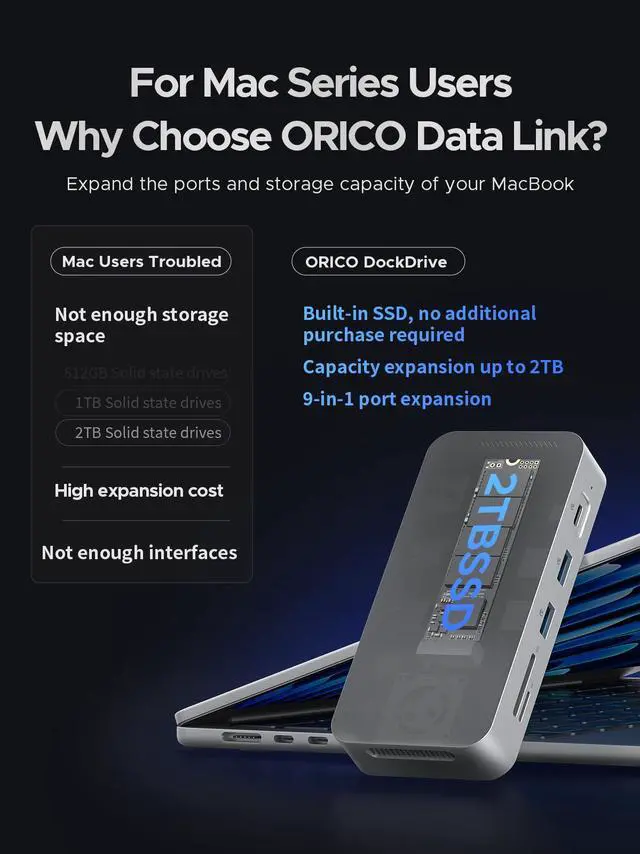
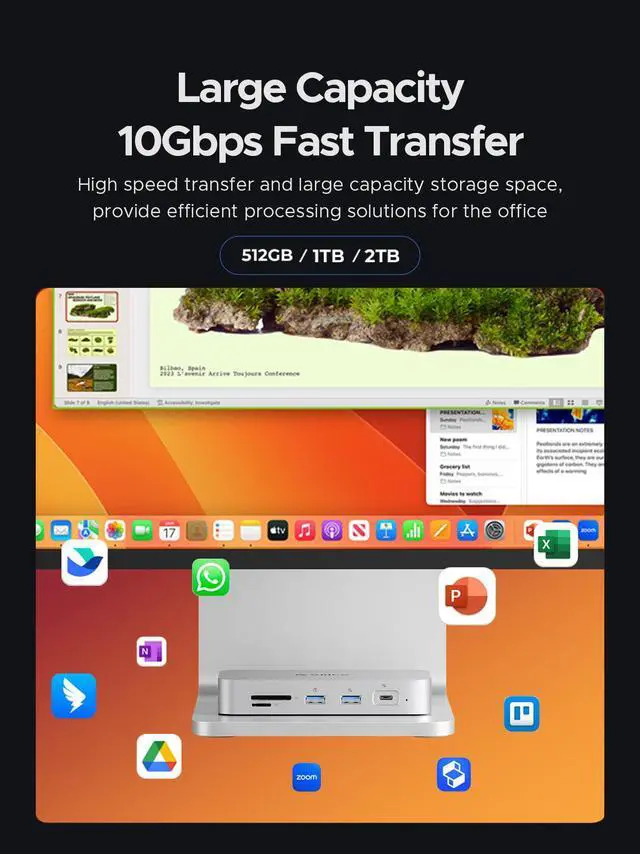
Expanded Storage Space: Built-in 512GB, 1TB, or 2TB M. 2 SSD, perfect for storing design drafts, HD videos, and large database files.
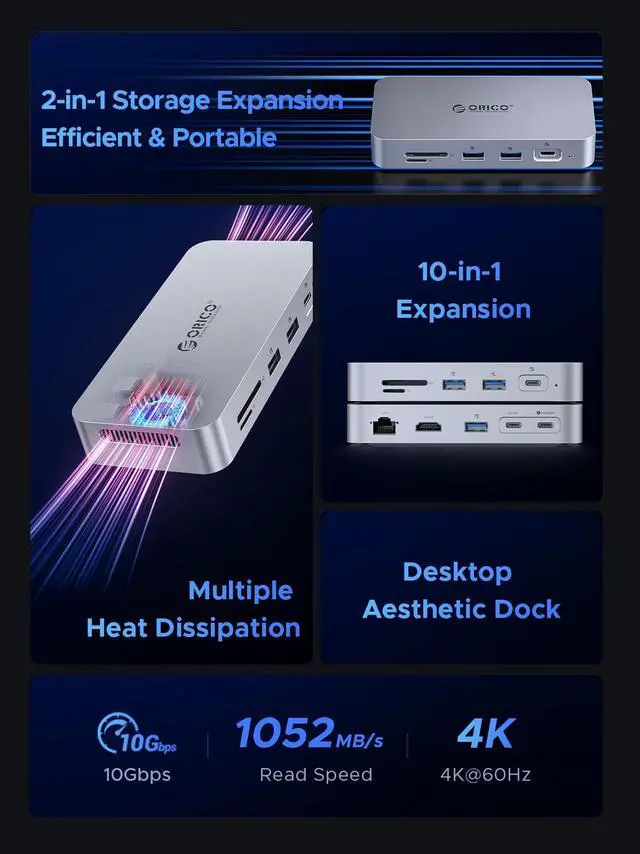
High-Speed Performance: Read speeds up to 1052MB/s and write speeds up to 1055MB/s improve efficiency for large document transfers.
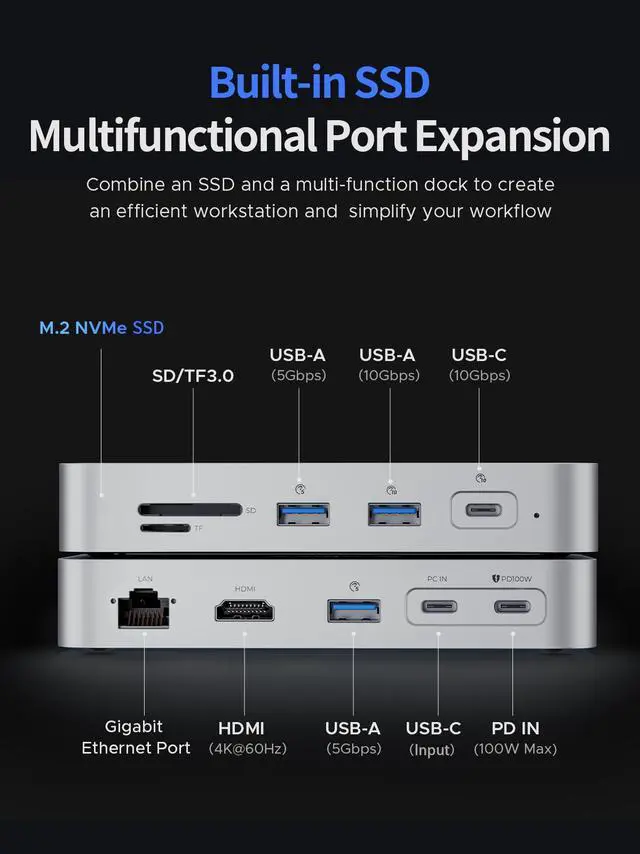
Multi-functional Ports: Includes two 10Gbps USB-C/A ports, two 5Gbps USB-A ports, a PD100W power supply port, a 4K@60Hz HDMI interface, dual SD/TF card slots, and a Gigabit Ethernet port.
Stable Operation: Built-in fan and all-metal body ensure dual heat dissipation for stable long-term operation.
Wide Compatibility: Supports Windows, Mac OS, and other systems with hot plug-and-play functionality.
Detailed
Product Model: ORICO PSSD Docking Station
Storage Options: 512GB / 1TB / 2TB M. 2 SSD
Read Speed: Up to 1052MB/s
Write Speed: Up to 1055MB/s
External Ports:
2 x USB-C/A 10Gbps ports
2 x USB-A 5Gbps ports
1 x PD100W power supply port
1 x 4K@60Hz HDMI interface
1 x SD card slot
1 x TF card slot
1 x Gigabit Ethernet port
Material: All-metal body
Compatibility: Windows, Mac OS
Cooling System: Built-in fan for heat dissipation
Features: Hot plug-and-play
Notice Before Use:
Heating: The device may heat up during use, which is normal and does not affect functionality.
Device Compatibility: Ensure your connected devices support the interfaces provided for optimal performance.
Initial Setup: Newly purchased SSDs must be formatted before use.
Follow these steps:
Right-click "This PC" and select "Manage".
Go to "Disk Management".
Right-click on the new drive, select "Initialize" (choose "MBR" for 2TB or "GPT" for >2TB), then select "New Simple Volume".
Opt for quick formatting and click "OK".
Package Contents:
ORICO PSSD Docking Station
Power Adapter (if included)
USB-C to USB-C/A Cable
User Manual
Summary:
Upgrade your MacBook's connectivity and storage with the ORICO PSSD Docking Station. Store extensive design files, HD videos, and databases with fast read/write speeds. Connect multiple devices through various high-speed ports, including USB-C/A, HDMI, and Ethernet. The built-in fan and metal body ensure stable operation, while wide compatibility with Windows and Mac OS offers seamless integration into your workstation.
Key Selling Points:
Expanded Storage Space: Built-in 512GB, 1TB, or 2TB M. 2 SSD, perfect for storing design drafts, HD videos, and large database files.
High-Speed Performance: Read speeds up to 1052MB/s and write speeds up to 1055MB/s improve efficiency for large document transfers.
Multi-functional Ports: Includes two 10Gbps USB-C/A ports, two 5Gbps USB-A ports, a PD100W power supply port, a 4K@60Hz HDMI interface, dual SD/TF card slots, and a Gigabit Ethernet port.
Stable Operation: Built-in fan and all-metal body ensure dual heat dissipation for stable long-term operation.
Wide Compatibility: Supports Windows, Mac OS, and other systems with hot plug-and-play functionality.
Detailed
Specifications
:Product Model: ORICO PSSD Docking Station
Storage Options: 512GB / 1TB / 2TB M. 2 SSD
Read Speed: Up to 1052MB/s
Write Speed: Up to 1055MB/s
External Ports:
2 x USB-C/A 10Gbps ports
2 x USB-A 5Gbps ports
1 x PD100W power supply port
1 x 4K@60Hz HDMI interface
1 x SD card slot
1 x TF card slot
1 x Gigabit Ethernet port
Material: All-metal body
Compatibility: Windows, Mac OS
Cooling System: Built-in fan for heat dissipation
Features: Hot plug-and-play
Notice Before Use:
Heating: The device may heat up during use, which is normal and does not affect functionality.
Device Compatibility: Ensure your connected devices support the interfaces provided for optimal performance.
Initial Setup: Newly purchased SSDs must be formatted before use.
Follow these steps:
Right-click "This PC" and select "Manage".
Go to "Disk Management".
Right-click on the new drive, select "Initialize" (choose "MBR" for 2TB or "GPT" for >2TB), then select "New Simple Volume".
Opt for quick formatting and click "OK".
Package Contents:
ORICO PSSD Docking Station
Power Adapter (if included)
USB-C to USB-C/A Cable
User Manual
Summary:
Upgrade your MacBook's connectivity and storage with the ORICO PSSD Docking Station. Store extensive design files, HD videos, and databases with fast read/write speeds. Connect multiple devices through various high-speed ports, including USB-C/A, HDMI, and Ethernet. The built-in fan and metal body ensure stable operation, while wide compatibility with Windows and Mac OS offers seamless integration into your workstation.
Warranty & Returns
Warranty, Returns, And Additional Information
Warranty
- Please contact the Seller directly for warranty information. Warranty information may also be found on the Manufacturer's website.
- Read full details
- CONTACT
Return Policies
- Return for refund within: 30 days
- Return for replacement within: 30 days
- This item is covered by ORICO Official Store Return Policy
Manufacturer Contact Info
- For a directory of all our manufacturers, please click below.
- Manufacturers Directory
LOADING...