
Your Browsing History

Meet Your Seller

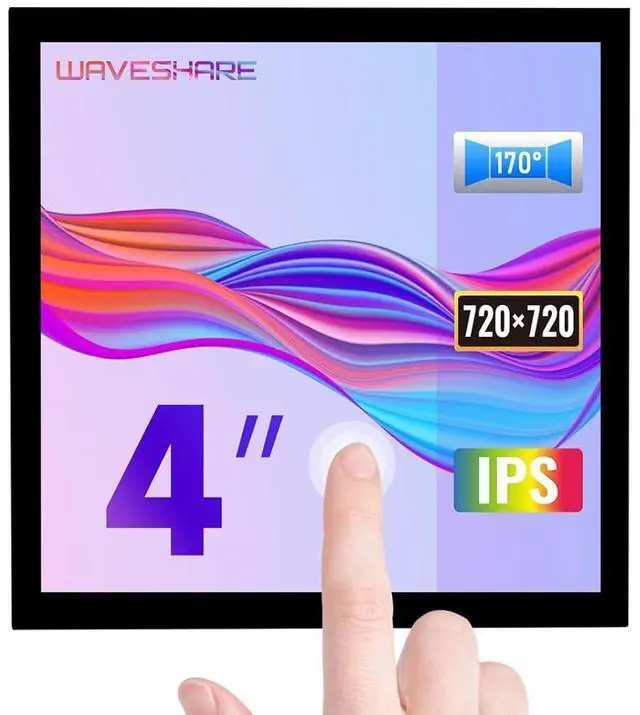
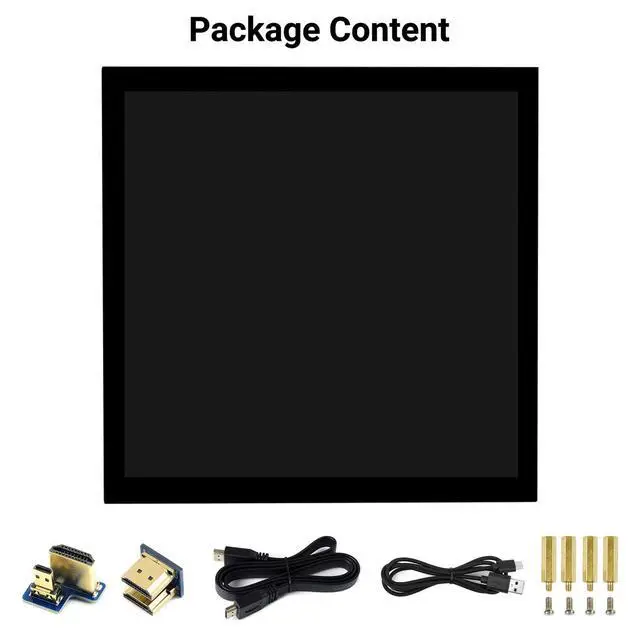


4inch HDMI Capacitive Touch IPS LCD Display Compatible with Raspberry Pi 4B/3B+/3A+/2B/B+/A+/Zero/Zero W/WH/Zero 2W CM3+/4 720×720 Resolution Supports Jetson Nano/Windows
Limited time offer, ends 09/29 By EmpressTech
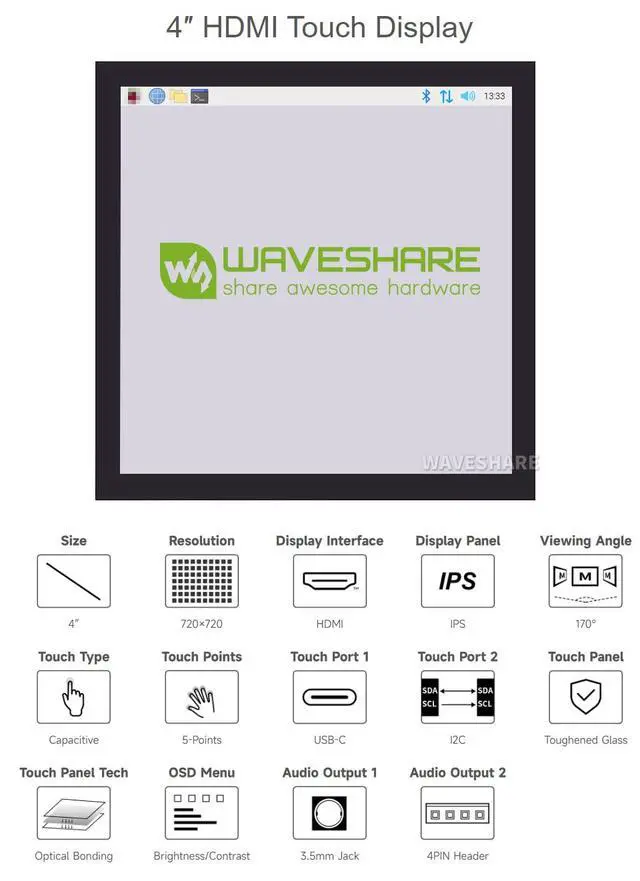
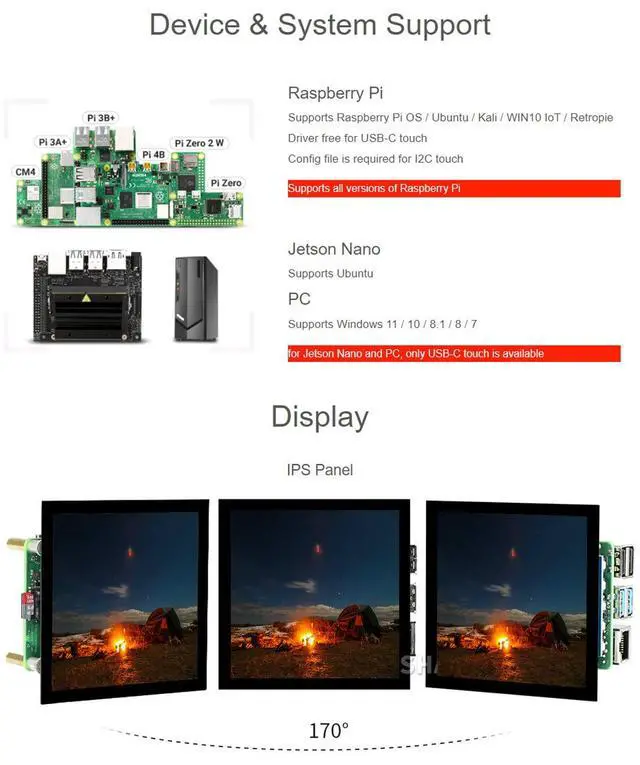
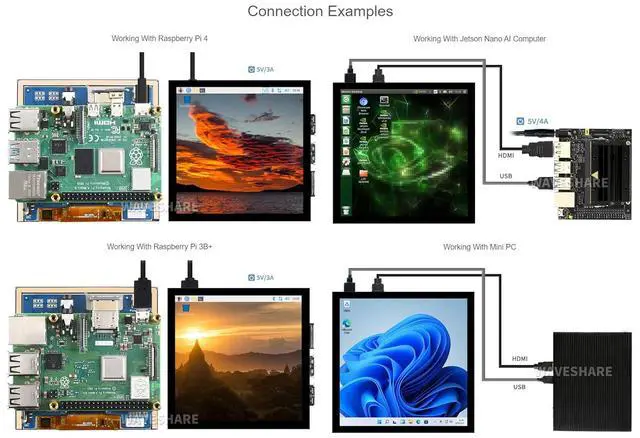
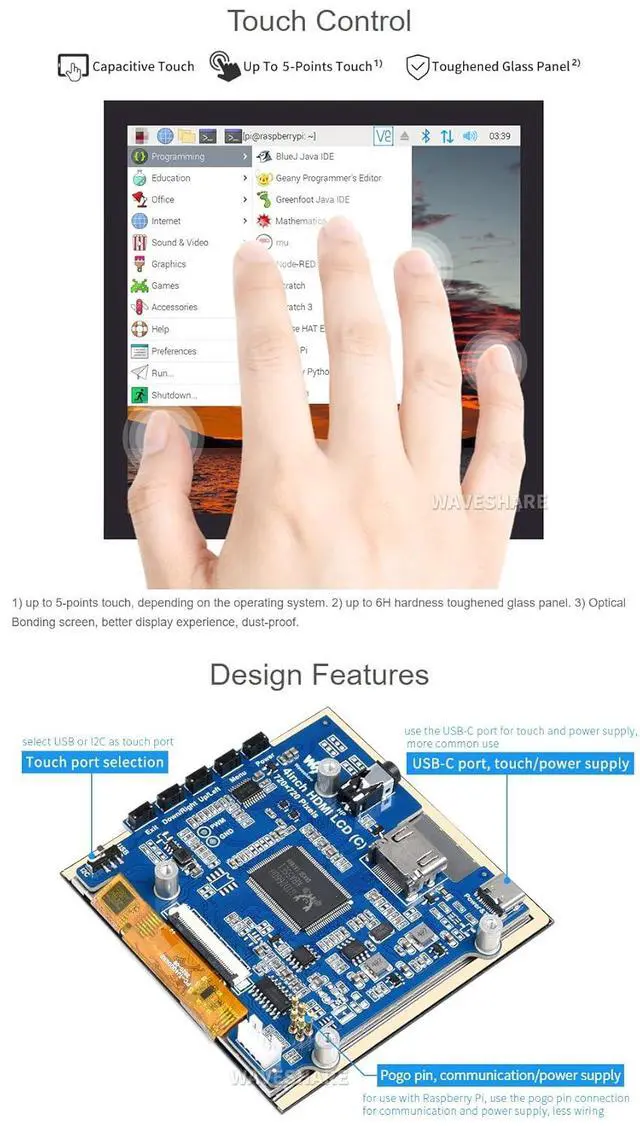
- Provide online user manual, please check the manual carefully before using!; Supports all versions of Raspberry Pi. For Jetson Nano and PC, only USB-C touch is available; 4-inch IPS screen, hardware resolution is 720×720. 5-point capacitive touch, tempered glass panel, hardness up to 6H.; When used with Raspberry Pi, it supports Raspberry Pi OS / Ubuntu / Kali and Retropie. Ubuntu is supported when used with Jetson Nano.; When used as a computer monitor, it supports Windows 11/10/8.1/8/7. Onboard dual touch circuit, optional USB Type-C or I2C touch, it has more application scenarios. With 3.5mm audio and speaker interface, it support HDMI audio output.
+
+
Overview
Specs
Reviews
Product description Raspberry Pi Supports Raspberry Pi OS / Ubuntu / Kali / WIN10 IoT / Retropie Driver free for USB-C touch Config file is required for I2C touch Supports all versions of Raspberry Pi Jetson Nano Supports Ubuntu PC Supports Windows 11 / 10 / 8.1 / 8 / 7 for Jetson Nano and PC, only USB-C touch is available Features 4inch IPS screen, 480×800 high resolution Resistive touch control Compatible and Direct-connect with any revision of Raspberry Pi (If you are using a Raspberry Pi Zero / Zero 2 W, an additional HDMI cable is required) Supports Raspberry Pi OS / Ubuntu / Kali and Retropie systems.
Also works as a computer monitor, in this case, touch panel is unavailable and HDMI cable is required HDMI interface for displaying, no I/Os required (however, the touch panel still needs I/Os) OSD menu, supports brightness/contrast ratio adjustable manually. Hardware Connection 1. Connect the GPIO interface Raspberry Pi leads out 40 GPIO pins, while the screen leads out 26 pins. When connecting, pay attention to the corresponding pins and Raspberry Pi pins. 2. Connect the HDMI connector to the HDMI port of the screen and the Pi.
3. Turn the Backlight on the back of the LCD to "ON".
Note: Raspberry Pi Zero / Zero 2 W needs an additional HDMI cable for connection.
Also works as a computer monitor, in this case, touch panel is unavailable and HDMI cable is required HDMI interface for displaying, no I/Os required (however, the touch panel still needs I/Os) OSD menu, supports brightness/contrast ratio adjustable manually. Hardware Connection 1. Connect the GPIO interface Raspberry Pi leads out 40 GPIO pins, while the screen leads out 26 pins. When connecting, pay attention to the corresponding pins and Raspberry Pi pins. 2. Connect the HDMI connector to the HDMI port of the screen and the Pi.
3. Turn the Backlight on the back of the LCD to "ON".
Note: Raspberry Pi Zero / Zero 2 W needs an additional HDMI cable for connection.
Warranty & Returns
Warranty, Returns, And Additional Information
Warranty
- Please contact the Seller directly for warranty information. Warranty information may also be found on the Manufacturer's website.
- CONTACT
Return Policies
- Return for refund within: 30 days
- Return for replacement within: 90 days
- This item is covered by EmpressTech Return Policy
Manufacturer Contact Info
- For a directory of all our manufacturers, please click below.
- Manufacturers Directory
LOADING...