
Your Browsing History





Features:
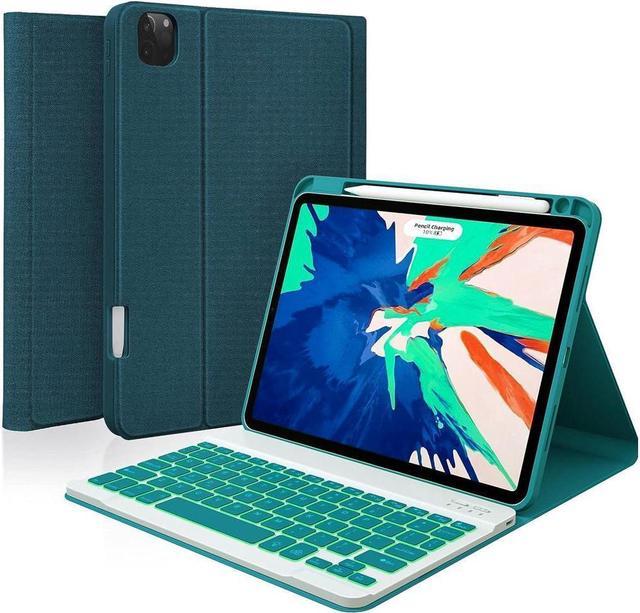
Compatibility: The keyboard Cover is designed for Compatibility :Keyboard Case for iPad Air 11 Inch M3 2025 7th Generation (Model:A3266/A3267/A3270), iPad Air 11 inch M2 2024 6th Generation (Model: A2902, A2903, A2904), iPad Air 5th Generation 10.9 inch 2022 (Model: A2588/A2589/A2591) / iPad Air 4th Generation 10.9 inch 2020 (Model: A2072/A2316/A2324/A2325 ) / iPad Pro 11 inch 4th Generation 2022(Model: A2759/A2435/A2761/A2762) /iPad Pro 11 inch 3rd Generation 2021 (Model: A2377/A2459/A2301/A2460) / iPad Pro 11 inch 2nd Generation 2020 (Model: A2228/A2068/A2230/A2231) / iPad Pro 11 inch 1st Generation 2018 (Model: A1980/A2013/A1934).
No pen or charger included! It is Not compatible with any other devices. Please check the back bottom of your iPad to find the model number.
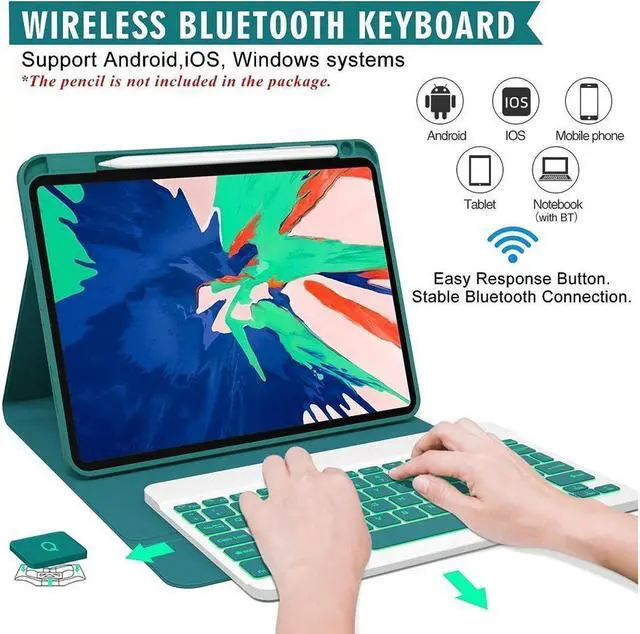
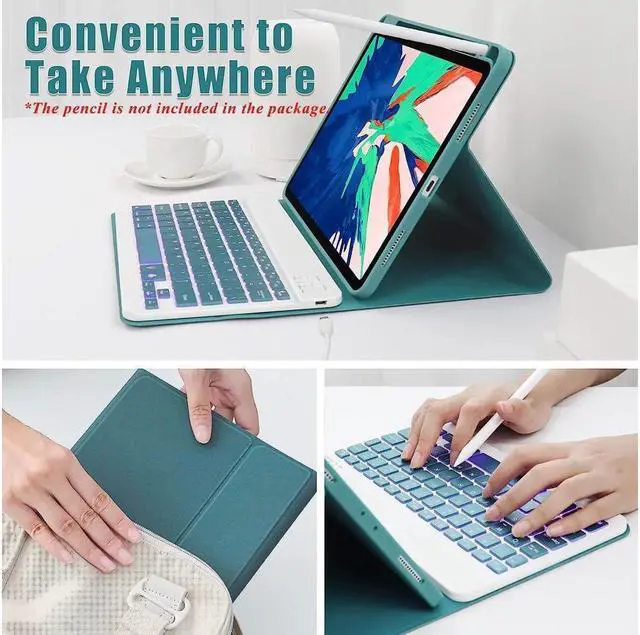
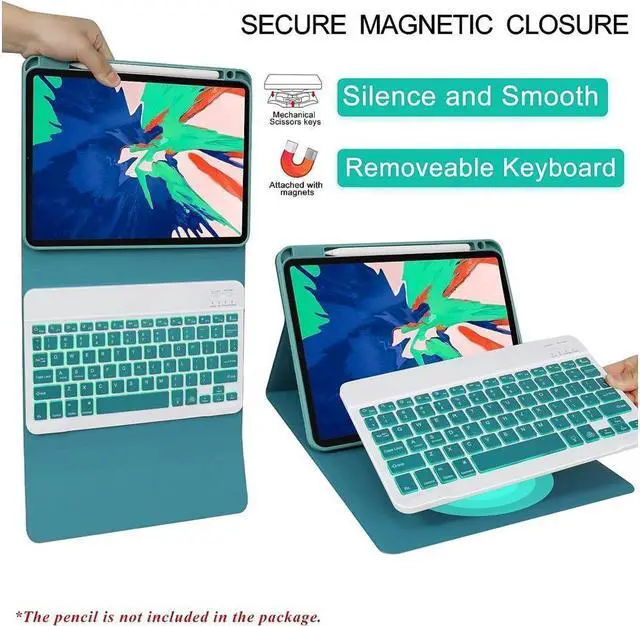
Multiple Viewing Angles & Removeable Magnetic Keyboard: The flip leather case intends to combine tablet and keyboard which form a laptop with keyboard function to work easier. The smart folio keyboard and magnetic case allow us to adjust screen vision and typing position. Secure magentic closure enables you to take the tablet keyboard and a hard shell with you. In case you don't need the Bluetooth keyboard for your iPad sometimes, remove the keyboard and wear the iPad pro case.
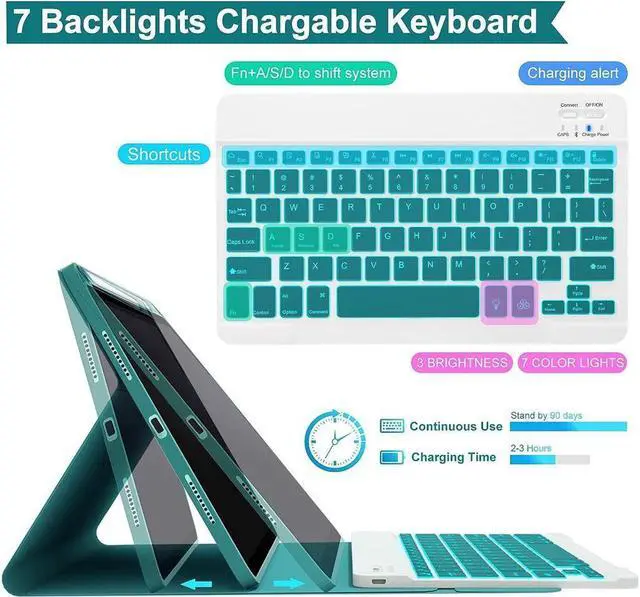
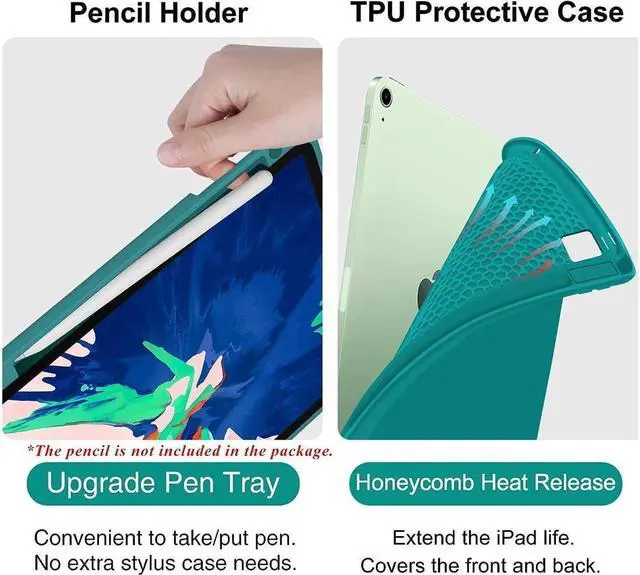
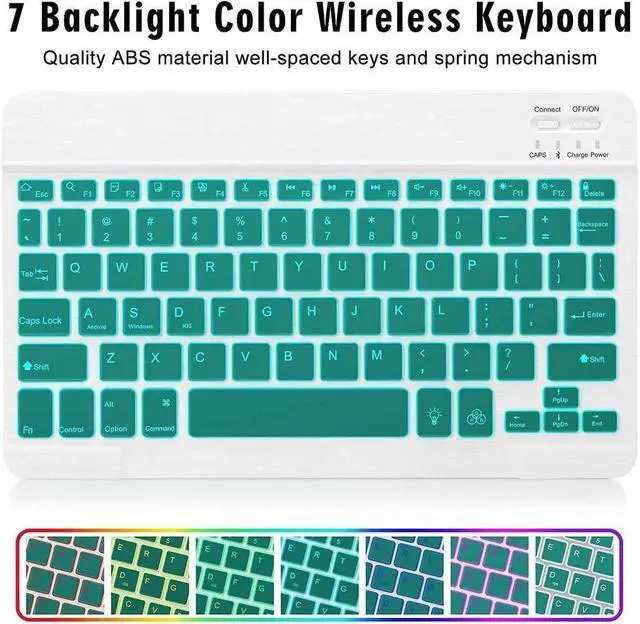
Colorful Backlit Keyboard & Hybrid Shockproof Protective Cover: Optional backlight mode and 7 vibrant colors make typing fun and easy in the dark. Scissors mechanical keyboard feels quiet and smooth. The protective case inner layer is of honeycomb grid pattern cushion that releases more 80% hotness than other iPad cases, prevent overheating to extend your iPad life and maximizing screen protection.
Bulit-in Rechargeable Keyboard & Auto Sleep/Wake Magnetic Case: The keyboard USB charge cables are attached with the parcel. After 2-3 hours of full charge, the wireless keyboard stands by for 90 days at once. The smart cover puts your iPad sleep automatically when shut.
To reach the best effection of sleep/wake-up, please take the keyboard off; cause the keyboard with iron may hinder the mutual attraction among the magnets.
iPad Case with Pen Holder : Built-in Pencil holder(for iPad) leave a slot to settle your Stylus Pen and had a photo window. Port covers keep dust out. Waterproof, durable, anti-scratch lining, reliable fit your iPad pro 11 tablet.
HOW TO CONNECT THE BACKLIT KEYBOARD?
Push the power switch button to ON position to turn on the keyboard, then press the ""connect"" button for 3 seconds until the WIFI blue light flashes.
Choose “Bluetooth Keyboard"" option in the searching page to adapt.
HOW TO ADJUST THE BACKLIT MODEL?
To keep the keyboard color unchanged: After turning on the keyboard switch, press the ""light bulb"" key(Next to the space bar) to turn on the keyboard backlit. Then press the RGB button next to it to switch to the color you like. If you want to switch to another color later, press the ""RGB"" key.
To switch the light to a cycle of 7 colors: After turning on the keyboard switch, press the ""light bulb"" key(Next to the space bar) once to turn on the keyboard backlit,press twice to turn on the 7 light cycle mode,press the third time to turn off the backlit.
NOTE:
Please charge your keyboard for 2-3 hours the first time you use.
Turn on the keyboard, the power indicator will flash about 3 seconds then goes off.
When use it for the second time: only need to turn on your tablet Bluetooth and keyboard power, press any key on the keyboard. Then it will automatically connect.
(No need to click""BT keyboard"" on the iPad screen, also don't press ""CONNECT"" button on the keyboard , otherwise, it will show ""Not Connection""
PACKAGE CONTENT
1 * User Manual
1 * Wireless BT Keyboard
1 * PU Leather Case (No Stylus Pencil)
1 * Micro USB Charge Cable (No charger)