


- $489.99
- Free 30-day Returns
$414.99
Add to PC build list
Sold by Newegg
Shipped by Newegg
Add to Wish List(Found on 7 wish lists)
Best Sellers
- $539.91
- + FREE SHIPPING


Get Educated
Make informed decisions with expert advice. Learn More

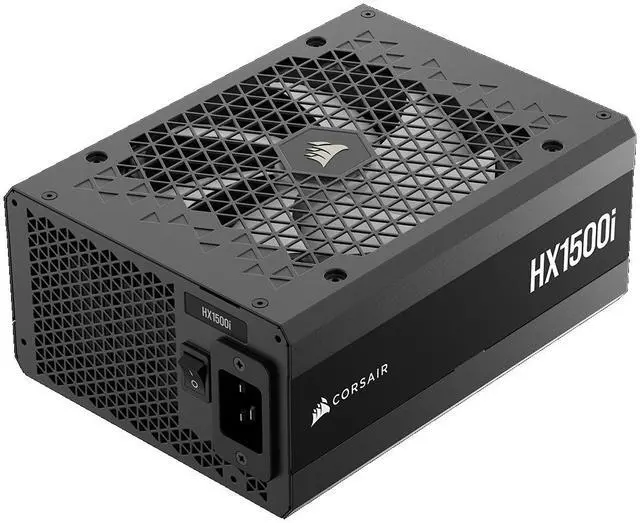
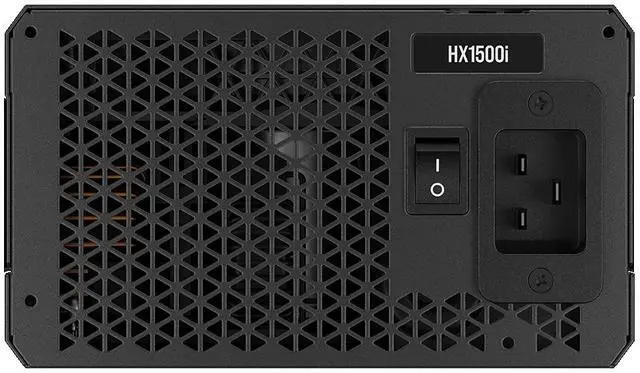
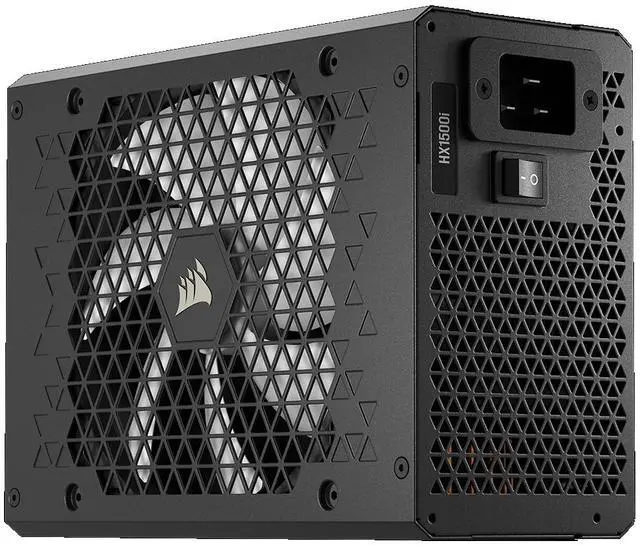
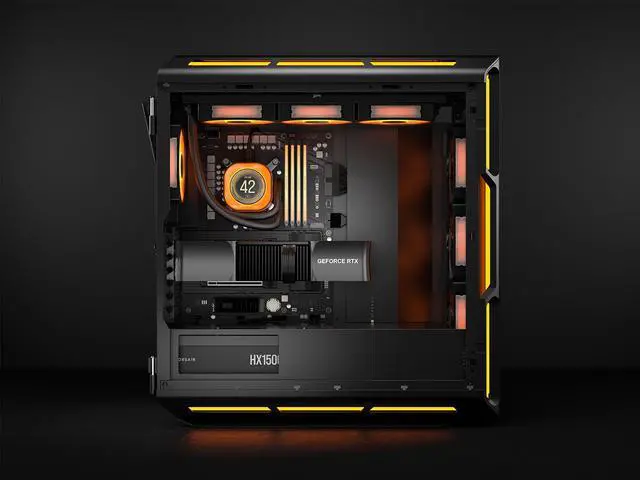
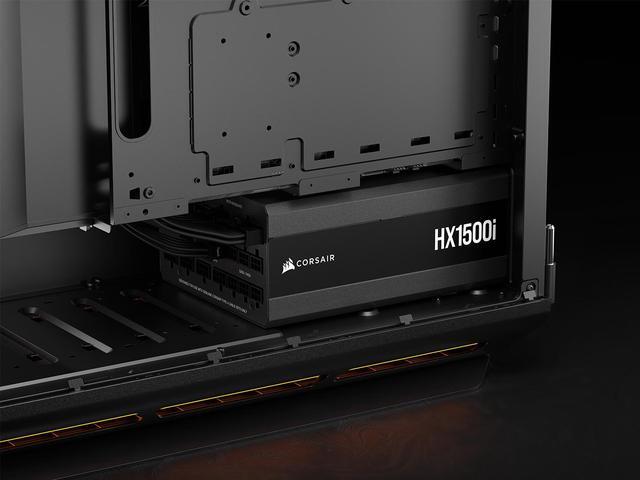
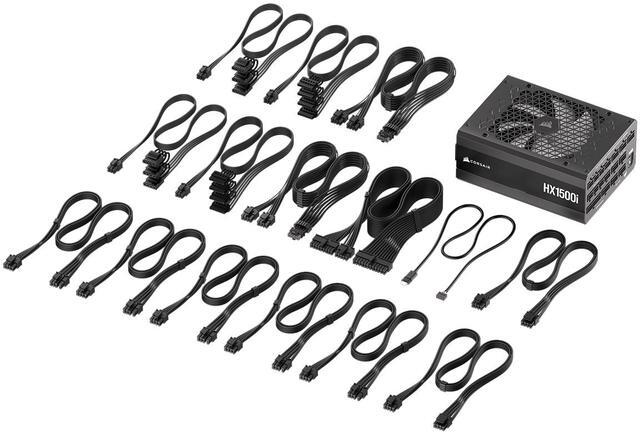


CORSAIR HX1500i (2025) Fully Modular Ultra-Low Noise ATX Power Supply with 12V-2x6 Cable – ATX 3.1 & PCIe 5.1 Compliant, Cybenetics Platinum Efficiency, Fluid Dynamic Bearing Fan – Black
- Fully modular cabling, so you connect only the cables your system needs
- Compliant with the ATX 3.1 power standard from Intel®, supporting the PCIe Gen 5 platform and resisting transient power spikes
- A 140mm fluid dynamic bearing (FDB) fan delivers extremely quiet and long-lasting fan performance.
- Powerful CORSAIR iCUE software enables you to create custom fan curves, monitor power settings, and toggle between single to multi-rail overcurrent protection (OCP) on-the-fly.
- Zero RPM fan mode for near-silent operation at low to medium loads.
- 100% Industrial-grade, 105°C rated Japanese electrolytic capacitors ensure unwavering power and reliability.
- 80 PLUS Platinum certified for up to 92% efficiency, for exceptionally low power consumption, less noise, and cooler temperatures.
- Supports Modern Standby sleep mode for extremely fast wake-from-sleep times and better low-load efficiency.

Combo Up Savings Up To $2350
The more you add, the more you'll save!+
+
Overview
Specs
Reviews (274)
HXI SERIES (2025), HX1500I, 1500 WATT, 80 PLUS PLATINUM, C20 VERSION
Warranty & Returns
Warranty, Returns, And Additional Information
Warranty
- Limited Warranty period (parts): 5 years
- Limited Warranty period (labor): 5 years
- Read full details
Return Policies
- Return for refund within: 30 days
- Return for replacement within: 30 days
- This item is covered by Newegg.ca's Standard Return Policy.
- Read full return policy for details.
Manufacturer Contact Info
- Manufacturer Product Page
- Manufacturer Website
- Support Phone: 1-510-657-8747
- Support Website
- View other products from Corsair
LOADING...
LOADING...
The CORSAIR HX1500i (2025) is a 1500W fully modular ATX 3.1 power supply built for flagship gaming PCs and high-end creator workstations that need native 12V-2x6 support, Platinum-level efficiency, and very quiet operation.
Recommended For
- Builders running a flagship GPU plus a high-core-count CPU who want one PSU with native next-gen cabling, high transient handling, and enough headroom for overclocking or future upgrades.
- Quiet-focused enthusiasts building a premium desktop that often idles or runs at moderate load, where zero-RPM behavior and low-noise tuning matter as much as raw wattage.
- Workstation users with sustained heavy loads—such as rendering, AI/GPU compute, simulation, or multi-accelerator setups—who value efficiency, thermal control, and long-session stability over compactness or low cost.
- PC builders who specifically want software-side PSU monitoring or rail control in a Corsair-centric setup, and are comfortable using iCUE for fan curves and power telemetry.
Real-World Use Scenarios
- Building a top-end gaming PC with an RTX 4090/5090-class GPU and a power-hungry CPU: the included 12V-2x6 support and ATX 3.1 compliance make it a common fit for modern high-draw builds, with the main real-world benefit being cleaner single-PSU cabling and better handling of GPU power spikes.
- Running a workstation for 3D rendering, AI, simulation, or other sustained heavy loads: in practice, this class of PSU is used when long-duration stability matters more than saving money, and reviews point to stable delivery with low noise even when the system is pulling several hundred watts for extended sessions.
- Using an overbuilt PSU in a single-GPU enthusiast system to keep fan noise down: at typical gaming or productivity loads, the HX1500i often stays in zero-RPM or very low-fan operation, so the user experience is usually quieter than with smaller units that need to ramp their fans sooner.
- Planning a build with future GPU upgrades in mind: buyers use this PSU when they want enough headroom to move to a higher-wattage graphics card later without replacing the power supply, and the likely outcome is fewer upgrade constraints as long as the case fits a large 1500W unit.
- Choosing a PSU for users who want monitoring and control through software: the iCUE integration is relevant for people who want to watch power data or adjust fan/OCP behavior, but community reports show the core PSU use is straightforward while software detection can be hit-or-miss depending on setup.
Spec Summary
| Attribute | Value |
|---|---|
| Best For | High-power ATX 3.1 systems and multi-GPU desktop builds that need up to 1500 W with modular cabling and PCIe 5.1 support |
| Power And Output | 1500 W output capacity with a 24‑pin main connector and support for multi‑GPU configurations |
| Efficiency And Certification | Platinum-level efficiency rated >92% for lower waste heat and power draw |
| Compatibility And Standards | ATX 3.1 compliant and PCIe 5.1 compatible; designed for Intel ATX 3.1 platforms and multi-GPU setups |
| Cooling And Fans | Single 140 mm fluid-dynamic-bearing fan with Zero RPM mode for near-silent operation at low/medium loads (air-cooled) |
| Connectors And Cables | Fully modular cabling with 24‑pin ATX main connector and dual 12V 2x6 PCIe power cables for GPU connectivity |
| Input Power And AC | AC input range 115–240 V with 47–63 Hz frequency and input current rating 15A–9A |
| Electrical Currents | +5 V rail rated to 25 A and +5 VSB rail rated to 3.5 A |
| Protections And Safety | Selectable single- or multi-rail overcurrent protection (OCP) via software control; 'Over Load Protection' field listed as No; safety attestation present |
| Reliability And Warranty | 100% industrial-grade Japanese electrolytic capacitors rated 105°C, MTBF >100000 hours, 10-year warranty |
| Software And Monitoring | CORSAIR iCUE support for custom fan curves, power monitoring and on-the-fly OCP toggling |
| Physical And Packaging | Color: Black; unit dimensions 7.87 × 5.91 × 3.39 in; unit weight 5.3 lb; package weight 4.7 kg; ships as a single-unit package |
| Model Identifiers | CORSAIR HX1500i series, model/part CP-9020309-NA (manufacturer Corsair) |
Reference Q&A
Q: Should I buy the Corsair HX1500i (2025) or a 1000W PSU like the RM1000x SHIFT for a high-end gaming PC?
A: Choose the HX1500i (2025) when you want more headroom for very high transient GPU loads, multi-GPU or workstation-class builds, or a system you may upgrade over several years. It is a 1500W ATX 3.1 / PCIe 5.1 unit with Cybenetics Platinum efficiency and iCUE-based monitoring, so it fits buyers who value capacity, low-load quiet operation, and digital control. A 1000W model such as the RM1000x SHIFT is usually the more practical choice for a single-GPU gaming build that stays comfortably below 1000W, especially if budget and case-cable convenience matter more than extra capacity.
Q: Is the Corsair HX1500i (2025) worth buying over the HX1200i?
A: Buy the HX1500i (2025) over the HX1200i when your build may exceed the comfort zone of a 1200W PSU, or when you want additional overhead for future flagship GPUs, heavy CPU loads, or sustained workstation use. Review coverage indicates the HX1500i keeps broadly similar efficiency, thermals, and connector support while adding about 25% more output capacity. If your system does not need that extra margin, the HX1200i is typically the more balanced option because the main difference is available power rather than a major platform change.
Q: How does the Corsair HX1500i (2025) compare with the previous HX1500i generation?
A: The HX1500i (2025) is the better choice if you specifically want formal ATX 3.1 and PCIe 5.1 positioning, bundled 12V-2x6 support, and the newest Corsair platform packaging for current high-power GPUs. Professional reviews and community discussion consistently describe it as an update that preserves the HXi formula rather than a dramatic redesign, so the decision is usually about standards readiness and connector support more than a large jump in raw performance. If an earlier HX1500i is meaningfully cheaper and already matches your cable and compatibility needs, the practical experience should be similar for many builds.
Q: Should I choose the Corsair HX1500i (2025) or the HX1500i SHIFT?
A: Choose the standard HX1500i (2025) when you want a conventional rear-connector layout that is easier to fit across a wider range of cases and cable-routing setups. Choose the HX1500i SHIFT when your case is designed to take advantage of side-mounted PSU connectors and you want easier access during cable management. The decision is mostly about case compatibility and connector orientation, not a completely different buyer type, because both sit in Corsair's high-wattage premium PSU family.
Q: Should I buy the Corsair HX1500i (2025) or move up to a 1600W flagship PSU like the Seasonic PRIME TX-1600?
A: Choose the HX1500i (2025) if you want a top-tier high-capacity PSU with ATX 3.1 positioning, native modern GPU cabling, Platinum-class efficiency, and Corsair's digital monitoring without moving into a more extreme wattage tier. Move up to a 1600W flagship such as the PRIME TX-1600 when your priority is maximum capacity and premium efficiency at the very top end, especially for unusually demanding workstation or enthusiast builds. For most single-system users considering both, the trade-off is not basic capability but whether the extra 100W and higher-tier positioning are meaningful for the planned hardware.
Q: Who is the CORSAIR HX1500i (2025) really for?
A: The HX1500i (2025) is best for very high-power desktop builds, such as flagship gaming PCs, overclocked systems, multi-GPU or GPU-heavy workstations, and users who want extra power headroom for future upgrades. It is usually more power supply than a typical single-GPU mainstream PC needs, so buyers with mid-range builds may be better served by a lower-wattage Platinum or Gold unit.
Q: Is the HX1500i (2025) a good choice for RTX 4090, RTX 5090, or other next-gen high-end GPUs?
A: Yes. The HX1500i (2025) is well suited to modern high-end GPUs because it is ATX 3.1 and PCIe 5.1 compliant and includes 12V-2x6 support. Its 1500W capacity also gives more headroom than most buyers need, which can help in systems with power-hungry GPUs, high-core-count CPUs, or future upgrades. The trade-off is cost and size versus buying a lower-wattage model that still meets your system's real power needs.
Q: Is this power supply quiet enough for a low-noise or near-silent PC build?
A: Yes, if your system usually runs at low to moderate load. The HX1500i (2025) has Zero RPM fan mode and a 140mm fluid dynamic bearing fan, so it can stay very quiet in everyday use. It is a strong fit for buyers who want a high-capacity PSU without constant fan noise. Under sustained heavy load, the fan will still spin, so it is quiet rather than literally silent.
Q: What are the main trade-offs versus a 1000W or 1200W competitor power supply?
A: The main advantage of the HX1500i (2025) is extra headroom for extreme GPUs, power spikes, overclocking, and later upgrades. It also adds premium features such as iCUE monitoring, fully modular cabling, and Platinum efficiency. The trade-offs are that it costs more, may be unnecessary for many single-GPU systems, and can be less value-focused than a high-quality 1000W or 1200W unit if your actual power draw is well below this range.
Q: Is the HX1500i (2025) better to buy than an older ATX 3.0 or non-12V-2x6 PSU?
A: For a new high-end build, usually yes. The HX1500i (2025) is easier to recommend because it aligns with newer ATX 3.1 and PCIe 5.1 expectations and includes 12V-2x6 support out of the box, which reduces cable-adapter uncertainty for current flagship GPUs. An older PSU can still be fine if it is high quality and properly matched to your hardware, but the newer model is the safer pick for buyers who want native support and fewer compatibility questions.
Q: Who is the CORSAIR HX1500i (2025) actually a good fit for?
A: It is best suited to high-end desktop builds that need very high power headroom, native 12V-2x6 support, and quiet operation. Based on recurring Reddit and YouTube discussion, it makes the most sense for RTX 5090-class or multi-GPU planning, heavy overclocking, or buyers who specifically want a 1500W Platinum ATX 3.1 unit with iCUE monitoring. It is less suitable for typical single-GPU mainstream builds, where 1500W is usually more capacity than necessary.
Q: Is the HX1500i (2025) worth buying over lower-wattage or older PSU options?
A: It is worth buying if you specifically need a top-tier 1500W PSU with ATX 3.1, PCIe 5.1 readiness, dual 12V-2x6 cables, low-noise operation, and software-based monitoring. The trade-off is that you are paying for capacity and features many builds will not use. If your system does not need extreme wattage or advanced monitoring, a lower-wattage Platinum or Gold unit may be the more practical choice.
Q: What are the main trade-offs of choosing the HX1500i (2025)?
A: The main trade-offs are size, cost, and possible feature complexity. Community discussion repeatedly focuses on whether 1500W is more than most systems need, confusion around old vs. refreshed ATX 3.0/3.1 packaging and cable details, and whether buyers will actually use iCUE-based monitoring and rail switching. In return, you get very high output capacity, modular cabling, quiet low-load behavior, and premium platform features.
Q: Is the HX1500i (2025) a safe choice if I want native support for next-gen GPUs and power spikes?
A: Yes, it is a strong fit if native next-gen GPU support is a priority. The product is positioned around ATX 3.1 compliance, PCIe 5.1 compatibility, and bundled 12V-2x6 support, which directly matches recurring buyer questions about RTX 5090 readiness and transient power spikes. It is a better fit for buyers who want that margin built in, rather than adapting an older PSU.
Q: Should I buy the HX1500i (2025) if I care about software monitoring and quiet operation?
A: It is a reasonable choice if those are priorities, because it offers Zero RPM fan mode, a 140mm FDB fan, and iCUE-based monitoring and fan control. The practical caveat is that software integration has come up in user discussion, so buyers who want a PSU that works entirely without software may not benefit much from the 'i' features. If you value silent low-to-medium load behavior more than software controls, the quiet hardware design matters more than iCUE support.