


- Free 30-day Returns
$78.23
Ships from China.
Sold by PeakCircuit Technology
Shipped by PeakCircuit Technology

Meet Your Seller



8 in 1 USB C Docking Station with M.2 NVMe/SATA SSD Enclosure, 4K HDMI, 10Gbps USB C, 100W PD-A, 10Gbps USB 3.2,USB-A, SD/TF Card Reader for Laptop, MacBook Pro/Air/Mac/Universal Hub
Limited time offer, ends 11/01 By PeakCircuit Technology
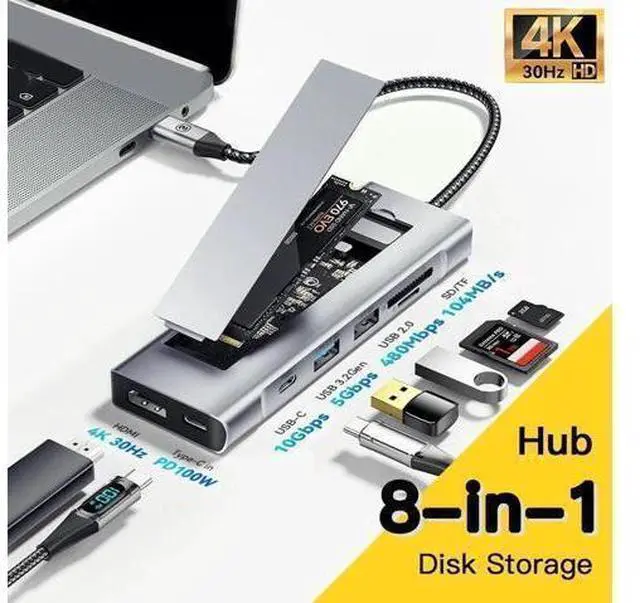
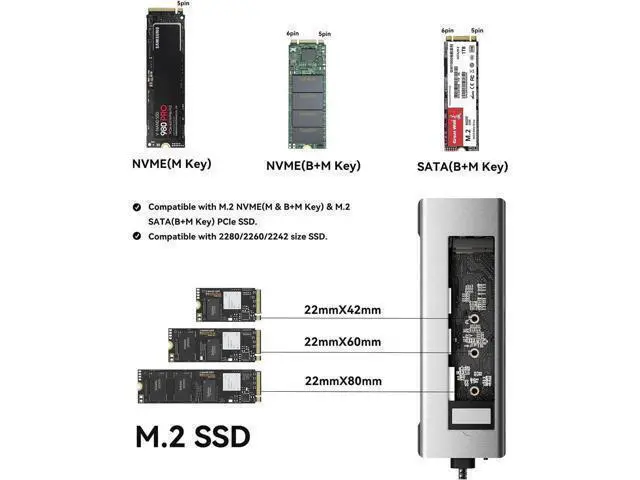
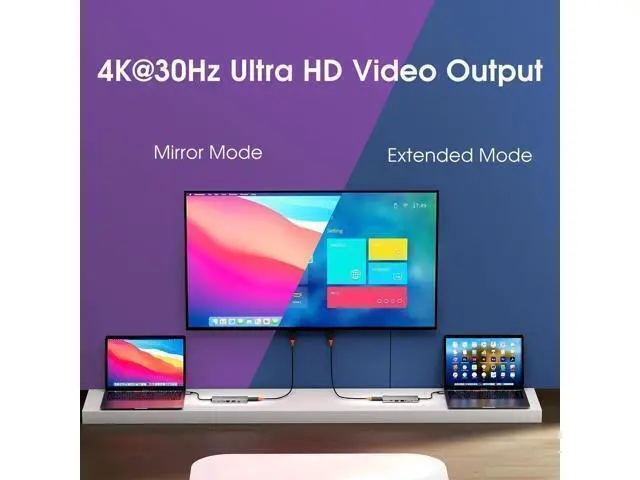
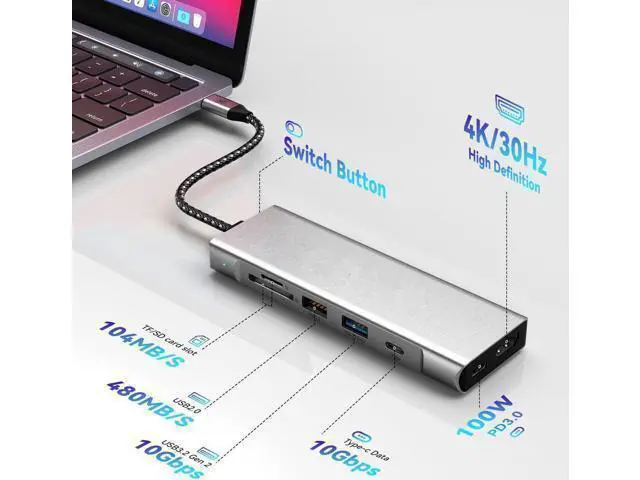
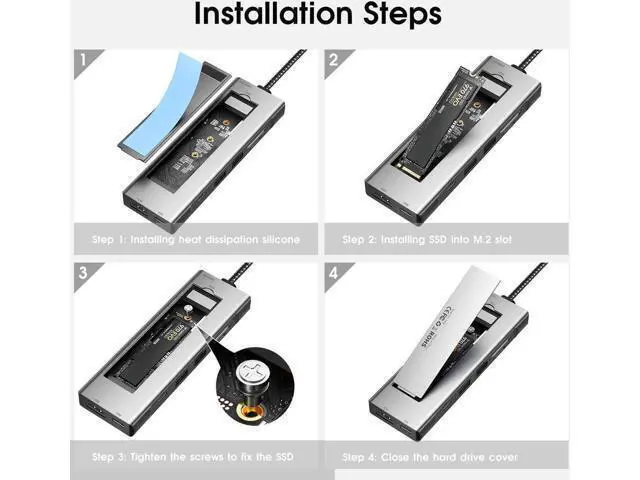
- Docking Station With SSD Enclosure: 8-IN-1 M.2 SSD Docking Station SSD Enclosure with M.2 SSD storage hard drive enclosure provides large storage space.USB 3.1 nvme docking station with HDMI 4K 30HZ, 10Gbps USB 3.1 Gen 2 &USB-C Port fast speed(Up to 10Gbps),USB 2.0,Support 100W PD input,SD/TF Card Readers.USB-C interface both side can be inserted and support DP1.4,data transfer and PD charging.; 10Gbps High Speed: M.2 ssd Enclosure Up to 10Gbps High speed M.2 NVME to USB 3.1 Gen 2, perfect solution for data transfer and data backup, the actual transfer speed depends on the speed of your SSD, USB Port type, your computer performance, and NVMe /SATA media used etc.One HD movie transfer only takes 2-5 seconds. About the USB 2.0 ports provide more stable connection without wireless interference.It is advisable to connect your wireless device to the USB 2.0 ports.
+
+
Overview
Specs
Reviews
Docking Station With
SSD Enclosure: 8-IN-1 M. 2 SSD Docking Station SSD Enclosure with M. 2 SSD storage hard drive enclosure provides large storage space. USB 3.1 nvme docking station with HDMI 4K 30HZ, 10Gbps USB 3.1 Gen 2 &USB-C Port fast speed (Up to 10Gbps), USB 2.0, Support 100W PD input, SD/TF Card Readers. USB-C interface both side can be inserted and support DP 1.4, data transfer and PD charging.;
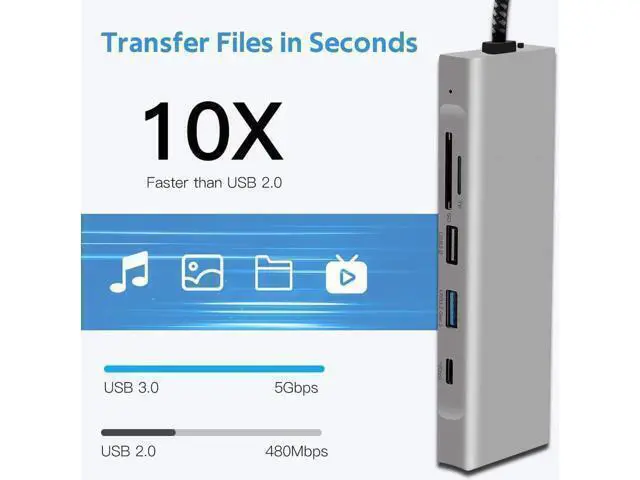
10Gbps High Speed: M. 2 ssd Enclosure Up to 10Gbps High speed M. 2 NVME to USB 3.1 Gen 2, perfect solution for data transfer and data backup, the actual transfer speed depends on the speed of your SSD, USB Port type, your computer performance, and NVMe /SATA media used etc. One HD movie transfer only takes 2-5 seconds. About the USB 2.0 ports provide more stable connection without wireless interference. It is advisable to connect your wireless device to the USB 2.0 ports.
SSD Enclosure: 8-IN-1 M. 2 SSD Docking Station SSD Enclosure with M. 2 SSD storage hard drive enclosure provides large storage space. USB 3.1 nvme docking station with HDMI 4K 30HZ, 10Gbps USB 3.1 Gen 2 &USB-C Port fast speed (Up to 10Gbps), USB 2.0, Support 100W PD input, SD/TF Card Readers. USB-C interface both side can be inserted and support DP 1.4, data transfer and PD charging.;
10Gbps High Speed: M. 2 ssd Enclosure Up to 10Gbps High speed M. 2 NVME to USB 3.1 Gen 2, perfect solution for data transfer and data backup, the actual transfer speed depends on the speed of your SSD, USB Port type, your computer performance, and NVMe /SATA media used etc. One HD movie transfer only takes 2-5 seconds. About the USB 2.0 ports provide more stable connection without wireless interference. It is advisable to connect your wireless device to the USB 2.0 ports.
Warranty & Returns
Warranty, Returns, And Additional Information
Warranty
- Please contact the Seller directly for warranty information. Warranty information may also be found on the Manufacturer's website.
- CONTACT
Return Policies
- Return for refund within: 30 days
- Return for replacement within: 90 days
- This item is covered by PeakCircuit Technology Return Policy
Manufacturer Contact Info
- For a directory of all our manufacturers, please click below.
- Manufacturers Directory
LOADING...