



Meet Your Seller

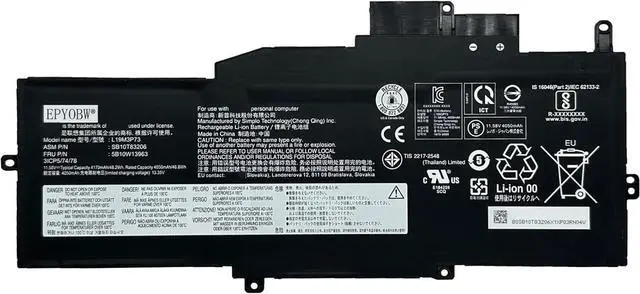
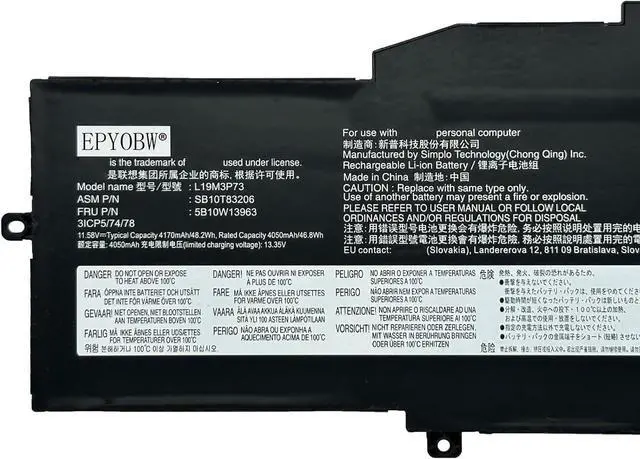
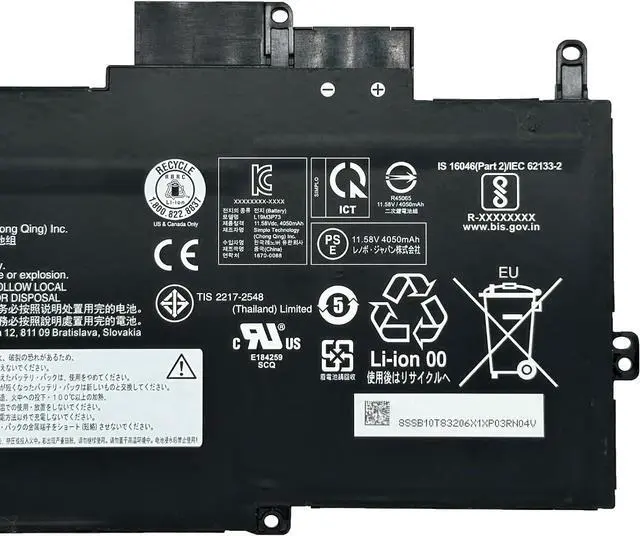
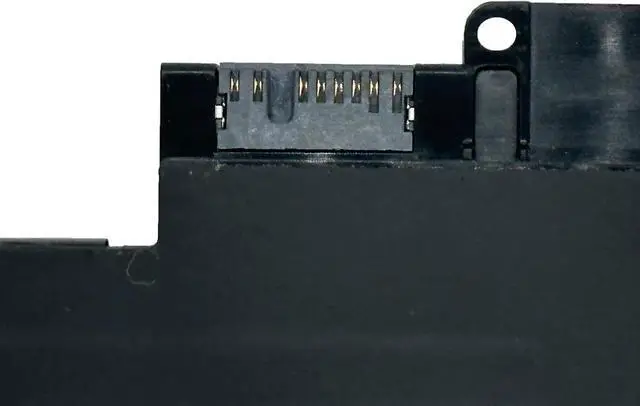
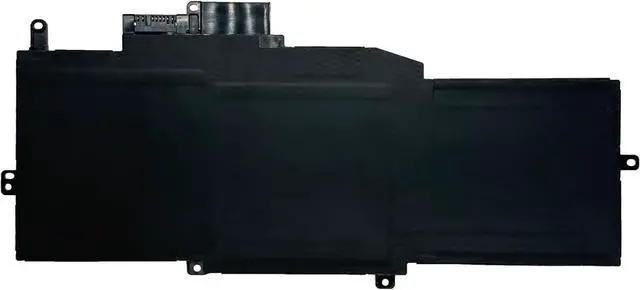


L19M3P73 Laptop Battery 48.2Wh L19C3P71 L19M3P72
- Compatible with Lenovo ThinkPad X1 Nano Gen 1st 20UN 20UQ Series SB10T83206 5B10W13963 SB10T83207 5B10W13964
- Specifications Battery Model: L19M3P73 / Voltage: 11.58V / Capacity: 48.2Wh 4170mAh 3-Cell / Color: Black / Condition: Brand New.
- Replace Part Number L19M3P73 SB10T83206 5B10W13963 L19C3P71 SB10T83207 5B10W13964 L19M3P72 SB10T83205 5B10W13962
- Compatible with Laptop Models For Lenovo ThinkPad X1 Nano Gen 1st (Type 20UN 20UQ) Series.
- Purchase Skills Please open the back cover of the laptop before ordering and make sure that the original battery model is consistent with the listing. After getting the battery, please install the battery correctly, make sure that the battery connector is firmly connected to the laptop motherboard, and use the original charger to charge the laptop.Discharge the new battery to 5% (not 0%), then charge and cycle 3-4 times to wake up the new battery.
- EPYOBW Promise All EPYOBW's batteries are certificated by UL/CE/FCC/RoHS. Our batteries a
+
+
Overview
Reviews
EPYOBW is a professional laptop battery supplier that continues to provide durable and safe laptop batteries. Wish you a happy shopping
Step 1: Press the "Windows + R" keys to pop up the window.
Step 2: Enter "msinfo32" and click "OK".
Step 3: View the "System Model" in the right pane.
Step 1: Shut down the laptop and unplug the power cord.
Step 2: Carefully use a screwdriver to remove the back panel to prevent damage to laptop components.
Step 3: Disconnect the cable connected to the battery, then you can check the model number and specific specifications on the battery.
Brand new battery
Rechargeable up to 1000+ times
Overcharging protection
Overheating protection
Short circuit protection
professional
Battery Model: L19M3P73
Capacity: 48.2Wh 4170mAh 3-Cell
Voltage: 11.58V
Battery Type: Li-ion
Condition: Brand New Color: Black
Replace Part Number:
L19M3P73 SB10T83206 5B10W13963
L19C3P71 SB10T83207 5B10W13964
L19M3P72 SB10T83205 5B10W13962
Compatible Laptop Models: (use"Ctrl+F" to find your model quickly)
for Lenovo ThinkPad X1 Nano Gen 1st (Type 20UN 20UQ) series
Notice needing attention:
Not all compatible laptop models are listed or included here.
You can open the back of your laptop to check the original battery model number.
Brand new battery
100% compatible
Meet OEM specifications
Rechargeable up to 1000+ times
capacity is true, stable current, low self-discharge
short circuit, overheat, and overload protections
Multiple protection
Strong battery life
Good "core" quality
After getting the battery, please install the battery correctly, make sure that the battery connector is firmly connected to the laptop motherboard, and start charging the laptop. Discharge the new battery to 5% (not 0%), then charge and cycle 3-4 times to wake up the new battery.
Remember not to discharge the battery to 0%, otherwise the battery will be easily damaged.
After the battery is exhausted, please charge it in time. If it is not charged for a long time, the battery may be damaged.
If the battery is not used for a long time, it needs to be charged to more than 70% for storage. The storage time should not exceed 3 months.
If you often use it with a charger, please use the battery power regularly and use it more than once a week.
Please use original chargers. Inferior chargers will affect the normal charging of the battery.
Regularly clean the fan dust to increase the heat dissipation effect and reduce power consumption, which can effectively extend the battery life.
Please feel free to choose us Welcome to EPYOBW How to get the correct battery? Method 1: Use the shortcut "Window+R" to check your laptop model. Method 2: Open the back cover of the laptop and confirm the battery type, capacity, and laptop model. Brand: EPYOBW Specification EPYOBW High Quality Laptop Battery High Quality Battery Grade "A" cells Trustworthy Easily cope with various scenarios Battery use and maintenance:
Warranty & Returns
Warranty, Returns, And Additional Information
Warranty
- Please contact the Seller directly for warranty information. Warranty information may also be found on the Manufacturer's website.
- CONTACT
Return Policies
- Return for refund within: 30 days
- Return for replacement within: 90 days
- This item is covered by Forestgrand Return Policy
Manufacturer Contact Info
- For a directory of all our manufacturers, please click below.
- Manufacturers Directory
LOADING...