



Meet Your Seller

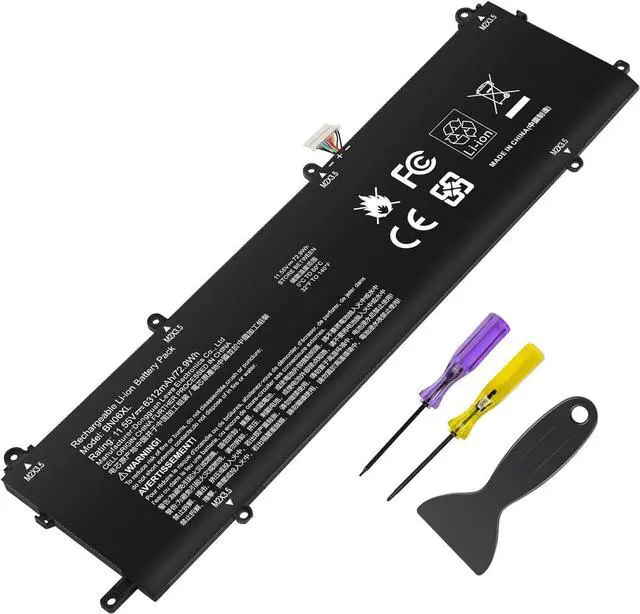
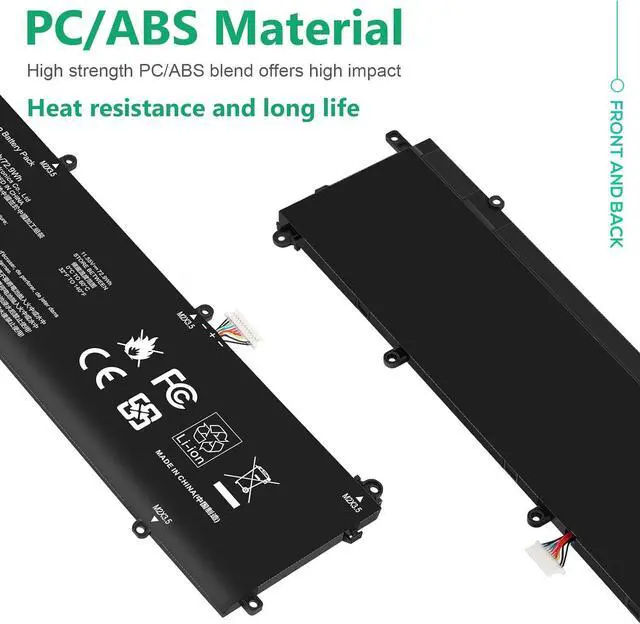
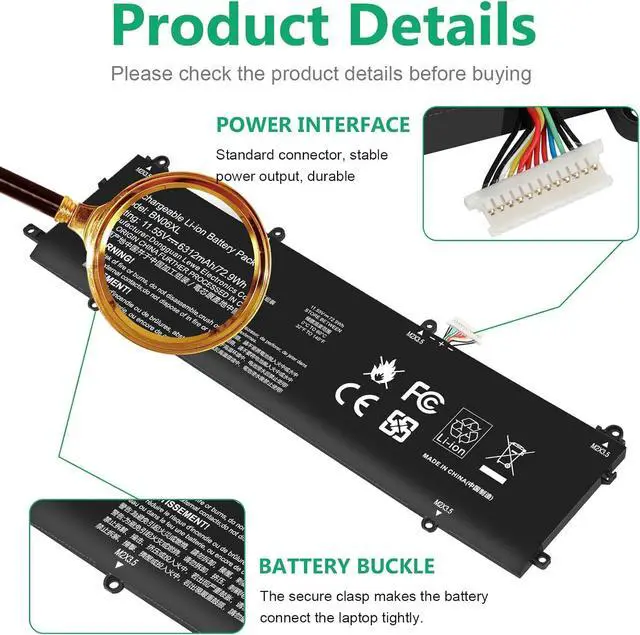
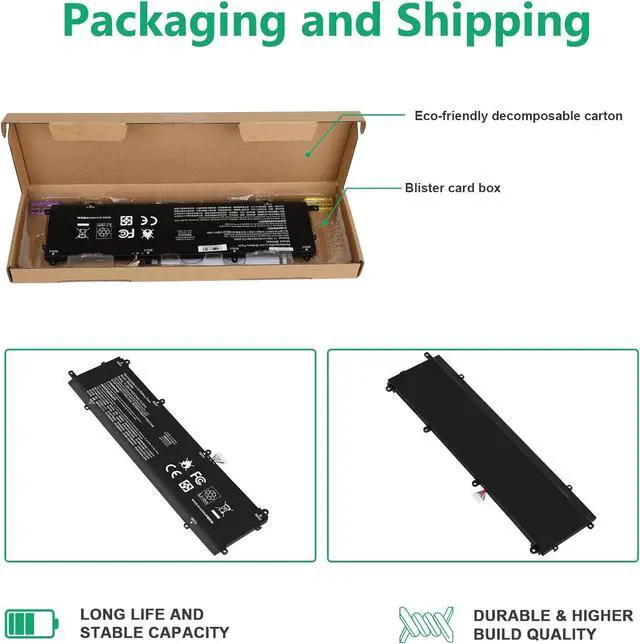


72.9Wh BN06XL L68299-005 Laptop Battery Replacement for HP Spectre X360 15 15-EB 15-EB0005UR X360 Convertible 15-EB0005NI Series Notebook BN06072XL L68235-1C1 HSTNN-IB9A 68299-0055
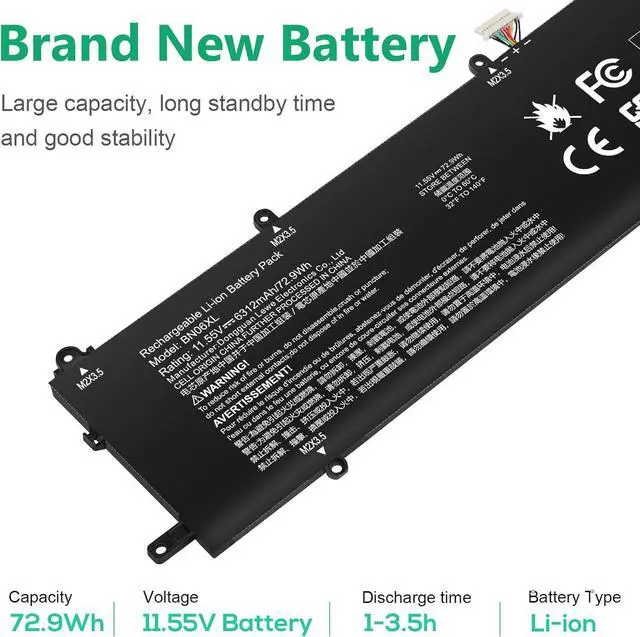
- SpecificationModel: BN06XL Voltage: 11.55V Capacity: 72.9Wh / 6000mAh. 6-cell Battery type: Li-ion. (We only use grade A battery cells that provide up to 500 recharge cycles over the life of the battery.)
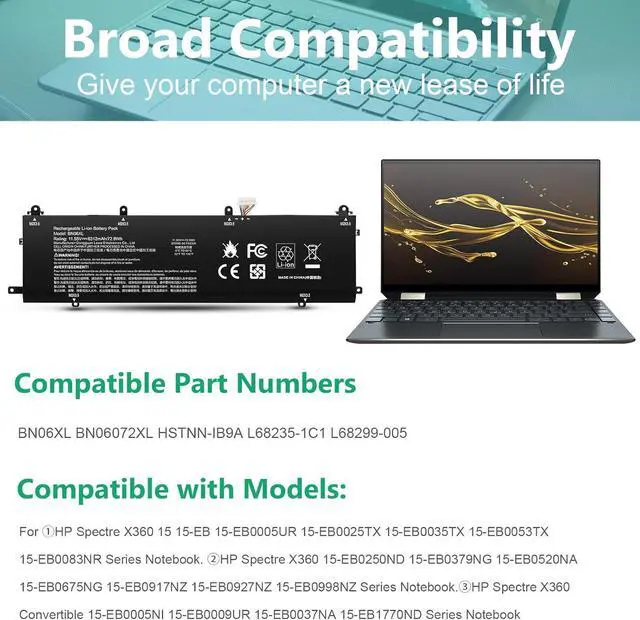
- Compatible Modelsfor HP Spectre X360 15-EB Series 15-EB0000NS 15-EB0000UR 15-EB0005UR 15-EB0010NG 15-EB0011NA 15-EB0025TX 15-EB0035TX 15-EB0036NG 15-EB0036TX 15-EB0041TX 15-EB0042NB 15-EB1043DX 15-EB0045TX 15-EB0054TX 15-EB0100NG 15-EB0612NZ 15-EB0720NZ 15-EB0785NG
- Compatible Part NumberBN06XL L68299-005 BN06072XL L68235-1C1 HSTNN-IB9A 68299-0055 15-EB1002NZ 15-EB1003NA
- Quality Assurance100% new from manufacturer, every battery has passed factory testing, grade A cells ensure fast charges and low power consumption, built-in circuit protection ensures both safety and stability, guarantee your piece of mind while using the battery or storing it.
- Perfect Customer Service24 x 7 email support. Your satisfaction is extremely important to us. If you have any doubts, please cli
+
+
Overview
Reviews
Compatible with Part Number: BN06XL BNO6XL BN06072XL HSTNN-IB9A L68235-1C1 L68299-005 Compatible With for HP Spectre X360 15-EB 15-eb0xxx Series: for HP Spectre X360 15-eb000 15-eb0011NA 15-eb0042NB 15-eb0785NG 5-eb0010NG 15-eb0036NG 15-eb0100NG 15-eb0000NS 15-eb0000UR 15-eb0612NZ 15-eb0720NZ 15-eb0003TX 15-eb0004TX 15-eb0005TX 15-eb0007TX 15-eb0008TX 15-eb0009TX 15-eb0010TX 15-eb0011TX 15-eb0012TX 15-eb0013TX 15-eb0014TX 15-eb0015TX 15-eb0016TX 15-eb0017TX 15-eb0018TX 15-eb0019TX 15-eb0020TX 15-eb0021TX 15-eb0022TX 15-eb0023TX 15-eb0024TX 15-eb0025TX 15-eb0026TX 15-eb0027TX 15-eb0028TX Compatible With for HP Spectre X360 15-eb000 15-eb0034TX 15-eb0035TX 15-eb0036TX 15-eb0037TX 15-eb0038TX 15-eb0039TX 15-eb0502TX 15-eb0040TX 15-eb0041TX 15-eb0042TX 15-eb0043TX 15-eb0044TX 15-eb0045TX 15-eb0046TX 15-eb0047TX 15-eb0048TX 15-eb0049TX 15-eb0050TX 15-eb0051TX 15-eb0052TX 15-eb0053TX 15-eb0054TX 15-eb0055TX 15-eb0056TX 15-eb0057TX 15-eb0058TX 15-eb0059TX 15-eb0060TX 15-eb0061TX 15-eb000PC 15-eb0062TX 15-eb0063TX 15-eb0064TX 15-eb0065TX 15-eb0066TX 15-eb0067TX Compatible With for HP Spectre X360 15-eb000 15-eb0070TX 15-eb0071TX 15-eb0072TX 15-eb0073TX 15-eb0043DX 15-eb0053DX 15-eb0068TX 15-eb0500TX 15-eb0501TX 15-eb0029TX 15-eb0030TX 15-eb0031TX 15-eb0032TX 15-eb0033TX and more Compatible With for HP Spectre X360 15-EB 15-eb1xxx Series: 15-eb1005TU 15-eb1006TU 15-eb1007TU 15-eb1008TU 15-eb1083NR 15-eb1097NR Compatible With for HP Spectre X360 15T-EB Series for HP Spectre X360 15T-eb000 15t-eb100 ABOUT US: We have been manufacturing the laptop battery and charger for many years. And We Promise the Quality for Customer. Direct from Manufacturer. OEM factory product .When it comes to laptop batteries TREE.NB is your best bet!
Our batteries are assembled from top quality material and circuit boards to ensure fast charges and low power consumption, 100% New from Manufacturer, Overcharge and Overdischarge Circuit Protection, Over-temperature and Short-circuit Protection, up to 500 recharge cycles over the life of the battery, meet OEM standard.
Model: BN06XL
Capacity: 72.9Wh
Voltage: 11.55V
Recharge Cycles500
Easy & Quick Installation, Reliable performance, Extended battery life
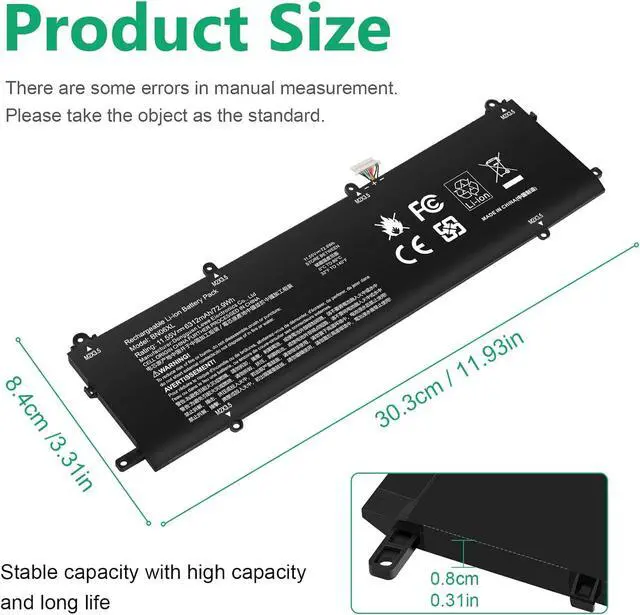
All of our batteries are brand new and are 100% compatible to meet OEM specifications for safety and efficiency. Same size as original battery, Don't worry about assembly and adaptation issues.
A suite of safeguards 100% protect your devices while charging. Including overcurrent, short-circuit, overdischarge & high temperature protections.
Reliable performance
Extended battery life
Install A New Battery:
You need to turn off your laptop and disconnect the power.
Remove the old battery, carefully install the new battery on the battery case, and connect the wiring of the new battery.
If you don't understand the above steps, you can search for the video about laptop battery installation on YouTube. Maybe it will help you.
Laptop Maintenance Tips:
New battery: For use a new battery, youd better try a few cycles of discharging to 5%. then charging up to 95%. So that it can be activated completely
Overuse: Do not always run out of a battery to 0%, this would make it damaged or usage life shortened
Charging sequence: when charging, first install the battery, then turn on the power, when fully charged, first cut off the power, then pull the power plug.
Long-term storage:Please store the unused battery fully charged.(Charge it once a month) Do not store at low power to prevent reduce the lifespan of a battery
Charger: Do not replace the laptop adapter casually. If the original adapter cannot be applied due to malfunction or damage, please replace the models, so as not to reduce the service life of the battery due to incompatibility.
Warranty & Returns
Warranty, Returns, And Additional Information
Warranty
- Please contact the Seller directly for warranty information. Warranty information may also be found on the Manufacturer's website.
- CONTACT
Return Policies
- Return for refund within: 30 days
- Return for replacement within: 90 days
- This item is covered by Forestgrand Return Policy
Manufacturer Contact Info
- For a directory of all our manufacturers, please click below.
- Manufacturers Directory
LOADING...