



Meet Your Seller

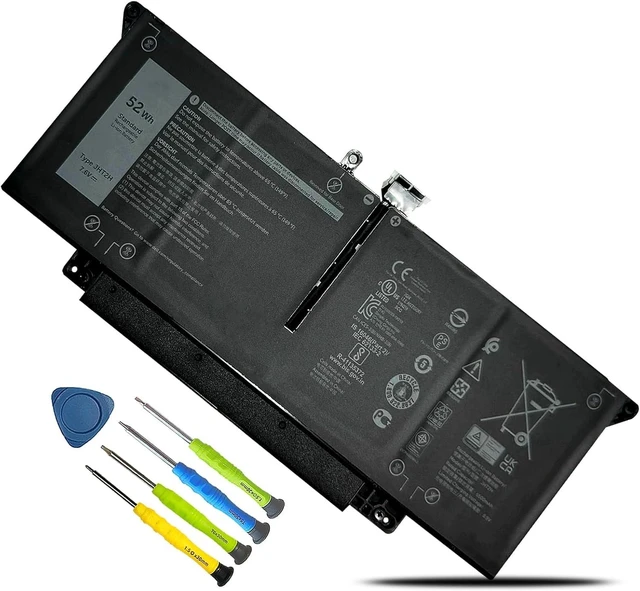


52Wh JHT2H Laptop Battery for Dell Latitude 7310 7410 Series
- for Dell Latitude 7410 Chromebook Enterprise Series P33S P33S001 P34S P34S001 HRGYV XMT81 7CXN6 T3JWC 4V5X2 WY9MP X825P YJ9RP
- Customer First24 x 7 email support. For assistance with the JHT2H battery, please visit our product detail page OR please contact us by email at any time, our professional technical team is standing by to provide you with assistance and service.
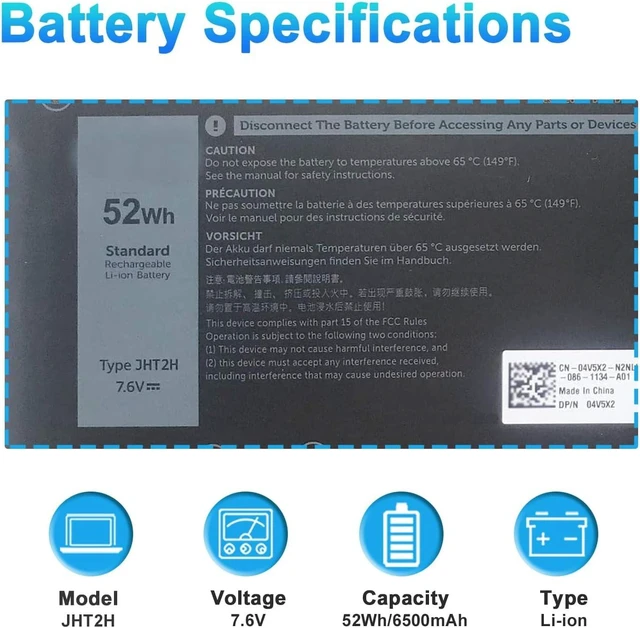
- SpecificationsModel: JHT2H Rechargeable Battery, Voltage: 7.6V, Capacity: 52Wh/6500mAh,Type: Li-ion Battery. Package include: 1* JHT2H battery 1 set matching installation tools.1*Instructions for JHT2H Battery. All our products up to 500 recharge cycles over the life of the battery.
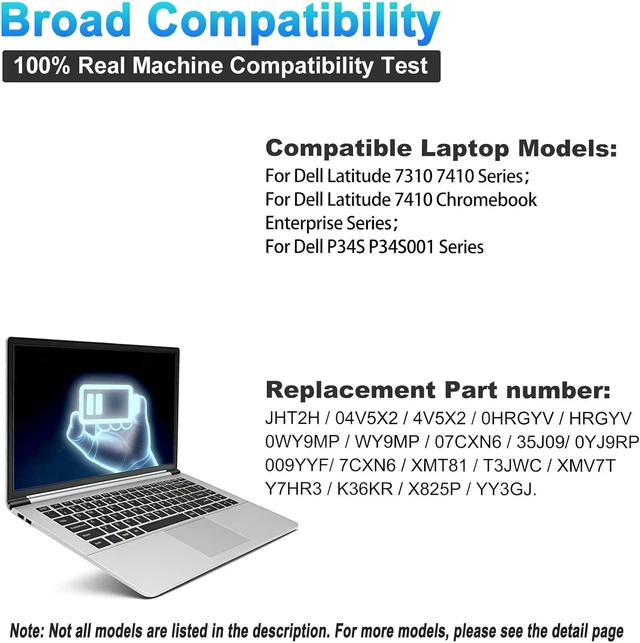
- Replacement for Part NumberJHT2H / 04V5X2 / 4V5X2 / 0HRGYV / HRGYV / 0WY9MP / WY9MP / 07CXN6 / 35J09/ 0YJ9RP / 009YYF/ 7CXN6 / XMT81 / T3JWC / XMV7T / Y7HR3 / K36KR / X825P / YY3GJ.
- Compatible with ModelsFor Dell Latitude 7310(P33S P33S001)Series; for Dell Latitude 7410(P34S P34S001)Series; for Dell Latitude 7410 Chromebook Enter
+
+
Overview
Reviews
Welcome to BOWEIRUIWe are a professional laptop/tablet battery provider, dedicated to providing different types of high-quality batteries for our customers to bring their laptops back to life again.
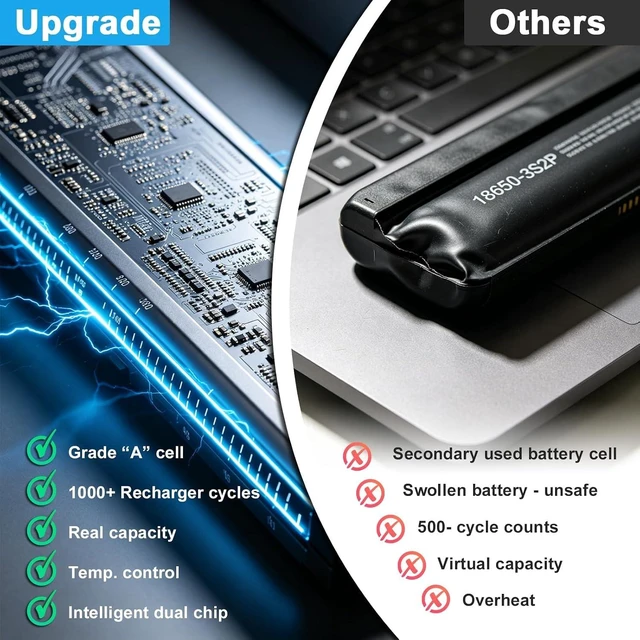
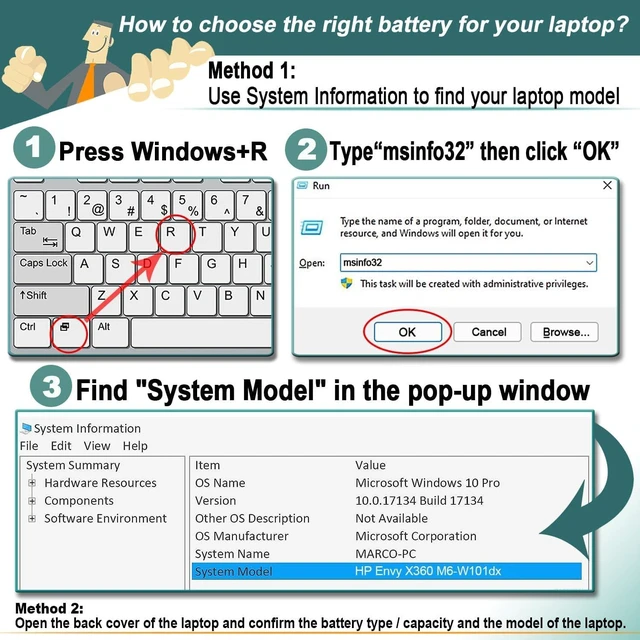
Replacement for Part Number JHT2H 4V5X2 04V5X2 7CXN6 07CXN6 HRGYV 0HRGYV WY9MP 0WY9MP 35J09 Y7HR3 XMV7T T3JWC XMT81 009YYF 0YJ9RP X825P K36KR YY3GJ Compatible Models for Dell Latitude 7310 Series Compatible Models for Dell Latitude 7410 Series Compatible Models for Dell Latitude 7410 Chromebook Enterprise Series Compatible Models for Dell P34S P34S001 Series Warm Tips Note: Dell Latitude7310/7410 model has 3 different factory batteries: 35J09(39Wh), JHT2H(52Wh), Y7HR3(68Wh). They are NOT interchangeable. Please doublecheck your original battery part number before purchase.). The main outstanding features include: Batteries are 100% new from the manufacturer, Grade A batteries ensure fast charging and low power consumption,High efficiency and high conversion rate, Up to 1000+ charging cycles.
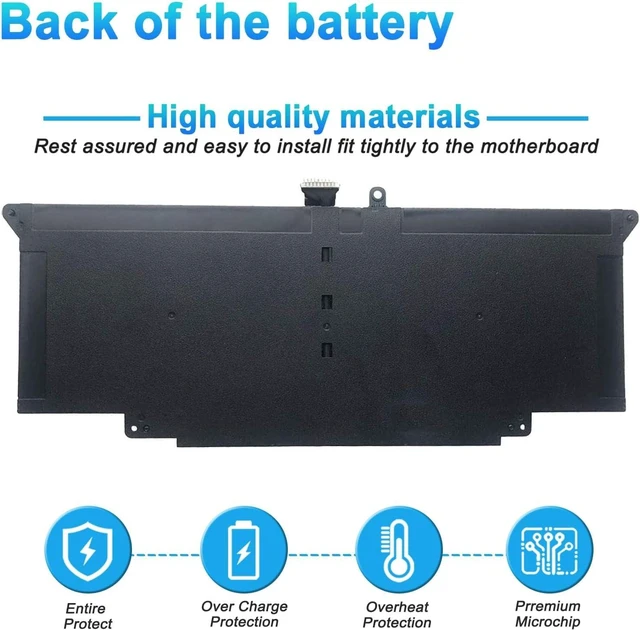
A suite of safeguards 10o% protect your
devices while charging. Including overcurrent,
short-circuit, overdischarge & high
temperature protections.
All of our batteries are same size as original battery, Don't worry about assembly and adaptation issues.
We've incorporated Grade A battery cells to
ensure longer battery life and durability.
The battery capacity is designed to meet the OEMs specifications, is stable and last longer, and provides stronger power for your laptop.
How should I do if we received the item doesn't work?
Please visit our product detail page.
How should I do if the battery is not recognised?
When the computer is turned on, if it is not recognised,it is recommended to update the BlOs settings or please disconnecting the old battery, and holding down the power button for 20 seconds,then connect the new battery.
What should be done if the batteries are not compatible?
Please check your laptop model & battery PN, you can exchange.
What do we need to pay attention to using batteries for the first time?
1.The battery must be full charged before first use
2.You need to turn off your laptop and disconnect the power when you install a new battery
3.Do Discharge the new battery use to 5%/7%(not to 0%) and then charge to 95%, and cycle 3-4 times
What are the correct steps to take if a laptop battery is bulging?
Stop use right away. Disconnect power, take out the battery, store in cool non-flammable place.
Compatible Devices Information Multi Safety Protect Features Easy & Quick Installation Grade "A" cells Top Quality True Capacity How should I do if we received the item doesn't work?
How should I do if the battery is not recognised?
What should be done if the batteries are not compatible?
What do we need to pay attention to using batteries for the first time?
What are the correct steps to take if a laptop battery is bulging?
Warranty & Returns
Warranty, Returns, And Additional Information
Warranty
- Please contact the Seller directly for warranty information. Warranty information may also be found on the Manufacturer's website.
- CONTACT
Return Policies
- Return for refund within: 30 days
- Return for replacement within: 90 days
- This item is covered by Forestgrand Return Policy
Manufacturer Contact Info
- For a directory of all our manufacturers, please click below.
- Manufacturers Directory
LOADING...