



Meet Your Seller

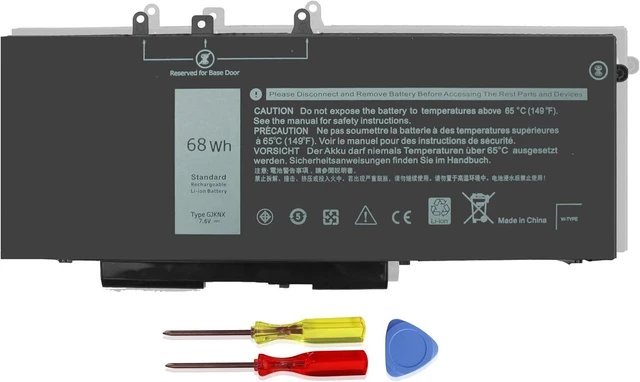
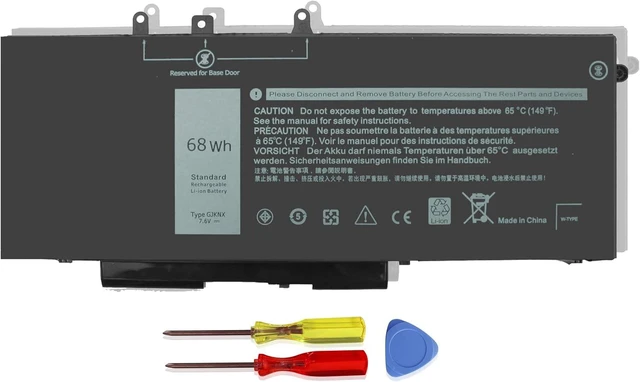


68WH GJKNX Battery Replacement for Dell Latitude 5480 5580 5280 5288 5488 5590 5591 5490 5491 5495 E5480 E5580 E5490 E5590 Precision 15 3520 3530 Series 5YHR4 451-BBZG GD1JP DY9NT 7.6V 4-Cell
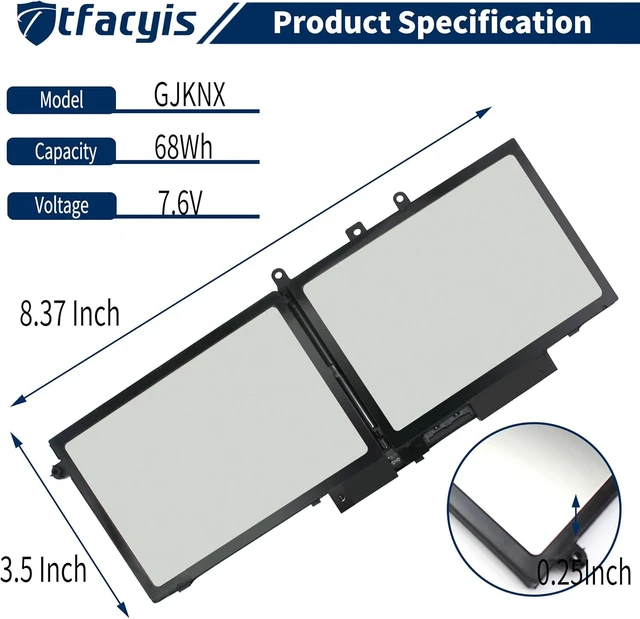
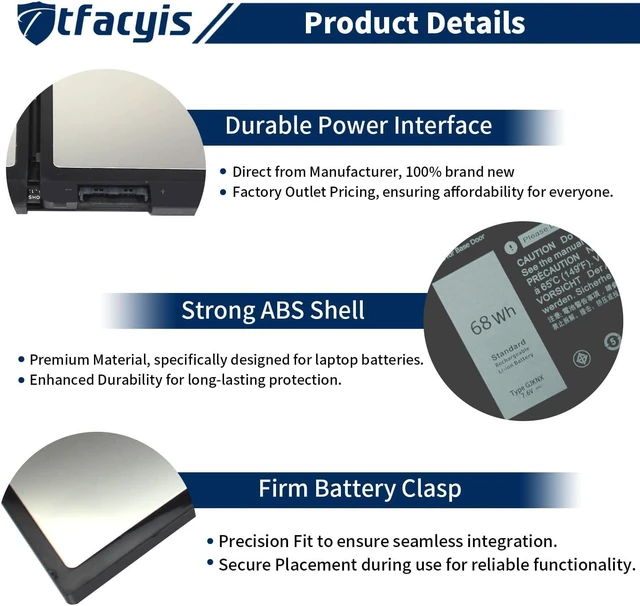
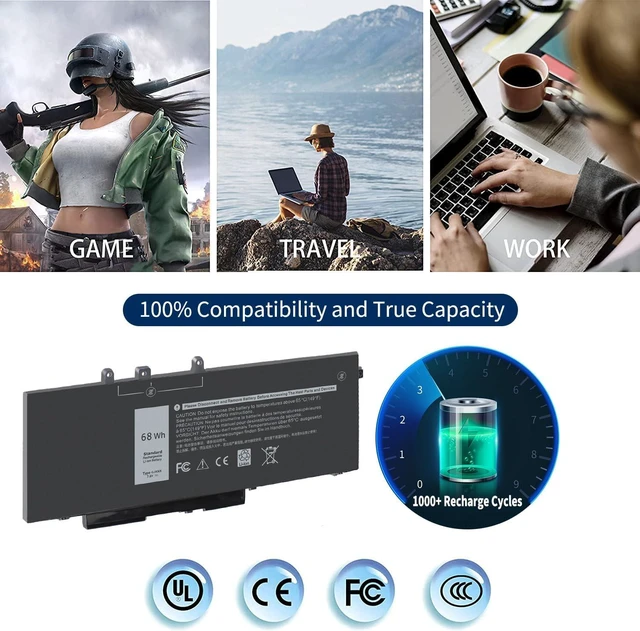
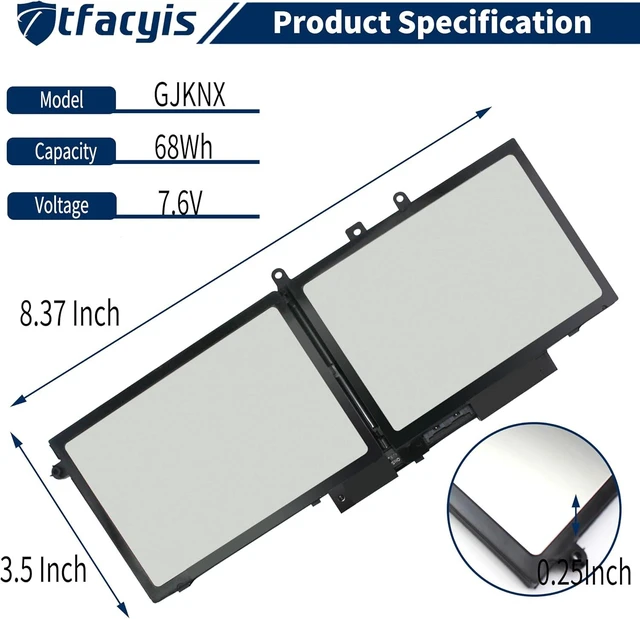
- Specifications: Battery Type: GJKNX 7.6V 68Wh Battery, Voltage: 7.6V, Capacity: 68Wh, Cells: 4-Cel, Battery life: Up to 1000 recharge cycles over the life of the battery. Ttfacyis specializes in Laptop Batteries and chargers, this GJKNX 7.6V 68Wh Battery completely compatible with Dell Latitude 5480 5580 5490 5590 Battery
- Compatible Part Number: GJKNX, GD1JP, 0GD1JP, DY9NT, 0DY9NT, 5YHR4, 451-BBZG,FPT1C, KCM82, MT31P
- Compatible Models: Replacement for Dell Latitude 5480 5580 5280 5288 5290 P72G001 P60F001, For Dell Latitude 5488 5490 5491 5495, For Dell Latitude 15 5590 15 5591, For Dell Latitude E5280 E5288 E5480 E5580 E5490 E5491 E5590 E5591, Dell Precision 15 3520 3530 series
- Security: All Ttfacyis products are Certified by CE, UL for safety. Strict guidelines for compatibility, and standards compliance for environment safety
- Note: If the new battery is not recognized during the initial installation, please reinstall and check if the interface is fully connected. Discharge the
+
+
Overview
Specs
Reviews
Our own R&D team and manufacturing plant is a full-service supplier with complete development, production, sales and service. Our product performance is stable, safe and reliable, be assured that we will take the responsibility for each product we sold.
68WH GJKNX Battery Replacement for Dell Latitude 5480 5580 5280 5288 5488 5590 5591 5490 5491 5495 E5480 E5580 E5490 E5590 Precision 15 3520 3530 Series GD1JP DY9NT 5YHR4 451-BBZG 7.6V 4-Cell
Compatible Part Numbers: GJKNX, GD1JP, 0GD1JP, DY9NT, 0DY9NT, 5YHR4, 451-BBZG,FPT1C, KCM82, MT31P (You can use "Ctrl+F" to find your own model or part number) Compatible Models: for Dell Latitude 5480 Series, Dell Latitude 5580 Series (only with M.2 storage) This battery is compatible with Latitude 5580 systems that use only a M.2 ssd storage drive. This battery is NOT compatible with 5580 systems that use a 2.5" storage drive. 68Wh GJKNX Battery for Dell Latitude 5280 Series, Dell Latitude 5288 Series,Dell Latitude 5290 Series 68Wh GJKNX Battery for Dell Latitude 5488 Series, Dell Latitude 5490 Series 68Wh GJKNX Battery for Dell Latitude 5491 Series, Dell Latitude 5495 Series 68Wh GJKNX Battery for Dell Latitude 5590 Series, Dell Latitude 5591 Series 68Wh GJKNX Battery for Dell Latitude E5280 Series, Dell Latitude E5288 Series 68Wh GJKNX Battery for Dell Latitude E5480 Series, Dell Latitude E5490 Series 68Wh GJKNX Battery for Dell Latitude E5491 Series, Dell Latitude E5580 Series 68Wh GJKNX Battery for Dell Latitude E5590 Series, Dell Latitude E5591 Series 68Wh GJKNX Battery for Dell Precision 15 3520 Series, Dell Precision 15 3530 Series and more 1Safety Protection2Choose Correct Battery3Various Scenarios How to activate your GJKNX battery for the first time?
Connect the charger and allow the GJKNX battery to charge fully before use. Use your laptop on battery power until it reaches around 10% remaining capacity before recharging. Recharge the battery to full capacity.
Repeat this cycle a few times.
How to select a laptop GJKNX battery that is compatible with your laptop?
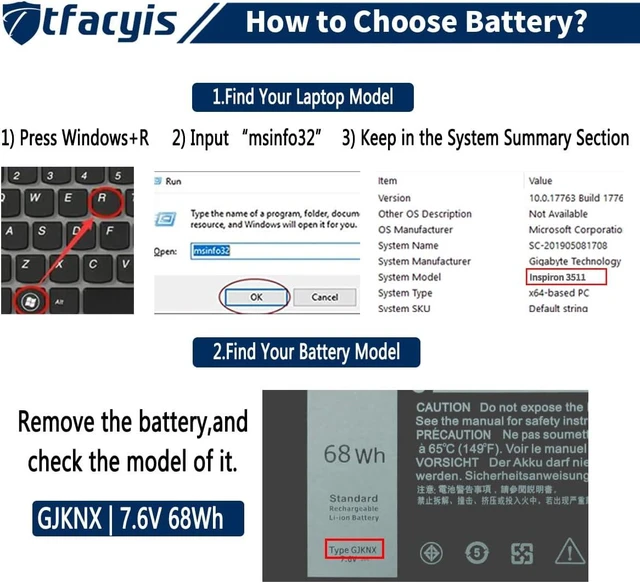
Laptop Model: Identify your laptop model number. This information is usually found on the bottom of your laptop or in the user manual.
Check the part number of your current battery. Note the voltage and capacity. Pay attention to the size and shape.
What should I do if the GJKNX battery cannot work well for the first time?
Please check the shape and model of your old battery compared with the new battery you received, and then send the picture of your old battery to the seller directly, they will assist you to solve the problem.
What should I do if the GJKNX battery cannot work well after a few months?
Send the picture of your old battery to the seller directly and tell them the battery cannot work after a months, and they will tell you the solution.
GJKNX 7.6V 68Wh Battery for Dell Latitude 5480 5580 5490 5590 Battery Compatible Part Numbers & Models How to activate your GJKNX battery for the first time?
How to select a laptop GJKNX battery that is compatible with your laptop?
What should I do if the GJKNX battery cannot work well for the first time?
What should I do if the GJKNX battery cannot work well after a few months?
Warranty & Returns
Warranty, Returns, And Additional Information
Warranty
- Please contact the Seller directly for warranty information. Warranty information may also be found on the Manufacturer's website.
- CONTACT
Return Policies
- Return for refund within: 30 days
- Return for replacement within: 90 days
- This item is covered by Forestgrand Return Policy
Manufacturer Contact Info
- For a directory of all our manufacturers, please click below.
- Manufacturers Directory
LOADING...