



Meet Your Seller

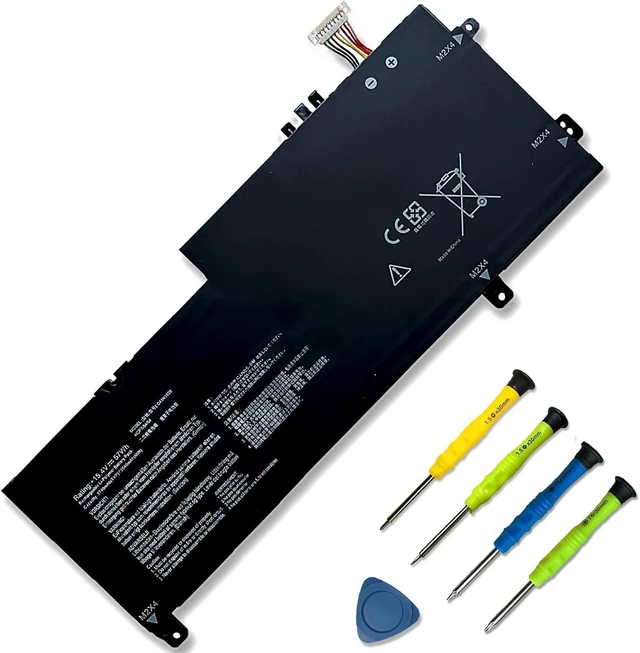


C41N1809 Laptop Battery for Asus Zenbook UX562 Q536F Q536FD
- 15.4V 57Wh 3740mAh; Battery Replacement for Asus Zenbook UX562FN UX562FD UX562FDX; 0B200-03440000
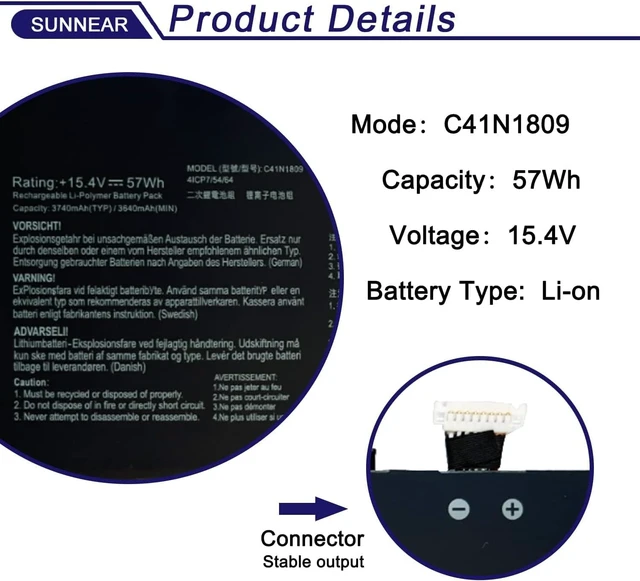
- SpecificationsModel: C41N1809 Voltage: 15.4V Capacity: 53.2Wh/3740mAh Battery type: Li-ion. Also comes with installation tools
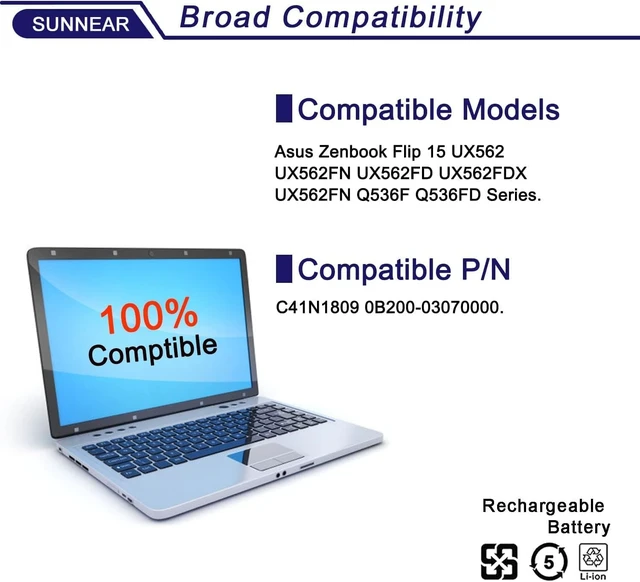
- Compatible Laptop/Notebook Models for Asus Zenbook Q536F Q536FD Q536FDX ,Asus Zenbook Flip 15 UX562 UX562FN UX562FD UX562FDX UX562FN Series
- Compatible Part Number C41N1809 0B200-03070000
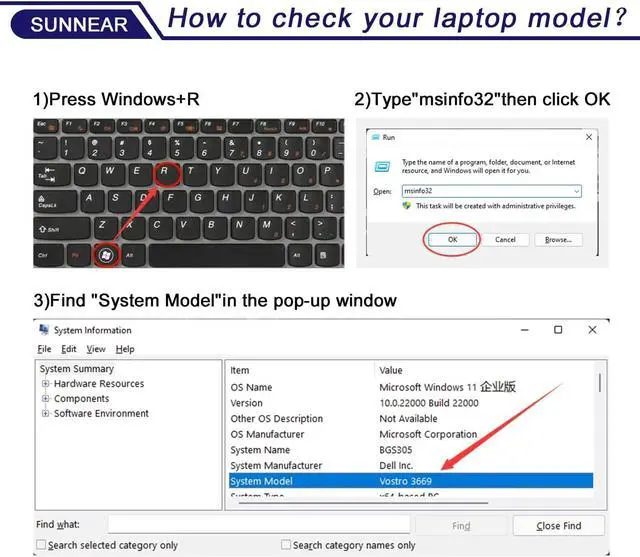
- Purchasing Note: Due to the complexity of laptop battery models, you may not be able to accurately determine the model you need to purchase,Please open the back cover of the laptop to confirm the original battery model number
- TipsIf the new battery is not recognized during the initial installation, please reinstall and check if the interface is fully connected. Run the new battery down to 5% (not 0%), then top up its power and complete 3-4 power cycles to wake up the new battery.
+
+
Overview
Specs
Reviews
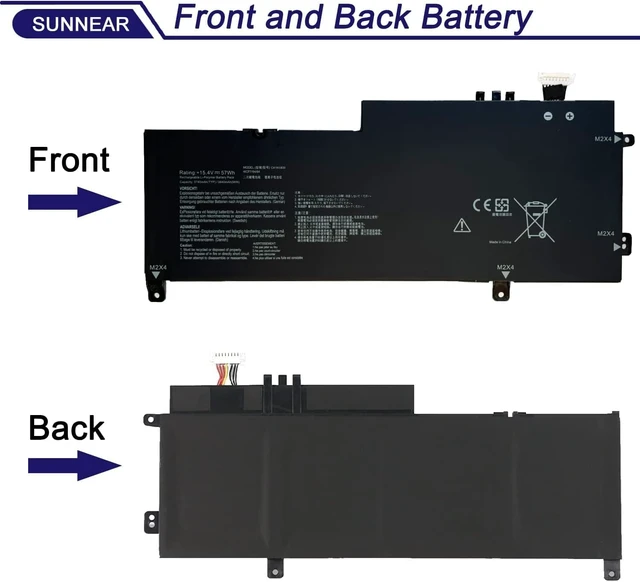
Please open your laptop case, check and confirm your original battery model and appearance, compared with our battery image, make sure that's what you need. Especially the location of the connector and the cable length (long or short).
Models:C41N1809
Voltage:15.4V
Capacity:57Wh/3740mAh
Battery Condition:Brand New
Compatible Part Number:C41N1809 0B200-03070000.
Replacement for Asus Zenbook Flip 15 UX562 Series;
Replacement for Asus Zenbook Flip 15 UX562FD Series:
UX562FD-EZ083T UX562FD-A1003T UX562FD-A1061TS UX562FD-A1039T UX562FD-A1011T UX562FD-EZ081T UX562FD-EZ068R UX562FD-EZ050R UX562FD-EZ019T UX562FD-EZ078T UX562FD-EZ022T UX562FD-EZ012T UX562FD-EZ073T UX562FD-EZ044R UX562FD-EZ055R UX562FD-2G UX562FD-EZ021T UX562FD-A1004T UX562FD-EZ058T UX562FD-EZ013T UX562FD-EZ078T UX562FD-EZ077T UX562FD-A1008T UX562FD-EZ010T UX562FD-A1018T UX562FD-EZ081T UX562FD-A1017T UX562FD-A1054T.
Replacement for Asus Zenbook UX562FDX Series:
UX562FDX-A1007R UX562FDX-A1035T UX562FDX-EZ031T UX562FDX-EZ023R UX562FDX-A1030T UX562FDX-EZ002T UX562FDX-A1008T UX562FDX-EZ040T UX562FDX-EZ015T UX562FDX-A1016T UX562FDX-EZ029T UX562FDX-A1005R.
Replacement for Asus Zenbook Q536FD Series:
Q536FD-BI7T15
Replacement for Asus Zenbook UX562FN Series;
Replacement for Asus Zenbook Q536F Series.
1. When you get the new battery, run it down to 5% (not 0%), then power it up to 95%, and repeat this cycle 3-4 times to wake up the new battery.
2. The important point is to carry out a full run-down and power-up cycle every other month to extend the battery life.
3. When using the battery, do not keep it connected to the adapter for a long time, as this may damage the battery.
4. Avoid subjecting the battery to manual impact, disassembly, crushing, or puncturing. Do not dispose of the battery in fire or water.
Brand new from manufacturer. Tested with strict quality control standards
up to 600 reusable power cycles
Grade A cells ensure High capacity and smart chip ensure low power consumption
CE / FCC / RoHS certified for safety and stability
Could be caused by battery loose. Please remove the battery and try to install more than once.
May be due to conductive material damaged which the laptop motherboard and battery anode and cathode contact position, you can try to confirm it with your original battery.
Check whether the battery drive is in normal condition, if not, download the corresponding driver software to update.
Take out the battery and press the power button for about 15 seconds to consume the internal residual power (Do not connect the power cord), and then reinstall the battery.
Warranty & Returns
Warranty, Returns, And Additional Information
Warranty
- Please contact the Seller directly for warranty information. Warranty information may also be found on the Manufacturer's website.
- CONTACT
Return Policies
- Return for refund within: 30 days
- Return for replacement within: 90 days
- This item is covered by Forestgrand Return Policy
Manufacturer Contact Info
- For a directory of all our manufacturers, please click below.
- Manufacturers Directory
LOADING...