



Meet Your Seller



R13B01W R13B02W 161301-01 Battery for Xiaomi Mi Air 13
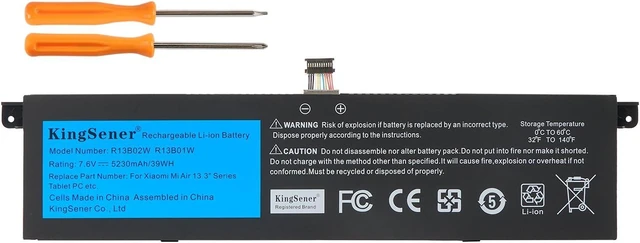
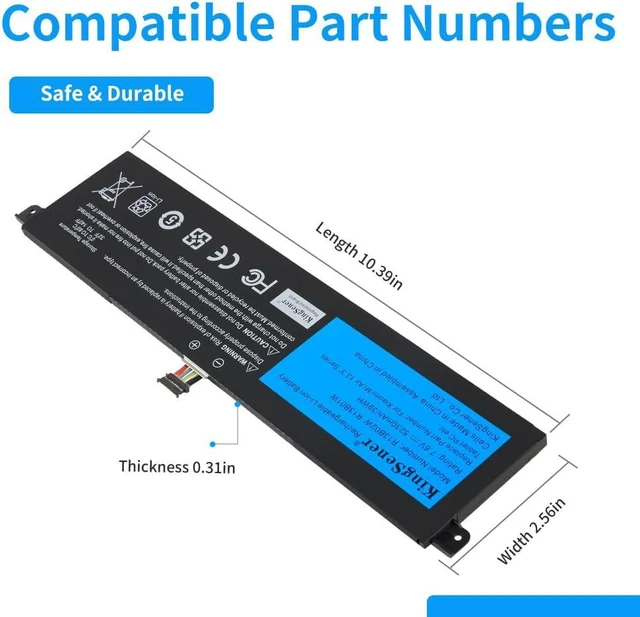
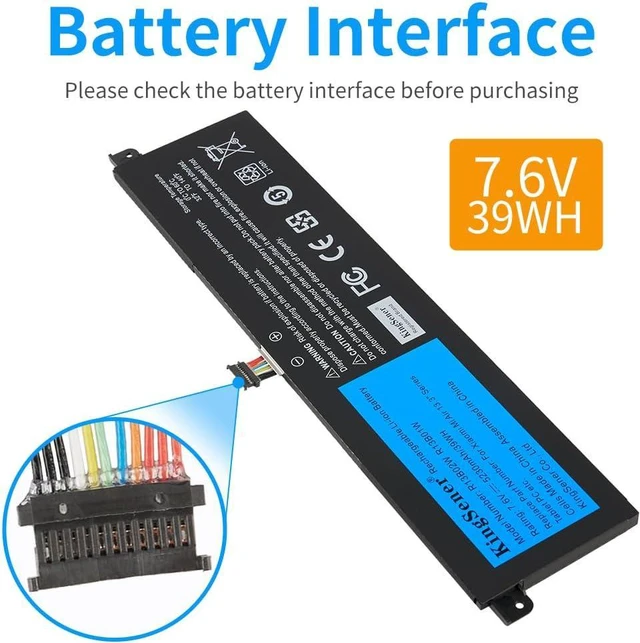
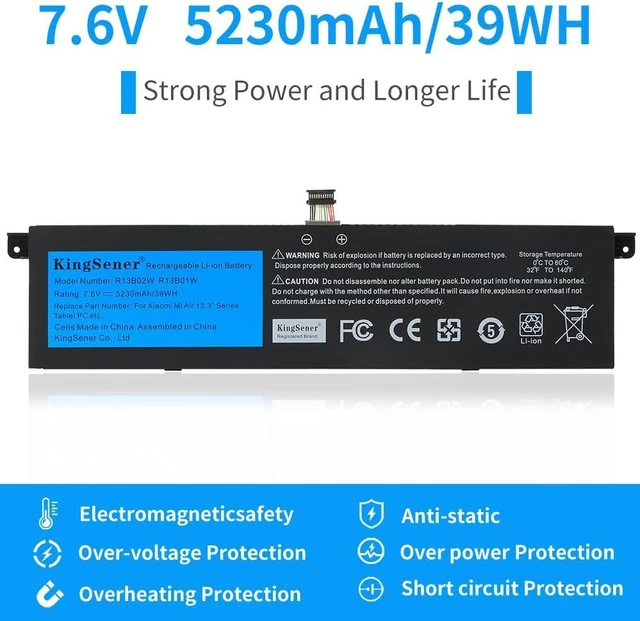
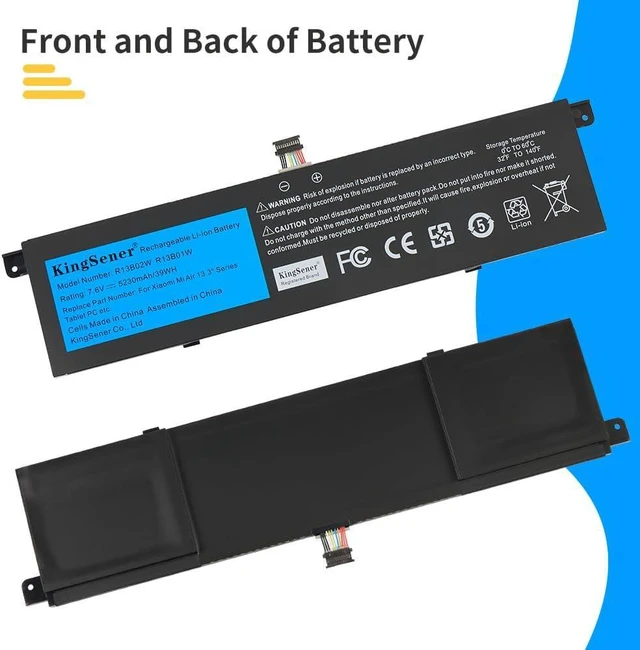
- SPECIFICATIONS MODELS:R13B01W R13B02W Battery. Capacity: 5230mAh/39WH. Voltage: 7.6V.Power Through Hours Of Work Or Play;High-quality Grade A Li-ion cells
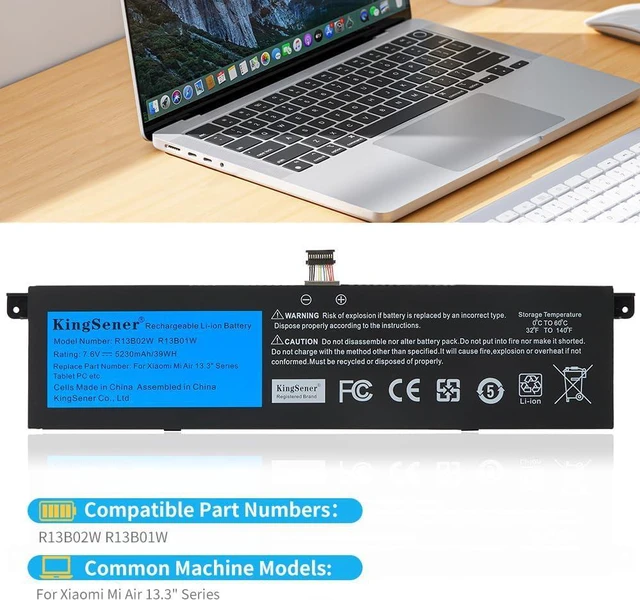
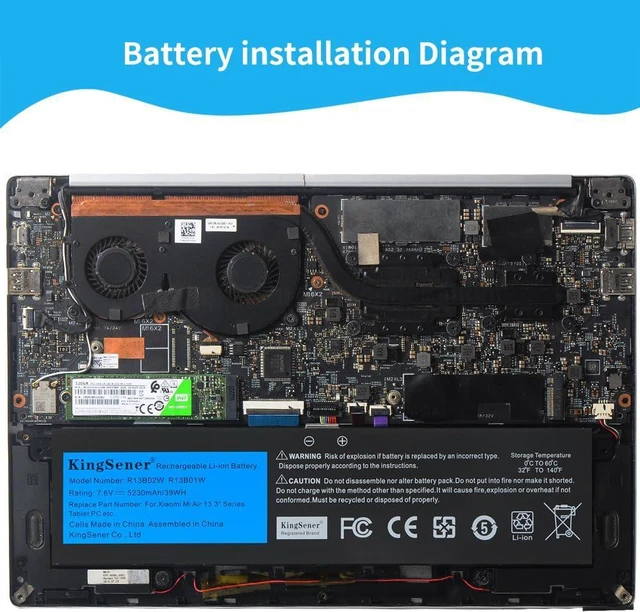
- REPLACE BATTERY MODEL:For Xiaomi Mi Air 13.3" Series.Brings Better Life To Your Laptop
- LONG BATTERY LIFE: Two screwdrivers are included to make installation a breeze, and the battery has a long life of more than 6 hours of continuous use so you can work or play for long periods of time without worrying about running out of power
- PLEASE NOTE:Please open the back cover of the laptop before ordering and make sure that the original battery model is consistent with the listing. After getting the battery, please install the battery correctly, make sure that the battery connector is firmly connected to the laptop motherboard, and use the original charger to charge the laptop.Discharge the new battery to 5% (not 0%), then charge and cycle 3-4 times to wake up the new battery
- HIGH-QUALITY CELLS: Our Grade A cells ensure fast charges and
+
+
Overview
Reviews
SPECIFICATIONS MODELS:R13B01W R13B02W Battery. Capacity: 5230mAh/39WH. Voltage: 7.6V.Power Through Hours Of Work Or Play;High-quality Grade A Li-ion cells
REPLACE BATTERY MODEL:For Xiaomi Mi Air 13.3" Series.Brings Better Life To Your Laptop
LONG BATTERY LIFE: Two screwdrivers are included to make installation a breeze, and the battery has a long life of more than 6 hours of continuous use so you can work or play for long periods of time without worrying about running out of power
PLEASE NOTE:Please open the back cover of the laptop before ordering and make sure that the original battery model is consistent with the listing. After getting the battery, please install the battery correctly, make sure that the battery connector is firmly connected to the laptop motherboard, and use the original charger to charge the laptop.Discharge the new battery to 5% (not 0%), then charge and cycle 3-4 times to wake up the new battery
HIGH-QUALITY CELLS: Our Grade A cells ensure fast charges and low power consumption, while built-in circuit protection ensures both safety and stability
Warranty & Returns
Warranty, Returns, And Additional Information
Warranty
- Please contact the Seller directly for warranty information. Warranty information may also be found on the Manufacturer's website.
- CONTACT
Return Policies
- Return for refund within: 30 days
- Return for replacement within: 90 days
- This item is covered by Forestgrand Return Policy
Manufacturer Contact Info
- For a directory of all our manufacturers, please click below.
- Manufacturers Directory
LOADING...