
Your Browsing History
- Free 45-day Returns
$78.99
Ships from Hong Kong.
Sold by Xalvion E-Commerce Limited
Shipped by Xalvion E-Commerce Limited

Meet Your Seller

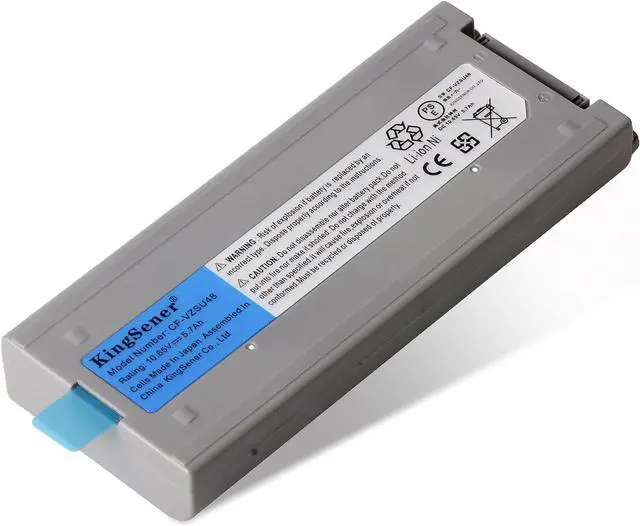


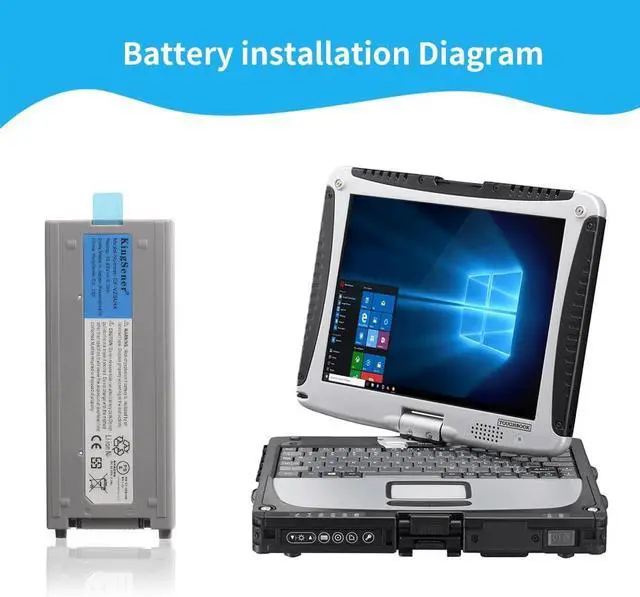


CF-VZSU48 CF-VZSU48U CF-VZSU48R CF-VZSU28 CF-VZSU50 CF-VZSU58U Laptop Battery Replacement for Panasonic Toughbook CF-19 CF19 MK1 MK2 MK3 MK4 MK5 MK6 MK7 MK8 Notebook Tablet, 10.65V/58Wh
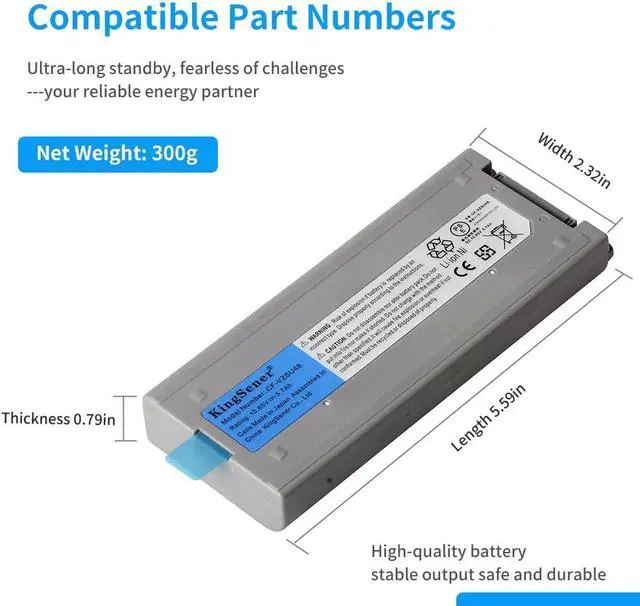
- Replace Part Numbers:Laptop battery CF-VZSU48 | CF-VZSU48U | CF-VZSU48R | CF-VZSU28 | CF-VZSU58 | CF-VZSU50 | CF-VZSU87R
- Compatible Laptop Models:For Panasonic Toughbook CF-19 | CF19 | MK1 | MK2 | MK3 | MK4 | MK5 | MK6 | MK7 | MK8 Series.
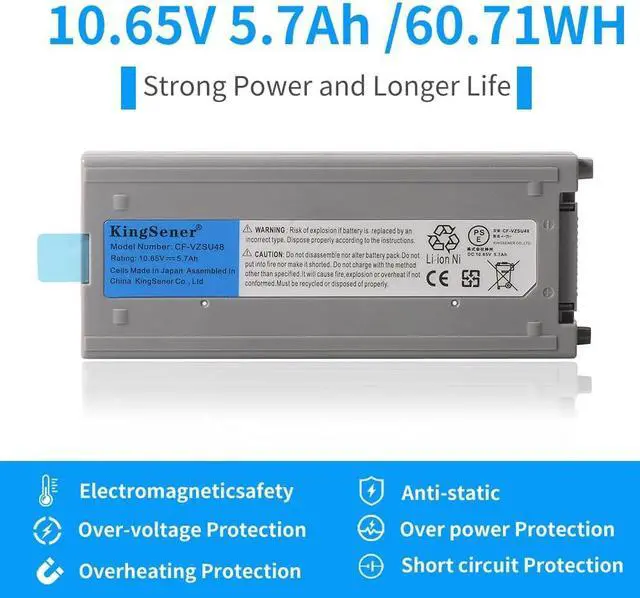
- Specification:-1) Battery Model: CF-VZSU48; -2) Capacity: 58WH; -3) Voltage: 10.65V; -4) Battery Type: Li-ion. High quality built-in circuit protection board guarantee durable usage and safety
- High Quality:It uses lithium-ion (Li-ion) cell technology, providing long-lasting battery life and meeting the needs of daily office work, entertainment, and mobile office. Good performance A++ cells ensure fast charges and low power consumption. More than 500 recharge cycles for the life of the battery.
- Advantage For Battery:KingSener has its own factory,so we can strictly control the production.There are professional engineers to ensure the quality and safety of the batteries.All batteries are -certified and equipped with a variety of safety features,incl
+
+
Overview
Specs
Reviews
Safety First:Built To The Highest Industry Standards, Our Battery Features Advanced Safety Measures Including Overcharge & Overdischarge Circuit Protection, Over-Temperature Protection, And Short-Circuit Protection, Ensuring Dependable Use For Your Laptop
CF-VZSU48 CF-VZSU48U CF-VZSU48R CF-VZSU28 CF-VZSU50 CF-VZSU58U Laptop Battery Replacement for Panasonic Toughbook CF-19 CF19 MK1 MK2 MK3 MK4 MK5 MK6 MK7 MK8 Notebook Tablet, 10.65V/58Wh
Replace Part Numbers:
Laptop battery CF-VZSU48 | CF-VZSU48U | CF-VZSU48R | CF-VZSU28 | CF-VZSU58 | CF-VZSU50 | CF-VZSU87R
Compatible Laptop Models:
For Panasonic Toughbook CF-19 | CF19 | MK1 | MK2 | MK3 | MK4 | MK5 | MK6 | MK7 | MK8 Series.
Specification:
Capacity: 58WH; Voltage: 10.65V
How should I do if the battery is not recognised
When the computer is turned on, if it is not recognised, it is recommended to update the BIOS settings or please disconnecting the old battery, and holding down the power button for 20 seconds, then connect the new battery
How should I do if we received the item doesn't work?
Our product have 12 months can replace a new one and 60 days moeny back . Please Contact KingSener via email .are of good quality.
How should I charge my laptop battery?
It is suggested to charge the battery before the power runs out completely. It is best to charge when the remaining power is about 5-10%, and the battery should be charged in a relatively dry place.
How should I preserve my laptop battery when I dont use it?
The ideal charging method is to charge the battery to 40%. It is recommended to use the battery once a month to extend its lifespan and avoid damage caused by complete power failure.
How to use the battery after we receive it?
Using battery for the first time,please discharge it to 5%(not to 0%) and then charge to 95%, and cycle 3-4 times to activate the batterys maximum capacity. Takeing about 7-8 hours in order to activate lithium ion fully to maximun space
How should I do if the battery is not recognised
How should I do if we received the item doesn't work?
How should I charge my laptop battery?
How should I preserve my laptop battery when I dont use it?
How to use the battery after we receive it?
CF-VZSU48 CF-VZSU48U CF-VZSU48R CF-VZSU28 CF-VZSU50 CF-VZSU58U Laptop Battery Replacement for Panasonic Toughbook CF-19 CF19 MK1 MK2 MK3 MK4 MK5 MK6 MK7 MK8 Notebook Tablet, 10.65V/58Wh
Replace Part Numbers:
Laptop battery CF-VZSU48 | CF-VZSU48U | CF-VZSU48R | CF-VZSU28 | CF-VZSU58 | CF-VZSU50 | CF-VZSU87R
Compatible Laptop Models:
For Panasonic Toughbook CF-19 | CF19 | MK1 | MK2 | MK3 | MK4 | MK5 | MK6 | MK7 | MK8 Series.
Specification:
Capacity: 58WH; Voltage: 10.65V
How should I do if the battery is not recognised
When the computer is turned on, if it is not recognised, it is recommended to update the BIOS settings or please disconnecting the old battery, and holding down the power button for 20 seconds, then connect the new battery
How should I do if we received the item doesn't work?
Our product have 12 months can replace a new one and 60 days moeny back . Please Contact KingSener via email .are of good quality.
How should I charge my laptop battery?
It is suggested to charge the battery before the power runs out completely. It is best to charge when the remaining power is about 5-10%, and the battery should be charged in a relatively dry place.
How should I preserve my laptop battery when I dont use it?
The ideal charging method is to charge the battery to 40%. It is recommended to use the battery once a month to extend its lifespan and avoid damage caused by complete power failure.
How to use the battery after we receive it?
Using battery for the first time,please discharge it to 5%(not to 0%) and then charge to 95%, and cycle 3-4 times to activate the batterys maximum capacity. Takeing about 7-8 hours in order to activate lithium ion fully to maximun space
How should I do if the battery is not recognised
How should I do if we received the item doesn't work?
How should I charge my laptop battery?
How should I preserve my laptop battery when I dont use it?
How to use the battery after we receive it?
Warranty & Returns
Warranty, Returns, And Additional Information
Warranty
- Please contact the Seller directly for warranty information. Warranty information may also be found on the Manufacturer's website.
- CONTACT
Return Policies
- Return for refund within: 45 days
- Return for replacement within: 45 days
- This item is covered by Xalvion E-Commerce Limited Return Policy
Manufacturer Contact Info
- For a directory of all our manufacturers, please click below.
- Manufacturers Directory
LOADING...