
Your Browsing History

Meet Your Seller

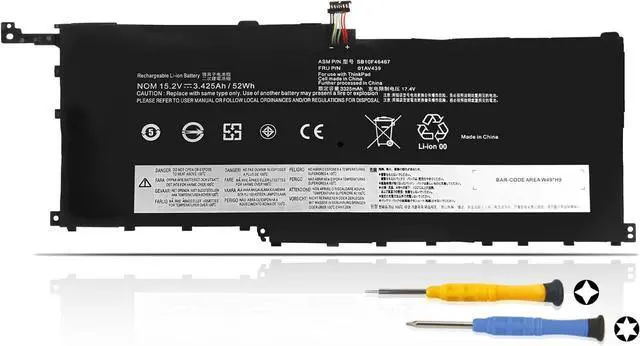
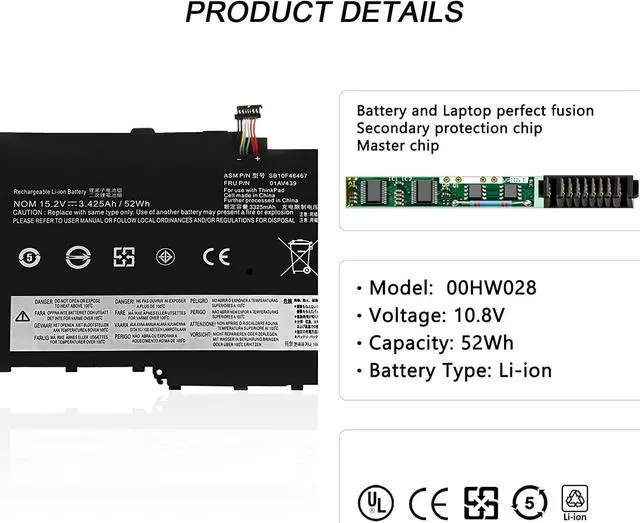
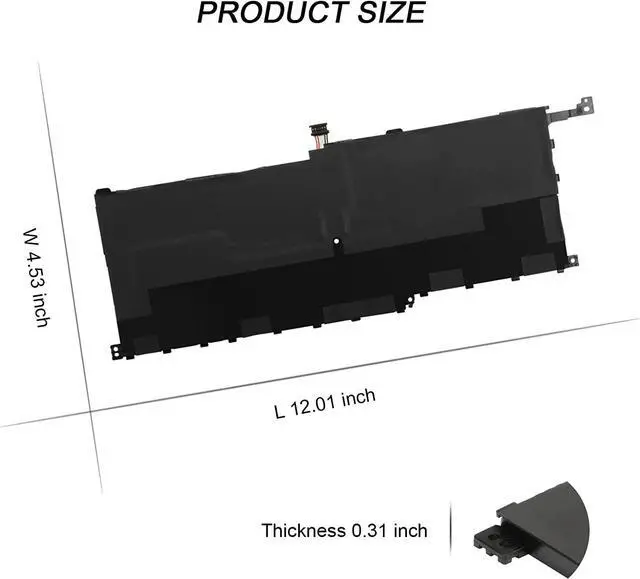


00HW028 00HW029 Laptop Battery for Lenovo ThinkPad X1 Yoga 2016 2017 1st 2nd Thinkpad Carbon 2016 4th Gen 20FB 20FC 20FQ 20FR 20JD 20JE 01AV457 01AV441 01AV410 01AV444 01AV438 01AV439
- Specifications:Battery Type: Li-ion; Voltage: 15.2V; Capacity: 52Wh; Battery life: Up to 500 recharge cycles over the life of the battery
- Compatible Part Number:For Lenovo 01AV409 SB10K97566 SB10F46466 00HW028 01AV457 01AV441 SB10K97567 01AV439 SB10F46467 01AV410 00HW029 01AV458 01AV444 01AV438 01AV440 OOHW028 OOHW029 Laptop
- Compatible Laptop Models:Fit for Lenovo ThinkPad X1 Yoga 1st Thinkpad X1 Carbon Gen 2016 4th Series Notebook Battery
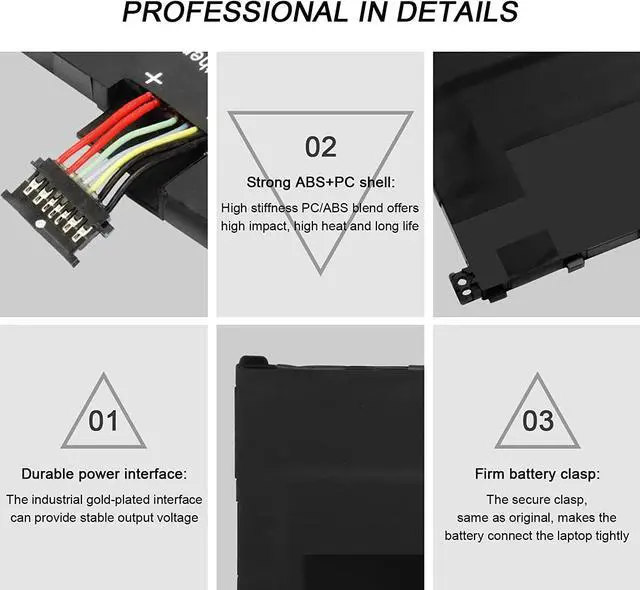
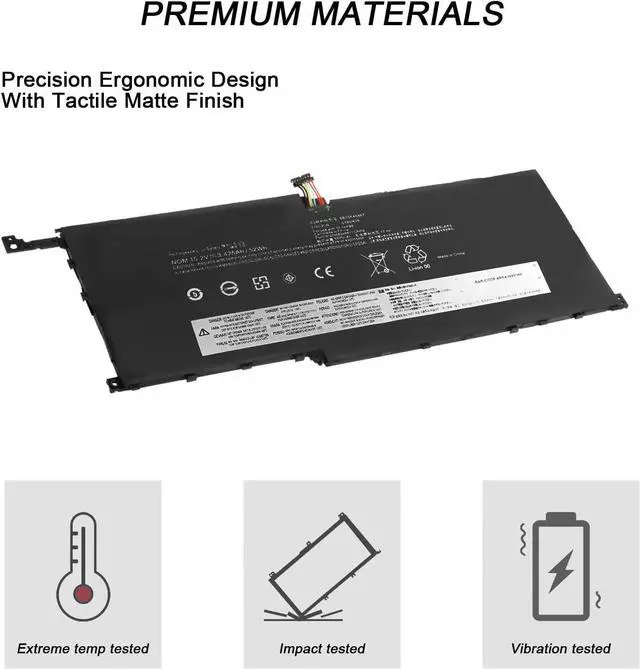
- Quality Assurance:100% new from manufacturer, every battery has passed factory testing, grade A cells ensure fast charges and low power consumption, built-in circuit protection ensures both safety and stability. CE / FCC / RoHS Certified for safety
- Perfect After-sale:Welcome to email us if you have any issues, questions or concerns, we promise to resolve the problem within 24 hours. We guarantee 30 days money-back and 12-month warranty
+
+
Overview
Specs
Reviews
100% real capacity.
"A" grade cells.
Up to 500 charging cycles.
Easy to install
Battery Type: Li-ion Voltage: 15.2V Capacity: 52WH, 3.425Ah Certificate: CE,RoHS,FCC Condition: 100% New from Manufacturer, Grade A Cell
Lenovo 01AV409 SB10K97566 SB10F46466 00HW028 01AV457 01AV441 SB10K97567
Lenovo 01AV439 SB10F46467 01AV410 00HW029 01AV458 01AV444 01AV438 01AV440 OOHW028 OOHW029
Compatible Laptop Models:
Lenovo ThinkPad X1 Carbon 2016 Series
20FB-A009CD 20FB-A00ACD 20FB-A00DCD 20FB-A00XCD 20FB-A010CD 20FB-A011CD
20FB-A01MCD 20FB-A01YCD 20FB-A05VCD 20FB-A06UCD 20FC-A0C0CD
Lenovo ThinkPad X1 Carbon 4th Series
20FB-001XAU 20FB-0029AU 20FB-002MAU 20FB-A003AU 20FB-A004AU 20FC-000FAU 20FC-0015AU 20FC-001DAU
20FC-001VAU 20FC-001WAU 20FC-0023AU 20FC-0029AU 20FC-A00B00 20FC-A00CAU 20FC-S00Y01 20FC-S05700
Lenovo ThinkPad X1 Yoga Series
20FQ-000VAU 20FQ-001PAU 20FQ-002JAU 20FQ-CTO1WW 20FQA00HCD 20FQA01NCD 20FR-000BAU 20FR-0017AU
20FR-001DAU 20FR-001LAU 20FR-001SAU 20FR-0024AU 20FR-0025AU 20FR-0026AU 20FR-002EAU 20FR-002VAU 20FR-002W
Disconnect the connection between the old battery and the motherboard to avoid unnecessary damage caused by disassembling the battery. Then unscrew the old battery screws one by one and carefully save each.
Remove the old battery, carefully install the new battery on the battery case, and connect the wiring of the new battery.
If you don't understand the above steps, you can search for the video about laptop battery installation on YouTube. Maybe it will help you.
Remove all battery drivers
Remove battery
Connect laptop using AC charger, double check no battery drivers installed
Connect battery
Drivers will install automatically
Full charge the battery by ac adapter
Leave charger and let the battery drain to shut off
Weve been doing this for the many years.
We know how to get the most out of our batteries for you.
The safety and longevity of battery is our goal for the buyer.
Before placing an order, please open the back cover of your laptop,check and confirm your original battery model and appearance,and compare with our battery pictures to ensure that this is what you need.
It helps you to buy the correct battery!
Why choose TIIANTE Battery? TIIANTE Professional Battery Install A New Battery: Battery can't be recognized by my laptop: Unparalleled Expertise:
"A" grade cells.
Up to 500 charging cycles.
Easy to install
Battery Type: Li-ion Voltage: 15.2V Capacity: 52WH, 3.425Ah Certificate: CE,RoHS,FCC Condition: 100% New from Manufacturer, Grade A Cell
Lenovo 01AV409 SB10K97566 SB10F46466 00HW028 01AV457 01AV441 SB10K97567
Lenovo 01AV439 SB10F46467 01AV410 00HW029 01AV458 01AV444 01AV438 01AV440 OOHW028 OOHW029
Compatible Laptop Models:
Lenovo ThinkPad X1 Carbon 2016 Series
20FB-A009CD 20FB-A00ACD 20FB-A00DCD 20FB-A00XCD 20FB-A010CD 20FB-A011CD
20FB-A01MCD 20FB-A01YCD 20FB-A05VCD 20FB-A06UCD 20FC-A0C0CD
Lenovo ThinkPad X1 Carbon 4th Series
20FB-001XAU 20FB-0029AU 20FB-002MAU 20FB-A003AU 20FB-A004AU 20FC-000FAU 20FC-0015AU 20FC-001DAU
20FC-001VAU 20FC-001WAU 20FC-0023AU 20FC-0029AU 20FC-A00B00 20FC-A00CAU 20FC-S00Y01 20FC-S05700
Lenovo ThinkPad X1 Yoga Series
20FQ-000VAU 20FQ-001PAU 20FQ-002JAU 20FQ-CTO1WW 20FQA00HCD 20FQA01NCD 20FR-000BAU 20FR-0017AU
20FR-001DAU 20FR-001LAU 20FR-001SAU 20FR-0024AU 20FR-0025AU 20FR-0026AU 20FR-002EAU 20FR-002VAU 20FR-002W
Disconnect the connection between the old battery and the motherboard to avoid unnecessary damage caused by disassembling the battery. Then unscrew the old battery screws one by one and carefully save each.
Remove the old battery, carefully install the new battery on the battery case, and connect the wiring of the new battery.
If you don't understand the above steps, you can search for the video about laptop battery installation on YouTube. Maybe it will help you.
Remove all battery drivers
Remove battery
Connect laptop using AC charger, double check no battery drivers installed
Connect battery
Drivers will install automatically
Full charge the battery by ac adapter
Leave charger and let the battery drain to shut off
Weve been doing this for the many years.
We know how to get the most out of our batteries for you.
The safety and longevity of battery is our goal for the buyer.
Before placing an order, please open the back cover of your laptop,check and confirm your original battery model and appearance,and compare with our battery pictures to ensure that this is what you need.
It helps you to buy the correct battery!
Why choose TIIANTE Battery? TIIANTE Professional Battery Install A New Battery: Battery can't be recognized by my laptop: Unparalleled Expertise:
Warranty & Returns
Warranty, Returns, And Additional Information
Warranty
- Please contact the Seller directly for warranty information. Warranty information may also be found on the Manufacturer's website.
- CONTACT
Return Policies
- Return for refund within: 30 days
- Return for replacement within: 90 days
- This item is covered by LionTech Direct Return Policy
Manufacturer Contact Info
- For a directory of all our manufacturers, please click below.
- Manufacturers Directory
LOADING...