
Your Browsing History

Meet Your Seller

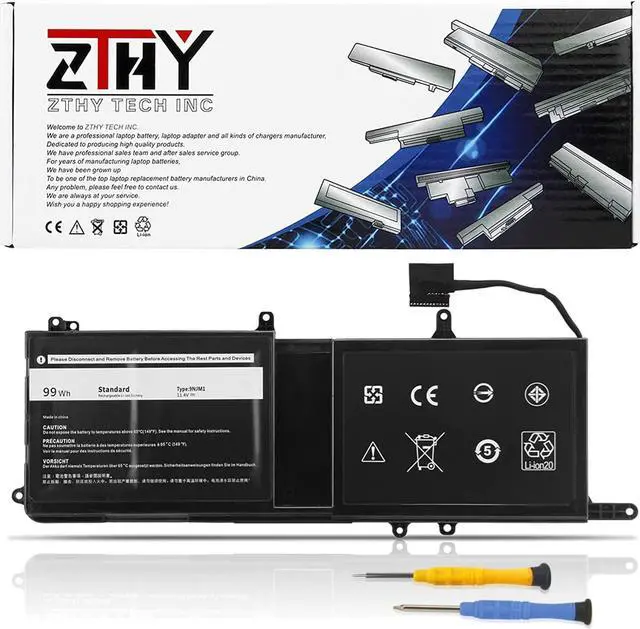
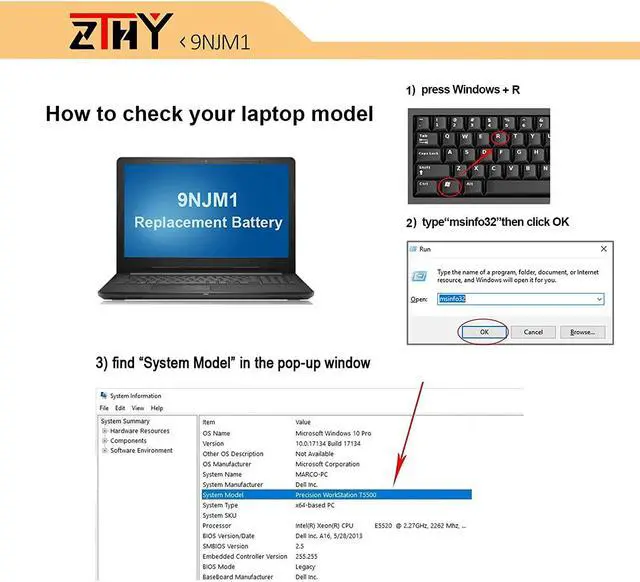
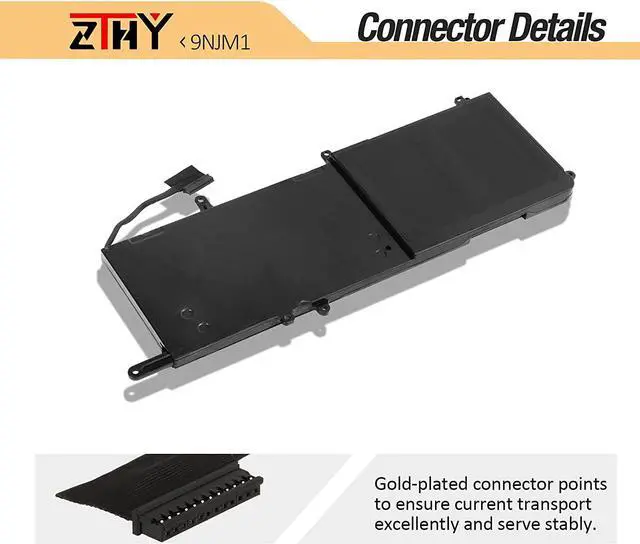
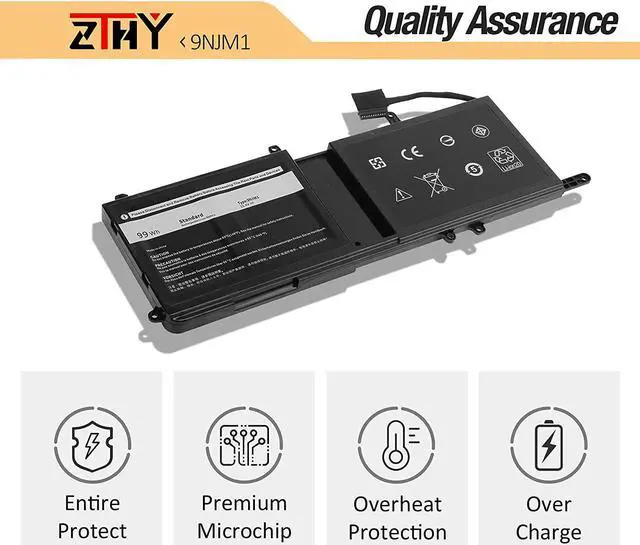
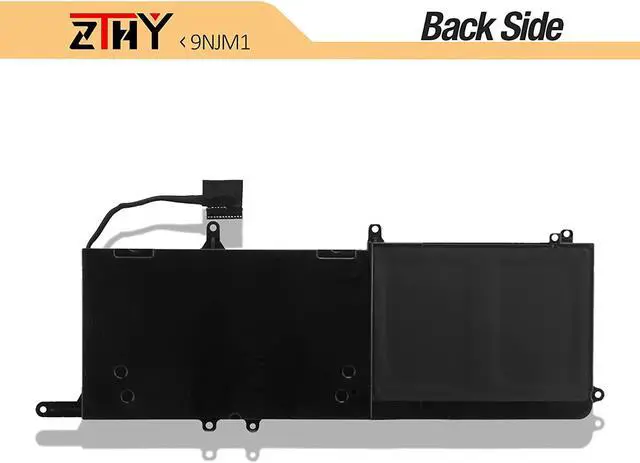
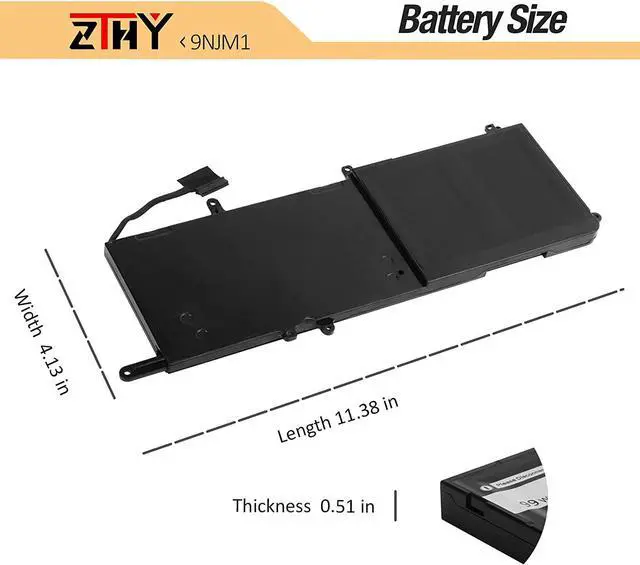


ZTHY 9NJM1 Laptop Battery Replacement for Dell Alien Ware 15 R3 R4 Alien Ware 17 R4 R5 Series Notebook 0546FF 0HF250 44T2R HF250 MG2YH 0MG2YH 11.4V 99Wh 8820mAh
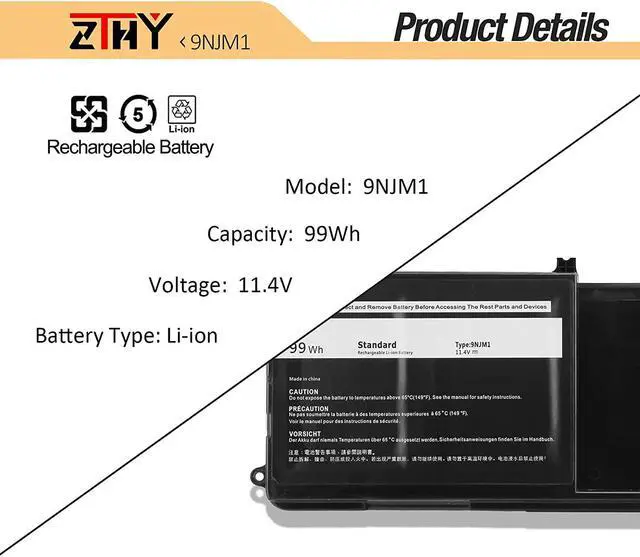
- Specification: Battery type: Li-ion. Color:Black. Volts: 11.4V. Capacity: 99Wh/6-Cell. 100% New from Manufacturer. Up to 500 recharge cycles over the life of the battery.
- Replace Part Number: 9NJM1 0546FF 0HF250 44T2R HF250 MG2YH 0MG2YH
- Compatible Models: Dell Alien ware 15 R3 R4 Series, Dell Alien ware 17 R4 R5 Series Notebook.(See Description Fit Laptop Models)
- Security: All ZTHY products are Certified by CE, FCC for safety. Strict guidelines for compatibility, and standards compliance for environment safety.
- ZTHY Laptop Battery Return Policy: Rest assured with 30 days Refund and 12 months warranty,also get our friendly customer service.
+
+
Overview
Specs
Reviews
1: High capacity circulatory function
2: Overheating protection
3: Overcurrent protection
4: Overcurrent protection
5: Low power consumption IC design
Battery Type: Li-ion
Battery Condition: Brand New
Battery Voltage: 11.4V
Battery Capacity: 99Wh/6-Cell
Replacement Part Numbers:
9NJM1 MG2YH 0MG2YH 01D82 HF250 0546FF 44T2R
Fit Machine Models:
Dell Alienware 15 R3 Series,
Dell Alienware 15 R4 Series,
Dell Alienware 17 R4 Series,
Dell Alienware 17 R5 Series,
Dell P31E,P31E001,P31E002,P69F,P69F001,P69F002 Series,
Dell ALW17C-D1738 ALW17C-D1748 ALW17C-D1758 ALW17C-D1848 ALW17C-D2738 ALW17C-D2748 ALW17C-D2758 ALW17C-R1748 Series.
1.Please use the remaining battery capacity to reach 10-15% for the first time.Then fully charge the battery, use it up.This process can be cycled 3 -5 times, which is beneficial to comprehensive to activate maximum capacity of lithium ions.
2.Do not disassemble, crush or puncture. Do not dispose of in fire or water.
3.If you remove battery for a long time, charge more than 80% at least one time within one months.
4.Don't connect adapter for a long time while using the battery. It may damage the battery.
5.When using the battery, care should be taken to prevent exposure and moisture.
1, You need to turn off your laptop and disconnect the power.
2, Disconnect the connection between the old battery and the motherboard to avoid unnecessary damage caused by disassembling the battery. Then unscrew the old battery screws one by one and carefully save each screw.
3, Remove the old battery, carefully install the new battery on the battery case, screw in the screw, and connect the wiring of the new battery.
4, If you don't understand the above steps, you can search for the video about laptop battery installation on YouTube. Maybe it will help you.
Q: Why my computer didn't recognize this battery or I install this battery and it doesn't seem to work?
A: The reason is residual power stored in the laptop components that was preventing the battery from working properly. Please disconnecting the old battery, and holding down the power button for 20 seconds, then connect the new battery. This drains the residual or flea power and once the laptop is reassembled the battery will function properly.
1.Turn off the laptop.
2.Unplug AC power.
3.Remove the battery.
4.Replace AC power.
5.Turn on laptop,allow OS to boot.
6.Once logged in to the machine,perform a normal shut donw.
7.Unplug AC power.
8.Replace battery.
Why should I choose this battery? Specifications: Compatibility ZTHY laptop battery instruction: Easy to deal a variety of use environment Install A New Battery: Installing New Battery Frequently Asked Question Solution: The following are troubleshooting methods:
2: Overheating protection
3: Overcurrent protection
4: Overcurrent protection
5: Low power consumption IC design
Battery Type: Li-ion
Battery Condition: Brand New
Battery Voltage: 11.4V
Battery Capacity: 99Wh/6-Cell
Replacement Part Numbers:
9NJM1 MG2YH 0MG2YH 01D82 HF250 0546FF 44T2R
Fit Machine Models:
Dell Alienware 15 R3 Series,
Dell Alienware 15 R4 Series,
Dell Alienware 17 R4 Series,
Dell Alienware 17 R5 Series,
Dell P31E,P31E001,P31E002,P69F,P69F001,P69F002 Series,
Dell ALW17C-D1738 ALW17C-D1748 ALW17C-D1758 ALW17C-D1848 ALW17C-D2738 ALW17C-D2748 ALW17C-D2758 ALW17C-R1748 Series.
1.Please use the remaining battery capacity to reach 10-15% for the first time.Then fully charge the battery, use it up.This process can be cycled 3 -5 times, which is beneficial to comprehensive to activate maximum capacity of lithium ions.
2.Do not disassemble, crush or puncture. Do not dispose of in fire or water.
3.If you remove battery for a long time, charge more than 80% at least one time within one months.
4.Don't connect adapter for a long time while using the battery. It may damage the battery.
5.When using the battery, care should be taken to prevent exposure and moisture.
1, You need to turn off your laptop and disconnect the power.
2, Disconnect the connection between the old battery and the motherboard to avoid unnecessary damage caused by disassembling the battery. Then unscrew the old battery screws one by one and carefully save each screw.
3, Remove the old battery, carefully install the new battery on the battery case, screw in the screw, and connect the wiring of the new battery.
4, If you don't understand the above steps, you can search for the video about laptop battery installation on YouTube. Maybe it will help you.
Q: Why my computer didn't recognize this battery or I install this battery and it doesn't seem to work?
A: The reason is residual power stored in the laptop components that was preventing the battery from working properly. Please disconnecting the old battery, and holding down the power button for 20 seconds, then connect the new battery. This drains the residual or flea power and once the laptop is reassembled the battery will function properly.
1.Turn off the laptop.
2.Unplug AC power.
3.Remove the battery.
4.Replace AC power.
5.Turn on laptop,allow OS to boot.
6.Once logged in to the machine,perform a normal shut donw.
7.Unplug AC power.
8.Replace battery.
Why should I choose this battery? Specifications: Compatibility ZTHY laptop battery instruction: Easy to deal a variety of use environment Install A New Battery: Installing New Battery Frequently Asked Question Solution: The following are troubleshooting methods:
Warranty & Returns
Warranty, Returns, And Additional Information
Warranty
- Please contact the Seller directly for warranty information. Warranty information may also be found on the Manufacturer's website.
- CONTACT
Return Policies
- Return for refund within: 30 days
- Return for replacement within: 90 days
- This item is covered by LionTech Direct Return Policy
Manufacturer Contact Info
- For a directory of all our manufacturers, please click below.
- Manufacturers Directory
LOADING...