
Your Browsing History

Meet Your Seller

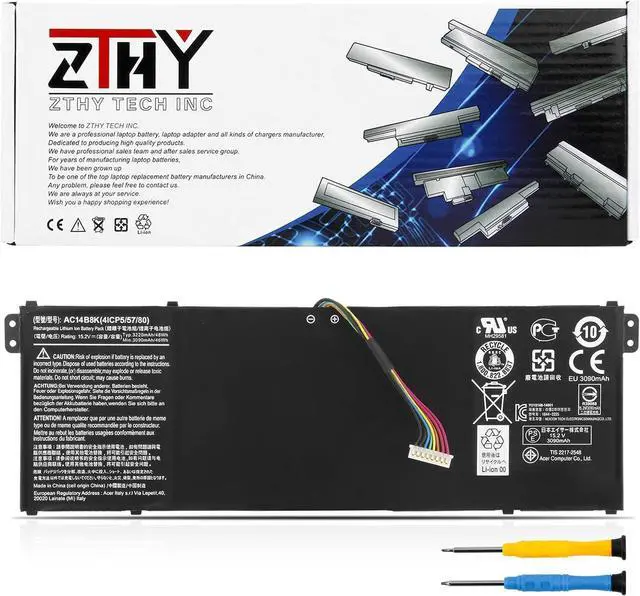
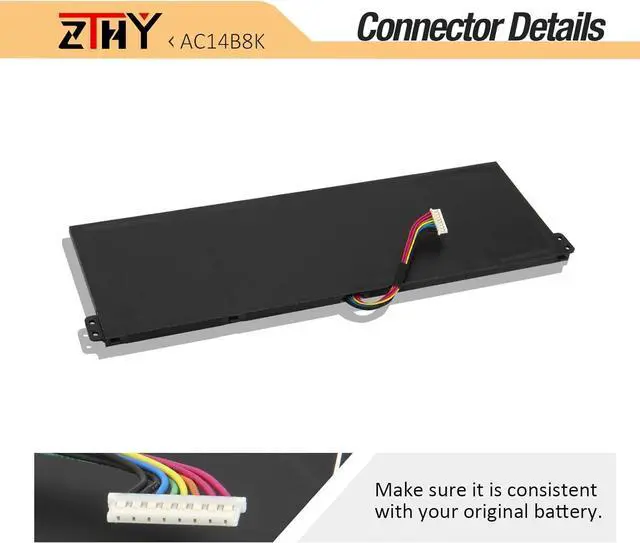
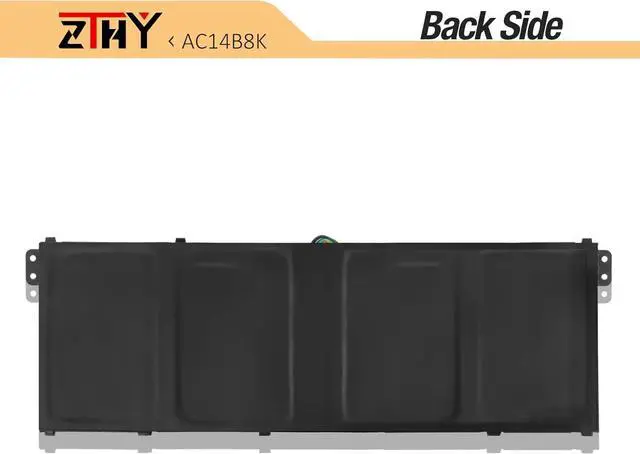
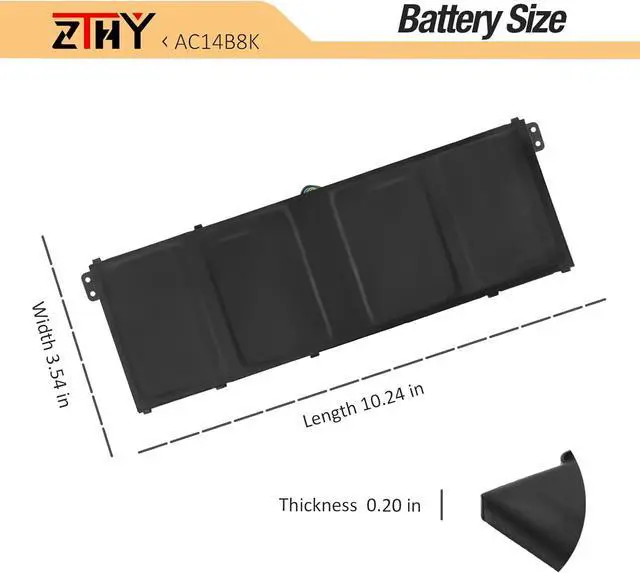


ZTHY AC14B8K Laptop Battery Compatible with Acer Chromebook CB3-111 CB5-311 CB5-571 CB3-531 Swift 3 SF314-51 SF314-52 ES1-511 R5-471T R3-131T ES1-511 R7-371T E3-112 Aspire 5 A515-51 4ICP5/57/80 48WH
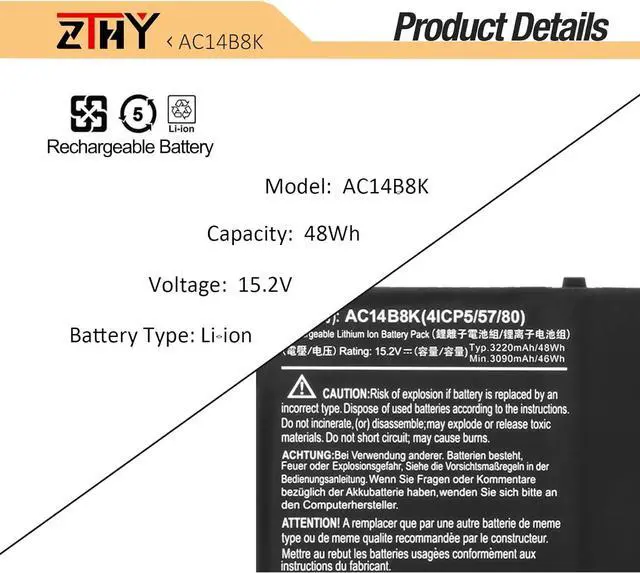
- Specifications:Battery type:Li-ion. Color:Black. Voltage:15.2 V. Capacity: 48Wh/3220mAh. 100% New from Manufacturer. Up to 500 recharge cycles over the life of the battery
- Replace Part Number: AC14B8K AC14B3K AP14B8K KT.0030G.004 KT.0040G.004 MS2392
- Compatible Models: Acer Chromebook 13 15 C810 C910 CB3-531 CB5-571 Series,Acer Aspire ES1-572 ES1-711 ES1-711G E5-721 E5-731 E5-731G E5-771 E5-771G R3-131T R3-471TG R5-471T R5-571T R7-371T A515-41G A515-51G A515-52 A515-52G A517-51 A517-51G A517-51GP A517-51P A615-51 A615-51G A715-71G A715-72G A717-71G A717-72G Series,Acer Extensa 2540 Series,Acer Nitro 5 AN515-51 AN515-52 AN515-53 NP515-51 Series,Acer Swift 3 SF314-51 SF314-52 SF314-52G SF314-53 SF314-53G SF314-54 SF314-54G SF315-41 Series
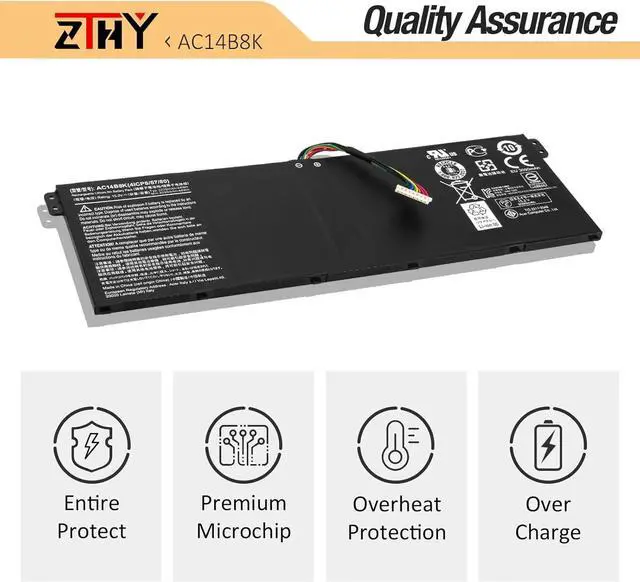
- Security: All ZTHY products are Certified by CE, FCC for safety. Strict guidelines for compatibility, and standards compliance for environment safety
- ZTHY Laptop Battery Return Policy:Rest assured with 30 days Refund and 12 months Replacement,also g
+
+
Overview
Specs
Reviews
1: High capacity circulatory function
2: Tested with strict quality control standards
3: Low power consumption IC design
Specifications:
Battery Type: Li-Polymer
Voltage: 15.2V
Capacity: 48Wh/3220mAh
Certificate: CE,RoHS,FCC
Condition: 100% New from Manufacturer, Grade A Cell
Compatible with Part Numbers:
ACER AC14B8K AP14B8K AC14B18J AC14B13J 3ICP5/57/80 4ICP5/57/80 KT.0030G.004 KT.0040G.004 MS2392 NE511 NE512
Fit Laptop Machine Models (please use ctrl+f to search for your laptop model):
Acer Chromebook 11 C730 13 C810 15 C910 CB3-111 CB5-311 CB5-571 CB3-531
Acer Aspire ES1-111 ES1-111M ES1-311 ES1-411 ES1-421 ES1-431 ES1-520 ES1-521 ES1-523 ES1-531 ES1-572 ES1-711 ES1-711G
Acer Aspire E3-111 E3-112 E3-112M E5-721 E5-731 E5-731G E5-771 E5-771G
Acer Aspire R13 R3-131T R3-471TG R5-471T R5-571T R7-371T R7-372T
Acer Aspire 5 A515-41G A515-51G A515-52 A515-52G A517-51 A517-51G A517-51GP A517-51P
Acer Aspire 6 A615-51G
Acer Aspire 7 A715-71G A715-72G A717-71G A717-72G
Acer Nitro 5 AN515-51 AN515-52 AN515-53
Acer Nitro 5 Spin NP515-51
Acer Aspire V13 V3-111 V3-111P V3-112 V3-112P V3-371 V3-372 V5-122 V5-122P V5-132 V5-132P
Acer Extensa 2540 2540-30GR 2540-3479 2540-35BB 2540-36RU 2540-530F 2540-543E 2540-56GC 2540-580K 2540-59C1
Acer Predator Helios 300 G3 G3-571 G3-572 PH315-51 PH317-51 PH317-52
Acer Swift 3 SF313-51 SF314-54 SF314-54G SF314-52 SF314-52G SF314-55 SF314-55G SF315-41 SF315-41G SF315-51 SF315-51G
Acer Spin 1 SP111-31 Spin 3 SP315-51 Spin 5 SP513-51 SP515-51N
Acer TravelMate TMB 115-M TMB118-G2 TMB118-M TMB118-R TMP238-G2 TMP276-MG TMX349-G2 B115-M B115-MP B118-R P236-M P238-G2 P2410-G2-M P2510-G2-M X3 X349-M X349-G2 P276-MG P449-G2-M
Acer Predator Helios 300 PH317-52 PH317-52-75HX PH317-52-75L8 PH317-52-77A4 PH317-52-74KR PH317-52-720X PH317-52-53KY PH317-52-78BR PH317-52-56Y5 PH317-52-77C0 PH317-52-70BW PH317-52-54U1 PH317-52-550Y PH317-52-787S PH317-52-77H4 PH317-52-77XS PH317-52-704L PH317-52-77YY PH317-52-7599 PH317-52-74CH PH317-52-75DH PH317-52-727Q PH317-52-78X3 PH317-52-757Y PH317-52-75S2 PH317-52-76AU PH317-52-787W PH317-52-72FC PH317-52-77LX PH317-52-516G PH317-52-726Z PH317-52-720Y
1, You need to turn off your laptop and disconnect the power.
2, Disconnect the connection between the old battery and the motherboard to avoid unnecessary damage caused by disassembling the battery. Then unscrew the old battery screws one by one and carefully save each screw.
3, Remove the old battery, carefully install the new battery on the battery case, screw in the screw, and connect the wiring of the new battery.
4, If you don't understand the above steps, you can search for the video about laptop battery installation on YouTube. Maybe it will help you.
1.Discharge the new battery use to 5%(not to 0%) and then charge to 95%, and cycle 3-4 times.
2.Do not disassemble, crush or puncture. Do not dispose of in fire or water.
3.If you remove battery for a long time, charge more than 80% at least one time within one months.
4.Don't connect adapter for a long time while using the battery. It may damage the battery.
5.When using the battery, care should be taken to prevent exposure and moisture.
1.Turn off the laptop.
2.Unplug AC power.
3.Remove the battery.
4.Replace AC power.
5.Turn on laptop,allow OS to boot.
6.Once logged in to the machine,perform a normal shut donw.
7.Unplug AC power.
8.Replace battery.
Why should I choose this battery? Easy to deal a variety of use environment Install A New Battery: ZTHY laptop battery instruction: The following are troubleshooting methods:
2: Tested with strict quality control standards
3: Low power consumption IC design
Specifications:
Battery Type: Li-Polymer
Voltage: 15.2V
Capacity: 48Wh/3220mAh
Certificate: CE,RoHS,FCC
Condition: 100% New from Manufacturer, Grade A Cell
Compatible with Part Numbers:
ACER AC14B8K AP14B8K AC14B18J AC14B13J 3ICP5/57/80 4ICP5/57/80 KT.0030G.004 KT.0040G.004 MS2392 NE511 NE512
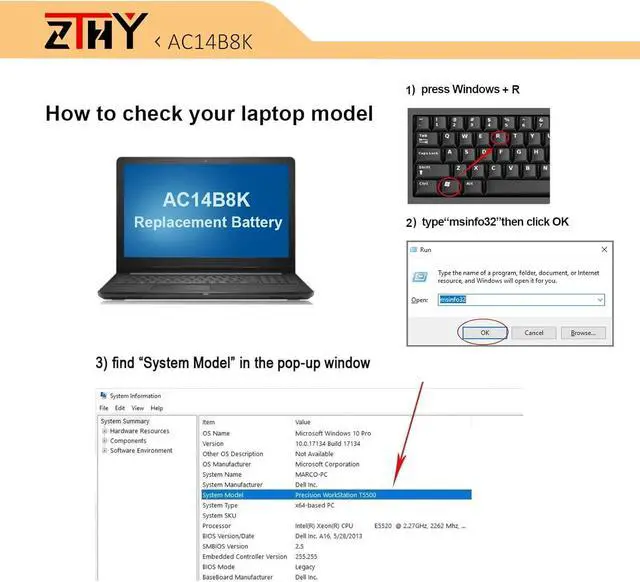
Fit Laptop Machine Models (please use ctrl+f to search for your laptop model):
Acer Chromebook 11 C730 13 C810 15 C910 CB3-111 CB5-311 CB5-571 CB3-531
Acer Aspire ES1-111 ES1-111M ES1-311 ES1-411 ES1-421 ES1-431 ES1-520 ES1-521 ES1-523 ES1-531 ES1-572 ES1-711 ES1-711G
Acer Aspire E3-111 E3-112 E3-112M E5-721 E5-731 E5-731G E5-771 E5-771G
Acer Aspire R13 R3-131T R3-471TG R5-471T R5-571T R7-371T R7-372T
Acer Aspire 5 A515-41G A515-51G A515-52 A515-52G A517-51 A517-51G A517-51GP A517-51P
Acer Aspire 6 A615-51G
Acer Aspire 7 A715-71G A715-72G A717-71G A717-72G
Acer Nitro 5 AN515-51 AN515-52 AN515-53
Acer Nitro 5 Spin NP515-51
Acer Aspire V13 V3-111 V3-111P V3-112 V3-112P V3-371 V3-372 V5-122 V5-122P V5-132 V5-132P
Acer Extensa 2540 2540-30GR 2540-3479 2540-35BB 2540-36RU 2540-530F 2540-543E 2540-56GC 2540-580K 2540-59C1
Acer Predator Helios 300 G3 G3-571 G3-572 PH315-51 PH317-51 PH317-52
Acer Swift 3 SF313-51 SF314-54 SF314-54G SF314-52 SF314-52G SF314-55 SF314-55G SF315-41 SF315-41G SF315-51 SF315-51G
Acer Spin 1 SP111-31 Spin 3 SP315-51 Spin 5 SP513-51 SP515-51N
Acer TravelMate TMB 115-M TMB118-G2 TMB118-M TMB118-R TMP238-G2 TMP276-MG TMX349-G2 B115-M B115-MP B118-R P236-M P238-G2 P2410-G2-M P2510-G2-M X3 X349-M X349-G2 P276-MG P449-G2-M
Acer Predator Helios 300 PH317-52 PH317-52-75HX PH317-52-75L8 PH317-52-77A4 PH317-52-74KR PH317-52-720X PH317-52-53KY PH317-52-78BR PH317-52-56Y5 PH317-52-77C0 PH317-52-70BW PH317-52-54U1 PH317-52-550Y PH317-52-787S PH317-52-77H4 PH317-52-77XS PH317-52-704L PH317-52-77YY PH317-52-7599 PH317-52-74CH PH317-52-75DH PH317-52-727Q PH317-52-78X3 PH317-52-757Y PH317-52-75S2 PH317-52-76AU PH317-52-787W PH317-52-72FC PH317-52-77LX PH317-52-516G PH317-52-726Z PH317-52-720Y
1, You need to turn off your laptop and disconnect the power.
2, Disconnect the connection between the old battery and the motherboard to avoid unnecessary damage caused by disassembling the battery. Then unscrew the old battery screws one by one and carefully save each screw.
3, Remove the old battery, carefully install the new battery on the battery case, screw in the screw, and connect the wiring of the new battery.
4, If you don't understand the above steps, you can search for the video about laptop battery installation on YouTube. Maybe it will help you.
1.Discharge the new battery use to 5%(not to 0%) and then charge to 95%, and cycle 3-4 times.
2.Do not disassemble, crush or puncture. Do not dispose of in fire or water.
3.If you remove battery for a long time, charge more than 80% at least one time within one months.
4.Don't connect adapter for a long time while using the battery. It may damage the battery.
5.When using the battery, care should be taken to prevent exposure and moisture.
1.Turn off the laptop.
2.Unplug AC power.
3.Remove the battery.
4.Replace AC power.
5.Turn on laptop,allow OS to boot.
6.Once logged in to the machine,perform a normal shut donw.
7.Unplug AC power.
8.Replace battery.
Why should I choose this battery? Easy to deal a variety of use environment Install A New Battery: ZTHY laptop battery instruction: The following are troubleshooting methods:
Warranty & Returns
Warranty, Returns, And Additional Information
Warranty
- Please contact the Seller directly for warranty information. Warranty information may also be found on the Manufacturer's website.
- CONTACT
Return Policies
- Return for refund within: 30 days
- Return for replacement within: 90 days
- This item is covered by LionTech Direct Return Policy
Manufacturer Contact Info
- For a directory of all our manufacturers, please click below.
- Manufacturers Directory
LOADING...