
Your Browsing History

Meet Your Seller

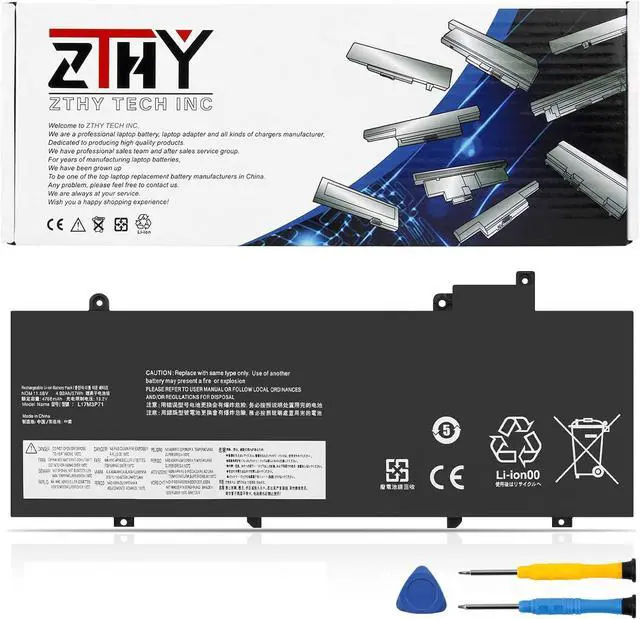
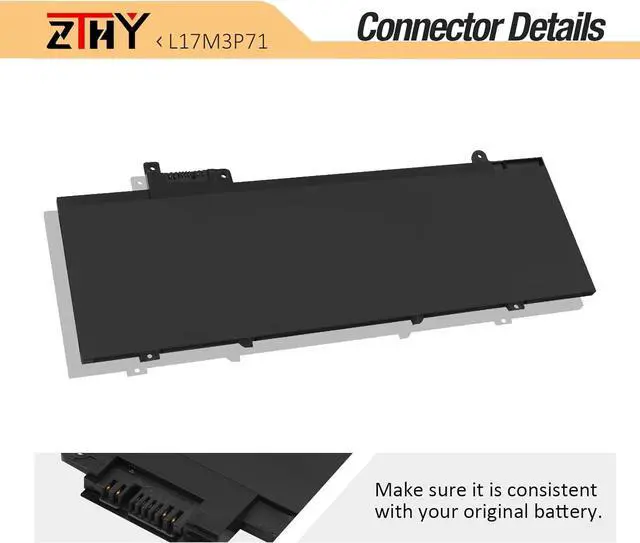
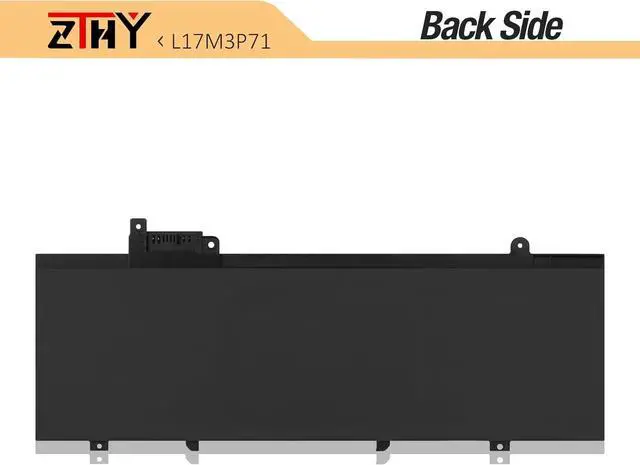
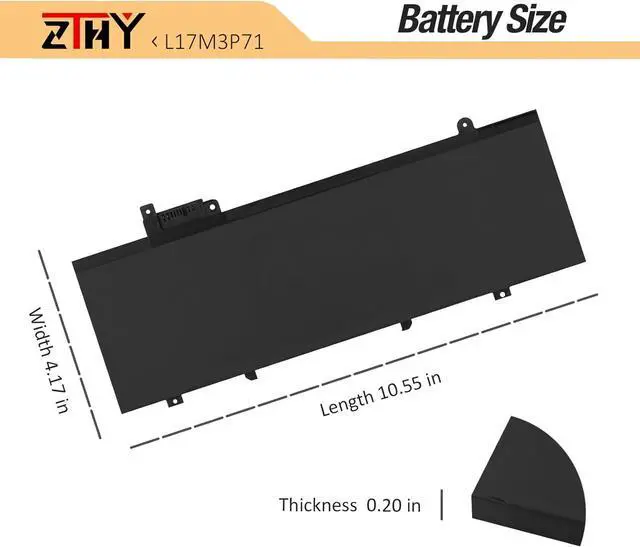


ZTHY L17L3P71 Laptop Battery Replacement for Lenovo ThinkPad T480S FHK 20L7 20L8 20L7001SGE 20L7002LCD 20L8S02D00 Series L17M3P71 L17M3P72 01AV478 01AV479 SB10K97620 SB10K97621 01AV480 4920mAh 11.58V
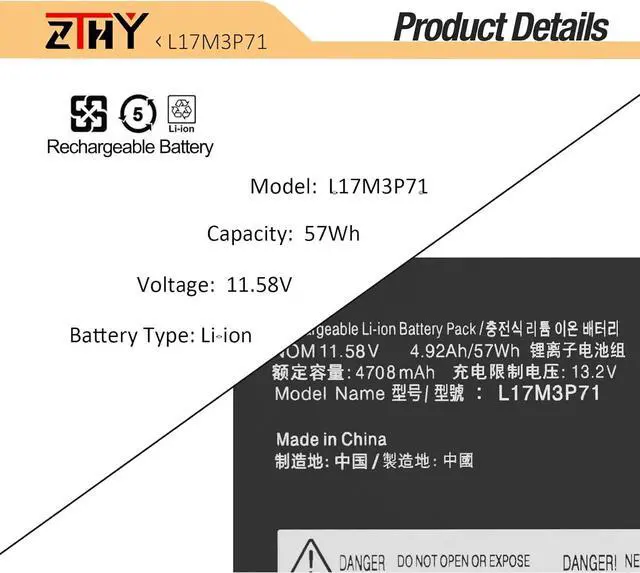
- Specifications: Battery type:Li-ion. Color:Black. Voltage: 11.58V. Capacity: 57Wh/4920mAh. Battery life: Up to 500 recharge cycles over the life of the battery.
- Compatible Part Number: L17M3P71 01AV478 SB10K97620 L17L3P71 01AV479 SB10K97621 L17M3P72 01AV480 SB10K97622.
- Compatible Model: Replacement for Lenovo ThinkPad T480S Series.ThinkPad T480S FHK,ThinkPad T480S GHK,ThinkPad T480S-20L7,ThinkPad T480S-20L8,ThinkPad T480S-20L7002XCD,ThinkPad T480S-20L7A00TCD,ThinkPad T480S-20L7A011CD,ThinkPad T480S-20L7001SGE,ThinkPad T480S-20L7A01WCD,ThinkPad T480S-20L7A00UCD,ThinkPad T480S-20L7001LGE,ThinkPad T480S-20L7A006CD,ThinkPad T480S-20L7001VGE,ThinkPad T480S-20L7001NGE,ThinkPad T480S-20L7002LCD,ThinkPad T480S-20L8S02D00,ThinkPad T480S-20L8S02E00-CAMPUS.
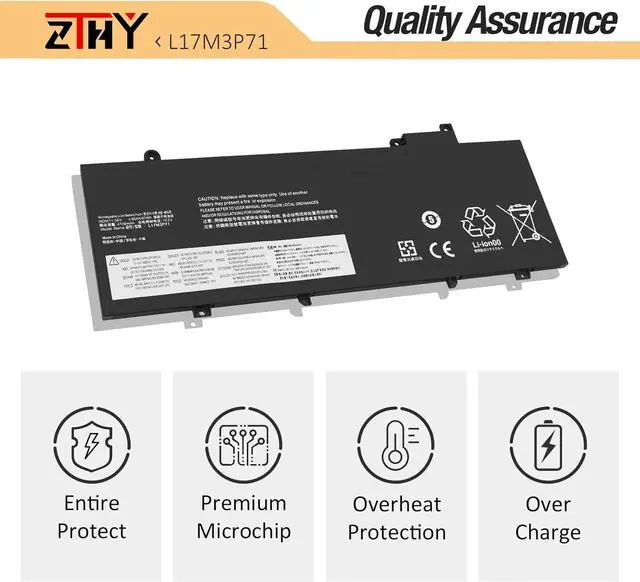
- Security: All ZTHY products are Certified by CE, FCC for safety. Strict guidelines for compatibility, and standards compliance for environment safety.Rest assured with 30 days Refund and 12 months Replacement,also get our friendly customer
+
+
Overview
Specs
Reviews
Compatible Part Number L17M3P71 01AV478 SB10K97620 L17L3P71 01AV479 SB10K97621 L17M3P72 01AV480 SB10K97622 Compatible Model Replacement for Lenovo ThinkPad T480s Series. Compatible Model Replacement for ThinkPad T480s-Type 20L7: ThinkPad T480s-20L7001LGE/ 20L7001NGE,ThinkPad T480s-20L7001RGE/ 20L7001SGE, Compatible Model Replacement for ThinkPad T480s-Type 20L7: ThinkPad T480s-20L7002LCD/ 20L7002XCD,ThinkPad T480s-20L7A00UCD/20L7A011CD Compatible Model Replacement for ThinkPad T480s-Type 20L8: ThinkPad T480s-20L8S02D00/ 20L8S02E00 Matters needing attention If you install the battery, you find that the laptop cannot detect the battery or the battery level cannot be displayed normally. Please check whether the battery cable is installed properly. Sometimes the battery cannot be charged because the cable is not fixed properly. Matters needing attention Not all the compatible laptop models have been listed.Please open the back cover of your laptop to check the original battery size and capacity before placing an order. What do I need to be aware of when I receive a battery?
You need to check its appearance, confirm the model, read the instruction manual. Cycle and charge it 5 to 6 times to activate the maximum usage space of the battery. When not in use temporarily, charge the battery to 50%-60%.
What should I do if laptop won't boot up after installing a new battery?
1.Check if the battery is properly seated and connections are clean. 2.Try charging it or use the adapter alone to start. 3.Examine hardware links, like RAM and adapters. 4.Reset BIOS settings if needed. 5.Enter Safe Mode to fix system issues.
How should I do if the battery is not recognised?
If it is not recognised, it is recommended to update the BIOS settings or please disconnecting the old battery, and holding down the power button for 20 seconds, then connect the new battery.
What should I do if the battery expands?
1.Power off your laptop and disconnect it from any power source. 2.Carefully remove the swollen battery from the laptop in a well-ventilated area, avoid pressing or squeezing the battery during removal.
What can you do if you are not satisfied with the battery?
Please Contact ZTHY, click on "ZTHY TECH", you can see "question" on the page.we'll help you. Our battery have 12 months replace a new one and 30 days moeny back guarrante.
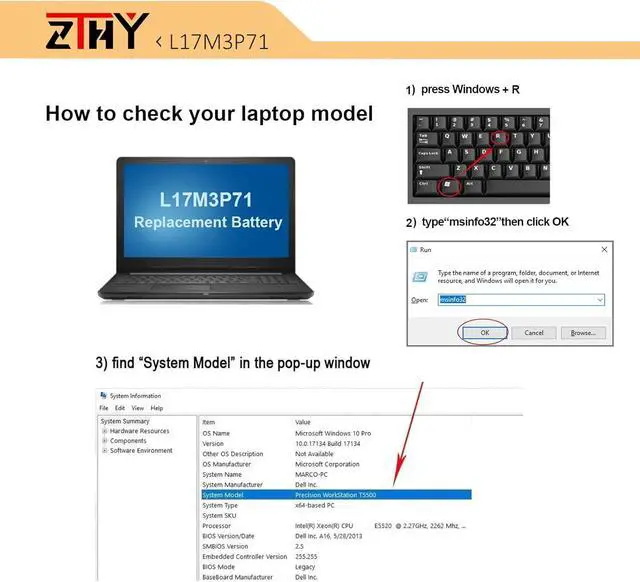
Compatible with Laptop models: Press [Ctrl + F] to search for your type What do I need to be aware of when I receive a battery?
What should I do if laptop won't boot up after installing a new battery?
How should I do if the battery is not recognised?
What should I do if the battery expands?
What can you do if you are not satisfied with the battery?
You need to check its appearance, confirm the model, read the instruction manual. Cycle and charge it 5 to 6 times to activate the maximum usage space of the battery. When not in use temporarily, charge the battery to 50%-60%.
What should I do if laptop won't boot up after installing a new battery?
1.Check if the battery is properly seated and connections are clean. 2.Try charging it or use the adapter alone to start. 3.Examine hardware links, like RAM and adapters. 4.Reset BIOS settings if needed. 5.Enter Safe Mode to fix system issues.
How should I do if the battery is not recognised?
If it is not recognised, it is recommended to update the BIOS settings or please disconnecting the old battery, and holding down the power button for 20 seconds, then connect the new battery.
What should I do if the battery expands?
1.Power off your laptop and disconnect it from any power source. 2.Carefully remove the swollen battery from the laptop in a well-ventilated area, avoid pressing or squeezing the battery during removal.
What can you do if you are not satisfied with the battery?
Please Contact ZTHY, click on "ZTHY TECH", you can see "question" on the page.we'll help you. Our battery have 12 months replace a new one and 30 days moeny back guarrante.
Compatible with Laptop models: Press [Ctrl + F] to search for your type What do I need to be aware of when I receive a battery?
What should I do if laptop won't boot up after installing a new battery?
How should I do if the battery is not recognised?
What should I do if the battery expands?
What can you do if you are not satisfied with the battery?
Warranty & Returns
Warranty, Returns, And Additional Information
Warranty
- Please contact the Seller directly for warranty information. Warranty information may also be found on the Manufacturer's website.
- CONTACT
Return Policies
- Return for refund within: 30 days
- Return for replacement within: 90 days
- This item is covered by LionTech Direct Return Policy
Manufacturer Contact Info
- For a directory of all our manufacturers, please click below.
- Manufacturers Directory
LOADING...