



Meet Your Seller

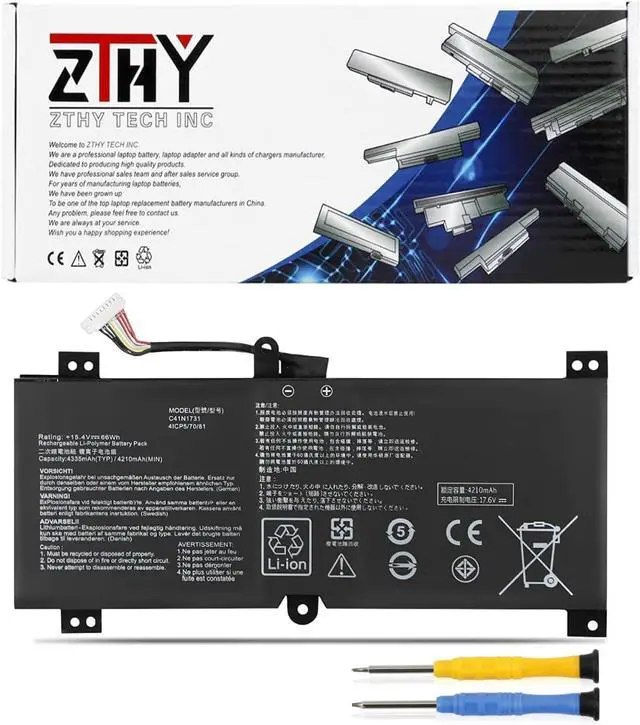
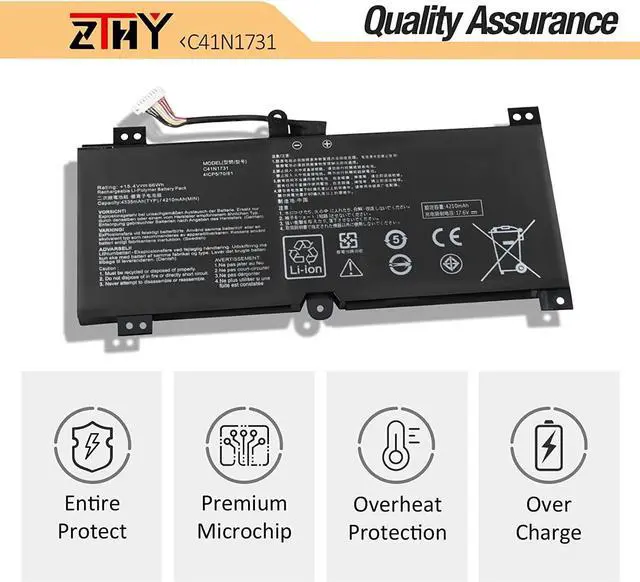
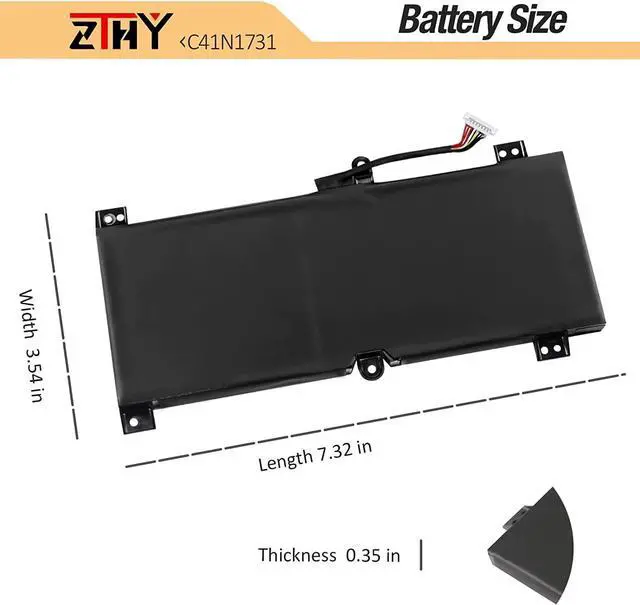
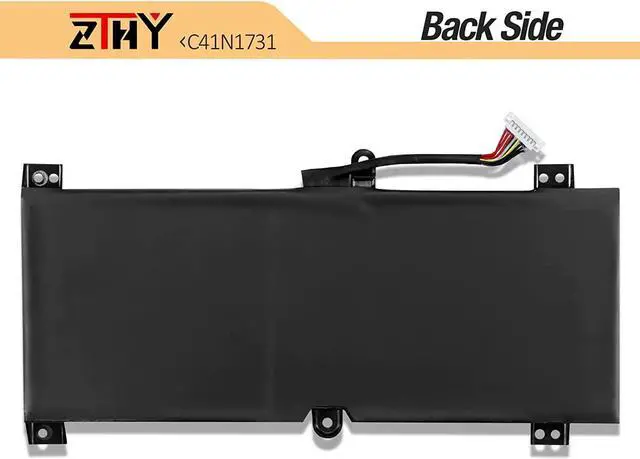


ZTHY C41N1731 Laptop Battery Replacement for Asus ROG Strix Scar II GL504 GL504GW GL504GS GL504GM GL504GV G515 G515GV G515GW G715GV G715GW GL504GW-DS74 Series C41PNC5 4CIP5/70/81 15.4V 66Wh
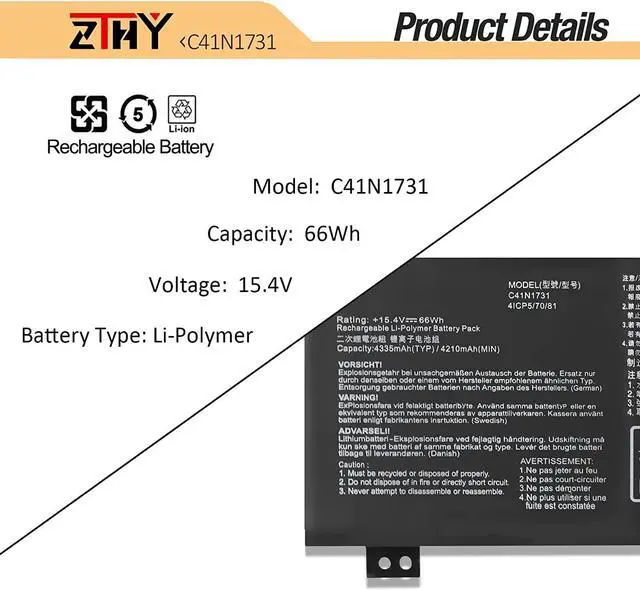
- SpecificationBattery type: Li-ion. Color: Black. Voltage: 15.4V. Capacity: 66Wh/4335mAh. 100% New from Manufacturer. Up to 500 recharge cycles over the life of the battery.
- Replace Part NumberC41N1731 0B200-02940000 4CIP5/70/81.
- Compatible ModelsReplacement for ASUS ROG Strix Hero II GL504GM gl504gm-ds74 gl504gm-ih73 gl504gm-es155t, ASUS ROG Strix Scar II GL504GS gl504gs-ds74 gl504gs-es081t gl504gs-dh76 series, Asus ROG Strix Scar II GL504GW gl504gw-ds74 Series and more.
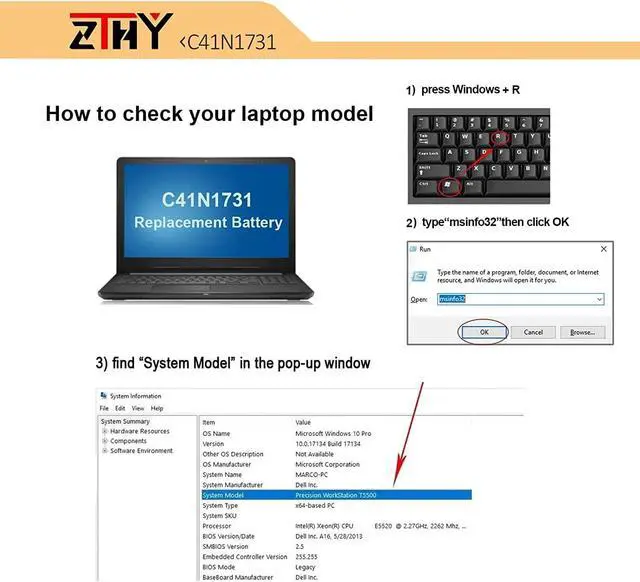
- Important NotePlease make sure which one you are going to replace and then choose the right battery model according to your laptop's original battery. NOT Compatilbe with C41N1731-1 C41N1731-2 C41N1731-C.
- ZTHY Laptop Battery Return PolicyRest assured with 30 days Refund and 12-Month Warranty , also get our friendly customer service.Contact us by follow step:go to the product detail page and click on "ZTHY TECH" under the Add to Cart and then click on "Ask a question".
+
+
Overview
Specs
Reviews
1: High capacity circulatory function
2: Overheating protection
3: Overcurrent protection
4: Overcurrent protection
5: Low power consumption IC design
Battery Type: Li-ion
Battery Condition: Brand New
Battery Voltage: 15.4V
Battery Capacity: 66Wh/4335mAh
Certificate: CE,RoHS,FCC
Condition: 100% New from Manufacturer, Grade A Cell
Replacement for Part Number:
C41N1731 0B200-02940000 4CIP5/70/81.
Compatible with Laptop Model : (use "ctrl+F" to find your model quickly)
ASUA ROG Strix HERO II G515GV Series:
G515GV-ES008T,G515GV-ES017T,G515GV-ES030T,G515GV-ES048T,G515GV-ES066R,G515GV-ES070R,G515GV-ES077R,G515GV-ES097T.
ASUA ROG Strix Scar II G515GW Series:
G515GW-ES006T,G515GW-ES020T,G515GW-ES023R,G515GW-ES024T,G515GW-ES047T.
ASUA ROG Scar2-G715GV Series:
ASUA ROG Scar2-G715GV-EV023T.
ASUA ROG Strix Scar II G715GV Series:
G715GV-EV017T,G715GV-EV031T,G715GV-EV033T,G715GV-EV043R,G715GV-EV046R.
ASUA ROG Strix Scar II G715GW Series:
G715GW-EV001T,G715GW-EV022T,G715GW-EV066T,G715GW-EV067T,G715GW-EV070T,G715GW-EV039T.
ASUA ROG Strix GL504GM Series:
GL504GM-0071B8750H,GL504GM-0081A8750H,GL504GM-0091B8750H,GL504GM-BN224T,GL504GM-DS74,GL504GM-ES012T,GL504GM-ES029T,GL504GM-ES040T,GL504GM-ES044T,GL504GM-ES049T,GL504GM-ES052T,GL504GM-ES070T,GL504GM-ES151T,GL504GM-ES152T,GL504GM-ES155T,GL504GM-ES157T,GL504GM-ES158T,GL504GM-ES164,GL504GM-ES172T,GL504GM-ES177T,GL504GM-ES182T,GL504GM-ES191T,GL504GM-ES192T,GL504GM-ES200T,GL504GM-ES204T,GL504GM-ES258T,GL504GM-ES300T,GL504GM-ES373T,GL504GM-WH71,GL504GM-ES168T.
ASUA ROG Strix GL504GS Series:
GL504GS-0041A8750H,GL504GS-0081A8750H,GL504GS-DH76,GL504GS-DS74,GL504GS-ES019T,GL504GS-ES055T,GL504GS-ES056T,GL504GS-ES058T,GL504GS-ES059T,GL504GS-ES062T,GL504GS-ES064T,GL504GS-ES066T,GL504GS-ES081T,GL504GS-ES082T,GL504GS-ES095T,GL504GS-ES100T,GL504GS-ES111T.
ASUA ROG Strix GL504GV Series:
GL504GV-ES012T,GL504GV-ES107T,GL504GV-ES016T,GL504GV-ES036T.
ASUA ROG Strix Scar II GL504GV Series:
GL504GV-ES015T,GL504GV-DS74,GL504GV-ES034T,GL504GV-ES019T,GL504GV-ES029T,GL504GV-ES047T,GL504GV-ES050T,GL504GV-ES093T,GL504GV-ES087T.
ASUA ROG Strix GL504GW Series:
GL504GW-ES006,GL504GW-ES043T,GL504GW-ES050T,GL504GW-ES066T,GL504GW-ES079,GL504GW-ES011T,GL504GW-ES019T.
ASUA ROG Strix Scar II GL504GW Series:
GL504GW-ES013T,GL504GW-ES043T,GL504GW-DS74,GL504GW-ES007T,GL504GW-ES012T,GL504GW-ES017T,GL504GW-ES035T,GL504GW-ES040T.
Important NotePlease make sure which one you are going to replace and then choose the right battery model according to your laptop's original battery. NOT Compatilbe with C41N1731-1 C41N1731-2 C41N1731-C.
1.Discharge the new battery use to 5%(not to 0%) and then charge to 95%, and cycle 3-4 times.
2.Do not disassemble, crush or puncture. Do not dispose of in fire or water.
3.If you remove battery for a long time, charge more than 80% at least one time within one months.
4.Don't connect adapter for a long time while using the battery. It may damage the battery.
5.When using the battery, care should be taken to prevent exposure and moisture.
1, You need to turn off your laptop and disconnect the power.
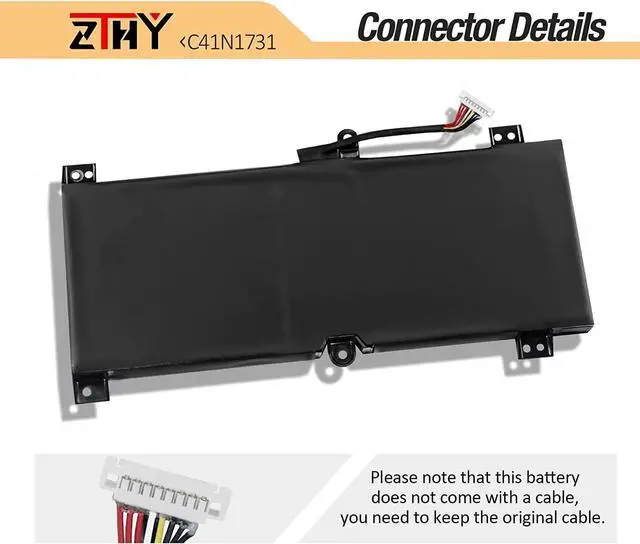
2, Disconnect the connection between the old battery and the motherboard to avoid unnecessary damage caused by disassembling the battery. Then unscrew the old battery screws one by one and carefully save each screw.
3, Remove the old battery, carefully install the new battery on the battery case, screw in the screw, and connect the wiring of the new battery.
4, If you don't understand the above steps, you can search for the video about laptop battery installation on YouTube. Maybe it will help you.
1.Discharge the new battery use to 5%(not to 0%) and then charge to 95%, and cycle 3-4 times.
2.Do not disassemble, crush or puncture. Do not dispose of in fire or water.
3.If you re
2: Overheating protection
3: Overcurrent protection
4: Overcurrent protection
5: Low power consumption IC design
Battery Type: Li-ion
Battery Condition: Brand New
Battery Voltage: 15.4V
Battery Capacity: 66Wh/4335mAh
Certificate: CE,RoHS,FCC
Condition: 100% New from Manufacturer, Grade A Cell
Replacement for Part Number:
C41N1731 0B200-02940000 4CIP5/70/81.
Compatible with Laptop Model : (use "ctrl+F" to find your model quickly)
ASUA ROG Strix HERO II G515GV Series:
G515GV-ES008T,G515GV-ES017T,G515GV-ES030T,G515GV-ES048T,G515GV-ES066R,G515GV-ES070R,G515GV-ES077R,G515GV-ES097T.
ASUA ROG Strix Scar II G515GW Series:
G515GW-ES006T,G515GW-ES020T,G515GW-ES023R,G515GW-ES024T,G515GW-ES047T.
ASUA ROG Scar2-G715GV Series:
ASUA ROG Scar2-G715GV-EV023T.
ASUA ROG Strix Scar II G715GV Series:
G715GV-EV017T,G715GV-EV031T,G715GV-EV033T,G715GV-EV043R,G715GV-EV046R.
ASUA ROG Strix Scar II G715GW Series:
G715GW-EV001T,G715GW-EV022T,G715GW-EV066T,G715GW-EV067T,G715GW-EV070T,G715GW-EV039T.
ASUA ROG Strix GL504GM Series:
GL504GM-0071B8750H,GL504GM-0081A8750H,GL504GM-0091B8750H,GL504GM-BN224T,GL504GM-DS74,GL504GM-ES012T,GL504GM-ES029T,GL504GM-ES040T,GL504GM-ES044T,GL504GM-ES049T,GL504GM-ES052T,GL504GM-ES070T,GL504GM-ES151T,GL504GM-ES152T,GL504GM-ES155T,GL504GM-ES157T,GL504GM-ES158T,GL504GM-ES164,GL504GM-ES172T,GL504GM-ES177T,GL504GM-ES182T,GL504GM-ES191T,GL504GM-ES192T,GL504GM-ES200T,GL504GM-ES204T,GL504GM-ES258T,GL504GM-ES300T,GL504GM-ES373T,GL504GM-WH71,GL504GM-ES168T.
ASUA ROG Strix GL504GS Series:
GL504GS-0041A8750H,GL504GS-0081A8750H,GL504GS-DH76,GL504GS-DS74,GL504GS-ES019T,GL504GS-ES055T,GL504GS-ES056T,GL504GS-ES058T,GL504GS-ES059T,GL504GS-ES062T,GL504GS-ES064T,GL504GS-ES066T,GL504GS-ES081T,GL504GS-ES082T,GL504GS-ES095T,GL504GS-ES100T,GL504GS-ES111T.
ASUA ROG Strix GL504GV Series:
GL504GV-ES012T,GL504GV-ES107T,GL504GV-ES016T,GL504GV-ES036T.
ASUA ROG Strix Scar II GL504GV Series:
GL504GV-ES015T,GL504GV-DS74,GL504GV-ES034T,GL504GV-ES019T,GL504GV-ES029T,GL504GV-ES047T,GL504GV-ES050T,GL504GV-ES093T,GL504GV-ES087T.
ASUA ROG Strix GL504GW Series:
GL504GW-ES006,GL504GW-ES043T,GL504GW-ES050T,GL504GW-ES066T,GL504GW-ES079,GL504GW-ES011T,GL504GW-ES019T.
ASUA ROG Strix Scar II GL504GW Series:
GL504GW-ES013T,GL504GW-ES043T,GL504GW-DS74,GL504GW-ES007T,GL504GW-ES012T,GL504GW-ES017T,GL504GW-ES035T,GL504GW-ES040T.
Important NotePlease make sure which one you are going to replace and then choose the right battery model according to your laptop's original battery. NOT Compatilbe with C41N1731-1 C41N1731-2 C41N1731-C.
1.Discharge the new battery use to 5%(not to 0%) and then charge to 95%, and cycle 3-4 times.
2.Do not disassemble, crush or puncture. Do not dispose of in fire or water.
3.If you remove battery for a long time, charge more than 80% at least one time within one months.
4.Don't connect adapter for a long time while using the battery. It may damage the battery.
5.When using the battery, care should be taken to prevent exposure and moisture.
1, You need to turn off your laptop and disconnect the power.
2, Disconnect the connection between the old battery and the motherboard to avoid unnecessary damage caused by disassembling the battery. Then unscrew the old battery screws one by one and carefully save each screw.
3, Remove the old battery, carefully install the new battery on the battery case, screw in the screw, and connect the wiring of the new battery.
4, If you don't understand the above steps, you can search for the video about laptop battery installation on YouTube. Maybe it will help you.
1.Discharge the new battery use to 5%(not to 0%) and then charge to 95%, and cycle 3-4 times.
2.Do not disassemble, crush or puncture. Do not dispose of in fire or water.
3.If you re
Warranty & Returns
Warranty, Returns, And Additional Information
Warranty
- Please contact the Seller directly for warranty information. Warranty information may also be found on the Manufacturer's website.
- CONTACT
Return Policies
- Return for refund within: 30 days
- Return for replacement within: 90 days
- This item is covered by LionTech Direct Return Policy
Manufacturer Contact Info
- For a directory of all our manufacturers, please click below.
- Manufacturers Directory
LOADING...