
Your Browsing History

Meet Your Seller

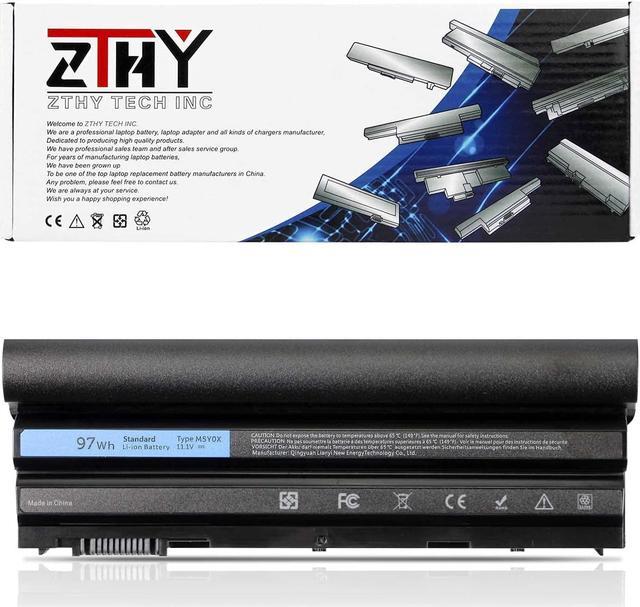
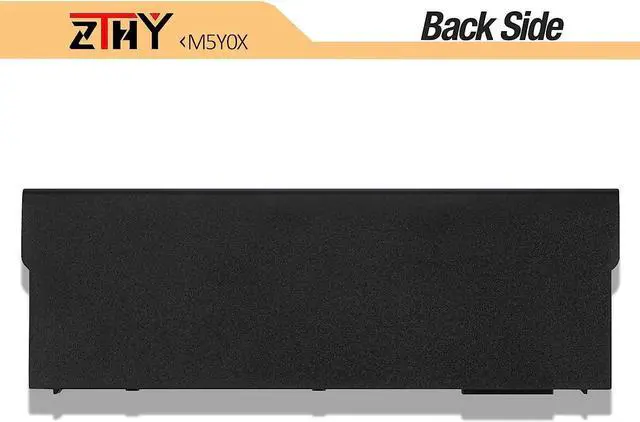
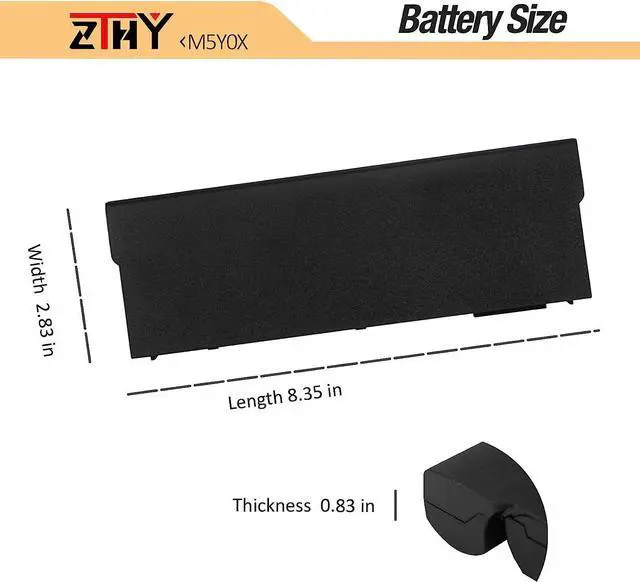


ZTHY 9-Cell 97WH M5Y0X Laptop Battery for Dell Latitude E6420 E6430 P25G001 E6520 P14F001 E6530 E5420 E5520 E5430 E5530 P28G-001 E6440 E6540 P29F001 Vostro 3460 3560 Precision M2800 N3X1D T54FJ
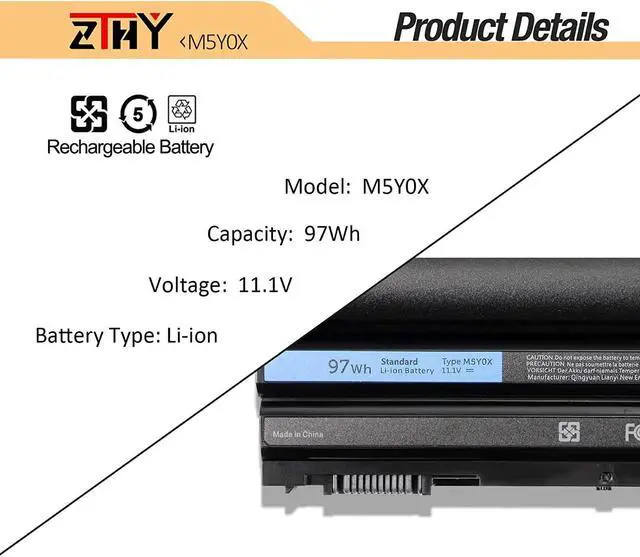
- Specifications Battery Type: Li-ion; Voltage: 11.1V; Capacity: 97WH; Battery life: Up to 500 recharge cycles over the life of the battery.
- Compatible Part Number Dell M5Y0X N3X1D 71R31 8858X T54FJ 04NW9 05G67C 2N6MY 2P2MJ 312-1163 312-1164 312-1165 312-1242 312-1310 312-1311 312-1324 312-1325 312-1439 312-1440 312-1441 312-1442 312-1443 312-1444 312-1445 3VJJC 451-11693 451-11694 451-11695 451-11696 451-11947 451-12048 4KFGD 5DN1K 8P3YX 911MD 96JC9 984V6 CRT6P DHT0W GCJ48 HCJWT HTX4D HWR7D JD0MX M1Y7N NHXVW P8TC7 P9TJ0 PRRRF PRV1Y R48V3 RU485 T54F3 UJ499 WT5WP X57F1 YC3PK YJ02W YKF0M Laptop Battery.
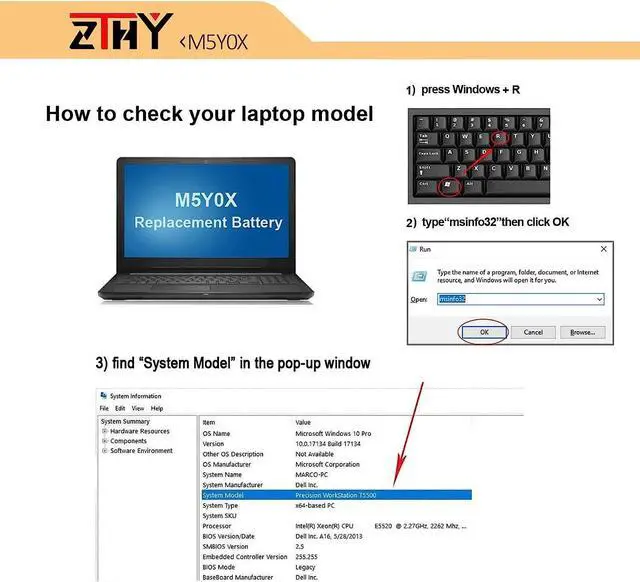
- Compatible Laptop Models Dell Vostro 3460 3560 Latitude E5420 E5430 E5520 E5530 E6420 E6430 E6440 E6520 E6530 E6540 Precision M2800 Mobile WorkStation Battery.
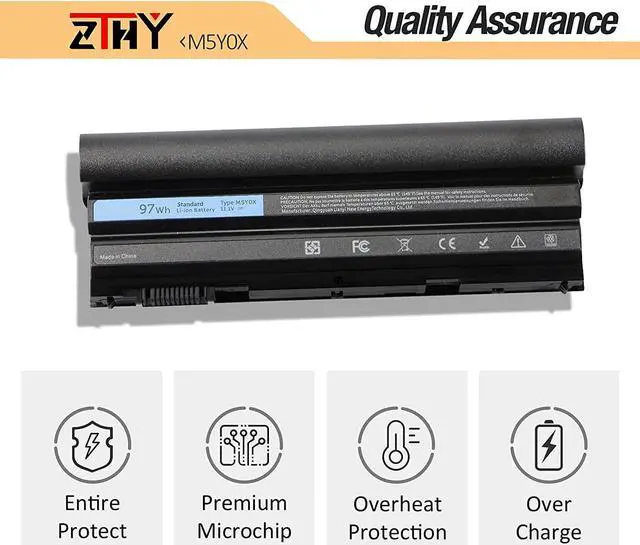
- Quality Assurance100% new from manufacturer, every battery has passed factory testing, grade A cells ensure fast charges and low power consumption, built-in circuit protection ensures both safety and stability. CE / FCC /
+
+
Overview
Specs
Reviews
1: High capacity circulatory function
2: Tested with strict quality control standards
3: Low power consumption IC design
Battery Type: Li-ion
Voltage:11.1V
Capacity: 97Wh
Certificate: CE,RoHS,FCC
Condition: 100% New from Manufacturer, Grade A Cell
Compatible with Part Numbers:
M5Y0X N3X1D 71R31 8858X T54FJ 04NW9 05G67C 2N6MY 2P2MJ 312-1163 312-1164 312-1165 312-1242 312-1310 312-1311 312-1324 312-1325 312-1439 312-1440 312-1441 312-1442 312-1443 312-1444 312-1445 3VJJC 451-11693 451-11694 451-11695 451-11696 451-11947 451-12048 4KFGD 5DN1K 8P3YX 911MD 96JC9 984V6 CRT6P DHT0W GCJ48 HCJWT HTX4D HWR7D JD0MX M1Y7N NHXVW P8TC7 P9TJ0 PRRRF PRV1Y R48V3 RU485 T54F3 UJ499 WT5WP X57F1 YC3PK YJ02W YKF0M
DELL Latitude E5420 E5430 E5520 E5530 E6420 E6430 E6440 E6520 E6530 E6540 Series
DELL Vostro 3460 3560 Series
DELL Precision M2800 Mobile WorkStation
DELL Inspiron 14R Series: Inspiron 14R Series
Inspiron 14R-4420 14R-5420 14R-5425 14R-7420
Inspiron 14R-SE-4420 14R-SE-5420 14R-SE-7420
Inspiron 14R Turbo DELL Inspiron 15R Series:
Inspiron 15R-4520 15R-5520 15R-5525 15R-7520
Inspiron 15R-SE-4520 15R-SE-5520 15R-SE-7520
Inspiron 15R-SE Inspiron 15R Turbo DELL Inspiron 17R Series:
Inspiron 17R-4720 17R-5720 17R-7720
Inspiron 17R-SE-4720 17R-SE-5720 17R-SE-7720
Inspiron 4420 4520 4720 5420 5425 5520 5525 5720 7420 7520 7720 M421R M521R Series
Inspiron N4420 N4520 N4720 N5420 N5520 N5720 N7420 N7520 N7720
1, You need to turn off your laptop and disconnect the power.
2, Disconnect the connection between the old battery and the motherboard to avoid unnecessary damage caused by disassembling the battery. Then unscrew the old battery screws one by one and carefully save each screw.
3, Remove the old battery, carefully install the new battery on the battery case, screw in the screw, and connect the wiring of the new battery.
4, If you don't understand the above steps, you can search for the video about laptop battery installation on YouTube. Maybe it will help you.
Q: Why my computer didn't recognize this battery or I install this battery and it doesn't seem to work?
A: The reason is residual power stored in the laptop components that was preventing the battery from working properly. Please disconnecting the old battery, and holding down the power button for 20 seconds, then connect the new battery. This drains the residual or flea power and once the laptop is reassembled the battery will function properly.
1.Turn off the laptop.
2.Unplug AC power.
3.Remove the battery.
4.Replace AC power.
5.Turn on laptop,allow OS to boot.
6.Once logged in to the machine,perform a normal shut donw.
7.Unplug AC power.
8.Replace battery.
Why should I choose this battery? Specifications: Fit Laptop Machine Models: Easy to deal a variety of use environment Install A New Battery: Installing New Battery Frequently Asked Question Solution: The following are troubleshooting methods:
2: Tested with strict quality control standards
3: Low power consumption IC design
Battery Type: Li-ion
Voltage:11.1V
Capacity: 97Wh
Certificate: CE,RoHS,FCC
Condition: 100% New from Manufacturer, Grade A Cell
Compatible with Part Numbers:
M5Y0X N3X1D 71R31 8858X T54FJ 04NW9 05G67C 2N6MY 2P2MJ 312-1163 312-1164 312-1165 312-1242 312-1310 312-1311 312-1324 312-1325 312-1439 312-1440 312-1441 312-1442 312-1443 312-1444 312-1445 3VJJC 451-11693 451-11694 451-11695 451-11696 451-11947 451-12048 4KFGD 5DN1K 8P3YX 911MD 96JC9 984V6 CRT6P DHT0W GCJ48 HCJWT HTX4D HWR7D JD0MX M1Y7N NHXVW P8TC7 P9TJ0 PRRRF PRV1Y R48V3 RU485 T54F3 UJ499 WT5WP X57F1 YC3PK YJ02W YKF0M
DELL Latitude E5420 E5430 E5520 E5530 E6420 E6430 E6440 E6520 E6530 E6540 Series
DELL Vostro 3460 3560 Series
DELL Precision M2800 Mobile WorkStation
DELL Inspiron 14R Series: Inspiron 14R Series
Inspiron 14R-4420 14R-5420 14R-5425 14R-7420
Inspiron 14R-SE-4420 14R-SE-5420 14R-SE-7420
Inspiron 14R Turbo DELL Inspiron 15R Series:
Inspiron 15R-4520 15R-5520 15R-5525 15R-7520
Inspiron 15R-SE-4520 15R-SE-5520 15R-SE-7520
Inspiron 15R-SE Inspiron 15R Turbo DELL Inspiron 17R Series:
Inspiron 17R-4720 17R-5720 17R-7720
Inspiron 17R-SE-4720 17R-SE-5720 17R-SE-7720
Inspiron 4420 4520 4720 5420 5425 5520 5525 5720 7420 7520 7720 M421R M521R Series
Inspiron N4420 N4520 N4720 N5420 N5520 N5720 N7420 N7520 N7720
1, You need to turn off your laptop and disconnect the power.
2, Disconnect the connection between the old battery and the motherboard to avoid unnecessary damage caused by disassembling the battery. Then unscrew the old battery screws one by one and carefully save each screw.
3, Remove the old battery, carefully install the new battery on the battery case, screw in the screw, and connect the wiring of the new battery.
4, If you don't understand the above steps, you can search for the video about laptop battery installation on YouTube. Maybe it will help you.
Q: Why my computer didn't recognize this battery or I install this battery and it doesn't seem to work?
A: The reason is residual power stored in the laptop components that was preventing the battery from working properly. Please disconnecting the old battery, and holding down the power button for 20 seconds, then connect the new battery. This drains the residual or flea power and once the laptop is reassembled the battery will function properly.
1.Turn off the laptop.
2.Unplug AC power.
3.Remove the battery.
4.Replace AC power.
5.Turn on laptop,allow OS to boot.
6.Once logged in to the machine,perform a normal shut donw.
7.Unplug AC power.
8.Replace battery.
Why should I choose this battery? Specifications: Fit Laptop Machine Models: Easy to deal a variety of use environment Install A New Battery: Installing New Battery Frequently Asked Question Solution: The following are troubleshooting methods:
Warranty & Returns
Warranty, Returns, And Additional Information
Warranty
- Please contact the Seller directly for warranty information. Warranty information may also be found on the Manufacturer's website.
- CONTACT
Return Policies
- Return for refund within: 30 days
- Return for replacement within: 90 days
- This item is covered by LionTech Direct Return Policy
Manufacturer Contact Info
- For a directory of all our manufacturers, please click below.
- Manufacturers Directory
LOADING...