
Your Browsing History

Meet Your Seller

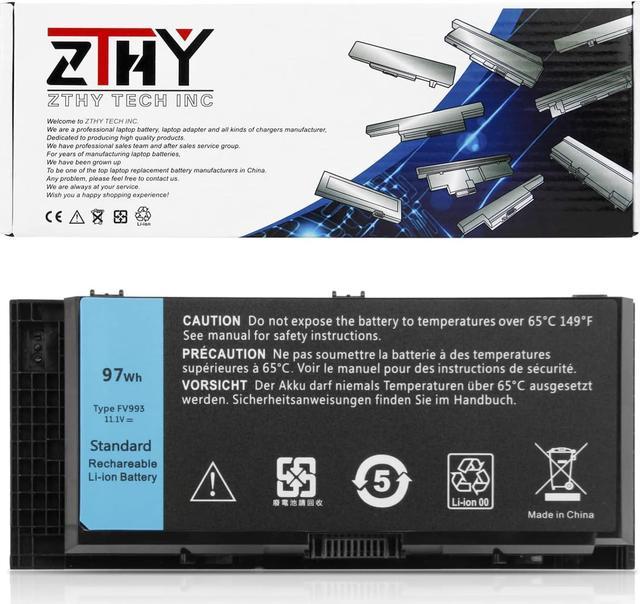
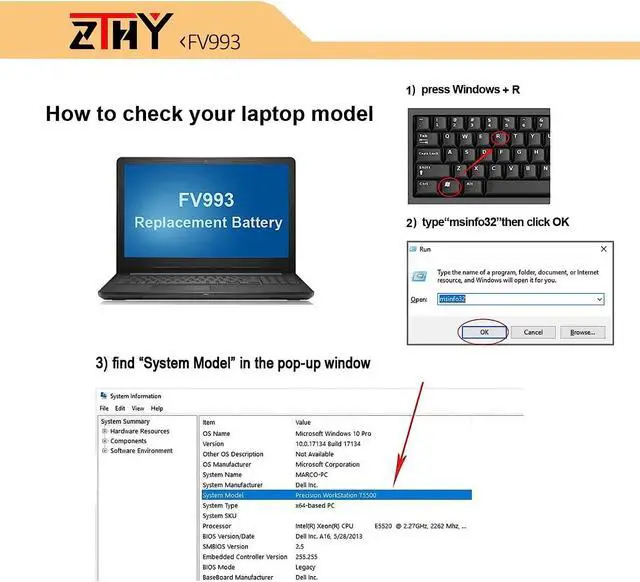
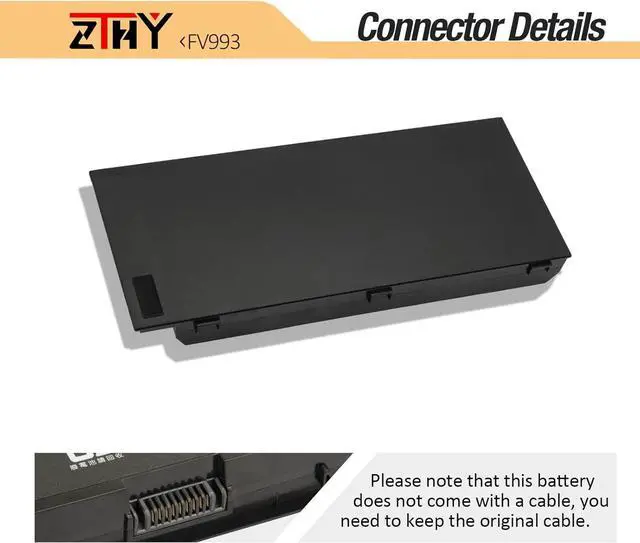
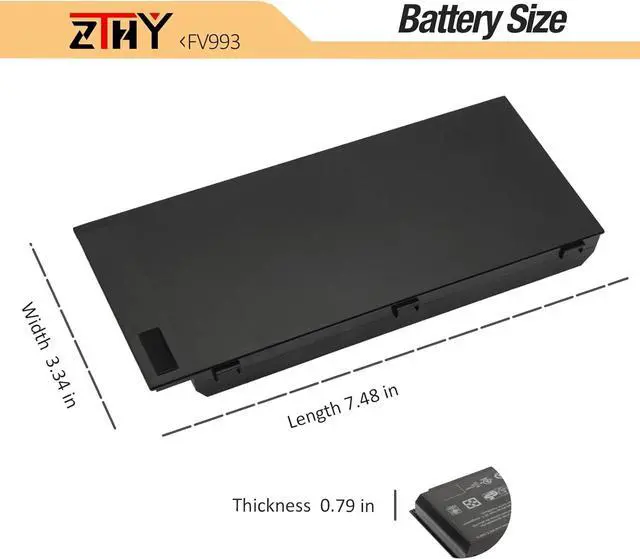


ZTHY FV993 Notebook Replacement Battery for Dell Precision M4600 M4700 M4800 M6600 M6700 M6800 Mobile Workstation FJJ4W R7PND X57F1 PG6RC V7M28 KJ321 WD6D1 4HJXX T4DTX 33F0D FJJ4W 11.1V 97Wh 9 Cell
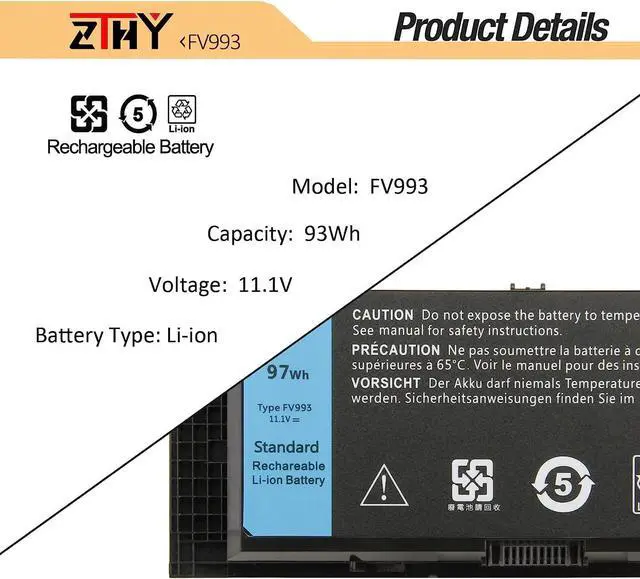
- Specifications Battery Type: Li-ion; Voltage: 11.1V; Capacity: 97WH/9-Cell; Battery life: Up to 500 recharge cycles over the life of the battery.
- Compatible Part NumberFV993 0FVWT4 0TN1K5 312-1176 312-1177 312-1178 3DJH7 451-11742 451-11743 451-11744 97KRM 9GP08 KJ321 PG6RC R7PND X57F1.
- Compatible Laptop Models Dell Precision M Series: M4600 / M4700 / M4800 / M6600 / M6700 / M6800, Dell Precision Mobile Workstation Series: M4600 / M4700 / M6600 / M6700 Notebook. (See Description fit Laptop Models).
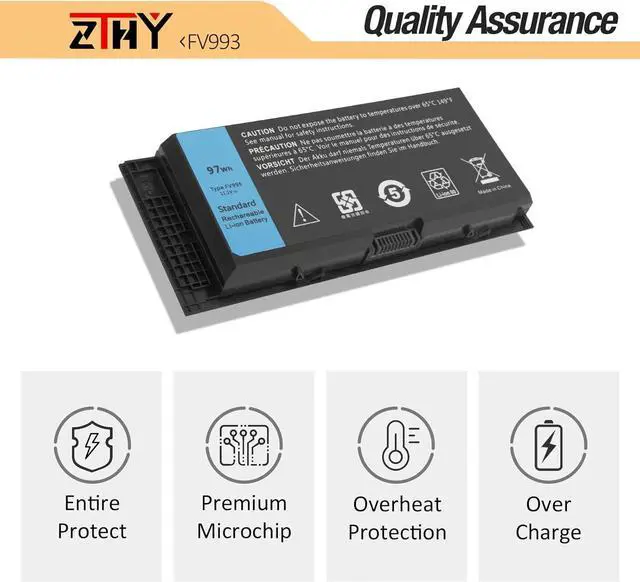
- Quality Assurance100% new from manufacturer, every battery has passed factory testing, grade A cells ensure fast charges and low power consumption, built-in circuit protection ensures both safety and stability. CE / FCC / RoHS Certified for safety.
- Perfect After-saleWelcome to email us if you have any issues, questions or concerns, we promise to resolve the problem within 24 hours. We guarantee 30 days money-back and 18-month warranty.
+
+
Overview
Specs
Reviews
1: High capacity circulatory function
2: Tested with strict quality control standards
3: Low power consumption IC design
Battery Type: Li-ion
Voltage: 11.1V
Capacity: 97WH/9-Cell
Condition: 100% New from Manufacturer, Grade A Cell
Compatible with Part Numbers:
312-1176 / 312-1177 / 312-1178 / 312-1354 / 331-1465 / J5CG3 / 1C75X / 3DJH7 / 97KRM / FV993 / FJJ4W / KJ321 / RY6WH / R7PND / 9GP08 / FVWT4 / PG6RC / V7M28 / 0TN1K5 / X57F1
Fit Laptop Machine Models (please use ctrl+f to search for your laptop model):
Dell Precision M4600 Series
Dell Precision M4600 Mobile Workstation
Dell Precision M4700 Series
Dell Precision M4700 Mobile Workstation
Dell Precision M4800 Series
Dell Precision M4700 Mobile Workstation
Dell Precision M6600 Series
Dell Precision M6600 Mobile Workstation
Dell Precision M6700 Series
Dell Precision M6700 Mobile Workstation
Dell Precision M6800 Series
Dell Precision M6800 Mobile Workstation
1. First check if the battery is the same size as your original battery after receiving it. When installing the battery, pay attention to whether the battery cable is fixed. If the battery cable is not installed correctly, the battery may not be charged.
2. If you use the battery for the first time after installing the battery, please do not charge the battery immediately, first use the battery to 10-20%, and then charge the battery, and cycle charging 5-6 times to activate the maximum use of the battery space.
3. We recommend that you search for battery removal tutorials on the Internet in advance, or seek help from a professional technician. We won't responsible for any damage due to improper operation.
1, You need to turn off your laptop and disconnect the power.
2, Disconnect the connection between the old battery and the motherboard to avoid unnecessary damage caused by disassembling the battery. Then unscrew the old battery screws one by one and carefully save each screw.
3, Remove the old battery, carefully install the new battery on the battery case, screw in the screw, and connect the wiring of the new battery.
4, If you don't understand the above steps, you can search for the video about laptop battery installation on YouTube. Maybe it will help you.
1.Discharge the new battery use to 5%(not to 0%) and then charge to 95%, and cycle 3-4 times.
2.Do not disassemble, crush or puncture. Do not dispose of in fire or water.
3.If you remove battery for a long time, charge more than 80% at least one time within one months.
4.Don't connect adapter for a long time while using the battery. It may damage the battery.
5.When using the battery, care should be taken to prevent exposure and moisture.
1.Turn off the laptop.
2.Unplug AC power.
3.Remove the battery.
4.Replace AC power.
5.Turn on laptop,allow OS to boot.
6.Once logged in to the machine,perform a normal shut donw.
7.Unplug AC power.
8.Replace battery.
Why should I choose this battery? Specifications: ZTHY laptop battery instruction: Easy to deal a variety of use environment Install A New Battery: ZTHY laptop battery instruction: The following are troubleshooting methods:
2: Tested with strict quality control standards
3: Low power consumption IC design
Battery Type: Li-ion
Voltage: 11.1V
Capacity: 97WH/9-Cell
Condition: 100% New from Manufacturer, Grade A Cell
Compatible with Part Numbers:
312-1176 / 312-1177 / 312-1178 / 312-1354 / 331-1465 / J5CG3 / 1C75X / 3DJH7 / 97KRM / FV993 / FJJ4W / KJ321 / RY6WH / R7PND / 9GP08 / FVWT4 / PG6RC / V7M28 / 0TN1K5 / X57F1
Fit Laptop Machine Models (please use ctrl+f to search for your laptop model):
Dell Precision M4600 Series
Dell Precision M4600 Mobile Workstation
Dell Precision M4700 Series
Dell Precision M4700 Mobile Workstation
Dell Precision M4800 Series
Dell Precision M4700 Mobile Workstation
Dell Precision M6600 Series
Dell Precision M6600 Mobile Workstation
Dell Precision M6700 Series
Dell Precision M6700 Mobile Workstation
Dell Precision M6800 Series
Dell Precision M6800 Mobile Workstation
1. First check if the battery is the same size as your original battery after receiving it. When installing the battery, pay attention to whether the battery cable is fixed. If the battery cable is not installed correctly, the battery may not be charged.
2. If you use the battery for the first time after installing the battery, please do not charge the battery immediately, first use the battery to 10-20%, and then charge the battery, and cycle charging 5-6 times to activate the maximum use of the battery space.
3. We recommend that you search for battery removal tutorials on the Internet in advance, or seek help from a professional technician. We won't responsible for any damage due to improper operation.
1, You need to turn off your laptop and disconnect the power.
2, Disconnect the connection between the old battery and the motherboard to avoid unnecessary damage caused by disassembling the battery. Then unscrew the old battery screws one by one and carefully save each screw.
3, Remove the old battery, carefully install the new battery on the battery case, screw in the screw, and connect the wiring of the new battery.
4, If you don't understand the above steps, you can search for the video about laptop battery installation on YouTube. Maybe it will help you.
1.Discharge the new battery use to 5%(not to 0%) and then charge to 95%, and cycle 3-4 times.
2.Do not disassemble, crush or puncture. Do not dispose of in fire or water.
3.If you remove battery for a long time, charge more than 80% at least one time within one months.
4.Don't connect adapter for a long time while using the battery. It may damage the battery.
5.When using the battery, care should be taken to prevent exposure and moisture.
1.Turn off the laptop.
2.Unplug AC power.
3.Remove the battery.
4.Replace AC power.
5.Turn on laptop,allow OS to boot.
6.Once logged in to the machine,perform a normal shut donw.
7.Unplug AC power.
8.Replace battery.
Why should I choose this battery? Specifications: ZTHY laptop battery instruction: Easy to deal a variety of use environment Install A New Battery: ZTHY laptop battery instruction: The following are troubleshooting methods:
Warranty & Returns
Warranty, Returns, And Additional Information
Warranty
- Please contact the Seller directly for warranty information. Warranty information may also be found on the Manufacturer's website.
- CONTACT
Return Policies
- Return for refund within: 30 days
- Return for replacement within: 90 days
- This item is covered by LionTech Direct Return Policy
Manufacturer Contact Info
- For a directory of all our manufacturers, please click below.
- Manufacturers Directory
LOADING...