
Your Browsing History

Meet Your Seller

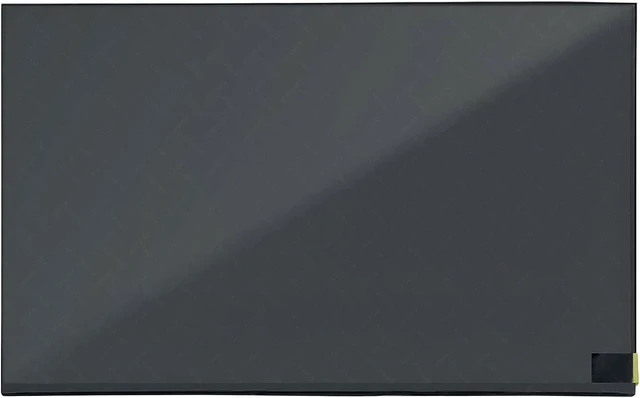

Compatible with Lenovo ThinkPad X1 Carbon Gen 12 21KC 21KD (Non-Touch) 14.0 inches WUXGA 1920x1200 60Hz IPS 30Pin LCD Display Screen Panel Replacement
- 1. Compatible Laptop Model: Replacement for Lenovo ThinkPad X1 Carbon Gen 12 21KC 21KD 21KC00B2US 21KC00A8US 21KC009WUS 21KC00A0US 21KC00A1US 21KC00A3US (Non-Touch)
- 2. LCD Connector: EDP 30pinsSize: 14.0 inchesResolution: 1920x1200 (Not for 2880x1800)Backlight: LED LCD
- 3. Package includes the LCD screen ONLY. No extra touch screen, LCD cable, bezel, back cover, hinges, instruction or installation tools , etc.* Please keep your original parts. Professional installing skill required.
- 4. Even the same product, the model always changes as the production lot changes. We will send compatible model randomly, if you need to require specific model, please confirm with us before ordering.
- 5. Verify Compatibility: Please double-check your laptop model - Check the label on the bottom case of your device, and Check your original screen model If unsure, carefully detach the LCD screen from your laptop (if possible) and find the model number on the back of the display panel. Providing these
+
+
Overview
Specs
Reviews
Product Details:
Compatible Laptop Model: Replacement for Lenovo ThinkPad X1 Carbon Gen 12 21KC 21KD 21KC00B2US 21KC00A8US 21KC009WUS 21KC00A0US 21KC00A1US 21KC00A3US (Non-Touch)
Size: 14.0 inches
Resolution: 1920x1200 (Not for 2880x1800)
LCD Connector: EDP 30Pins
Refresh Rate:60Hz
Package Includes: LCD screen ONLY
*Note: No extra touch screen, LCD cable, bezel, back cover, hinges, instruction or installation tools , etc.*
Please keep your original parts. Professional installing skill required.
Important Notes Before Purchase:
Verify Compatibility:
- Confirm your laptop model Check the label on the bottom case of your device.
- Check your original scre en model If unsure, carefully detach the LCD screen from your laptop (if possible) and find the model number on the back of the display panel.
Providing these details will help ensure correct compatibility.
Compatible Laptop Model: Replacement for Lenovo ThinkPad X1 Carbon Gen 12 21KC 21KD 21KC00B2US 21KC00A8US 21KC009WUS 21KC00A0US 21KC00A1US 21KC00A3US (Non-Touch)
Size: 14.0 inches
Resolution: 1920x1200 (Not for 2880x1800)
LCD Connector: EDP 30Pins
Refresh Rate:60Hz
Package Includes: LCD screen ONLY
*Note: No extra touch screen, LCD cable, bezel, back cover, hinges, instruction or installation tools , etc.*
Please keep your original parts. Professional installing skill required.
Important Notes Before Purchase:
Verify Compatibility:
- Confirm your laptop model Check the label on the bottom case of your device.
- Check your original scre en model If unsure, carefully detach the LCD screen from your laptop (if possible) and find the model number on the back of the display panel.
Providing these details will help ensure correct compatibility.
Warranty & Returns
Warranty, Returns, And Additional Information
Warranty
- Please contact the Seller directly for warranty information. Warranty information may also be found on the Manufacturer's website.
- CONTACT
Return Policies
- Return for refund within: 30 days
- Return for replacement within: 90 days
- This item is covered by Solides Home Return Policy
Manufacturer Contact Info
- For a directory of all our manufacturers, please click below.
- Manufacturers Directory
LOADING...