


- Free 30-day Returns
$44.49
Ships from China.

Meet Your Seller

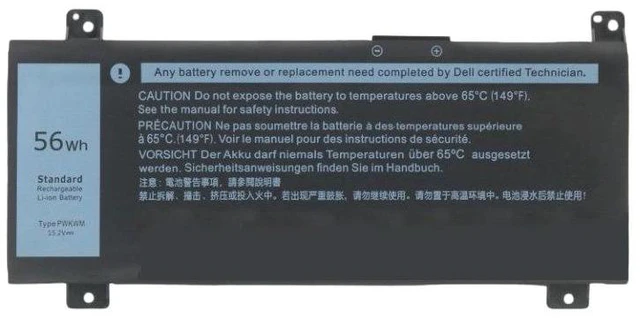
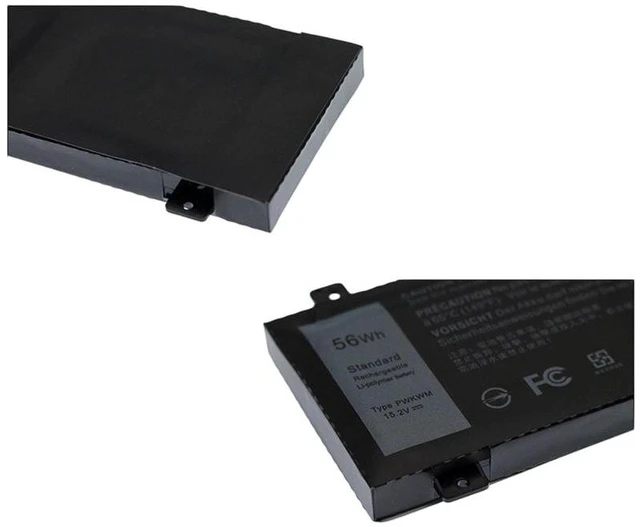
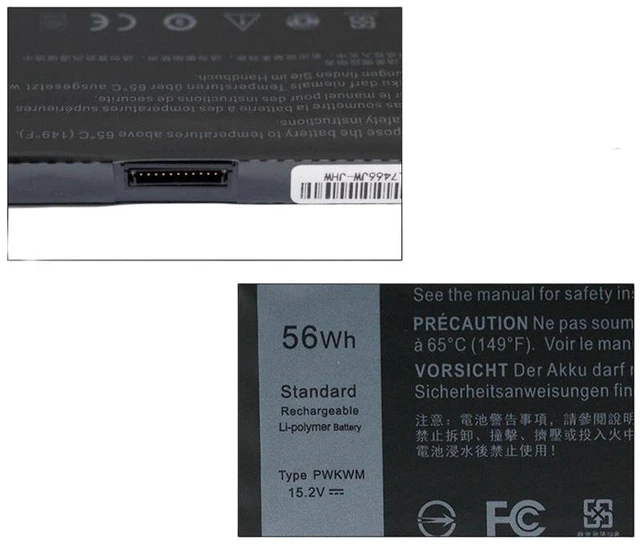
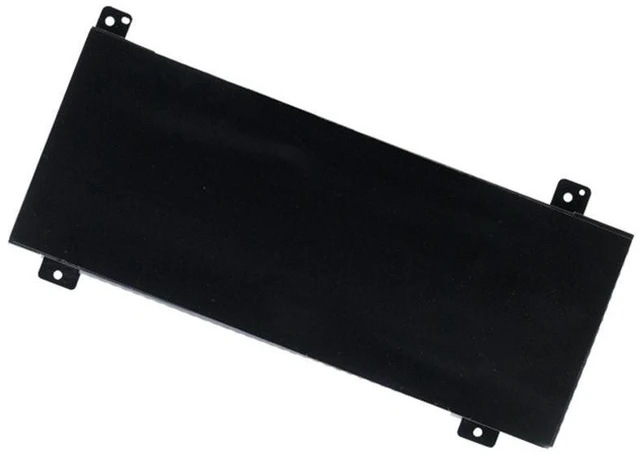


Visit Xuanlan Store
FOLLOW
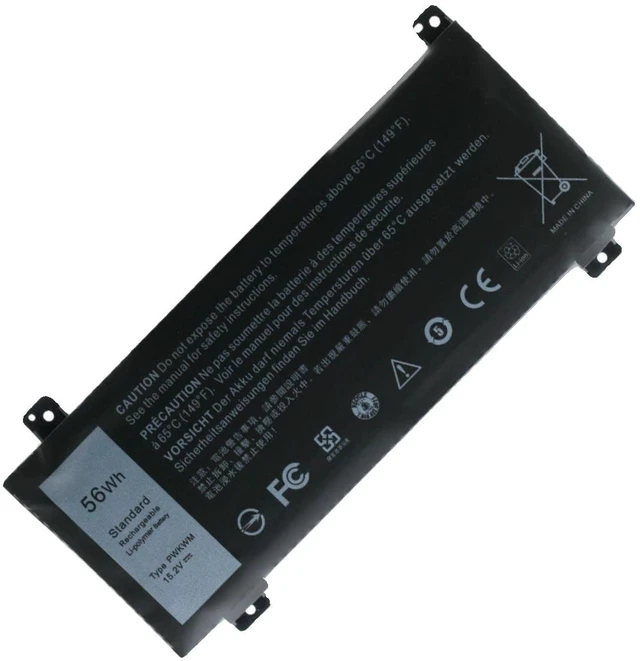
New Battery for Dell Inspiron 14-7466 14-7467 7000 Gaming Series P78G PWKWM 11.4V 74Wh 6-Cell Li-ion Laptop Battery (2-Year Warranty)
- High-Capacity 74Wh 6-Cell Battery: Delivers up to 5-6 hours of runtime (depending on usage), significantly outperforming standard 42Wh batteries for extended gaming, streaming, or work sessions.
- 100% Perfect Fit & Compatibility: Designed specifically for Dell Inspiron 14-7466, 14-7467, 7000 Gaming Series, and models P78G, PWKWM. Replaces OEM part numbers: P78G, PWKWM, 0P78G, 0PWKWM.
- Premium Grade A Cells & Safety Protection: Built with high-quality lithium-ion cells, featuring overcharge, over-discharge, over-current, short-circuit, and temperature protection. CE, FCC, RoHS certified.
- Easy Plug-and-Play Installation: No drivers or software needed. Simply remove the old battery, connect the new one, and secure it. Comes with a complete installation guide.
- 2-Year Warranty & 30-Day Money-Back Guarantee: We stand behind our product. If you have any issues, our US-based support team will respond within 24 hours.
+
+
Overview
Specs
Reviews
**Upgrade Your Dell Inspiron Gaming Laptop with a Reliable, High-Performance Battery**
Is your Dell Inspiron 14-7466 or 14-7467 7000 Gaming laptop struggling to hold a charge? Does it shut down unexpectedly when unplugged, or does the battery indicator show plugged in, not charging? Its time for a replacement. Our premium 74Wh battery is the perfect drop-in solution to restore your laptops original mobility and performance.
**Important Voltage & Compatibility Warning: **
Please confirm your original battery voltage is ** 11.4V **. This battery is NOT compatible with 7.6V or 14.8V models. To verify, check the label on your old battery or use software like HWMonitor. If your original battery is a 4-cell (42Wh) version, this 6-cell (74Wh) battery will still work perfectly but may be slightly thicker (fits all standard 14-7466/7467 chassis).
** Compatible Laptop Models: **
- Dell Inspiron 14-7466 Gaming
- Dell Inspiron 14-7467 Gaming
- Dell Inspiron 7000 Gaming Series (14-inch models)
- Dell Inspiron 14 Gaming P78G / PWKWM
** Replaces OEM Part Numbers: **
P78G, PWKWM, 0P78G, 0PWKWM, 0C6R3, C6R3, 0T3R5, T3R5, 0X3G7, X3G7
** Product
| Specification | Detail |
|: --- |: --- |
| Battery Type | Lithium-Ion (Li-ion) |
| Voltage | 11.4V |
| Capacity | 74Wh / 6500mAh |
| Cell Count | 6 Cells |
| Color | Black |
| Weight | Approx. 350g |
| Certification | CE, FCC, RoHS |
** Comparison: OEM vs. Our Battery**
| Feature | Original Dell Battery (Aged) | Our Replacement Battery |
|: --- |: --- |: --- |
| Capacity | Degraded (often <50% after 1-2 years) | 100% Fresh Grade A Cells |
| Runtime | 1-2 hours (or less) | 5-6 hours (typical usage) |
| Safety | May swell or overheat | 6-Layer Protection Circuit |
| Warranty | Expired | 2-Year Full Warranty |
| Price | High (OEM) | Affordable & Cost-Effective |
** Installation Tips: **
1. **Power
Off: ** Shut down your laptop completely and unplug the AC adapter.
2. **Remove
Back Cover: ** Use a Phillips #0 screwdriver to remove all screws from the bottom panel. Gently pry open the cover.
3. **Disconnect
Old Battery: ** Locate the battery connector. Gently pull the connector straight out (do not pull the wires). Remove the screws holding the battery in place.
4. **Install
New Battery: ** Place the new battery in the bay, tighten the screws, and firmly press the connector into the motherboard socket until it clicks.
5. **Test: ** Replace the back cover, plug in the charger, and power on. The system will automatically recognize the new battery.
** Whats in the Box: **
- 1 x Replacement Laptop Battery
-
- 1 x Installation Guide
** Customer Note: **
For the first use, please fully charge the battery to 100%, then use it until it drains to 5% (do not let it fully die). This calibrates the battery meter for optimal performance.
** Buy with Confidence: **
We are an experienced seller specializing in laptop batteries for over 8 years. All our batteries undergo strict quality control. If you have any questions about compatibility or installation, please message us before purchasing. We are here to help!
Is your Dell Inspiron 14-7466 or 14-7467 7000 Gaming laptop struggling to hold a charge? Does it shut down unexpectedly when unplugged, or does the battery indicator show plugged in, not charging? Its time for a replacement. Our premium 74Wh battery is the perfect drop-in solution to restore your laptops original mobility and performance.
**Important Voltage & Compatibility Warning: **
Please confirm your original battery voltage is ** 11.4V **. This battery is NOT compatible with 7.6V or 14.8V models. To verify, check the label on your old battery or use software like HWMonitor. If your original battery is a 4-cell (42Wh) version, this 6-cell (74Wh) battery will still work perfectly but may be slightly thicker (fits all standard 14-7466/7467 chassis).
** Compatible Laptop Models: **
- Dell Inspiron 14-7466 Gaming
- Dell Inspiron 14-7467 Gaming
- Dell Inspiron 7000 Gaming Series (14-inch models)
- Dell Inspiron 14 Gaming P78G / PWKWM
** Replaces OEM Part Numbers: **
P78G, PWKWM, 0P78G, 0PWKWM, 0C6R3, C6R3, 0T3R5, T3R5, 0X3G7, X3G7
** Product
Specifications
: **| Specification | Detail |
|: --- |: --- |
| Battery Type | Lithium-Ion (Li-ion) |
| Voltage | 11.4V |
| Capacity | 74Wh / 6500mAh |
| Cell Count | 6 Cells |
| Color | Black |
| Weight | Approx. 350g |
| Certification | CE, FCC, RoHS |
** Comparison: OEM vs. Our Battery**
| Feature | Original Dell Battery (Aged) | Our Replacement Battery |
|: --- |: --- |: --- |
| Capacity | Degraded (often <50% after 1-2 years) | 100% Fresh Grade A Cells |
| Runtime | 1-2 hours (or less) | 5-6 hours (typical usage) |
| Safety | May swell or overheat | 6-Layer Protection Circuit |
| Warranty | Expired | 2-Year Full Warranty |
| Price | High (OEM) | Affordable & Cost-Effective |
** Installation Tips: **
1. **Power
Off: ** Shut down your laptop completely and unplug the AC adapter.
2. **Remove
Back Cover: ** Use a Phillips #0 screwdriver to remove all screws from the bottom panel. Gently pry open the cover.
3. **Disconnect
Old Battery: ** Locate the battery connector. Gently pull the connector straight out (do not pull the wires). Remove the screws holding the battery in place.
4. **Install
New Battery: ** Place the new battery in the bay, tighten the screws, and firmly press the connector into the motherboard socket until it clicks.
5. **Test: ** Replace the back cover, plug in the charger, and power on. The system will automatically recognize the new battery.
** Whats in the Box: **
- 1 x Replacement Laptop Battery
-
- 1 x Installation Guide
** Customer Note: **
For the first use, please fully charge the battery to 100%, then use it until it drains to 5% (do not let it fully die). This calibrates the battery meter for optimal performance.
** Buy with Confidence: **
We are an experienced seller specializing in laptop batteries for over 8 years. All our batteries undergo strict quality control. If you have any questions about compatibility or installation, please message us before purchasing. We are here to help!
Warranty & Returns
Warranty, Returns, And Additional Information
Warranty
- Please contact the Seller directly for warranty information. Warranty information may also be found on the Manufacturer's website.
- CONTACT
Return Policies
- Return for refund within: 30 days
- Return for replacement within: 90 days
- This item is covered by xuanlan Return Policy
Manufacturer Contact Info
- For a directory of all our manufacturers, please click below.
- Manufacturers Directory
LOADING...