


- Free 30-day Returns
$39.20
Ships from China.

Meet Your Seller



Visit Xuanlan Store
FOLLOW
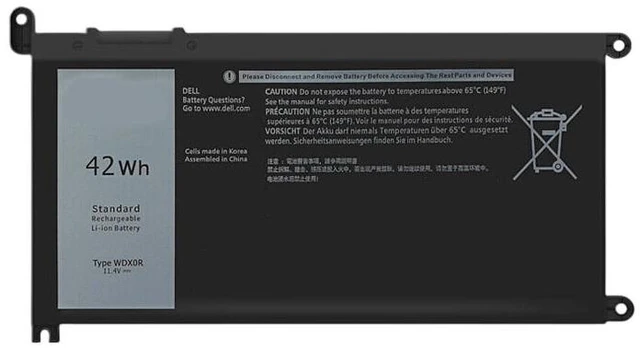
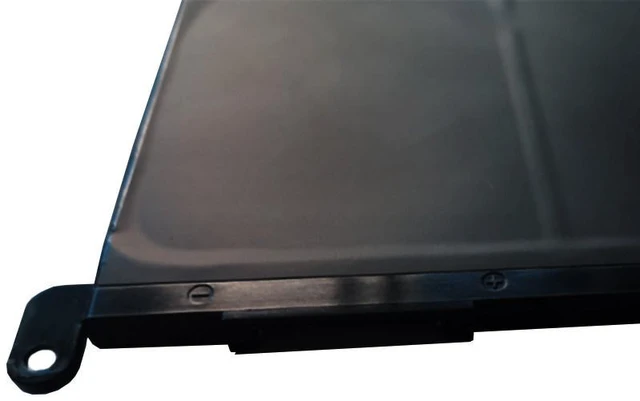
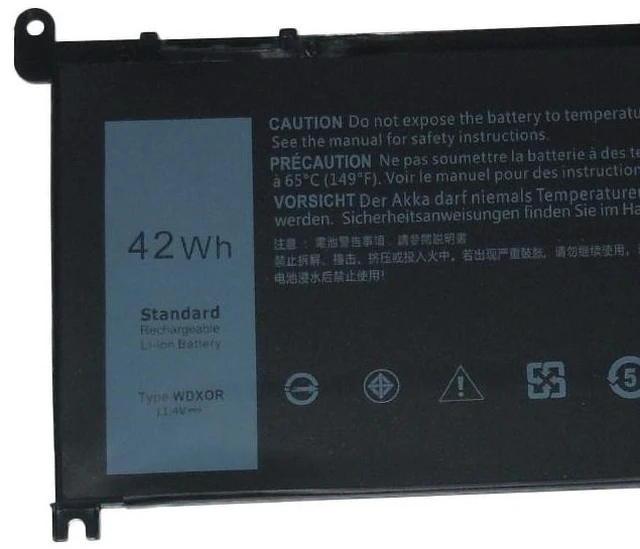
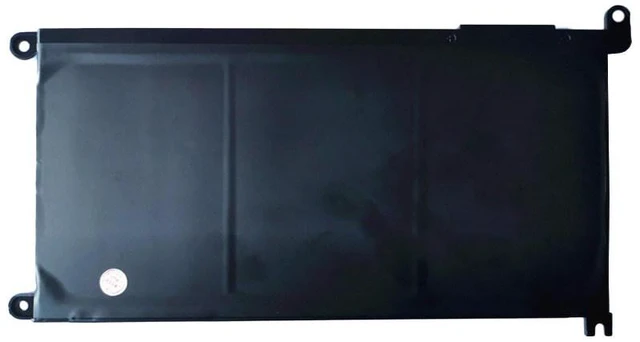
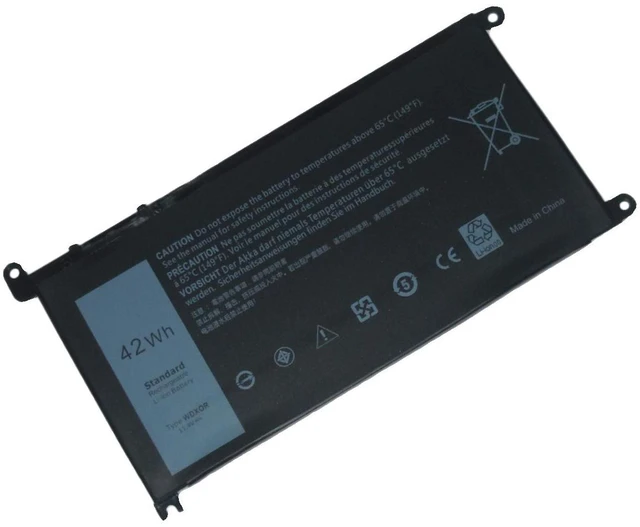
Battery for Dell Inspiron 15 5568 7560 7580, 14 5468 7460 7472, Vostro 15 5568, 11.4V 42Wh WDXOR, WDX0R, Compatible with 0WDXOR, 451-BBHV, 451-BBHY, 1 Year Warranty
- High-Capacity 42Wh Lithium-Ion Battery: Delivers reliable power for your Dell Inspiron 15 5568, 7560, 7580, 14 5468, 7460, 7472, and Vostro 15 5568 laptops, ensuring long-lasting performance for work and entertainment.
- Exact Replacement for WDXOR / WDX0R: Directly replaces original part numbers 0WDXOR, 451-BBHV, 451-BBHY, and 451-BBHZ, with perfect fit and plug-and-play installation.
- Advanced Safety Protection: Built-in overcharge, over-discharge, over-current, and short-circuit protection circuits prevent damage to your device and battery.
- % Compatibility Guarantee: Tested for seamless compatibility with Dell Inspiron 14 5000 (5468, 7460, 7472) and 15 5000 (5568, 7560, 7580) series, plus Vostro 15 5568.
- Month Warranty & 30-Day Money-Back: Backed by our reliable customer service, ensuring a risk-free purchase with fast replacement or refund if needed.
+
+
Overview
Specs
Reviews
**Product Overview**
Upgrade or replace your worn-out laptop battery with this high-performance 11.4V 42Wh replacement battery, specifically designed for Dell Inspiron and Vostro series. Whether your original battery no longer holds a charge, drains quickly, or causes unexpected shutdowns, this WDXOR-compatible battery restores your laptops portability and performance. Perfect for students, professionals, and home users who need reliable power on the go.
**Important Voltage & Compatibility Warning**
Please verify your original battery voltage before purchasing. This battery is 11.4V (3-cell series). It is NOT compatible with 7.6V or 15.2V batteries. Check your original battery label or system BIOS for voltage details. Using an incorrect voltage battery may damage your laptop.
**Compatible Models & Part Numbers**
This battery is fully compatible with the following Dell laptop models (please confirm your model number on the bottom case):
- Dell Inspiron 15 5000 Series: 5568, 5567, 5565, 7560, 7580
- Dell Inspiron 14 5000 Series: 5468, 5465
- Dell Inspiron 14 7000 Series: 7460, 7472
- Dell Vostro 15 5000 Series: 5568
**Replacement Part Numbers: **
WDXOR, WDX0R, 0WDXOR, 451-BBHV, 451-BBHY, 451-BBHZ, 0C6DRH, C6DRH
**Technical Specifications**
| Specification |
| --- | --- |
| Battery Type | Lithium-Ion (Li-ion) |
| Voltage | 11.4V DC |
| Capacity | 42Wh (typical) |
| Cells | 3-cell |
| Color | Black |
| Connector | Proprietary Dell connector (exact fit) |
| Dimensions | Approximately 7.5 x 3.5 x 0.8 inches |
| Weight | Approx. 0.55 lbs (250g) |
| Warranty | 12 Months |
**Comparison Table: New Battery vs. Old/Degraded Battery**
| Feature | This Replacement Battery | Typical Old/Degraded Battery |
| --- | --- | --- |
| Charge Capacity | 100% (42Wh) | 20-50% or less |
| Runtime (light use) | 4-6 hours | 30 minutes - 1.5 hours |
| Overcharge Protection | Yes | May be worn out |
| Physical Condition | New, no swelling | May be swollen or damaged |
| Warranty | 12 months | None |
**Installation Tips**
1. **Power
Off & Unplug: ** Shut down your laptop completely and disconnect the AC adapter.
2. **Remove
Old Battery: ** Locate the battery release latches on the bottom of your laptop. Slide the latch to the unlock position, then gently lift the battery out.
3. **Insert
New Battery: ** Align the new batterys connectors with the slot in the laptop. Gently press down until it clicks into place. Slide the latch to the lock position.
4. **Charge
Fully: ** Connect the AC adapter and charge the battery to 100% before first use. For optimal lifespan, avoid letting the battery drain completely (below 10%) regularly.
5. **Calibration (Optional): ** Once a month, fully charge, then discharge to 5% and recharge to 100% to maintain battery health.
**Package Includes**
- 1 x Replacement Battery ( 11.4V 42Wh)
**Customer Support**
If you have any questions about compatibility or installation, please contact us. We are committed to providing high-quality products and excellent after-sales service. Your satisfaction is our priority.
Upgrade or replace your worn-out laptop battery with this high-performance 11.4V 42Wh replacement battery, specifically designed for Dell Inspiron and Vostro series. Whether your original battery no longer holds a charge, drains quickly, or causes unexpected shutdowns, this WDXOR-compatible battery restores your laptops portability and performance. Perfect for students, professionals, and home users who need reliable power on the go.
**Important Voltage & Compatibility Warning**
Please verify your original battery voltage before purchasing. This battery is 11.4V (3-cell series). It is NOT compatible with 7.6V or 15.2V batteries. Check your original battery label or system BIOS for voltage details. Using an incorrect voltage battery may damage your laptop.
**Compatible Models & Part Numbers**
This battery is fully compatible with the following Dell laptop models (please confirm your model number on the bottom case):
- Dell Inspiron 15 5000 Series: 5568, 5567, 5565, 7560, 7580
- Dell Inspiron 14 5000 Series: 5468, 5465
- Dell Inspiron 14 7000 Series: 7460, 7472
- Dell Vostro 15 5000 Series: 5568
**Replacement Part Numbers: **
WDXOR, WDX0R, 0WDXOR, 451-BBHV, 451-BBHY, 451-BBHZ, 0C6DRH, C6DRH
**Technical Specifications**
| Specification |
Details
|| --- | --- |
| Battery Type | Lithium-Ion (Li-ion) |
| Voltage | 11.4V DC |
| Capacity | 42Wh (typical) |
| Cells | 3-cell |
| Color | Black |
| Connector | Proprietary Dell connector (exact fit) |
| Dimensions | Approximately 7.5 x 3.5 x 0.8 inches |
| Weight | Approx. 0.55 lbs (250g) |
| Warranty | 12 Months |
**Comparison Table: New Battery vs. Old/Degraded Battery**
| Feature | This Replacement Battery | Typical Old/Degraded Battery |
| --- | --- | --- |
| Charge Capacity | 100% (42Wh) | 20-50% or less |
| Runtime (light use) | 4-6 hours | 30 minutes - 1.5 hours |
| Overcharge Protection | Yes | May be worn out |
| Physical Condition | New, no swelling | May be swollen or damaged |
| Warranty | 12 months | None |
**Installation Tips**
1. **Power
Off & Unplug: ** Shut down your laptop completely and disconnect the AC adapter.
2. **Remove
Old Battery: ** Locate the battery release latches on the bottom of your laptop. Slide the latch to the unlock position, then gently lift the battery out.
3. **Insert
New Battery: ** Align the new batterys connectors with the slot in the laptop. Gently press down until it clicks into place. Slide the latch to the lock position.
4. **Charge
Fully: ** Connect the AC adapter and charge the battery to 100% before first use. For optimal lifespan, avoid letting the battery drain completely (below 10%) regularly.
5. **Calibration (Optional): ** Once a month, fully charge, then discharge to 5% and recharge to 100% to maintain battery health.
**Package Includes**
- 1 x Replacement Battery ( 11.4V 42Wh)
**Customer Support**
If you have any questions about compatibility or installation, please contact us. We are committed to providing high-quality products and excellent after-sales service. Your satisfaction is our priority.
Warranty & Returns
Warranty, Returns, And Additional Information
Warranty
- Please contact the Seller directly for warranty information. Warranty information may also be found on the Manufacturer's website.
- CONTACT
Return Policies
- Return for refund within: 30 days
- Return for replacement within: 90 days
- This item is covered by xuanlan Return Policy
Manufacturer Contact Info
- For a directory of all our manufacturers, please click below.
- Manufacturers Directory
LOADING...