


- Free 30-day Returns
$44.49
Ships from China.

Meet Your Seller



Visit Xuanlan Store
FOLLOW
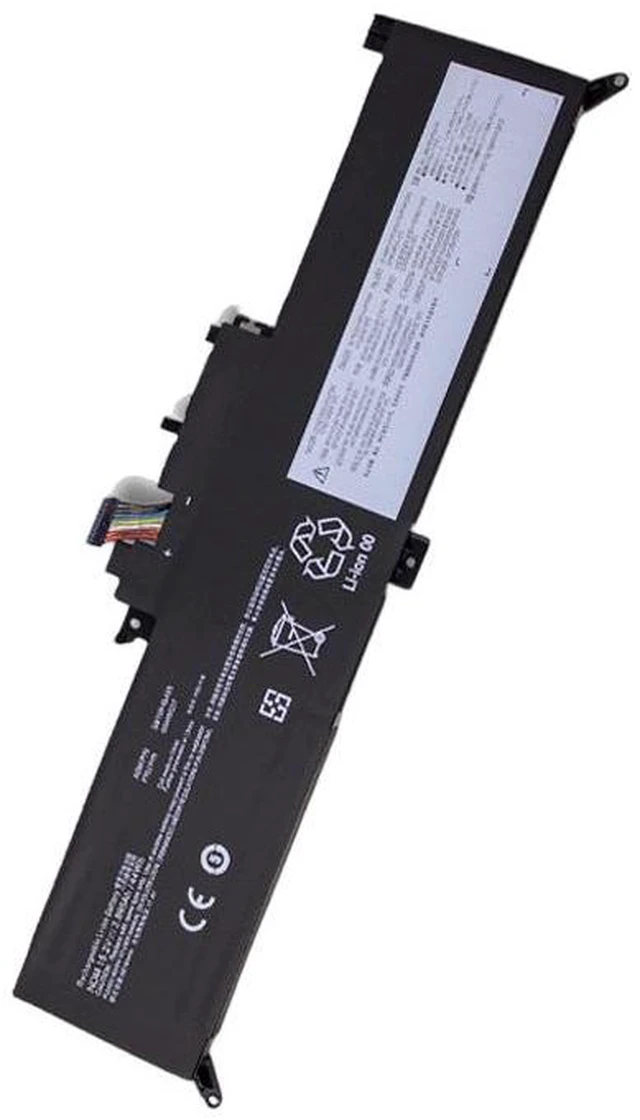
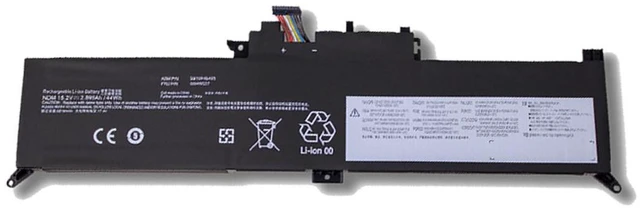
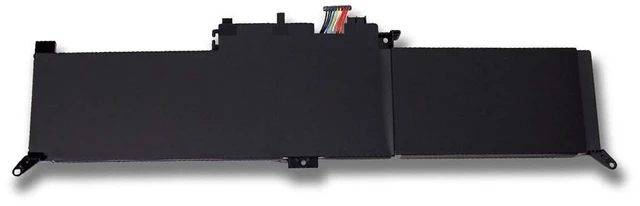
Battery for Lenovo Yoga X260 00HW026 00HW027 SB10F46465 11.4V 48Wh Li-ion Laptop Battery High Capacity, 1-Year Warranty
- High Capacity 48Wh / 4200mAh 11.4V Li-ion battery ensures longer runtime and reliable power for your Lenovo Yoga X260.
- Direct replacement for OEM part numbers 00HW026, 00HW027, SB10F46465, SB10F46466, and SB10F46467.
- Built-in overcharge, over-discharge, short circuit, and over-temperature protection for safe daily use.
- Easy installation with no additional drivers or software required simply plug and play.
- Backed by 1-year warranty and 30-day money-back guarantee for peace of mind.
+
+
Overview
Specs
Reviews
**Product Overview**
This high-performance replacement battery is specifically designed for Lenovo Yoga X260 series laptops. With a voltage of 11.4V and a capacity of 48Wh (4200mAh), it provides stable and long-lasting power to keep your device running through work, study, or entertainment. Whether you are replacing an aging or swollen battery, this unit is a perfect drop-in solution.
**Important Voltage Warning**
Please verify that your original battery voltage is 11.4V before purchasing. Using an incorrect voltage battery may cause damage to your laptop or battery. This battery is NOT compatible with 7.6V or 14.4V models.
**Compatible Models & Part Numbers**
- Compatible Laptop Models: Lenovo Yoga X260 (all sub-models)
- OEM Part Numbers:
- 00HW026
- 00HW027
- SB10F46465
- SB10F46466
- SB10F46467
- FRU 00HW028 (some variants)
**Specifications Table**
| Specification | Value |
|---------------|-------|
| Battery Type | Li-ion |
| Voltage | 11.4V |
| Capacity | 48Wh / 4200mAh |
| Cells | 4-cell |
| Color | Black |
| Weight | Approx. 250g |
| Dimensions | 210 x 70 x 8 mm (compatible with original) |
| Warranty | 1 Year |
**Comparison Table**
| Feature | Our Battery | Generic/Unknown Battery |
|---------|-------------|-------------------------|
| Capacity | 48Wh (high capacity) | Often lower (e. g., 42Wh) |
| Safety Certifications | CE, FCC, RoHS | May lack certifications |
| Cell Quality | Grade A cells | Unknown or recycled cells |
| Warranty | 1 Year | Often 6 months or none |
| Compatibility | Full OEM replacement | May have fitment issues |
**Installation Tips**
1. Power off your laptop and disconnect the AC adapter.
2. Remove the bottom cover (screws may be required).
3. Disconnect the old battery cable from the motherboard.
4. Remove the old battery and insert the new one.
5. Reconnect the cable, replace the cover, and power on.
6. For first use, fully charge the battery to 100% before normal use.
**Package Includes**
- 1 x Replacement Battery
**Note**
This battery is a third-party replacement, not an original Lenovo product. However, it meets or exceeds OEM specifications. If you have any compatibility questions, please contact us with your laptop model and original battery part number before ordering.
This high-performance replacement battery is specifically designed for Lenovo Yoga X260 series laptops. With a voltage of 11.4V and a capacity of 48Wh (4200mAh), it provides stable and long-lasting power to keep your device running through work, study, or entertainment. Whether you are replacing an aging or swollen battery, this unit is a perfect drop-in solution.
**Important Voltage Warning**
Please verify that your original battery voltage is 11.4V before purchasing. Using an incorrect voltage battery may cause damage to your laptop or battery. This battery is NOT compatible with 7.6V or 14.4V models.
**Compatible Models & Part Numbers**
- Compatible Laptop Models: Lenovo Yoga X260 (all sub-models)
- OEM Part Numbers:
- 00HW026
- 00HW027
- SB10F46465
- SB10F46466
- SB10F46467
- FRU 00HW028 (some variants)
**Specifications Table**
| Specification | Value |
|---------------|-------|
| Battery Type | Li-ion |
| Voltage | 11.4V |
| Capacity | 48Wh / 4200mAh |
| Cells | 4-cell |
| Color | Black |
| Weight | Approx. 250g |
| Dimensions | 210 x 70 x 8 mm (compatible with original) |
| Warranty | 1 Year |
**Comparison Table**
| Feature | Our Battery | Generic/Unknown Battery |
|---------|-------------|-------------------------|
| Capacity | 48Wh (high capacity) | Often lower (e. g., 42Wh) |
| Safety Certifications | CE, FCC, RoHS | May lack certifications |
| Cell Quality | Grade A cells | Unknown or recycled cells |
| Warranty | 1 Year | Often 6 months or none |
| Compatibility | Full OEM replacement | May have fitment issues |
**Installation Tips**
1. Power off your laptop and disconnect the AC adapter.
2. Remove the bottom cover (screws may be required).
3. Disconnect the old battery cable from the motherboard.
4. Remove the old battery and insert the new one.
5. Reconnect the cable, replace the cover, and power on.
6. For first use, fully charge the battery to 100% before normal use.
**Package Includes**
- 1 x Replacement Battery
**Note**
This battery is a third-party replacement, not an original Lenovo product. However, it meets or exceeds OEM specifications. If you have any compatibility questions, please contact us with your laptop model and original battery part number before ordering.
Warranty & Returns
Warranty, Returns, And Additional Information
Warranty
- Please contact the Seller directly for warranty information. Warranty information may also be found on the Manufacturer's website.
- CONTACT
Return Policies
- Return for refund within: 30 days
- Return for replacement within: 90 days
- This item is covered by xuanlan Return Policy
Manufacturer Contact Info
- For a directory of all our manufacturers, please click below.
- Manufacturers Directory
LOADING...