
Your Browsing History
- Free 30-day Returns
$40.64
Ships from China.

Meet Your Seller



Visit Xuanlan Store
FOLLOW
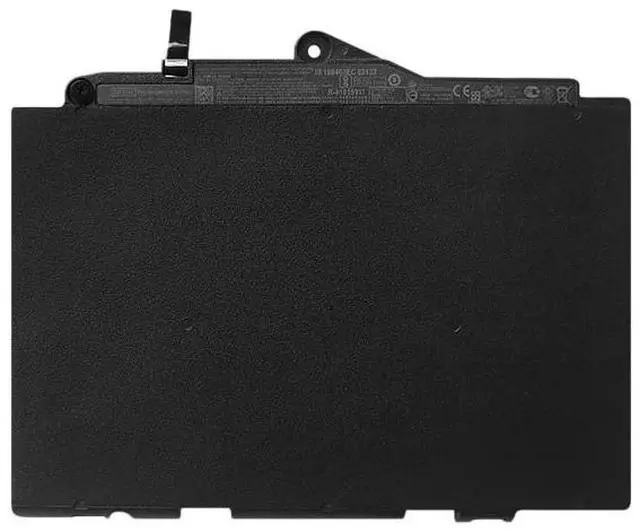
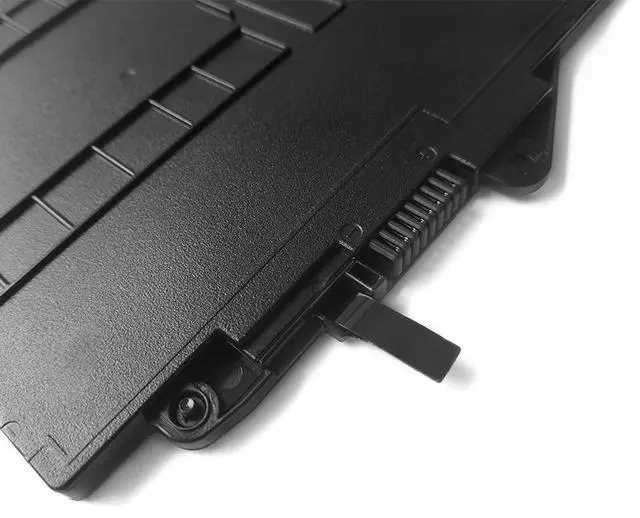
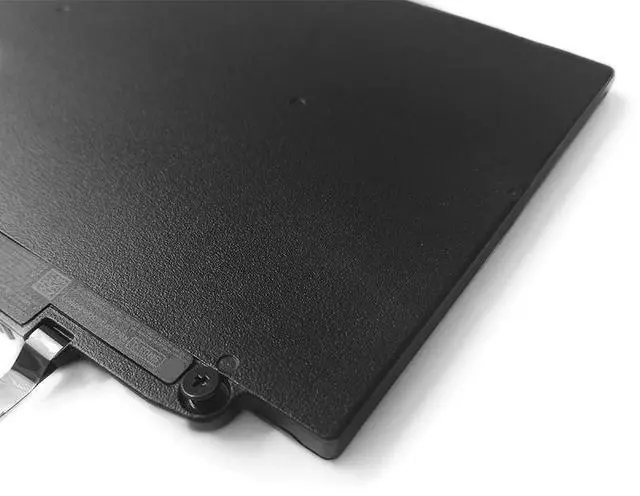
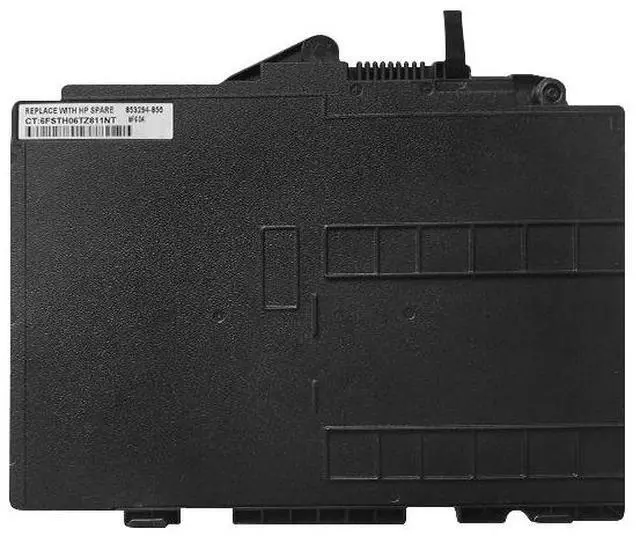
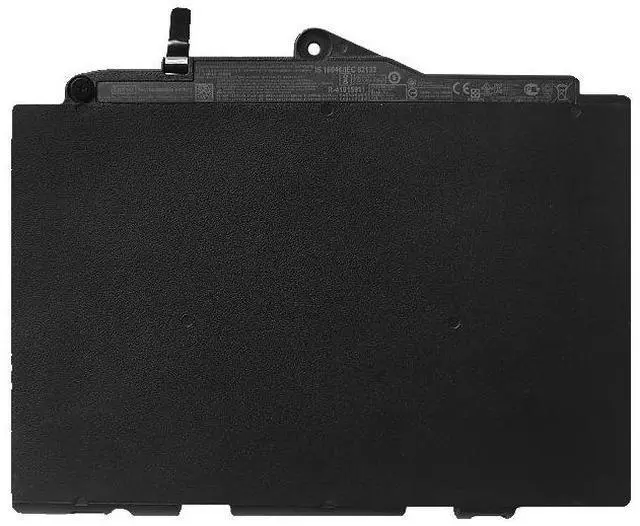
New Laptop Battery for HP EliteBook 725 G3 820 G3 G4, SN03XL HSTNN-DB6V UB6T, 11.4V 48Wh, High Capacity, 2-Year Warranty
- Premium Grade A cells ensure stable voltage output, longer lifespan, and no memory effect for daily office and travel use.
- Exact fit for HP EliteBook 725 G3, 820 G3, and 820 G4 series, replacing OEM part numbers SN03XL, HSTNN-DB6V, HSTNN-UB6T.
- .4V 48Wh high-density design delivers up to 5-6 hours of runtime (depending on usage), perfect for remote work and on-the-go productivity.
- Built-in multi-layer safety protection: overcharge, over-discharge, short circuit, and temperature control, CE & RoHS certified.
- day money-back guarantee and 24-month warranty with fast customer support from a trusted seller.
+
+
Overview
Specs
Reviews
**Product Overview**
This high-performance replacement battery is specifically designed for HP EliteBook 725 G3, 820 G3, and 820 G4 notebooks. It uses high-quality Grade A lithium-ion cells to match or exceed the original batterys capacity and reliability. Whether you need a spare for extended work hours or a direct replacement for a worn-out battery, this unit provides consistent power and a perfect fit.
**Important Voltage Compatibility**
Please verify your original battery voltage before purchase. This battery is rated at 11.4V. It is NOT compatible with 7.6V or 14.8V systems. Using an incorrect voltage battery may cause charging failure or damage to your laptop. Check the label on your current battery or refer to your devices specifications.
**Compatible Laptop Models**
- HP EliteBook 725 G3
- HP EliteBook 820 G3
- HP EliteBook 820 G4
**Replaces OEM Part Numbers**
SN03XL, HSTNN-DB6V, HSTNN-UB6T, HSTNN-IB6T, HSTNN-LB6T, 841727-001, 841727-2D1, 841727-121, 841727-421, 841727-521, 841727-621, 841727-821, 841727-AC1, 841727-BC1, 841727-CC1, 841727-DC1, 841727-EC1, 841727-FC1, 841727-GC1, 841727-HC1, 841727-JC1, 841727-KC1, 841727-LC1, 841727-MC1, 841727-NC1, 841727-PC1, 841727-QC1, 841727-RC1, 841727-SC1, 841727-TC1, 841727-UC1, 841727-VC1, 841727-WC1, 841727-XC1, 841727-YC1, 841727-ZC1
**Technical Specifications**
| Parameter | Value |
|-----------|-------|
| Chemistry | Lithium-Ion (Li-ion) |
| Voltage | 11.4V |
| Capacity | 48Wh / 4210mAh |
| Cell Grade | Grade A |
| Color | Black |
| Weight | Approx. 220g |
| Dimensions | 20.5 x 8.5 x 0.6 cm |
| Warranty | 24 Months |
**Comparison: Original vs. This Replacement**
| Feature | Original HP Battery | This Replacement |
|---------|--------------------|-----------------|
| Voltage | 11.4V | 11.4V (exact match) |
| Capacity | 48Wh | 48Wh (equal or higher) |
| Cell Quality | OEM standard | Grade A (high reliability) |
| Safety Protections | Standard | Overcharge/over-discharge/short circuit/temperature |
| Warranty | 1 year (typical) | 2 years (extended) |
| Price | High | Affordable |
**Installation Tips**
1. Power off your laptop and disconnect the AC adapter.
2. Remove the bottom panel screws (refer to your laptop manual).
3. Disconnect the old battery cable, remove the battery, and insert the new one.
4. Reconnect the cable, replace the panel, and tighten screws.
5. Charge the battery fully (about 3-4 hours) before first use for optimal performance.
6. If the battery is not recognized, try
a hard reset: unplug AC, remove battery, hold power button for 15 seconds, then reinstall.
**Package Includes**
- 1 x Replacement Battery
- 1 x Installation Guide
**Note**
This is a compatible third-party product, not an original HP item. It is designed to meet or exceed OEM specifications. Please ensure your laptop model and original battery part number match the list above. For any questions, contact our support team before purchasing.
This high-performance replacement battery is specifically designed for HP EliteBook 725 G3, 820 G3, and 820 G4 notebooks. It uses high-quality Grade A lithium-ion cells to match or exceed the original batterys capacity and reliability. Whether you need a spare for extended work hours or a direct replacement for a worn-out battery, this unit provides consistent power and a perfect fit.
**Important Voltage Compatibility**
Please verify your original battery voltage before purchase. This battery is rated at 11.4V. It is NOT compatible with 7.6V or 14.8V systems. Using an incorrect voltage battery may cause charging failure or damage to your laptop. Check the label on your current battery or refer to your devices specifications.
**Compatible Laptop Models**
- HP EliteBook 725 G3
- HP EliteBook 820 G3
- HP EliteBook 820 G4
**Replaces OEM Part Numbers**
SN03XL, HSTNN-DB6V, HSTNN-UB6T, HSTNN-IB6T, HSTNN-LB6T, 841727-001, 841727-2D1, 841727-121, 841727-421, 841727-521, 841727-621, 841727-821, 841727-AC1, 841727-BC1, 841727-CC1, 841727-DC1, 841727-EC1, 841727-FC1, 841727-GC1, 841727-HC1, 841727-JC1, 841727-KC1, 841727-LC1, 841727-MC1, 841727-NC1, 841727-PC1, 841727-QC1, 841727-RC1, 841727-SC1, 841727-TC1, 841727-UC1, 841727-VC1, 841727-WC1, 841727-XC1, 841727-YC1, 841727-ZC1
**Technical Specifications**
| Parameter | Value |
|-----------|-------|
| Chemistry | Lithium-Ion (Li-ion) |
| Voltage | 11.4V |
| Capacity | 48Wh / 4210mAh |
| Cell Grade | Grade A |
| Color | Black |
| Weight | Approx. 220g |
| Dimensions | 20.5 x 8.5 x 0.6 cm |
| Warranty | 24 Months |
**Comparison: Original vs. This Replacement**
| Feature | Original HP Battery | This Replacement |
|---------|--------------------|-----------------|
| Voltage | 11.4V | 11.4V (exact match) |
| Capacity | 48Wh | 48Wh (equal or higher) |
| Cell Quality | OEM standard | Grade A (high reliability) |
| Safety Protections | Standard | Overcharge/over-discharge/short circuit/temperature |
| Warranty | 1 year (typical) | 2 years (extended) |
| Price | High | Affordable |
**Installation Tips**
1. Power off your laptop and disconnect the AC adapter.
2. Remove the bottom panel screws (refer to your laptop manual).
3. Disconnect the old battery cable, remove the battery, and insert the new one.
4. Reconnect the cable, replace the panel, and tighten screws.
5. Charge the battery fully (about 3-4 hours) before first use for optimal performance.
6. If the battery is not recognized, try
a hard reset: unplug AC, remove battery, hold power button for 15 seconds, then reinstall.
**Package Includes**
- 1 x Replacement Battery
- 1 x Installation Guide
**Note**
This is a compatible third-party product, not an original HP item. It is designed to meet or exceed OEM specifications. Please ensure your laptop model and original battery part number match the list above. For any questions, contact our support team before purchasing.
Warranty & Returns
Warranty, Returns, And Additional Information
Warranty
- Please contact the Seller directly for warranty information. Warranty information may also be found on the Manufacturer's website.
- CONTACT
Return Policies
- Return for refund within: 30 days
- Return for replacement within: 90 days
- This item is covered by xuanlan Return Policy
Manufacturer Contact Info
- For a directory of all our manufacturers, please click below.
- Manufacturers Directory
LOADING...