


- Free 30-day Returns
$45.93
Ships from China.

Meet Your Seller



Visit Xuanlan Store
FOLLOW
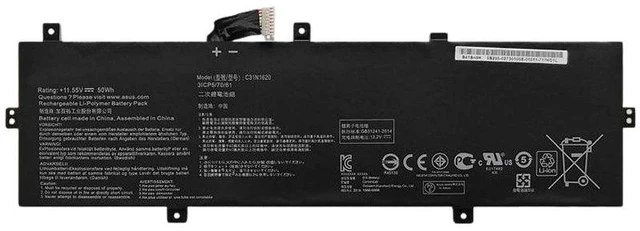
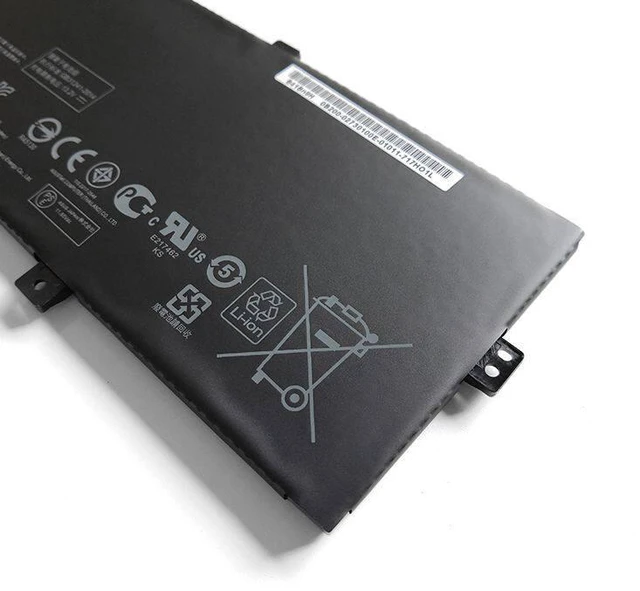
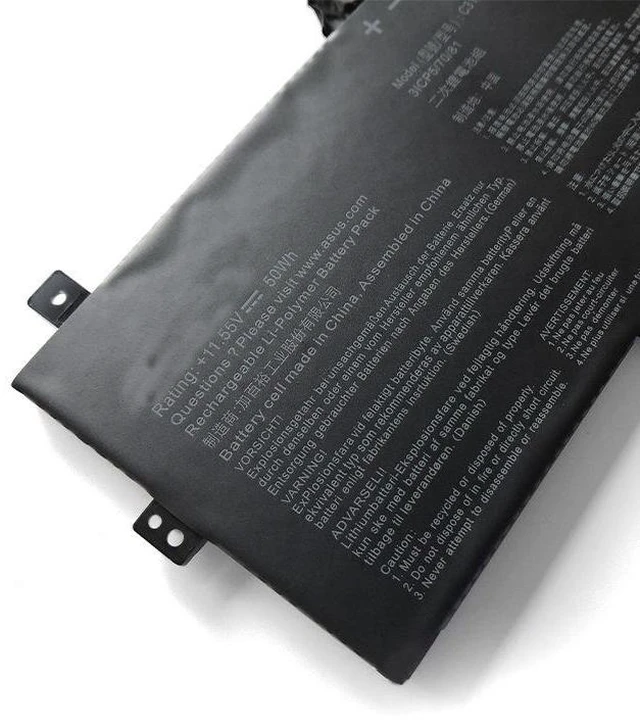
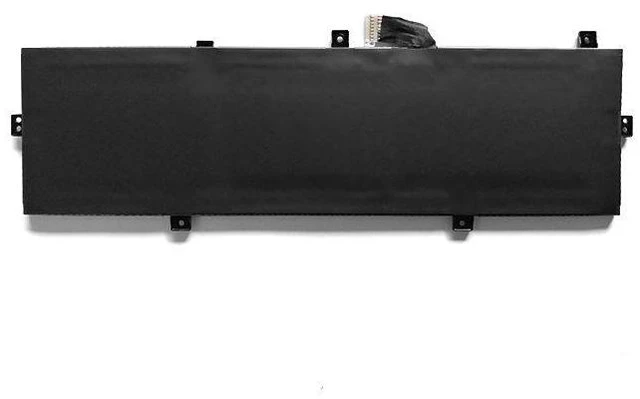
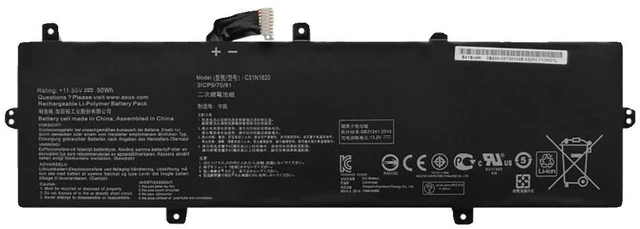
Laptop Battery for ASUS U4100U U4100UQ UX430U UX430UQ C31N1620 11.55V 57Wh Li-ion
- High-Capacity 57Wh / 4930mAh Li-ion battery ensures longer runtime for ASUS ZenBook U4100U and UX430U series.
- % compatible with original model C31N1620, replacing part numbers C31N1620, 0B200-02050000, and 0B200-02060000.
- Built-in overcharge, over-discharge, over-current, and short-circuit protection for safe daily use.
- Easy plug-and-play installation with no driver or software required fits perfectly in your laptop battery slot.
- Backed by 12-month warranty and 30-day money-back guarantee for worry-free purchase.
+
+
Overview
Specs
Reviews
**Product Overview**
This high-performance replacement battery is specifically designed for ASUS ZenBook U4100U, U4100UQ, UX430U, and UX430UQ series laptops. It uses premium Grade-A lithium-ion cells to deliver stable power output and extended battery life, making it an ideal upgrade or replacement for your worn-out original battery.
**Important Voltage Warning**
Please confirm your original battery voltage before purchasing. This battery is rated at 11.55V (nominal). If your original battery is 7.6V or 15.4V, this model will NOT be compatible and may cause damage. Always check the voltage printed on your old battery or laptop label.
**Compatible Laptop Models**
- ASUS ZenBook 13 UX331UA
- ASUS ZenBook 13 UX331UN
- ASUS ZenBook 14 UX410UA
- ASUS ZenBook 14 UX410UQ
- ASUS ZenBook 14 UX430UA
- ASUS ZenBook 14 UX430UQ
- ASUS ZenBook 14 U4100U
- ASUS ZenBook 14 U4100UQ
**Replacement Part Numbers**
C31N1620, 0B200-02050000, 0B200-02060000
**Specifications**
| Parameter | Value |
|-----------|-------|
| Battery Type | Li-ion |
| Voltage | 11.55V |
| Capacity | 57Wh / 4930mAh |
| Cell Quality | Grade-A |
| Color | Black |
| Weight | Approx. 250g |
| Warranty | 12 Months |
**Comparison Table**
| Feature | Our Battery | Original Battery |
|---------|-------------|------------------|
| Capacity | 57Wh | 57Wh |
| Voltage | 11.55V | 11.55V |
| Cell Grade | Grade-A | OEM Grade |
| Protection | 4-layer safety | Standard |
| Price | Competitive | Higher |
**Installation Tips**
1. Power off your laptop and unplug the AC adapter.
2. Remove the bottom case screws (refer to your laptop manual for exact steps).
3. Disconnect the old battery cable from the motherboard.
4. Remove the old battery and insert the new one.
5. Reconnect the cable, replace the case, and charge the battery fully before first use.
**Package Includes**
- 1x Replacement Battery
**Note**
This battery is not an original ASUS product but is 100% compatible and meets or exceeds OEM specifications. Please verify your laptop model and battery part number before ordering.
This high-performance replacement battery is specifically designed for ASUS ZenBook U4100U, U4100UQ, UX430U, and UX430UQ series laptops. It uses premium Grade-A lithium-ion cells to deliver stable power output and extended battery life, making it an ideal upgrade or replacement for your worn-out original battery.
**Important Voltage Warning**
Please confirm your original battery voltage before purchasing. This battery is rated at 11.55V (nominal). If your original battery is 7.6V or 15.4V, this model will NOT be compatible and may cause damage. Always check the voltage printed on your old battery or laptop label.
**Compatible Laptop Models**
- ASUS ZenBook 13 UX331UA
- ASUS ZenBook 13 UX331UN
- ASUS ZenBook 14 UX410UA
- ASUS ZenBook 14 UX410UQ
- ASUS ZenBook 14 UX430UA
- ASUS ZenBook 14 UX430UQ
- ASUS ZenBook 14 U4100U
- ASUS ZenBook 14 U4100UQ
**Replacement Part Numbers**
C31N1620, 0B200-02050000, 0B200-02060000
**Specifications**
| Parameter | Value |
|-----------|-------|
| Battery Type | Li-ion |
| Voltage | 11.55V |
| Capacity | 57Wh / 4930mAh |
| Cell Quality | Grade-A |
| Color | Black |
| Weight | Approx. 250g |
| Warranty | 12 Months |
**Comparison Table**
| Feature | Our Battery | Original Battery |
|---------|-------------|------------------|
| Capacity | 57Wh | 57Wh |
| Voltage | 11.55V | 11.55V |
| Cell Grade | Grade-A | OEM Grade |
| Protection | 4-layer safety | Standard |
| Price | Competitive | Higher |
**Installation Tips**
1. Power off your laptop and unplug the AC adapter.
2. Remove the bottom case screws (refer to your laptop manual for exact steps).
3. Disconnect the old battery cable from the motherboard.
4. Remove the old battery and insert the new one.
5. Reconnect the cable, replace the case, and charge the battery fully before first use.
**Package Includes**
- 1x Replacement Battery
**Note**
This battery is not an original ASUS product but is 100% compatible and meets or exceeds OEM specifications. Please verify your laptop model and battery part number before ordering.
Warranty & Returns
Warranty, Returns, And Additional Information
Warranty
- Please contact the Seller directly for warranty information. Warranty information may also be found on the Manufacturer's website.
- CONTACT
Return Policies
- Return for refund within: 30 days
- Return for replacement within: 90 days
- This item is covered by xuanlan Return Policy
Manufacturer Contact Info
- For a directory of all our manufacturers, please click below.
- Manufacturers Directory
LOADING...