


- Free 30-day Returns
$51.70
Ships from China.

Meet Your Seller



Visit Xuanlan Store
FOLLOW
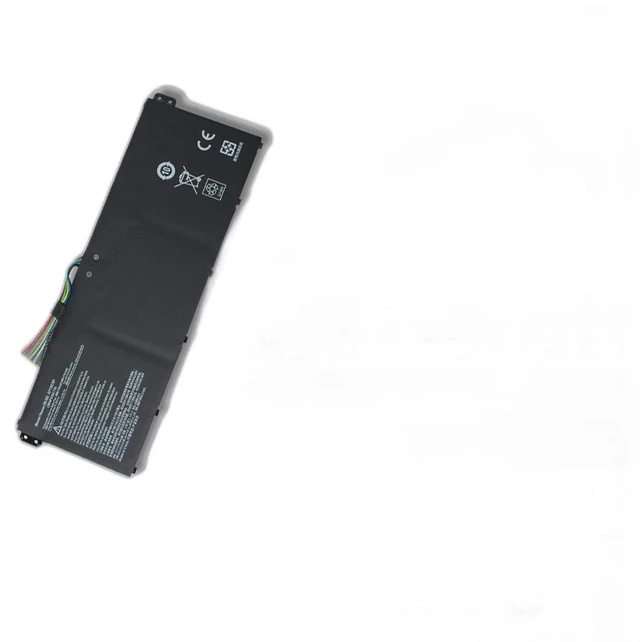
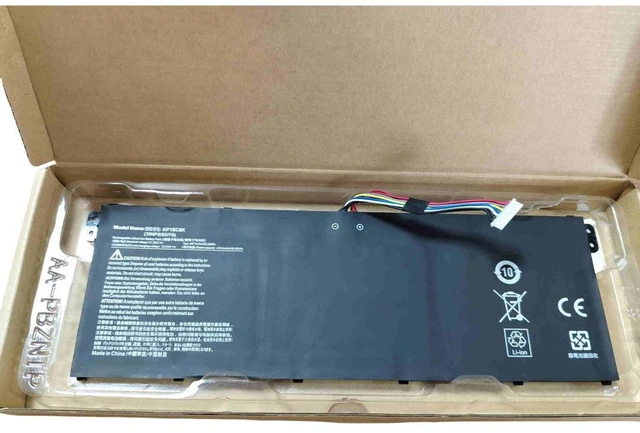
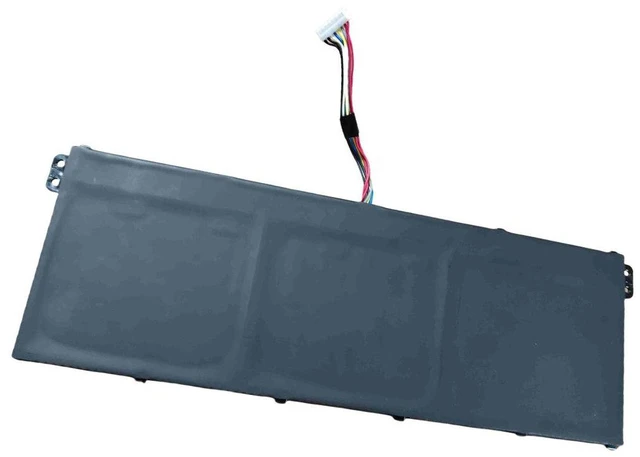
Battery for Acer Swift 3 SF314-32 SF314-42 N19C4 N19H2 AP18C8K, 11.55V 3830mAh 44Wh, High Capacity Li-ion, 12-Month Warranty
- Perfect Fit for Acer Swift 3 Series: Specifically designed for SF314-32, SF314-42, and models using N19C4, N19H2, AP18C8K batteries.
- High Capacity & Long Life: 11.55V 3830mAh 44Wh Li-ion battery delivers reliable power, supports up to 500 charge cycles.
- Safety Certified: Built-in overcharge, over-discharge, short circuit, and overheat protection for worry-free daily use.
- Easy Installation: Direct replacement with original battery connectors, no extra tools or modifications needed.
- Month Warranty & 30-Day Money-Back Guarantee: Buy with confidence, we stand behind our product quality.
+
+
Overview
Specs
Reviews
**Product Description**
Upgrade your Acer Swift 3 laptop with this high-performance replacement battery. Designed to match the exact specifications of original batteries, it restores your laptops portability and frees you from constant power outlet searching. Whether you are a student, remote worker, or frequent traveler, this battery ensures your device stays powered through meetings, classes, or entertainment sessions.
**Important Voltage Warning**
Please verify your original batterys voltage before ordering. This battery is rated at 11.55V. Using an incorrect voltage may cause charging failure or damage to your laptop. If your original battery is 7.6V or 15.2V, this product is NOT compatible.
**Compatible Models & Part Numbers**
- Laptop Models: Acer Swift 3 SF314-32, SF314-42, SF314-32-P, SF314-42-R, SF314-32G, SF314-42G
- Battery Part Numbers: N19C4, N19H2, AP18C8K, AP18C8K-1, AP18C8K-2, KT. 0030G. 001
**Specifications**
| Parameter | Value |
|-----------|-------|
| Battery Type | Li-ion |
| Voltage | 11.55V |
| Capacity | 3830mAh / 44Wh |
| Cell Count | 4 cells |
| Color | Black |
| Weight | Approx. 240g |
| Dimensions | 270 x 80 x 6 mm (check fitment) |
**Comparison Table**
| Feature | Our Battery | Generic Battery |
|---------|-------------|----------------|
| Voltage Accuracy | 11.55V ± 0.1V | Often 11.1V or 11.4V |
| Cycle Life | 500+ cycles | 300-400 cycles |
| Safety Protection | 6-layer PCB protection | Basic protection |
| Warranty | 12 months | 6 months or less |
**Installation Tips**
1. Power off your laptop and disconnect the AC adapter.
2. Remove the bottom cover screws (use a Phillips #0 screwdriver).
3. Locate the battery connector and gently disconnect the cable.
4. Remove the old battery and insert the new one, aligning the connector properly.
5. Reattach the bottom cover, tighten screws, and charge the battery fully before first use.
6. If the laptop does not recognize the battery, try
a hard reset: unplug AC, remove battery, hold power button for 30 seconds, then reinstall.
**Package Includes**
- 1 x Replacement Battery
-
- 1 x Installation Guide
**Note: ** This is a third-party replacement product, not an original Acer accessory. Please confirm your laptop model and original battery part number before purchasing.
Upgrade your Acer Swift 3 laptop with this high-performance replacement battery. Designed to match the exact specifications of original batteries, it restores your laptops portability and frees you from constant power outlet searching. Whether you are a student, remote worker, or frequent traveler, this battery ensures your device stays powered through meetings, classes, or entertainment sessions.
**Important Voltage Warning**
Please verify your original batterys voltage before ordering. This battery is rated at 11.55V. Using an incorrect voltage may cause charging failure or damage to your laptop. If your original battery is 7.6V or 15.2V, this product is NOT compatible.
**Compatible Models & Part Numbers**
- Laptop Models: Acer Swift 3 SF314-32, SF314-42, SF314-32-P, SF314-42-R, SF314-32G, SF314-42G
- Battery Part Numbers: N19C4, N19H2, AP18C8K, AP18C8K-1, AP18C8K-2, KT. 0030G. 001
**Specifications**
| Parameter | Value |
|-----------|-------|
| Battery Type | Li-ion |
| Voltage | 11.55V |
| Capacity | 3830mAh / 44Wh |
| Cell Count | 4 cells |
| Color | Black |
| Weight | Approx. 240g |
| Dimensions | 270 x 80 x 6 mm (check fitment) |
**Comparison Table**
| Feature | Our Battery | Generic Battery |
|---------|-------------|----------------|
| Voltage Accuracy | 11.55V ± 0.1V | Often 11.1V or 11.4V |
| Cycle Life | 500+ cycles | 300-400 cycles |
| Safety Protection | 6-layer PCB protection | Basic protection |
| Warranty | 12 months | 6 months or less |
**Installation Tips**
1. Power off your laptop and disconnect the AC adapter.
2. Remove the bottom cover screws (use a Phillips #0 screwdriver).
3. Locate the battery connector and gently disconnect the cable.
4. Remove the old battery and insert the new one, aligning the connector properly.
5. Reattach the bottom cover, tighten screws, and charge the battery fully before first use.
6. If the laptop does not recognize the battery, try
a hard reset: unplug AC, remove battery, hold power button for 30 seconds, then reinstall.
**Package Includes**
- 1 x Replacement Battery
-
- 1 x Installation Guide
**Note: ** This is a third-party replacement product, not an original Acer accessory. Please confirm your laptop model and original battery part number before purchasing.
Warranty & Returns
Warranty, Returns, And Additional Information
Warranty
- Please contact the Seller directly for warranty information. Warranty information may also be found on the Manufacturer's website.
- CONTACT
Return Policies
- Return for refund within: 30 days
- Return for replacement within: 90 days
- This item is covered by xuanlan Return Policy
Manufacturer Contact Info
- For a directory of all our manufacturers, please click below.
- Manufacturers Directory
LOADING...